Convert CSV To HTML Table
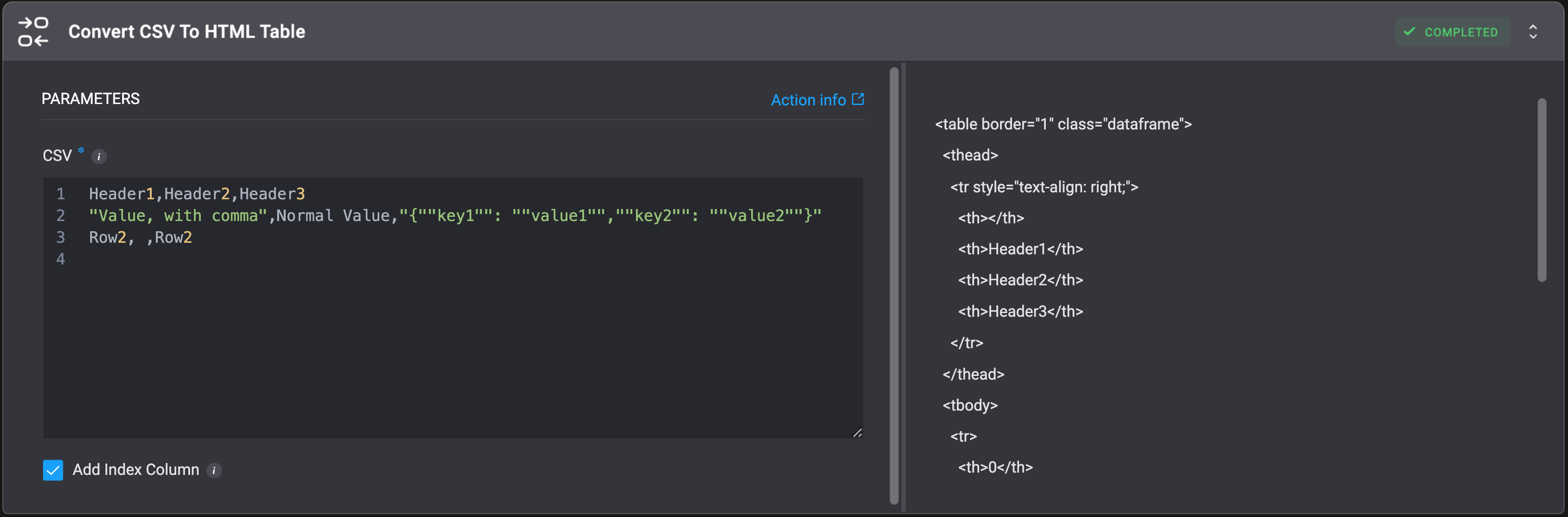
Convert a CSV object to an HTML Table.| Parameter | Description |
|---|---|
| CSV Object | CSV object to convert to an HTML Table format. |

Convert CSV To JSON
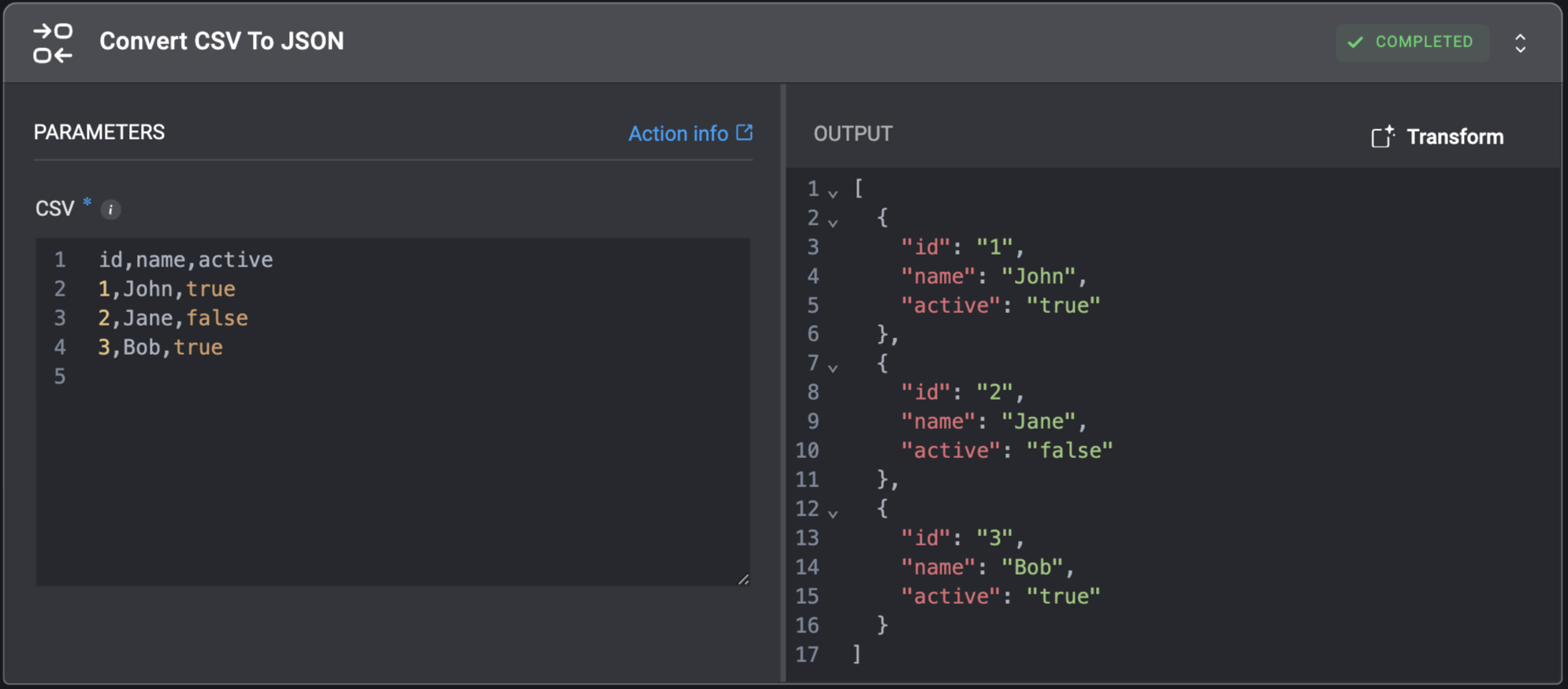
Convert a CSV object to a JSON object.| Parameter | Description |
|---|---|
| CSV Object | CSV object to convert to the JSON format. |

Convert EML To JSON
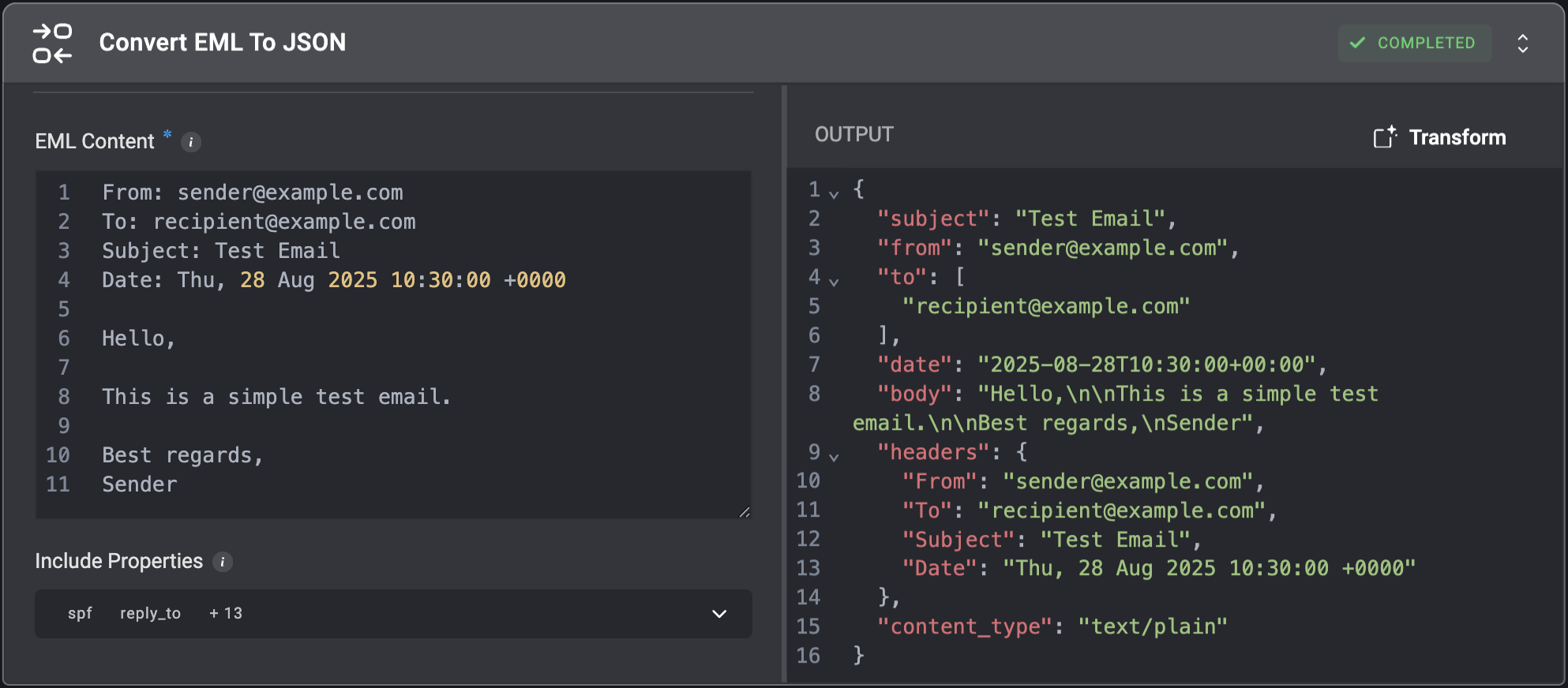
Convert EML data to JSON structure.| Parameter | Description |
|---|---|
| EML Content | The EML string which will be converted to JSON. |
| Include Properties | Select which advanced email properties to include in the JSON result. Advanced email data options: • cc - Carbon copy recipients who receive a visible copy of the email.• bcc - Blind carbon copy recipients who receive a hidden copy of the email.• reply_to - The email address that replies should be sent to, which may differ from the sender.• message_id - Unique identifier assigned to each email message.• in_reply_to - Message ID of the email this message is responding to.• references - Chain of Message IDs showing the conversation history.• attachments - Files included with the email message.• headers - Collection of all metadata fields in the email.• content_type - Format of the email content (e.g., text/plain, text/html).• content_transfer_encoding - Method used to encode the message content for transmission.• mime_version - Version of MIME protocol used to structure the email.• return_path - Email address for handling bounce-back messages.• delivered_to - Final recipient’s email address after any forwarding.• received - Tracking information added by each server that processed the email.• authentication_results - Results of email authentication checks.• dkim_signature - Digital signature to verify the email’s authenticity.• spf - Sender Policy Framework record to prevent email spoofing. |

Convert HTML To Markdown
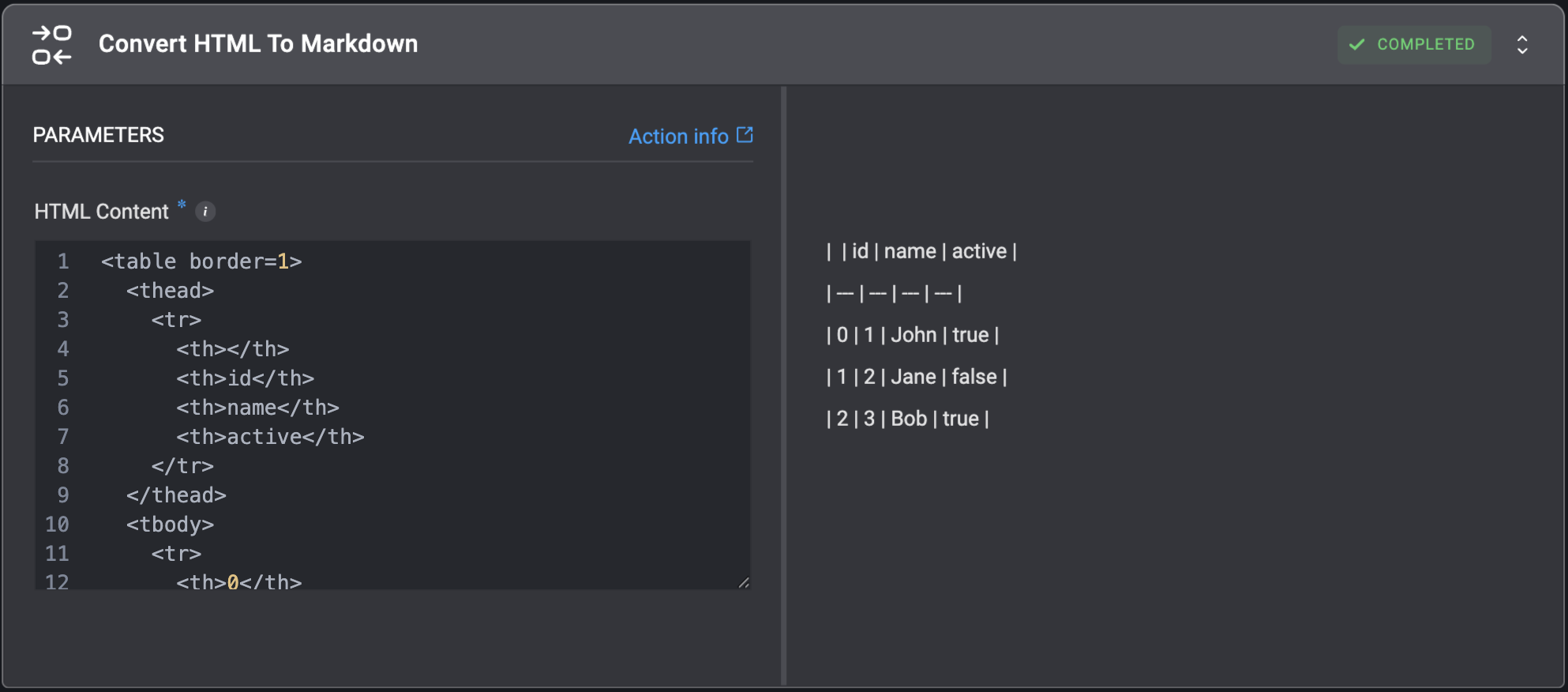
Convert HTML string to Markdown format.| Parameter | Description |
|---|---|
| HTML Content | The HTML string which will be converted to Markdown. For example, for the HTML string: <b>Automate Everything</b> With <a href="https://www.blinkops.com/">Blink Ops</a>The Markdown output will be: **Automate Everything** With [Blink Ops](https://www.blinkops.com/) |

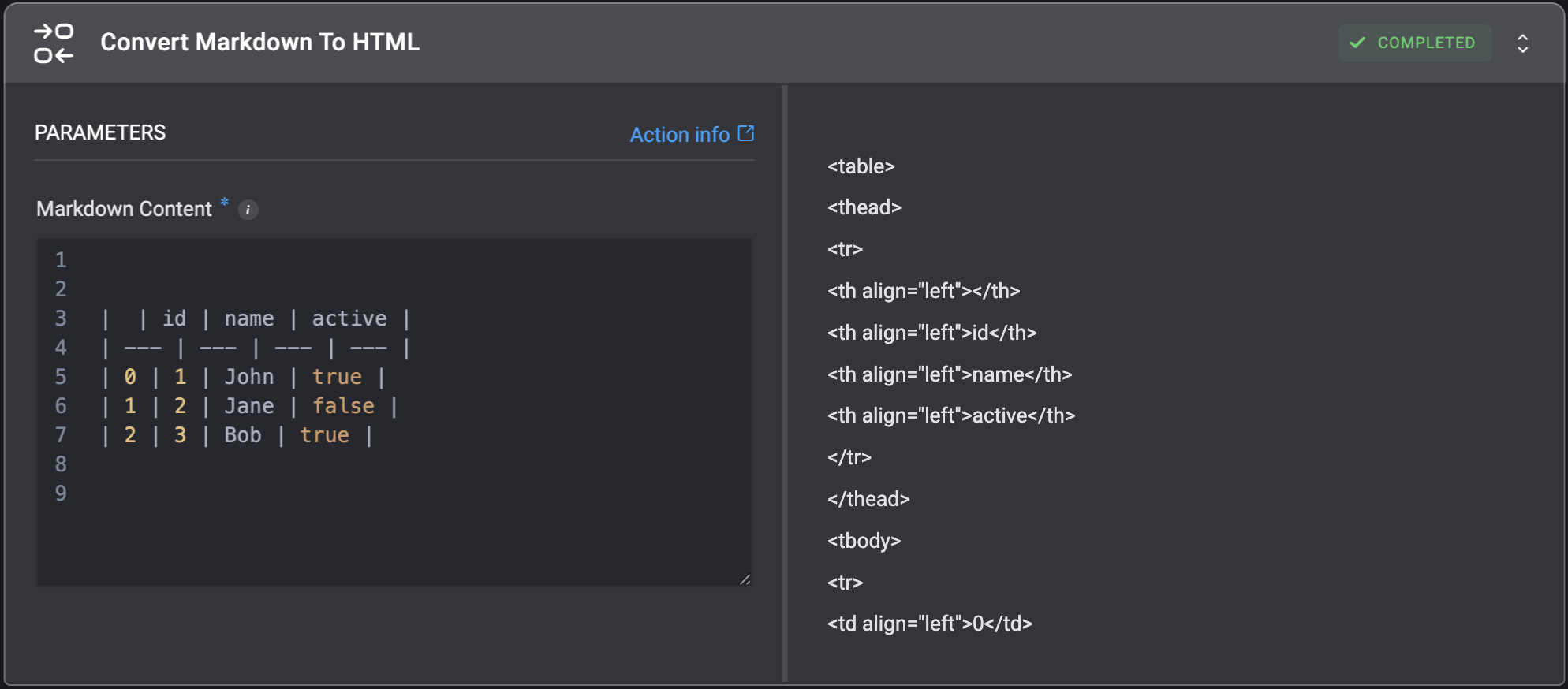
Convert Markdown To HTML
Convert Markdown string to HTML format.| Parameter | Description |
|---|---|
| Markdown Content | The Markdown string which will be converted to HTML. For example, for the Markdown string: [Blink Ops](https://www.blinkops.com/)The HTML output will be: <p><a href="https://www.blinkops.com/">Blink Ops</a></p> |

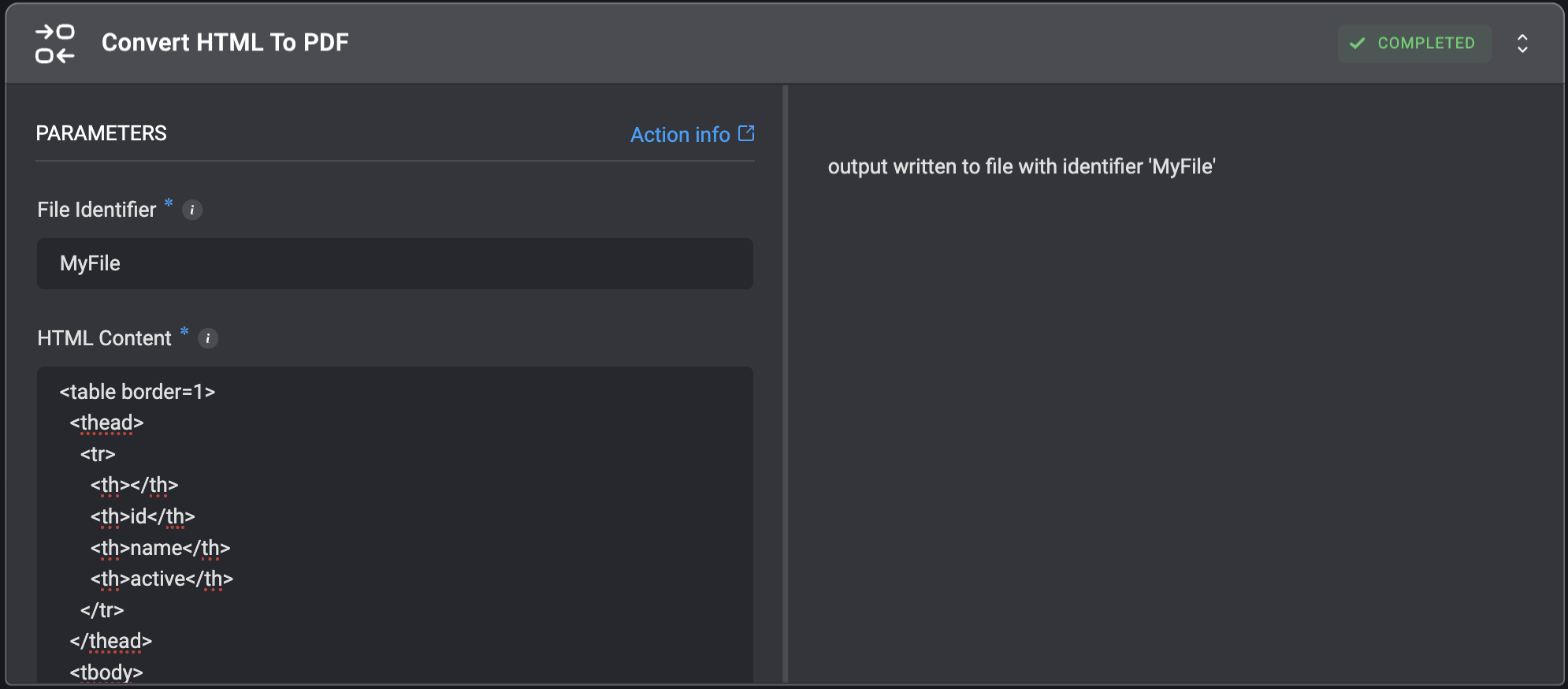
Convert HTML To PDF
Convert HTML to a.pdf file.
| Parameter | Description |
|---|---|
| File Identifier | The identifier of the file. This will be used as an input for subsequent steps. |
| HTML Content | The HTML code to render. |

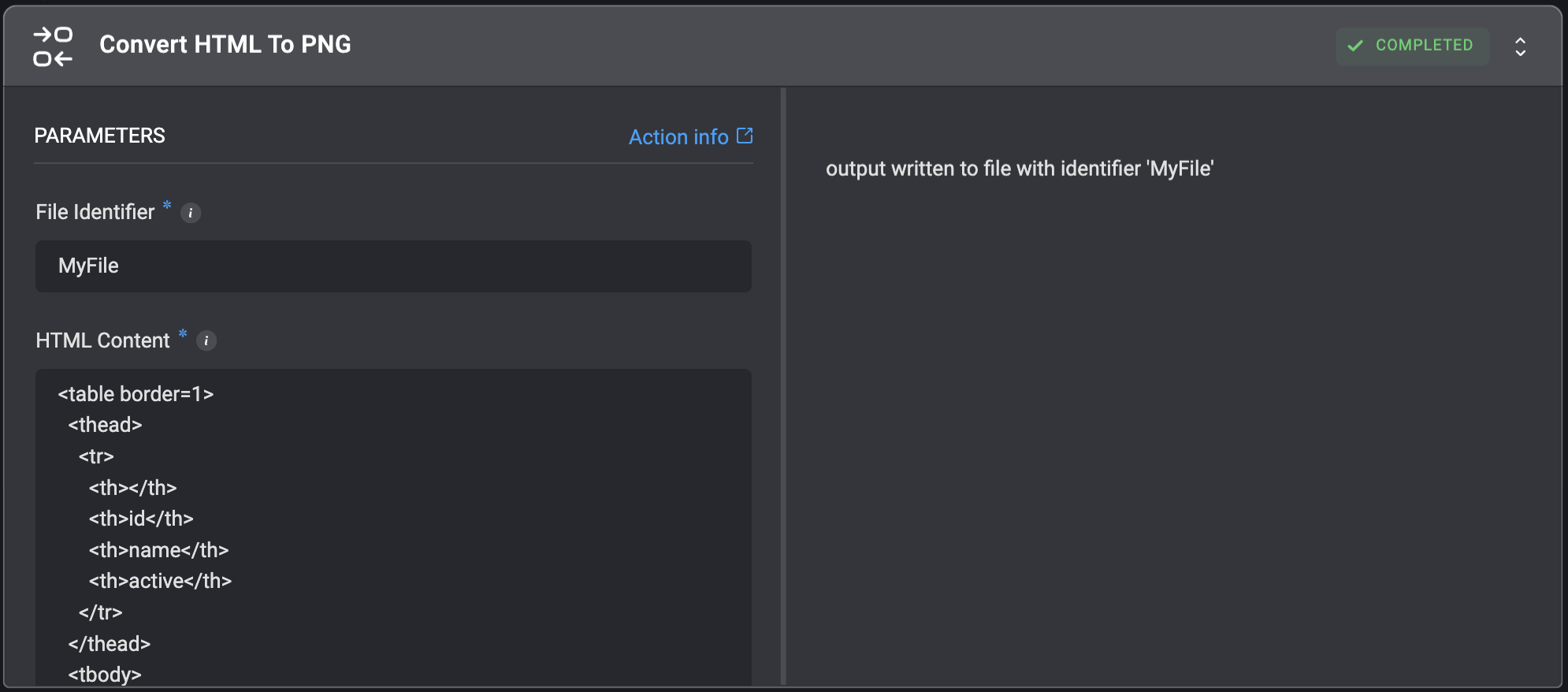
Convert HTML To PNG
Convert HTML to a.png file.
| Parameter | Description |
|---|---|
| File Identifier | The identifier of the file. This will be used as input for subsequent steps. |
| HTML Content | The HTML code to render. |

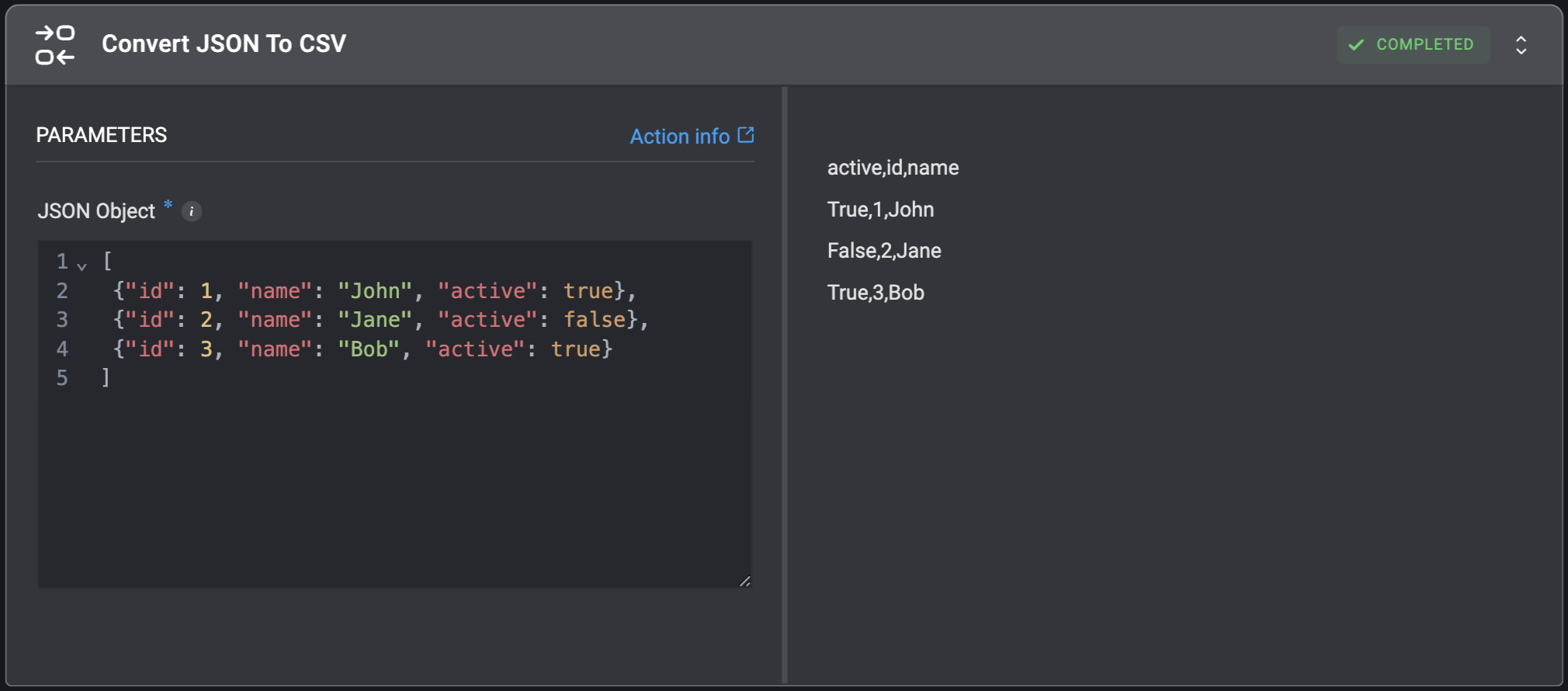
Convert JSON To CSV
Convert a JSON object to a CSV object.| Parameter | Description |
|---|---|
| JSON Object | JSON object to convert to the CSV format. |

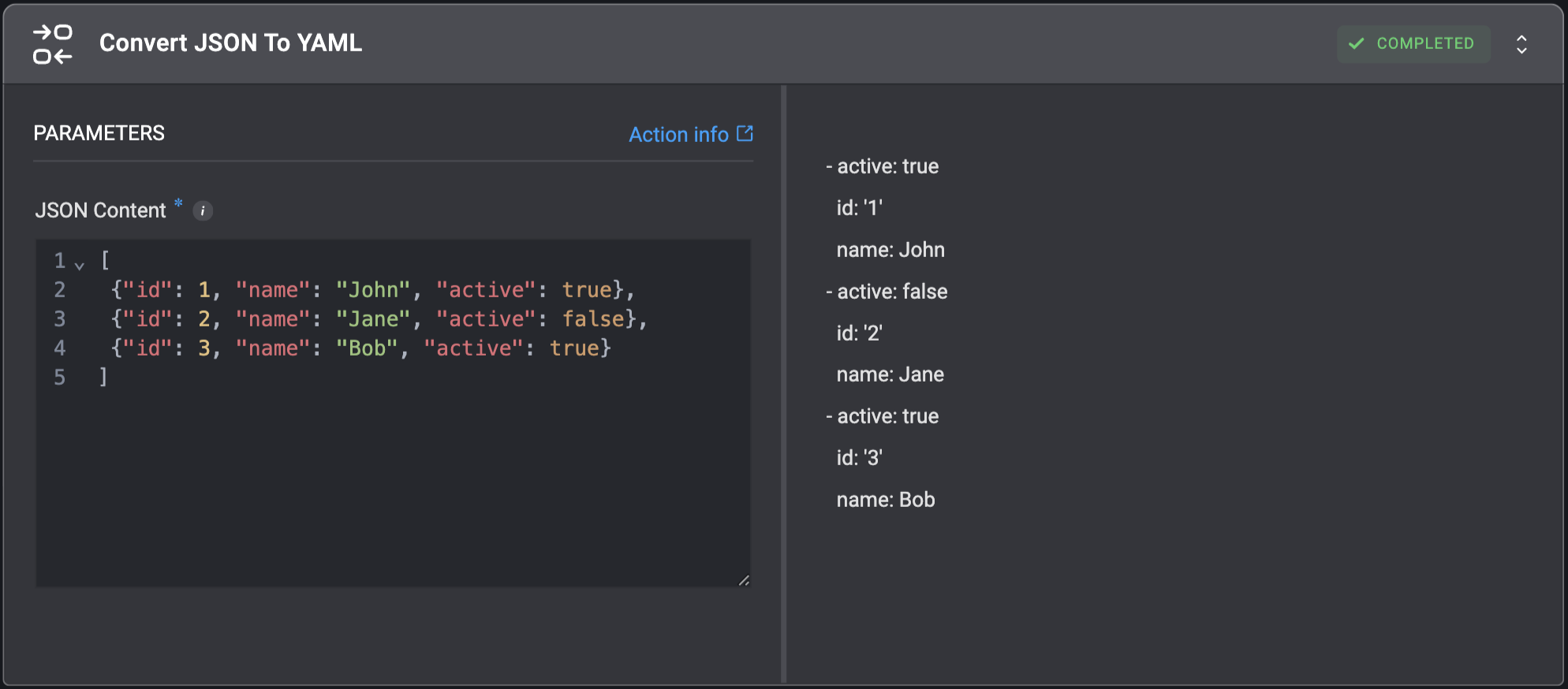
Convert JSON To YAML
Convert JSON string to YAML.| Parameter | Description |
|---|---|
| JSON Content | The JSON string which will be converted to YAML. |

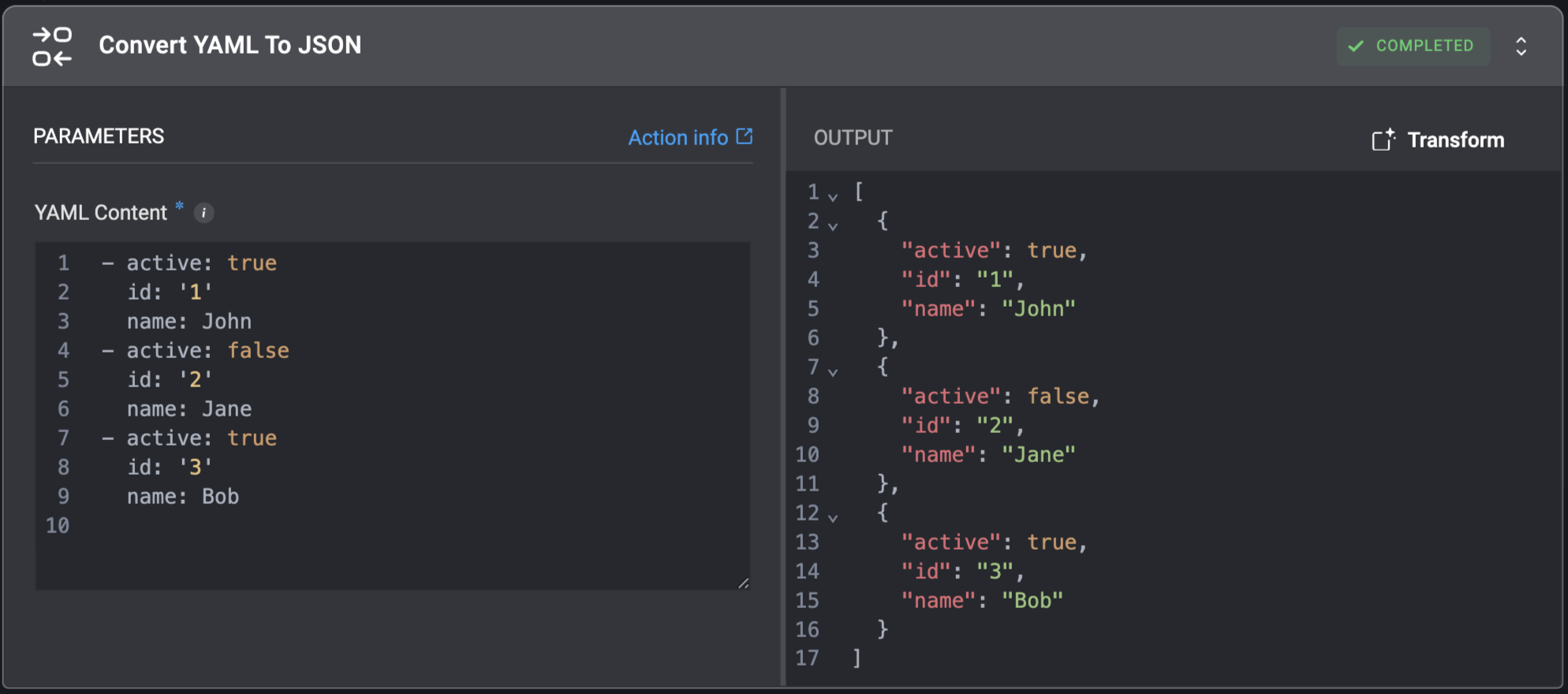
Convert YAML To JSON
Convert YAML string to JSON.| Parameter | Description |
|---|---|
| YAML Content | The YAML string which will be converted to JSON. |