
Add Record

Add a record to a table. Two ways:

Entering the Values Manually

JSON Format

Entering the Values Manually

This action Adds a Record to a Case Management custom table by manually entering the table field name and the table field value.
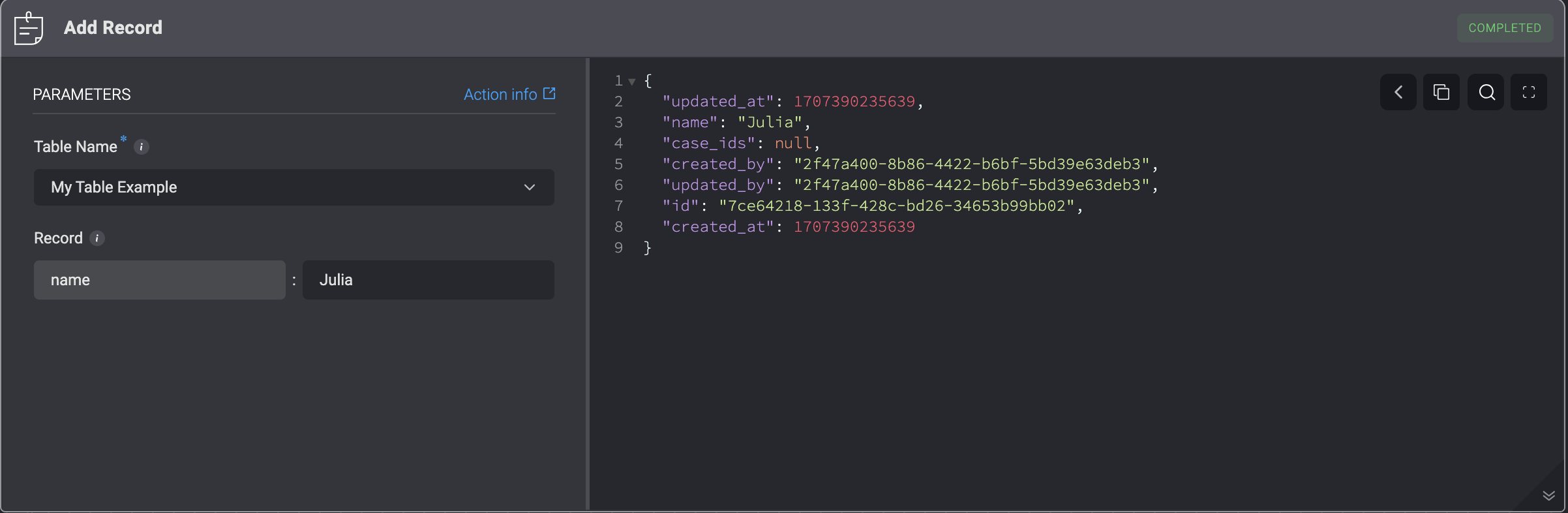
ParameterDescription
Table NameThe Name of the table.
RecordData of the Record.

JSON Format

This action Adds a Record to a Case Management custom table according to the JSON format.
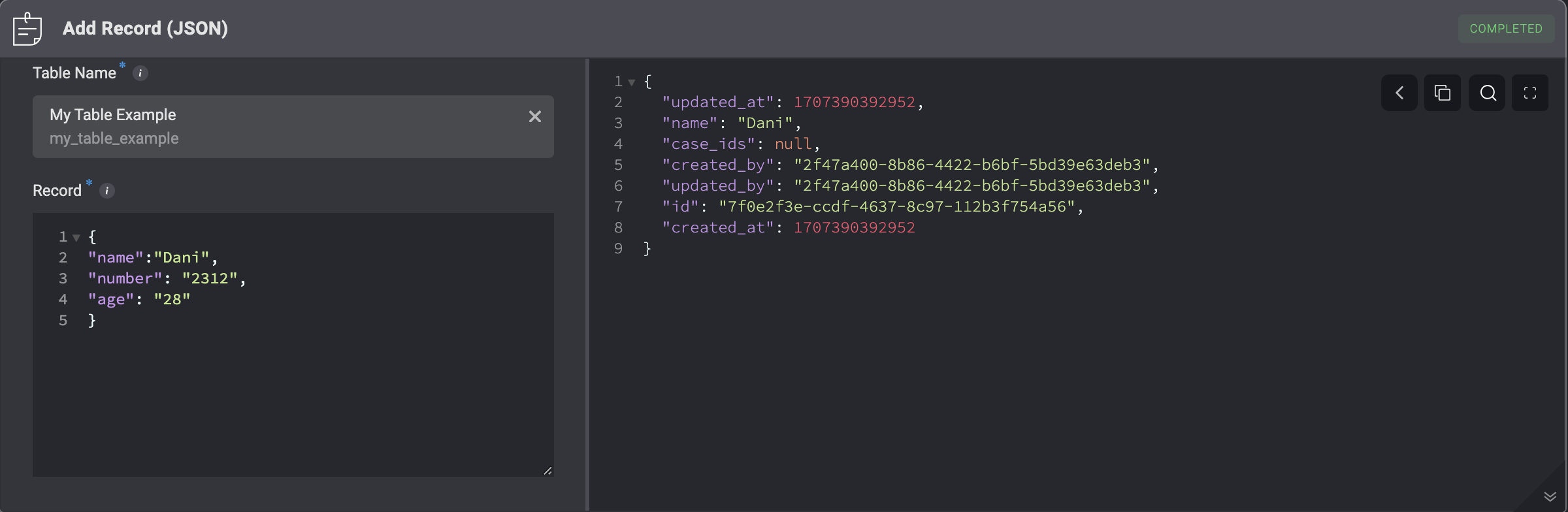
ParameterDescription
Table NameThe Name of the table.
RecordData of single or multiple records.
To create multiple records, enter a JSON list representing the records.
For example:
[
{
“name”: “record 1”
},
{
“name”: “record 2”
}
]

Update Records (In Bulk)

This action enables you to update multiple records at once in either a Case Management Observable Table or a Case Management Custom Table.
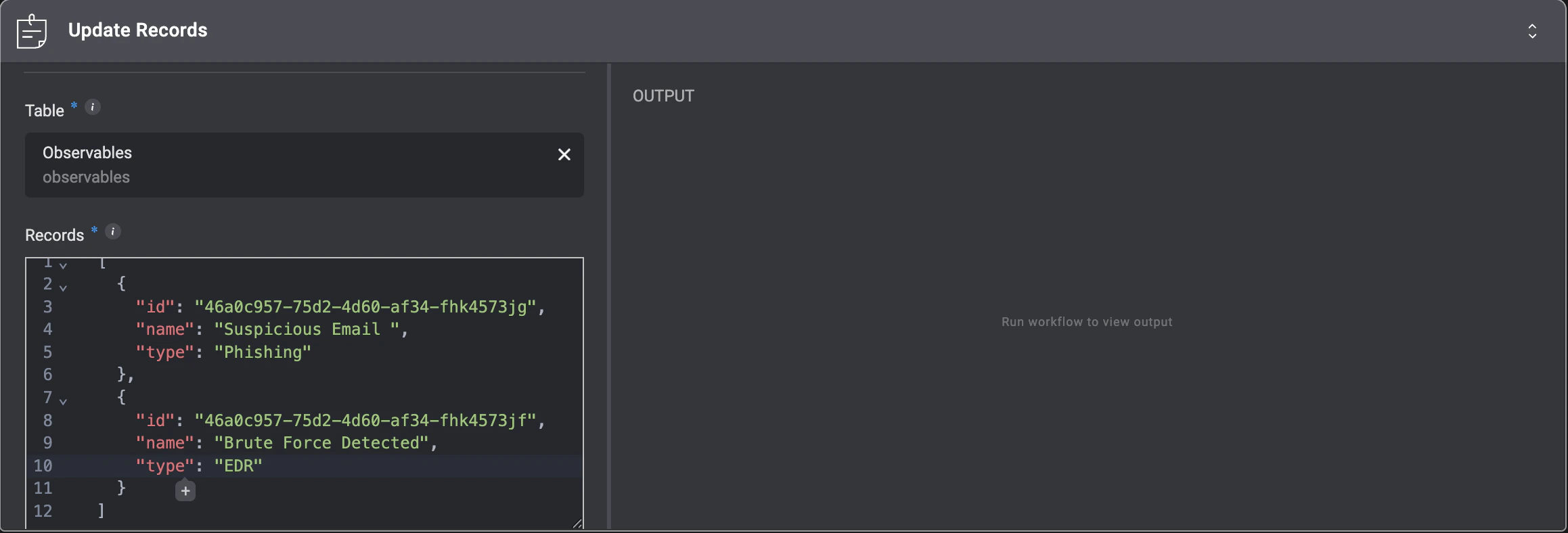
ParameterDescription
TableThe Case Management Observable Table or Case Management Custom Table where you want to update multiple records.
RecordsA JSON array of the records to update. Each object must include the record id and the fields you want to update. All records in the array should follow the same structure and include the same set of columns.
Please Note:
  • All records in the array must follow the same structure and include the same set of columns.
  • Only Observables and Case Management custom tables can be updated.
  • Reference and Files field types are not allowed for updates.
  • The Records input is limited to 1,000 items per operation.

Delete Records

This action Deletes a Record(s) from a Case Management table that match a specified condition.
ParameterDescription
Delete Record(s) ByThe date type to delete the records by: By ID or By Condition.
Table NameThe Name of the table.
Record ID(s)A comma separated list of the record ID(s) to delete.
ConditionThe condition criteria for deleting records that meet the conditions.

Links a table record with reference column to a record.
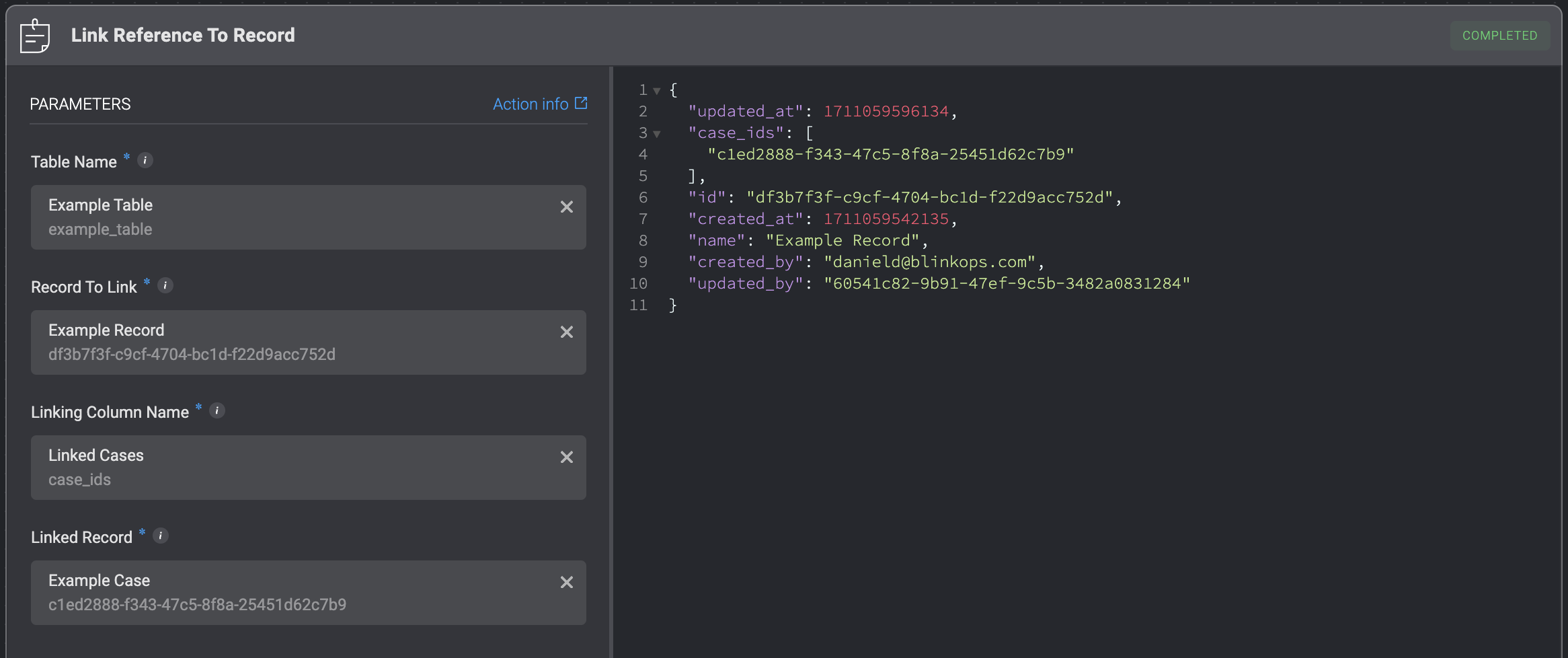
ParameterDescription
Table NameThe name of the table from which the record will be linked to another record.
Record To LinkThe ID of the record to be linked to another record.
Linking Column NameThe column within the table that serves as the linking mechanism between the two tables.
Linked RecordThe record in the target table that will be linked to the specified record from the table.

Unlinks a table record with reference column from a record.
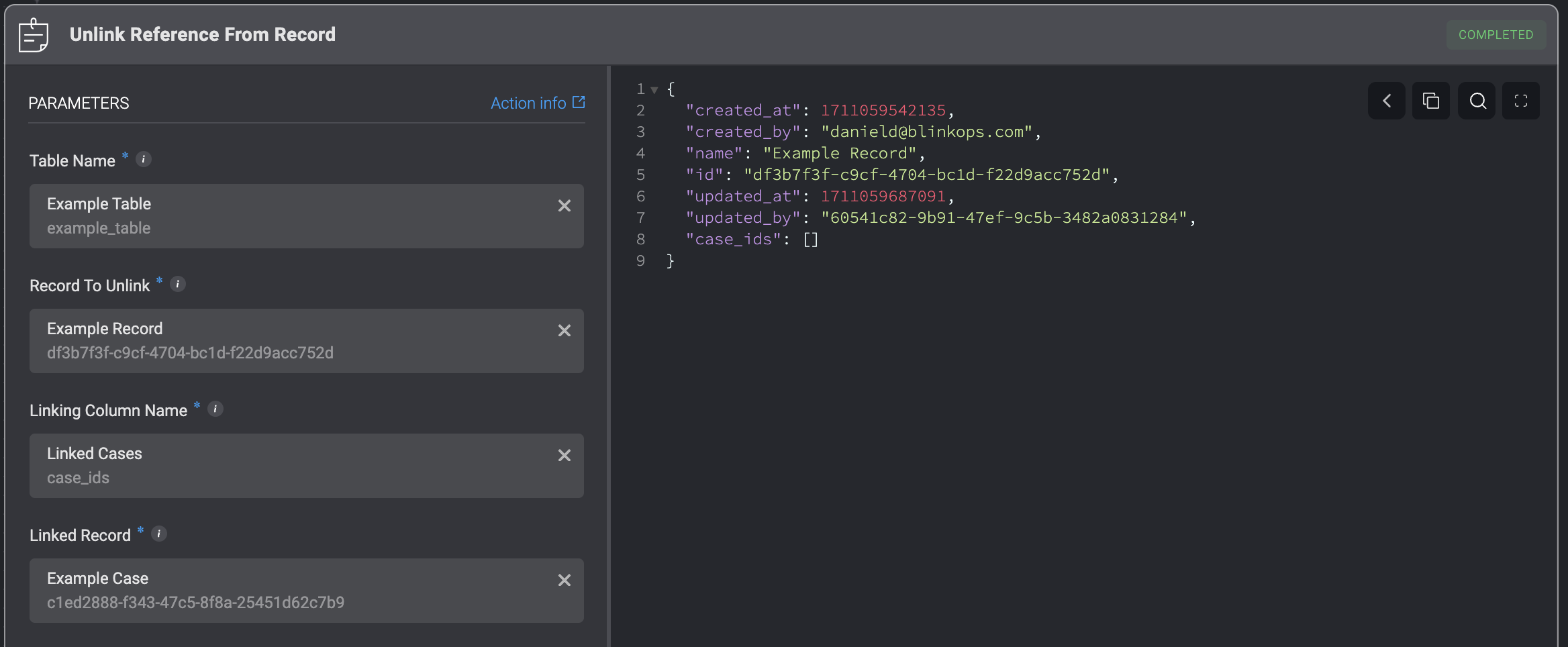
ParameterDescription
Table NameThe name of the table from which the record will be unlinked from another record.
Record To UnlinkThe ID of the record to be unlinked from another record.
Linking Column NameThe column within the table that serves as the linking mechanism between the two tables.
Linked RecordThe record in the target table that will be unlinked from the specified record from the table.

Update File Column

The ‘Update File Column’ action allows you to update or replace the file stored in a case management table’s file column.
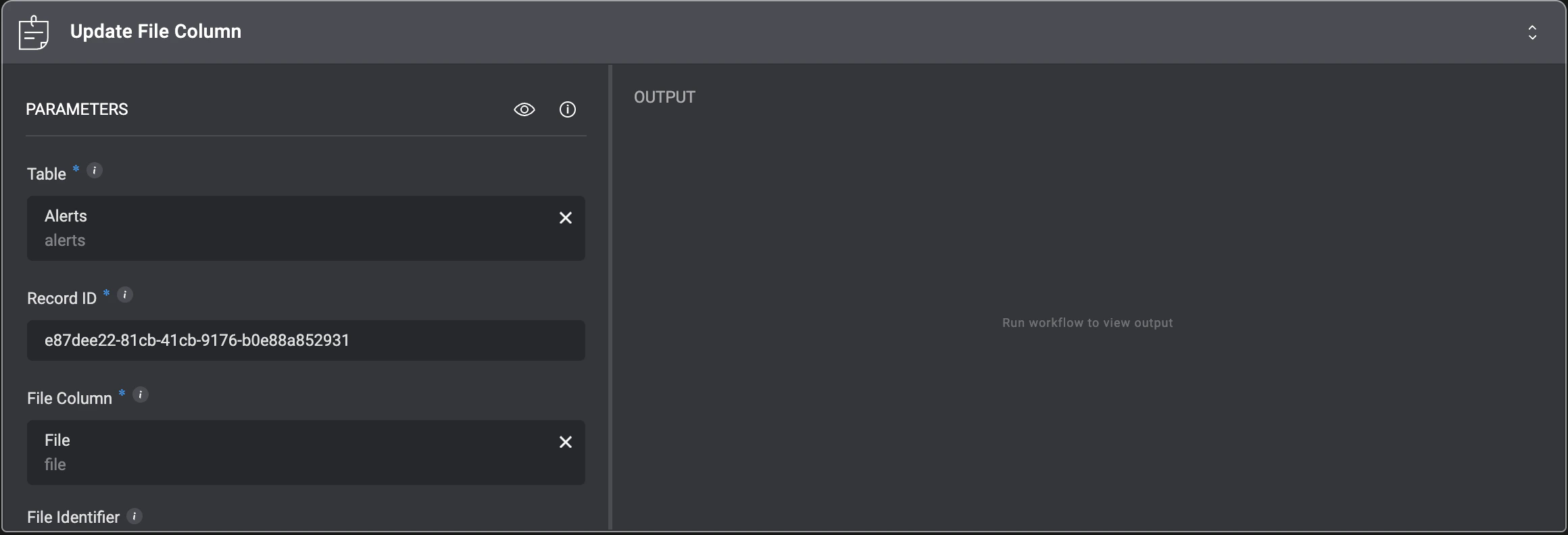
ParameterDescription
Table NameThe name of the table containing the record you want to update.
Record IDThe ID of the record to update.
File ColumnThe name of the file column to update.
File IdentifierThe identifier of the file to store. Leave empty to clear the file column.