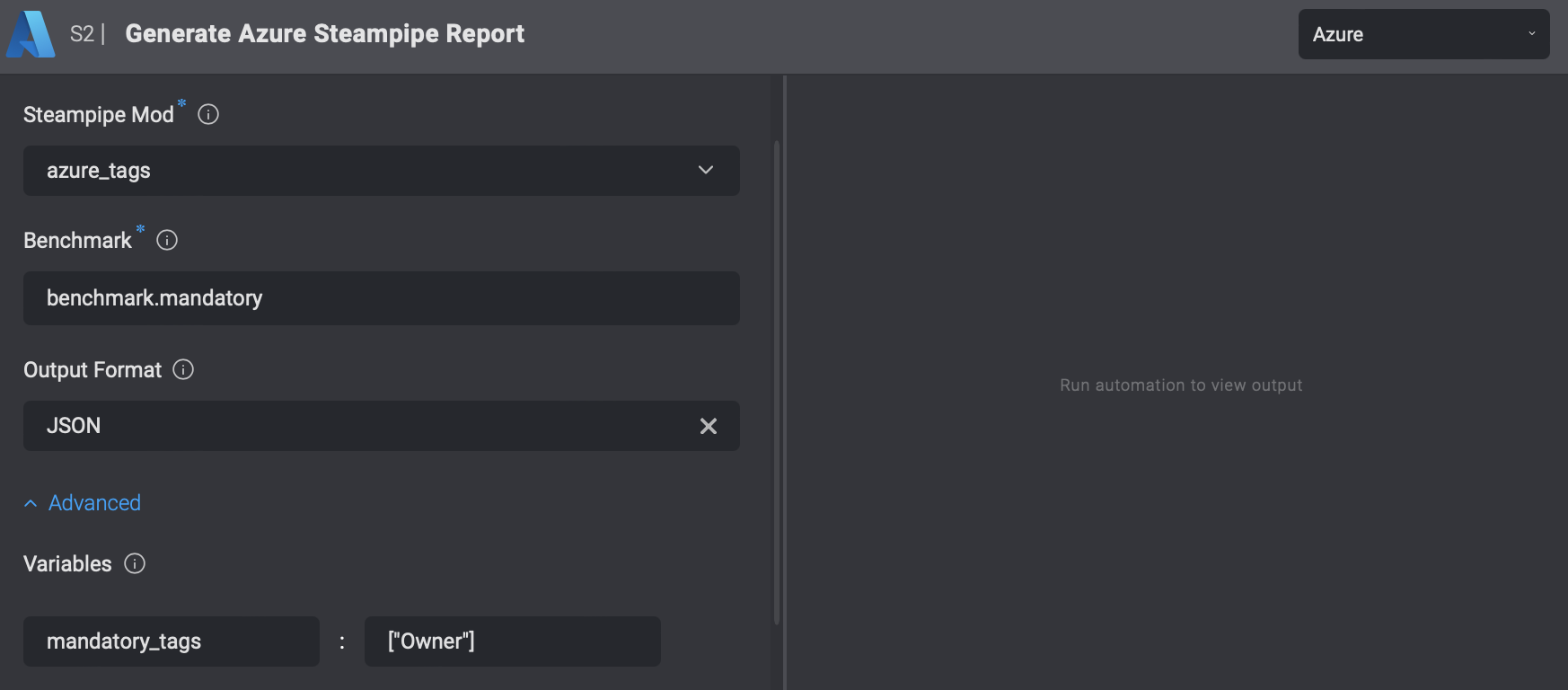
Steampipe Report Actions are only available on private runners.
Background
The Generate Azure Steampipe Report Action performs Steampipe checks on Azure resources and generates a report. The checks are performed using Azure benchmarks/controls for supported mods. A full description of all supported mods is provided here:- Azure Compliance - version 0.29
- Azure Tags - version 0.6
- Azure Thrifty - version 0.9
- Azure Insights - version 0.10
Action Parameters
Using Variables
To understand how to add variables, consider the following example from the Steampipe CLI:steampipe check azure_tags.benchmark.mandatory --var 'mandatory_tags=["Owner"]'
From this example, you can see that the variable mandatory_tags has a value of ["Owner"]. To add this variable in the form, enter mandatory_tags in the “Name” column and ["Owner"] in the “Value” column.