Note: Only users with the Tenant Admin role have permission to access this Dashboard
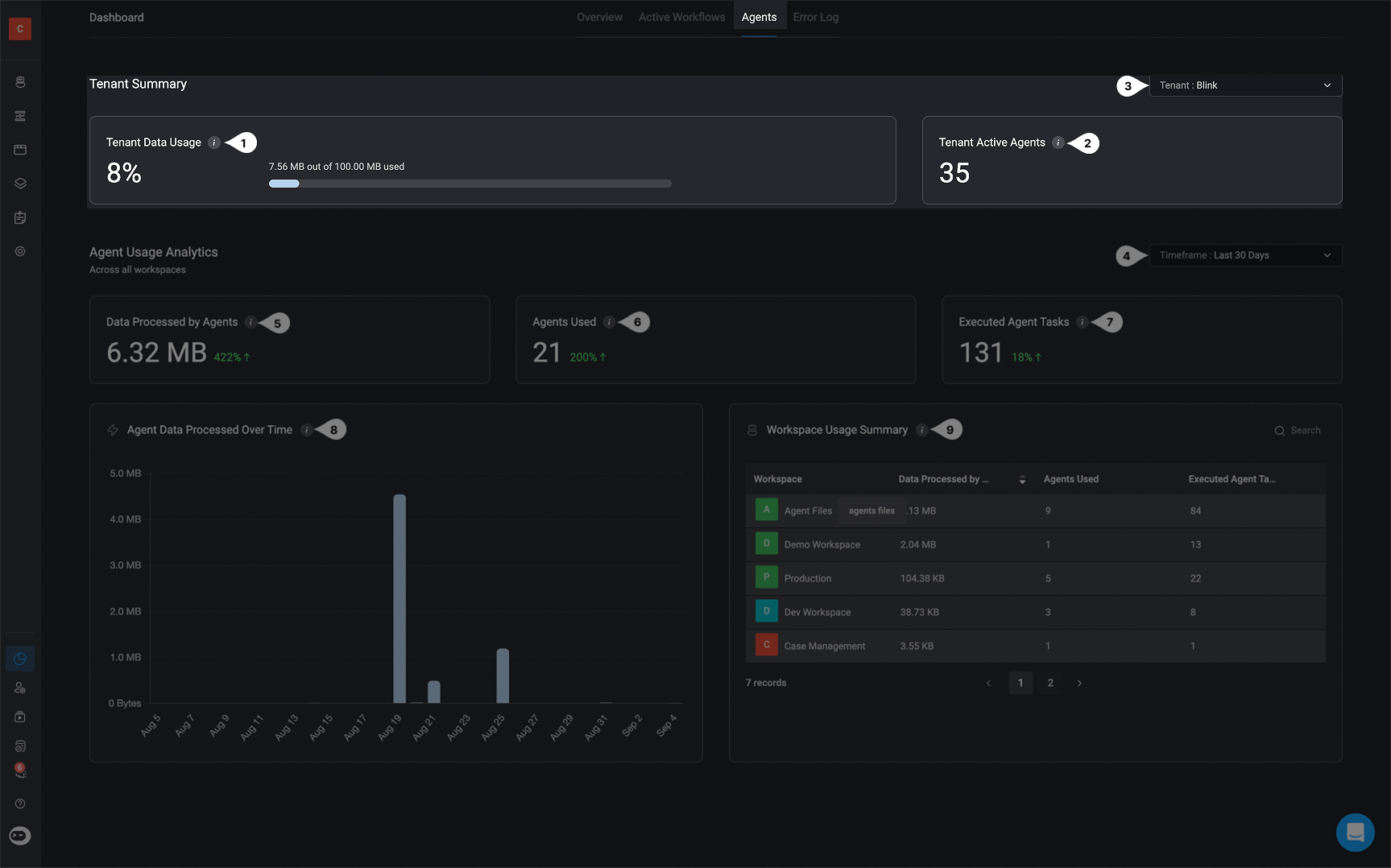
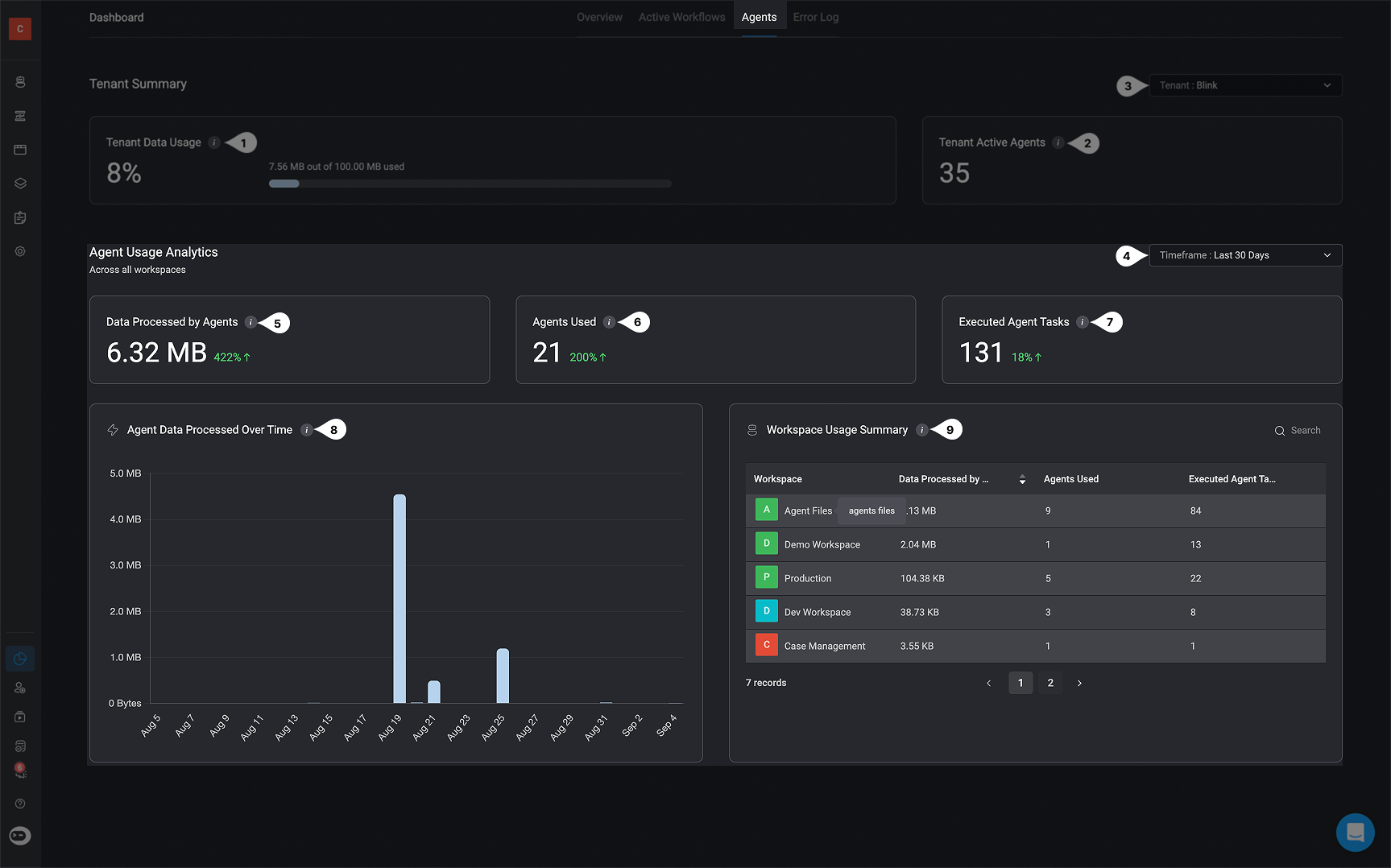
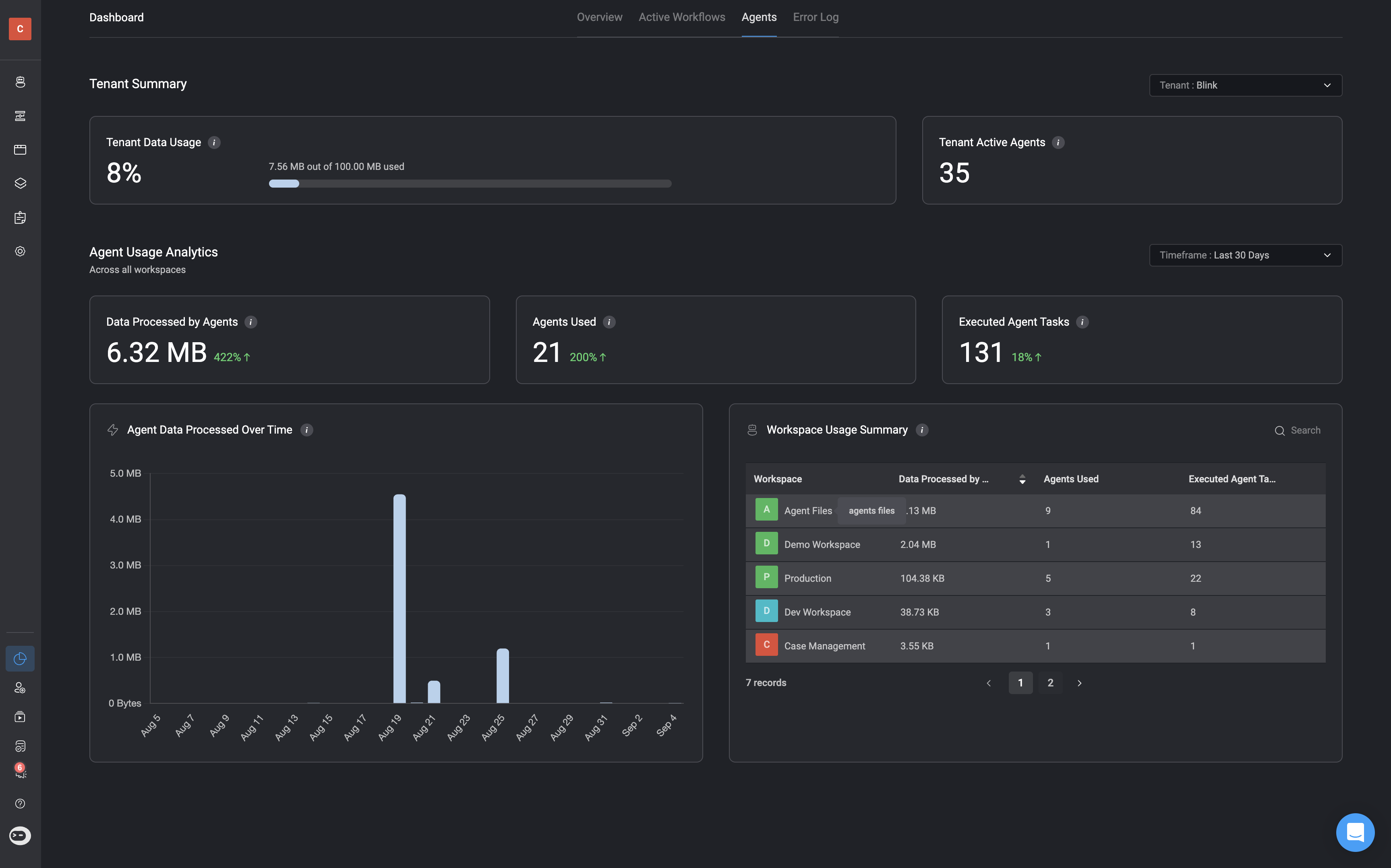
In the Tenant Dashboard, the Agents tab provides access to the Agent Tracking Dashboard. This dashboard gives you a comprehensive view of agent activity across your tenant and workspaces. It highlights how agents are being used, tracks data processing, and surfaces usage trends over time. With this visibility, you can effectively track agent usage, optimize resource allocation, and ensure you stay within your quota limits. With this dashboard, it can help you:
  • Track total data processed by agents across your tenant.
  • See how many agents are active and in use.
  • Measure executed tasks and data trends over time.
Automatic Quota Threshold Alerts

Email notifications are sent to all tenant admins at the following thresholds:
  • 50%
  • 75%
  • 90%
  • Blocked (when the tenant’s licensed data quota has been reached)

A warning alert is displayed when you reach 50% and more of your tenant’s data processing quota. This becomes a critical alert when 90% of the licensed data is exceeded. For Example:

Tenant Summary


Agent Usage Analytics - Across All Workspaces