Overview
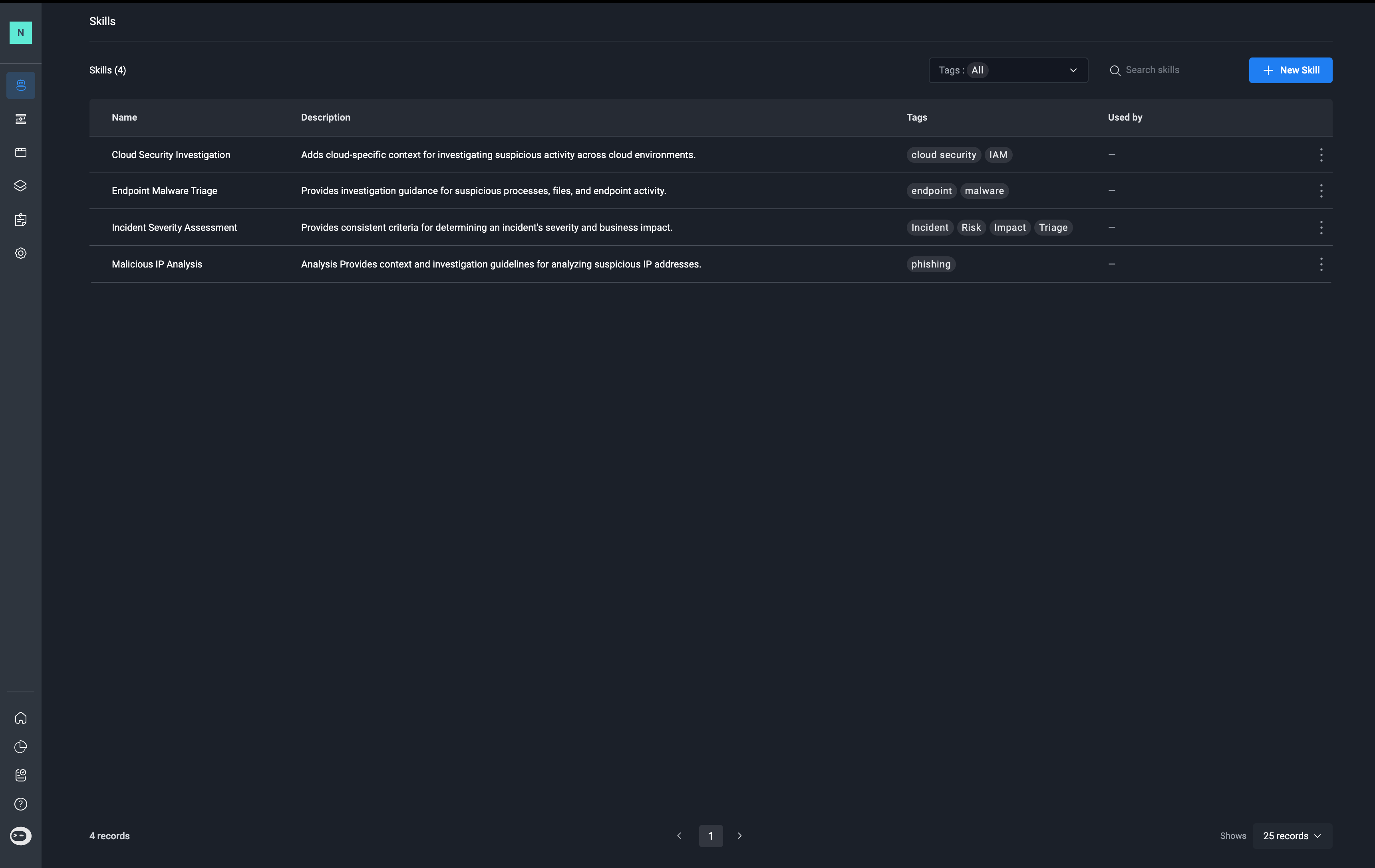
Skills give agents access to specialized knowledge, instructions, and task-specific guidance when needed. They allow teams to define reusable expertise without including every instruction in an agent’s role or loading unnecessary context into every session. Each skill consists of three components:- Name: Identifies the skill.
- Description: Explains the skill’s purpose and when it should be used.
- Content: Contains the detailed instructions, procedures, guidelines, and contextual information the agent uses when the skill is loaded.
Skill Loading Modes
Skills support two loading modes: Load by Default and On Demand. The selected mode determines when the skill’s content becomes available to the agent.1. Load by Default
When a skill is configured to load by default, its full content is loaded at the beginning of every session.Use this mode for instructions and knowledge that the agent needs consistently, regardless of the specific task. Because the content is included in every session, use this mode selectively to avoid adding unnecessary context.
2. On Demand
When a skill is configured for on-demand loading, the agent initially sees only the skill’s name and description. The full content is loaded when the agent determines that the skill is relevant to the current task.This allows agents to access specialized guidance when needed without loading every skill into the context at the start of a session.The description determines whether the agent can identify when to use the skill. It should clearly state the scenarios, tasks, or conditions in which the skill is relevant.For example:
- Vague description: Provides guidance for email security.
- Effective description: Use when investigating a potentially malicious email, analyzing phishing indicators, or determining whether an email represents a security threat.
Skills vs Abilities
Skills and abilities serve different purposes and operate independently.- Skills provide instructions, knowledge, and guidance that help an agent determine how to approach a task.
- Abilities are pre-built, secure workflows that provide agents with the tools they need to execute actions without requiring direct access to your systems or credentials.
Reusing Skills Across Agents
Skills are workspace-level resources that can be reused across multiple agents. Instead of maintaining separate copies of the same instructions, teams can update a shared skill in one place. Changes to a shared skill can affect the behavior of every agent that uses it when the updated content is loaded.Note: A running session retains the skill content it has already loaded. Changes to a skill do not automatically replace the content in an existing session. To validate an update, start a new session and test the agent’s behavior with the revised skill.
Best Practices for Writing Skills
Use the following guidelines to create effective, reusable skills:- Write clear descriptions. For on-demand skills, explicitly state when the skill should be used. The description is the information available to the agent before the full content is loaded.
- Keep content focused. Each skill should address a specific area of expertise, procedure, or task rather than combining unrelated instructions.
- Choose the appropriate loading mode. Load content by default only when it is consistently needed. Use on-demand loading for specialized knowledge that applies to particular tasks.
- Avoid overloading the agent’s context. Adding more instructions does not necessarily improve results. Excessive context can make it harder for an agent to identify and prioritize the information relevant to its task. On-demand loading helps keep the context focused by introducing specialized content only when needed.
- Reuse shared skills. Maintain common guidance in workspace-level skills instead of duplicating it across agents.
- Test changes in new sessions. Start a new session after updating a skill to ensure the agent loads and applies the latest content.
Adding New Skills
1
Navigate to the Skills Page
In the Skills tab, in the top-right corner, click ” New Skill” button.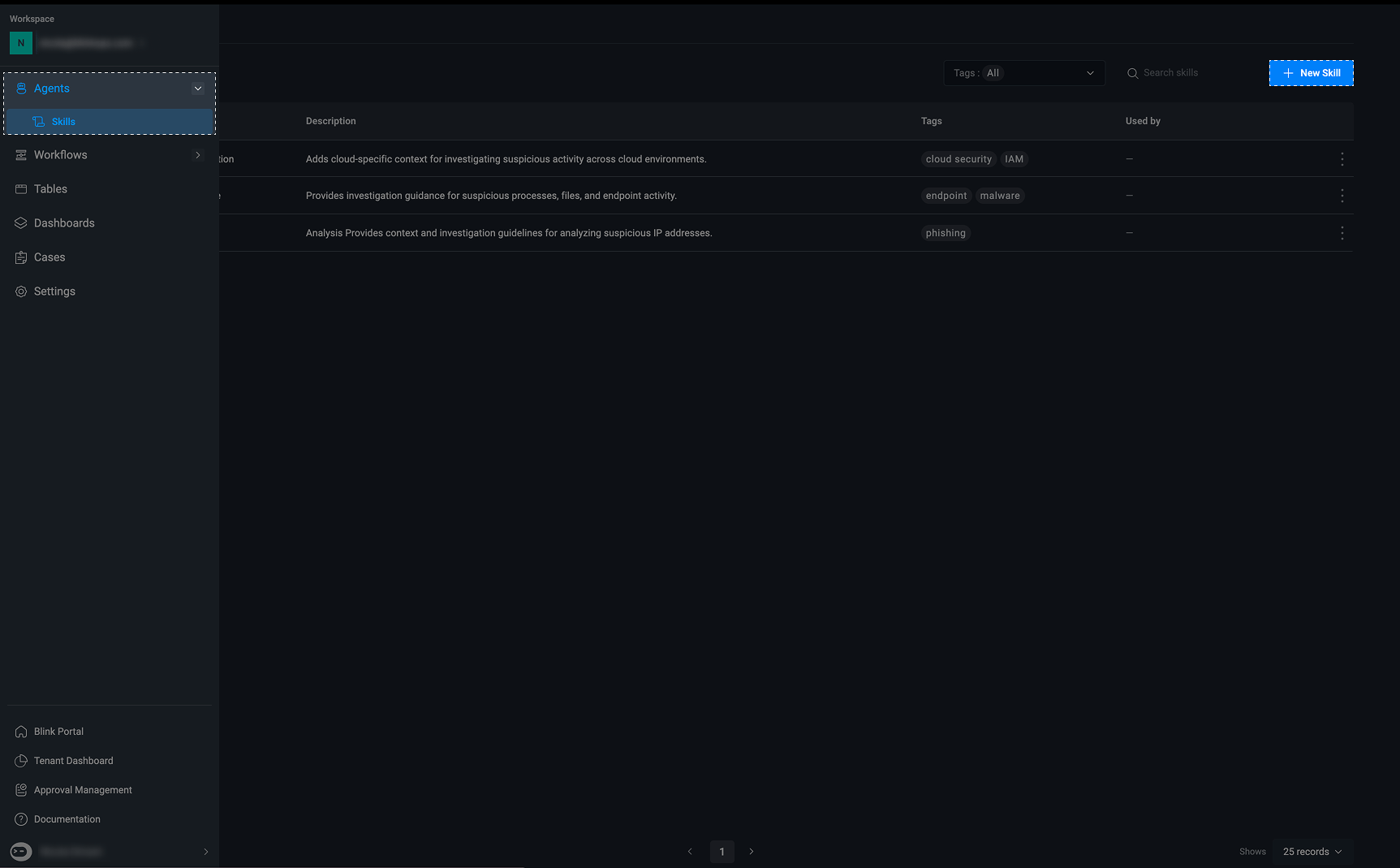
2
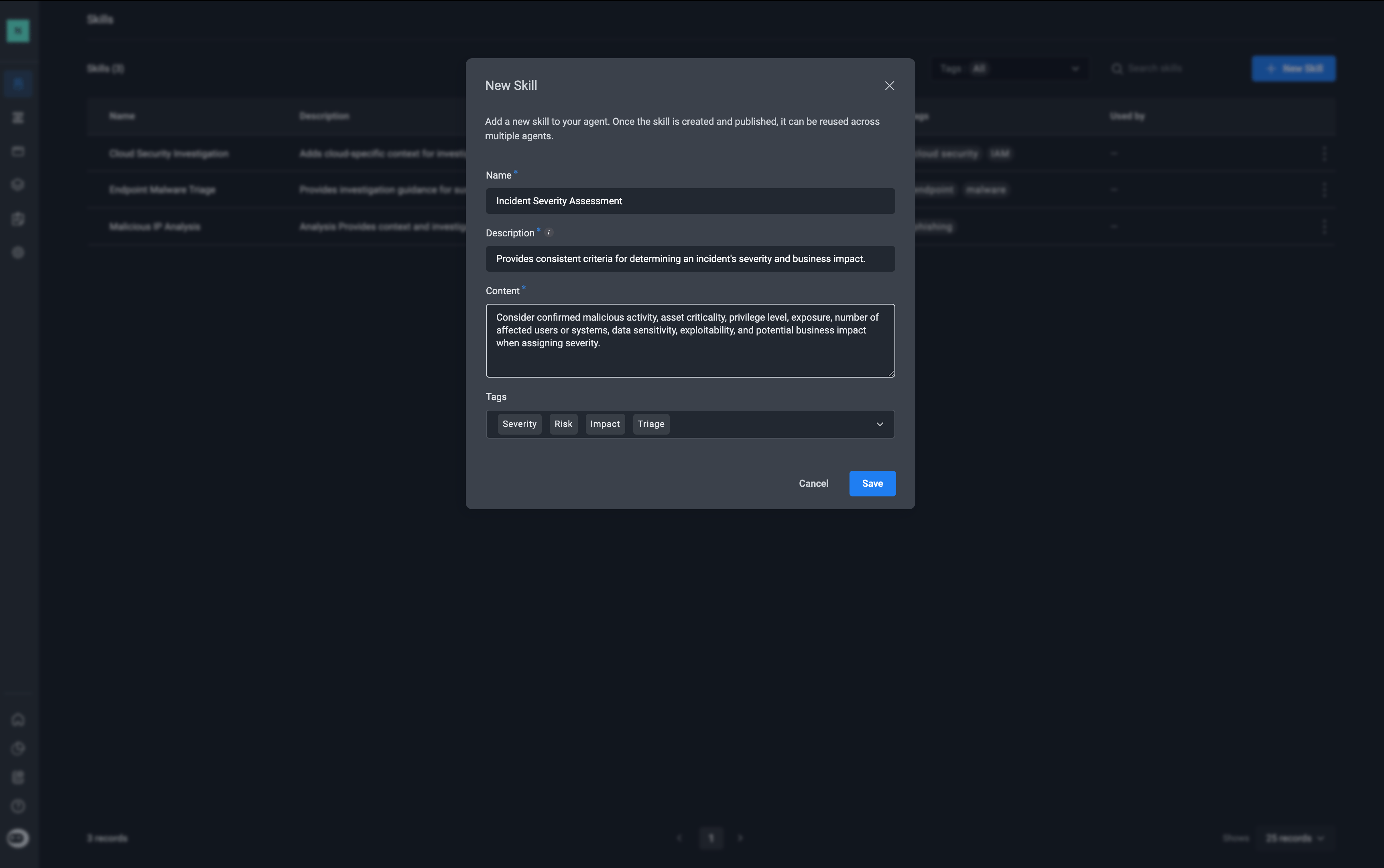
Fill in the following parameters
- Name – The name of the skill
- Description – A description of the skill’s functionality and purpose.
- Content- Add the instructions, knowledge, guidelines, or other contextual information that should be provided to an agent when the skill is used.
- Tags- Assign tags to the skill
3
Create the Skill
Once created, the skill is added to the Skills library, where you can view and manage it and assign them to agents.