

Creating an Aikido connection
Using Client Credentials
To create the connection you need:- An API Address
- A Client ID
- A Client Secret
Obtaining the credentials
Note: To create client credentials, you must have access to your Aikido workspace settings.-
In your Aikido dashboard, navigate to Settings.
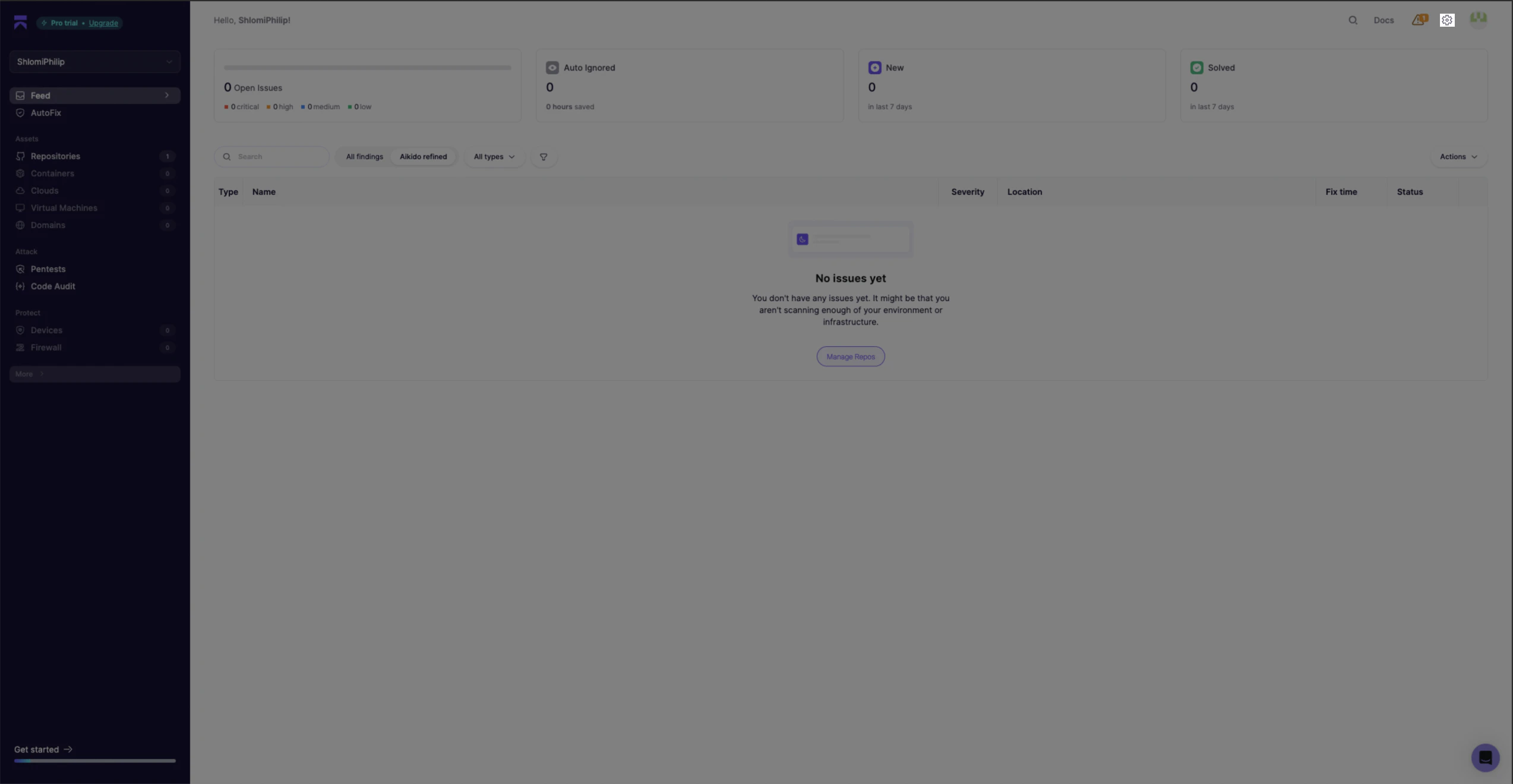
-
In the Settings page, click the Integrations tab.
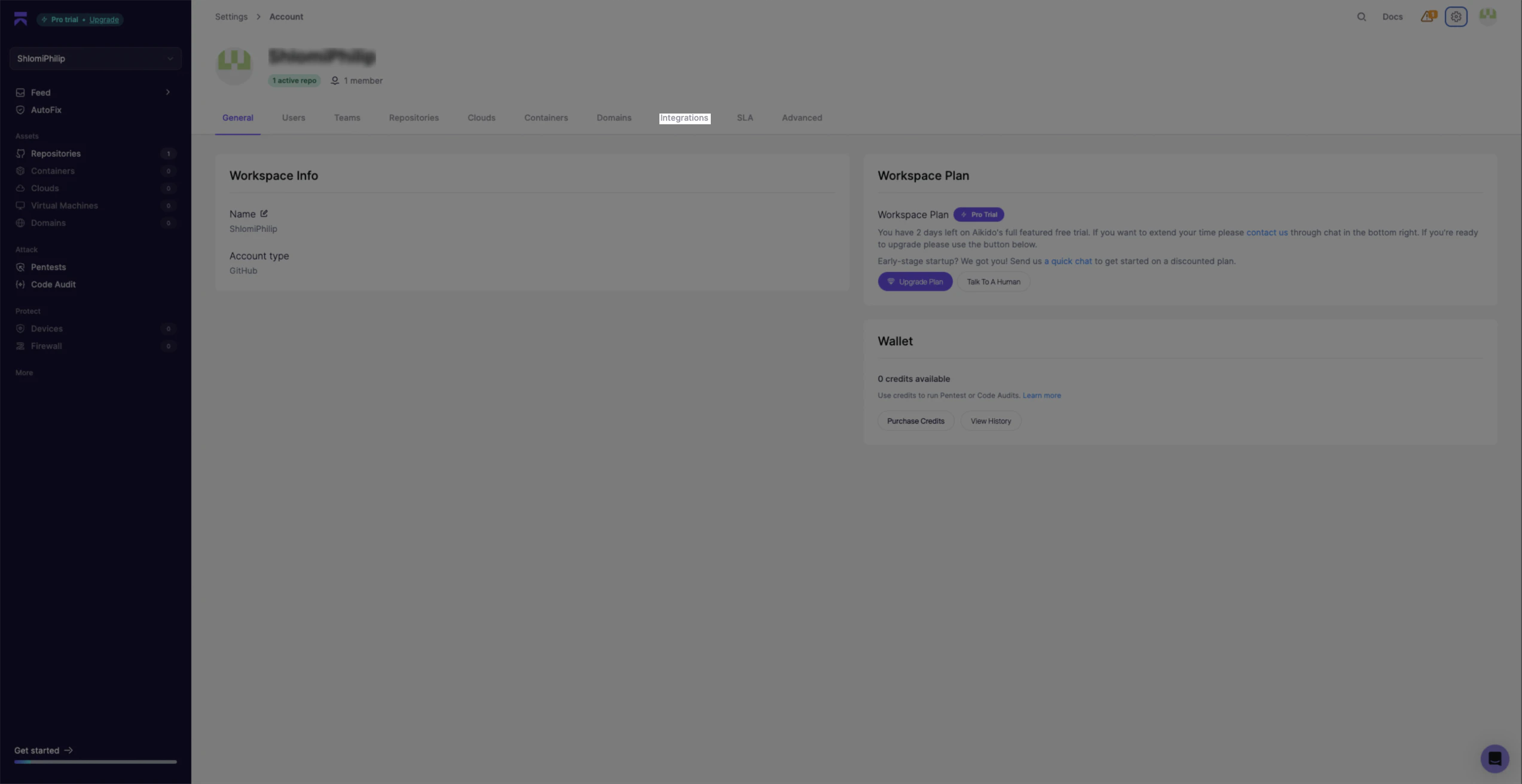
-
Scroll to the Public API section and click Public REST API.
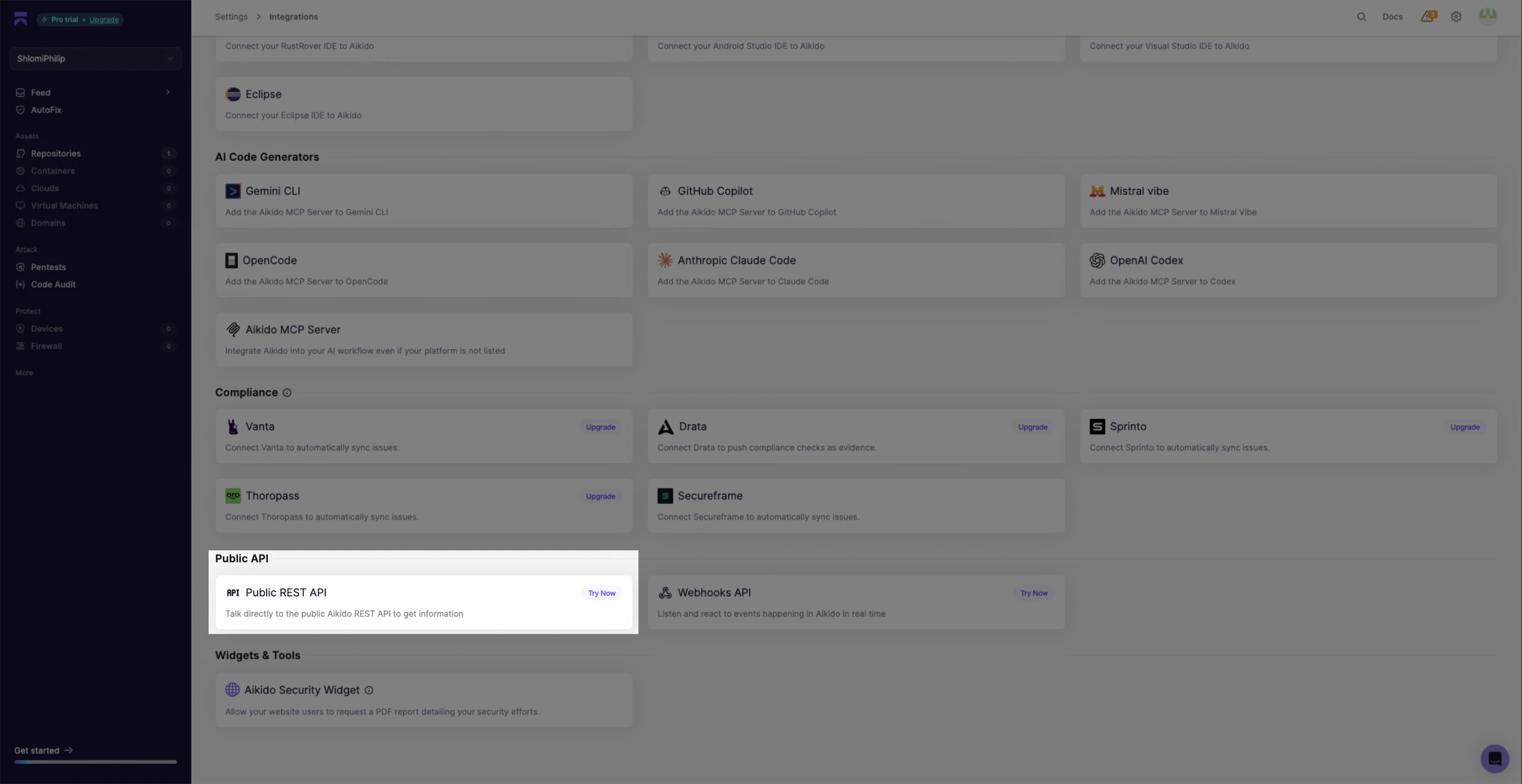
-
On the Aikido public REST API integration page, click Register Client.
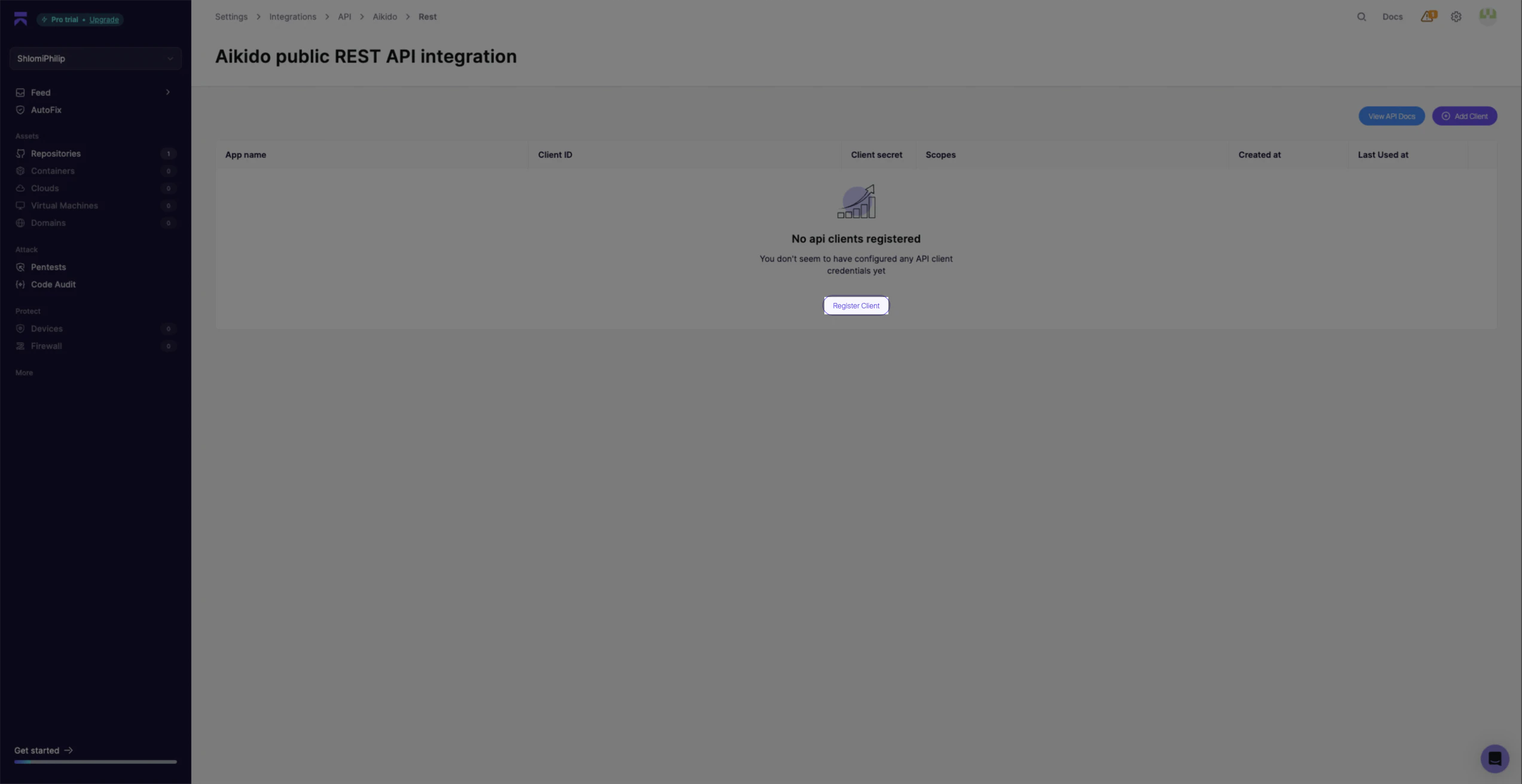
-
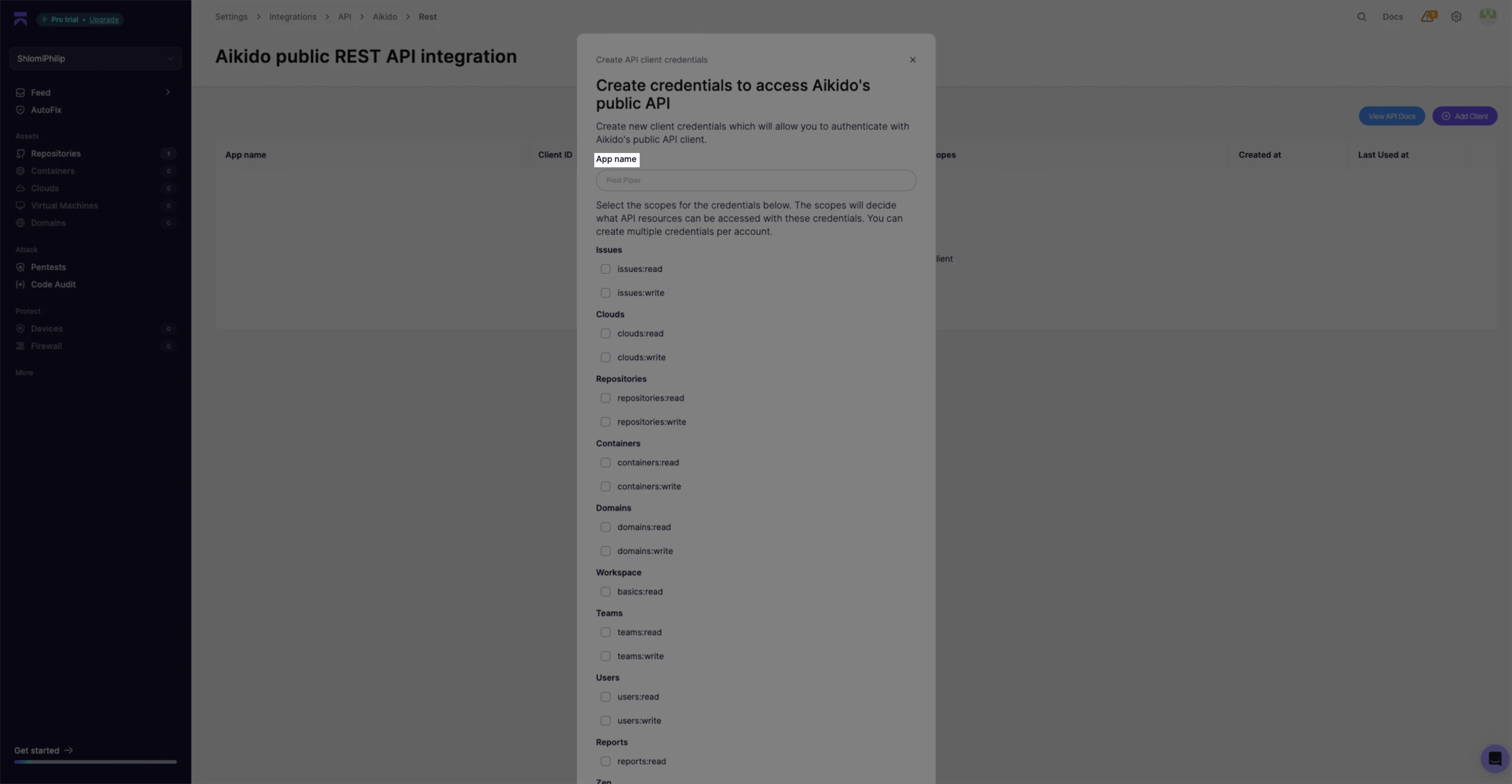
Enter an App name and select the required scopes.
-
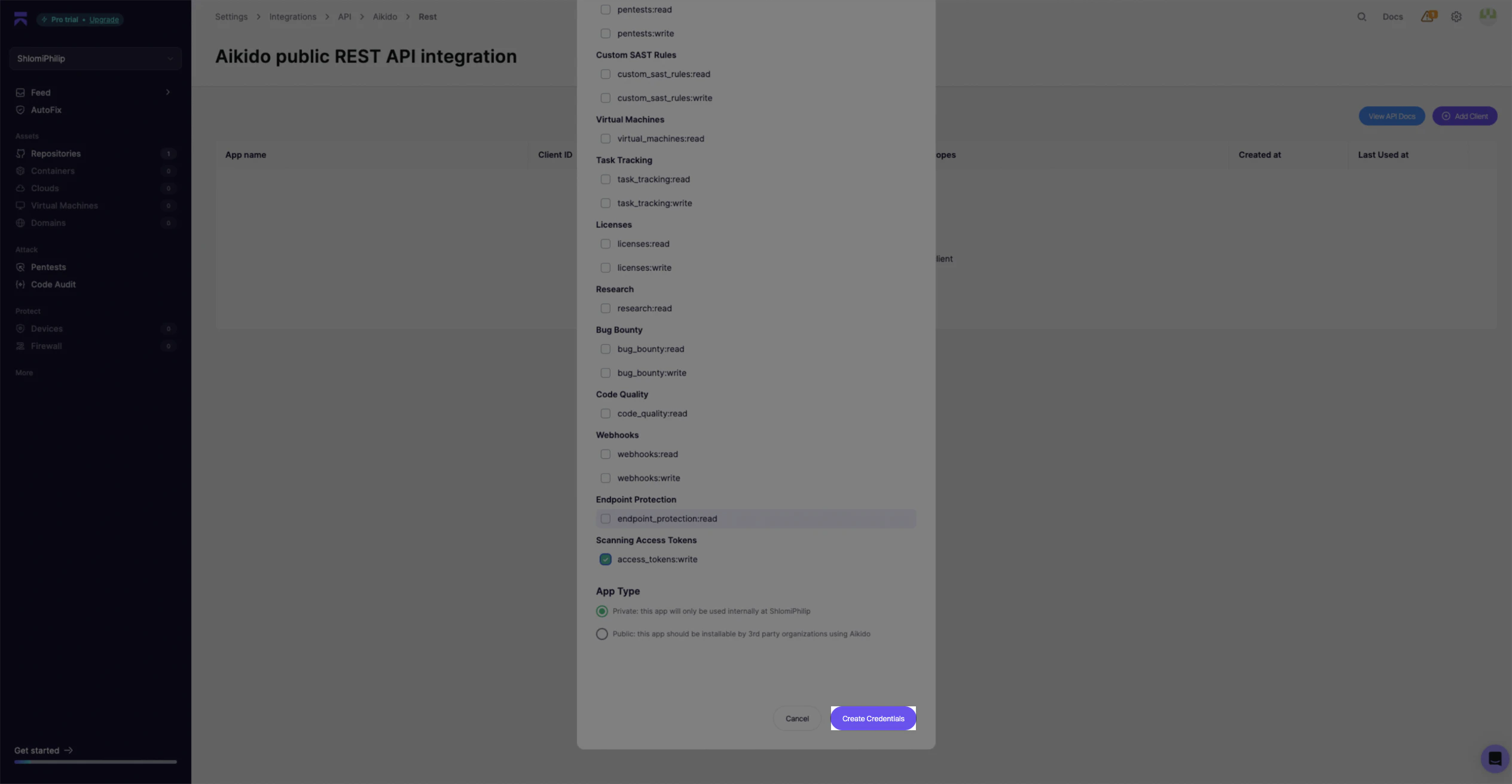
Scroll down and click Create Credentials.
-
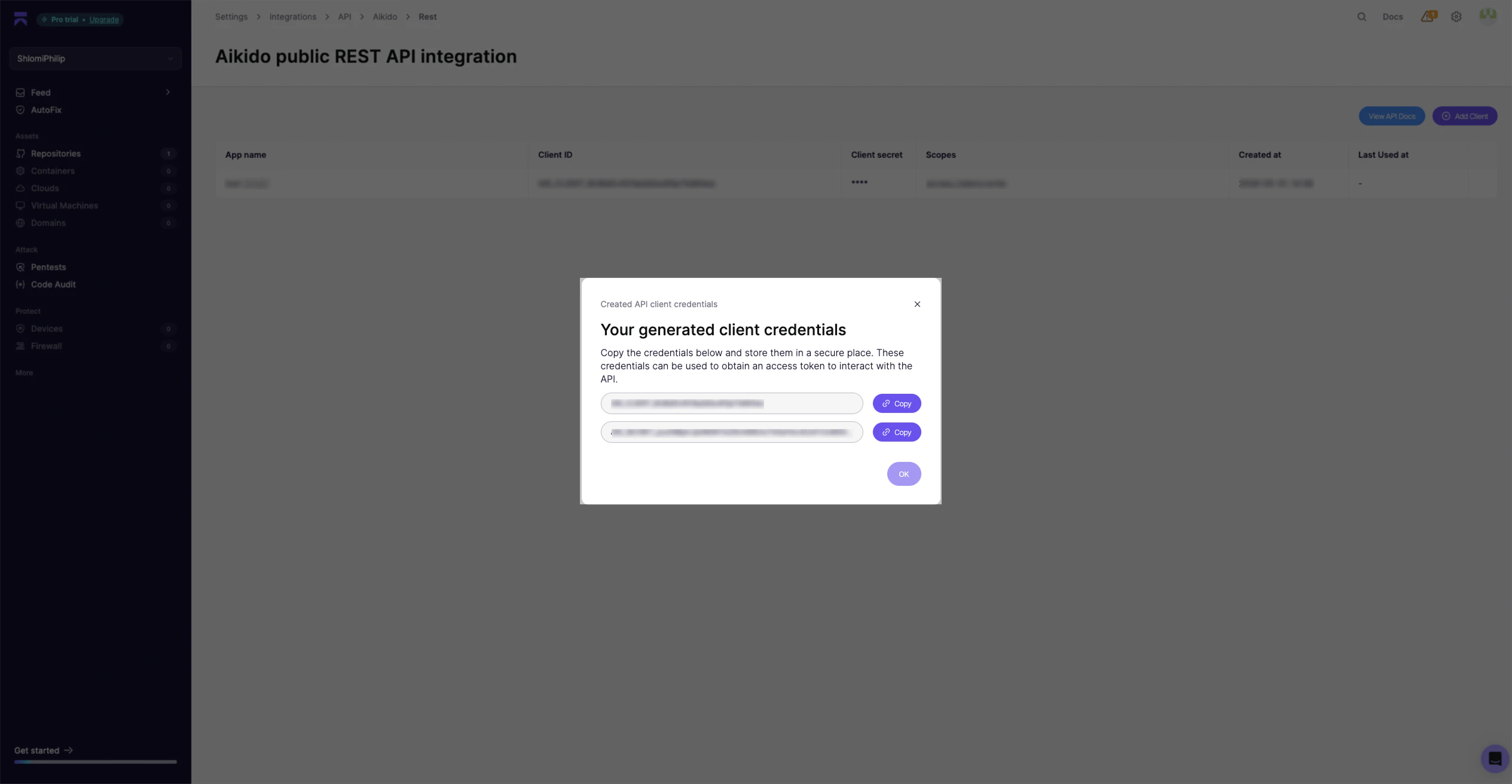
Copy your Client ID and Client Secret and store them securely.
Creating your connection
- In the Blink platform, navigate to the Connections page > Add connection. A New Connection dialog box opens displaying icons of external service providers available.
- Select the Aikido icon. A dialog box with name of the connection and connection methods appear.
- (Optional) Edit the name of the connection. At a later stage you cannot edit the name.
- Select Client Credentials as the method to create the connection.
- Fill in the parameters:
- The API Address
- The Client ID
- The Client Secret
- (Optional) Click Test Connection to test it.
- Click Create connection. The new connection appears on the Connections page.