> ## Documentation Index
> Fetch the complete documentation index at: https://docs.blinkops.com/llms.txt
> Use this file to discover all available pages before exploring further.

# The Workflow Overview Page

> View workflow details, step configurations, workflow error handing configuration, run methods and more all from the workflow's Overview Page in Blink.

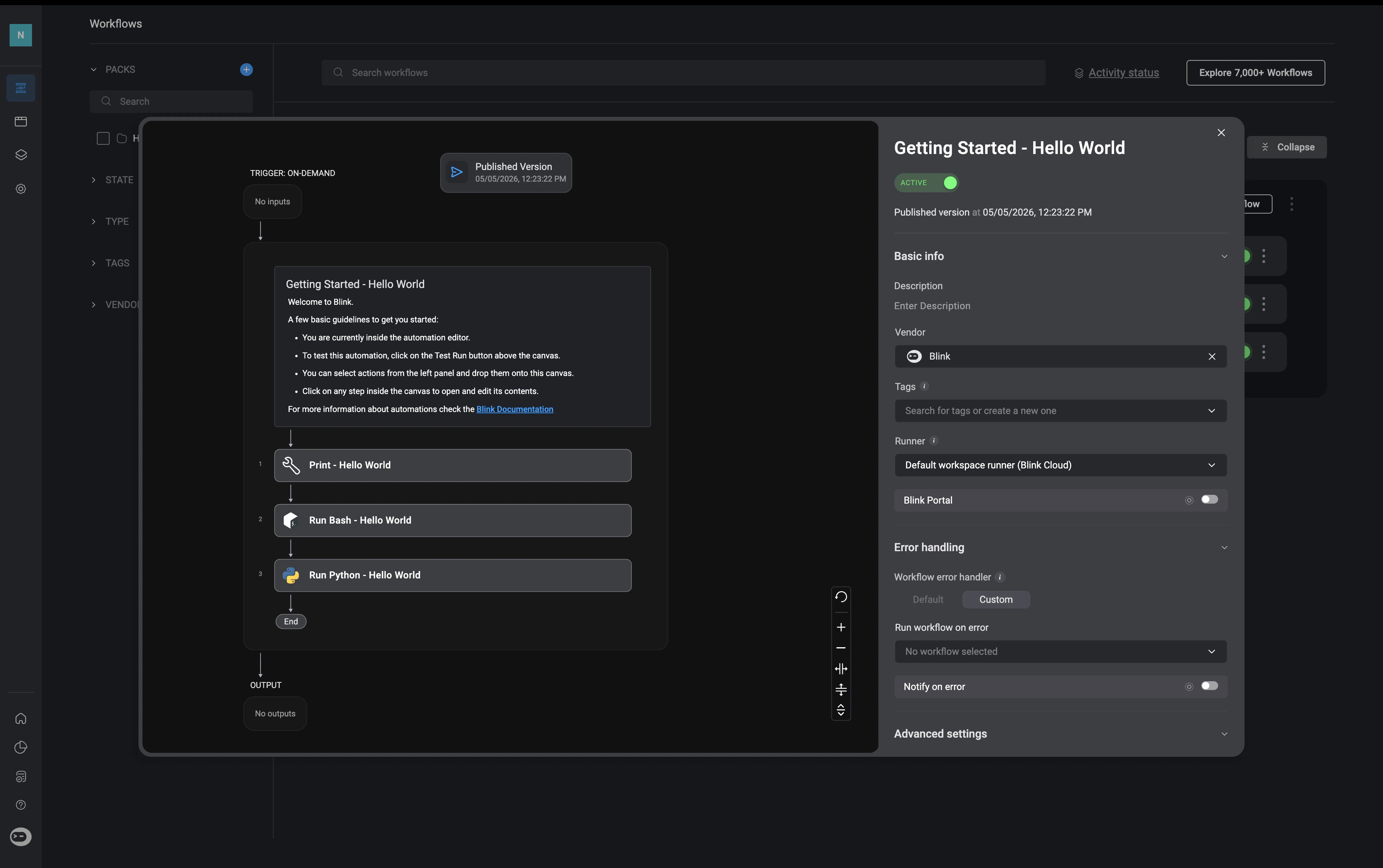
Clicking on the *"Overview"* button on a workflow in a [Pack](/docs/workflows/workflow-packs/workflow-packs) will open the `Workflow Overview` page. This page displays general information and settings of the Automated workflow and allows you to edit these settings to meet your needs. On the left-hand side is a preview of the current published version of the selected automated workflow.

<Note>**Note**: Published workflow versions may be different from the automated workflow version in the workflow editor.</Note>

<Frame>
  <img src="https://mintcdn.com/blinkops-2/P8GBd81uQrUZZyXR/img/Automations/AutomationOverview.png?fit=max&auto=format&n=P8GBd81uQrUZZyXR&q=85&s=33aedec7e4780298e81b325e1d6b5da1" width="3456" height="2170" data-path="img/Automations/AutomationOverview.png" />
</Frame>

***

## Workflow Overview - Side Panel Details
<Note>Please note, this section is broken down into sections, making it easier to find the information </Note>

<Tabs>
  <Tab title="Basic Info">
    <Frame>
      <img src="https://mintcdn.com/blinkops-2/P8GBd81uQrUZZyXR/img/Automations/OverviewPanel.png?fit=max&auto=format&n=P8GBd81uQrUZZyXR&q=85&s=49bcb88f2d470c56de44960854bc6f9c" width="1728" height="1084" data-path="img/Automations/OverviewPanel.png" />
    </Frame>

    <div className="integrations-table">
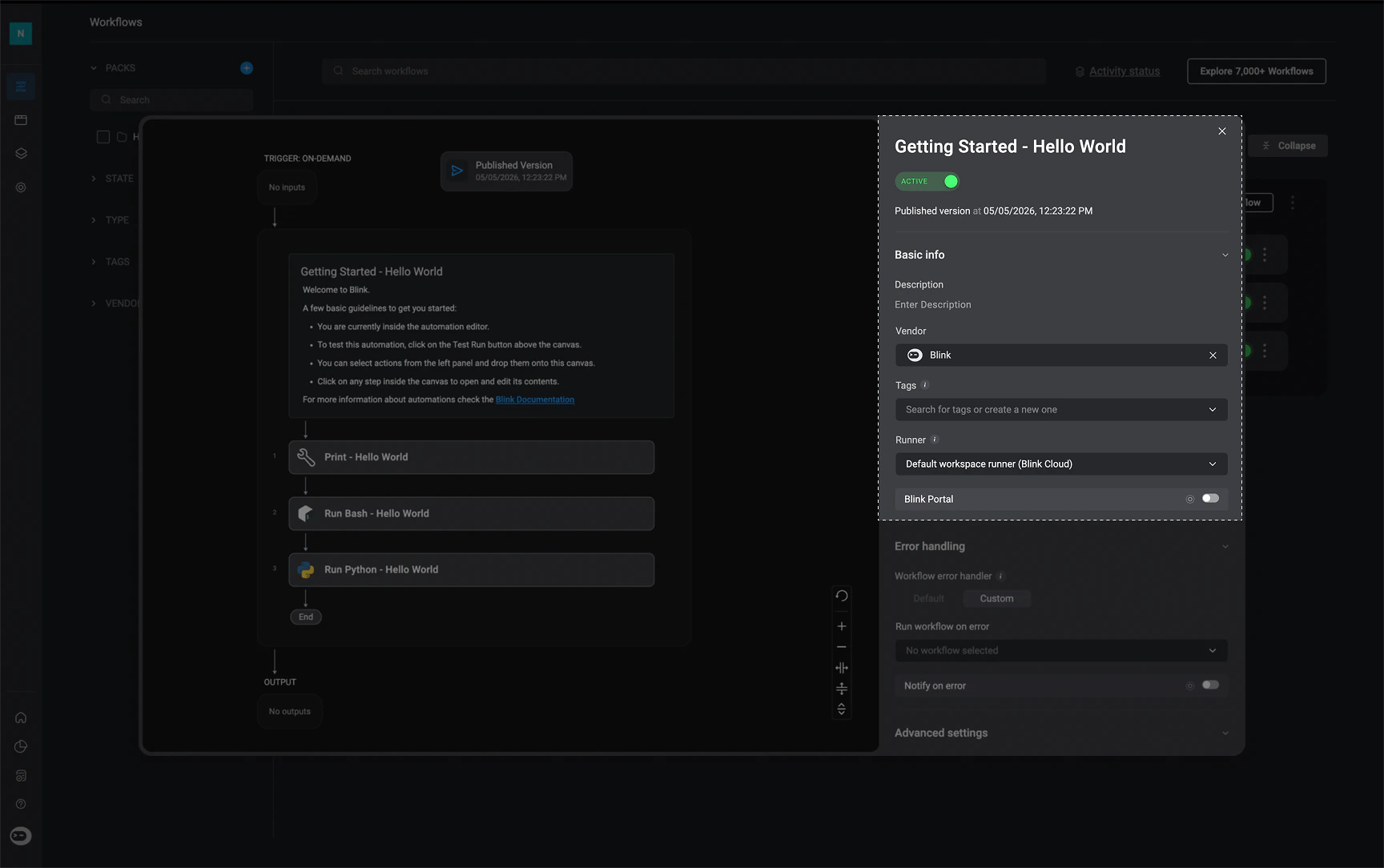
      | Parameter             | Description                                                                                                                                                                                                                                                                                                  |
      | --------------------- | ------------------------------------------------------------------------------------------------------------------------------------------------------------------------------------------------------------------------------------------------------------------------------------------------------------ |
      | `Workflow name`       | Name of the Workflow.                                                                                                                                                                                                                                                                                        |
      | `Active/Inactive `    | Published workflows can be switched between active or inactive mode.                                                                                                                                                                                                                                         |
      | `Date and Time `      | The date and time of the most recently published version of the selected workflow                                                                                                                                                                                                                            |
      | `Description `        | Description of the Workflow.                                                                                                                                                                                                                                                                                 |
      | `Vendor `             | The Vendor icon associated with the Workflow.                                                                                                                                                                                                                                                                |
      | `Tags `               | Tags used to easily search for the Workflow.                                                                                                                                                                                                                                                                 |
      | `Runner`              | Environment in which the Workflow is run. The default runner that is used is Blink-Cloud.                                                                                                                                                                                                                    |
      | `Agent Blink Ability` | When enabled, it adds this workflow as an ability workflow for agents to use. For more information, navigate to step [4 of Building an Agent Documentation](docs/agent-builder/building-the-agent#creating-a-new-agent) <Note>A workflow description **is** required in order to enable this setting.</Note> |
      | `Blink Portal`        | Exposes or hides the Workflow in the Blink Portal. For more information, navigate to the [Blink Portal Documentation](/docs/blink-platform/blink-portal/blink-portal#share-workflows-to-the-blink-portal)                                                                                                    |
    </div>
  </Tab>

  <Tab title="Error Handling">
    <Note>**Note**: Only [Event-based workflows](/docs/workflows/building-workflows/triggers/event-based-triggers/event-based-triggers) that include the [Blink Error Event](/docs/workflows/building-workflows/error-handling/run-error#creating-an-event-based-workflow-using-the-blink-error-event) are available for selection as the default error-handling workflow.</Note>

    <Frame>
      <img src="https://mintcdn.com/blinkops-2/P8GBd81uQrUZZyXR/img/Automations/OverviewErrorHandling.png?fit=max&auto=format&n=P8GBd81uQrUZZyXR&q=85&s=8d998097232945d496110be50ddc6672" width="1728" height="1084" data-path="img/Automations/OverviewErrorHandling.png" />
    </Frame>

    <div className="integrations-table">
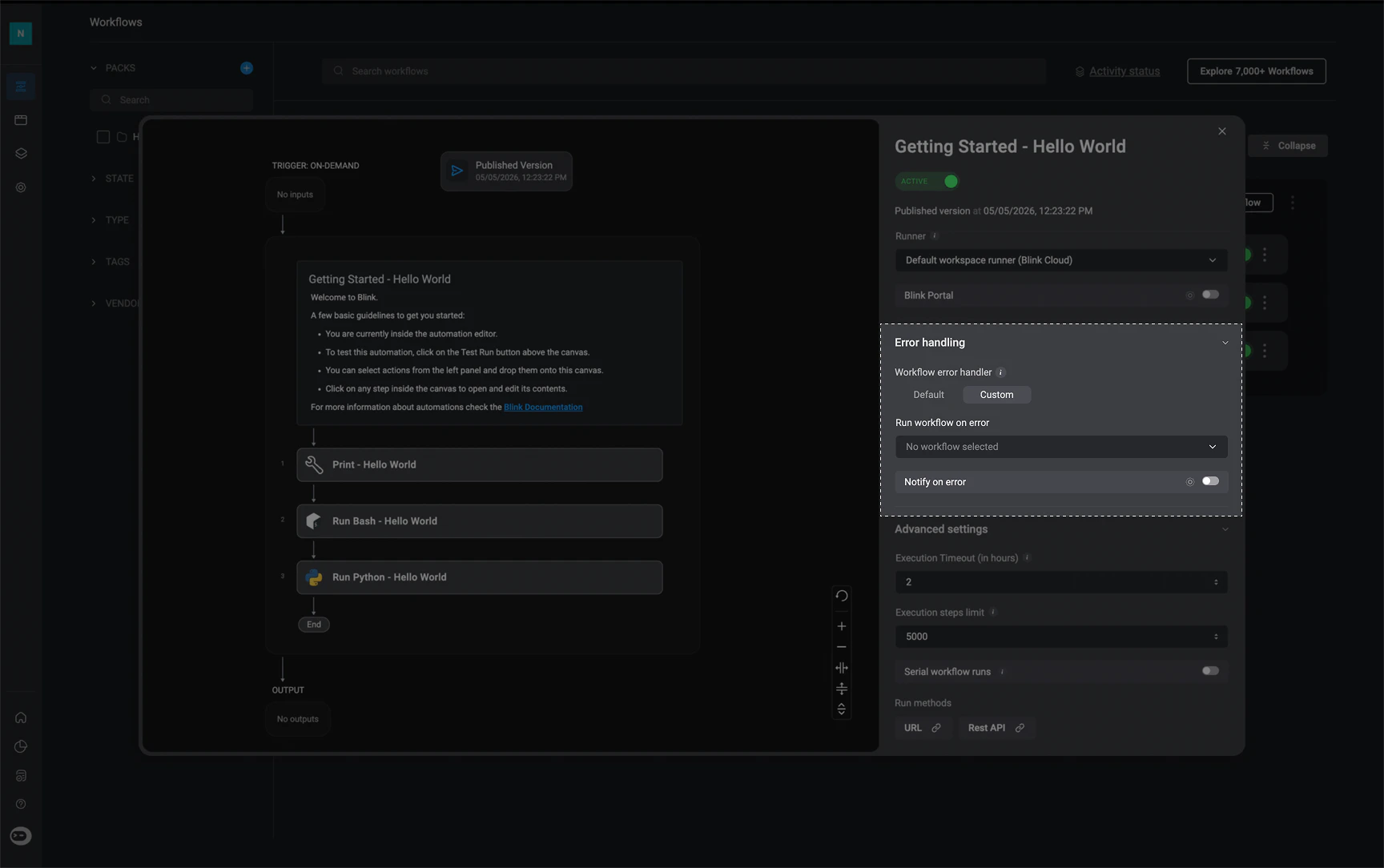
      | Parameter                | Description                                                                                                                                                                                                                                                                                                                                                                                                                                                                                                                                                                                                                                   |
      | ------------------------ | --------------------------------------------------------------------------------------------------------------------------------------------------------------------------------------------------------------------------------------------------------------------------------------------------------------------------------------------------------------------------------------------------------------------------------------------------------------------------------------------------------------------------------------------------------------------------------------------------------------------------------------------- |
      | `Workflow Error Handler` | **1. Default** – If enabled in your [workspace settings](/docs/blink-platform/workspaces/managing-your-workspace#workflows-default-error-handler), this workflow will use the globally configured default error-handling workflow.<br /><br />**2. Custom** – You can optionally choose a specific error-handling workflow that will be applied to this workflow only. This overrides the default error-handler set in [workspace settings](/docs/blink-platform/workspaces/managing-your-workspace#workflows-default-error-handler).<br /><br /><Note>The dropdown can be left empty if no error-handling workflow should be applied.</Note> |
      | `Run workflow on error`  | The chosen error-handling workflow that will be executed when an error occurs. This can be either the default workflow configured in the [workspace settings](/docs/blink-platform/workspaces/managing-your-workspace#workflows-default-error-handler) or a custom workflow selected as the error-handling workflow for this specific workflow.                                                                                                                                                                                                                                                                                               |
      | `Notify on error`        | Email address used to send notifications when an error occurs during workflow execution.                                                                                                                                                                                                                                                                                                                                                                                                                                                                                                                                                      |
    </div>
  </Tab>

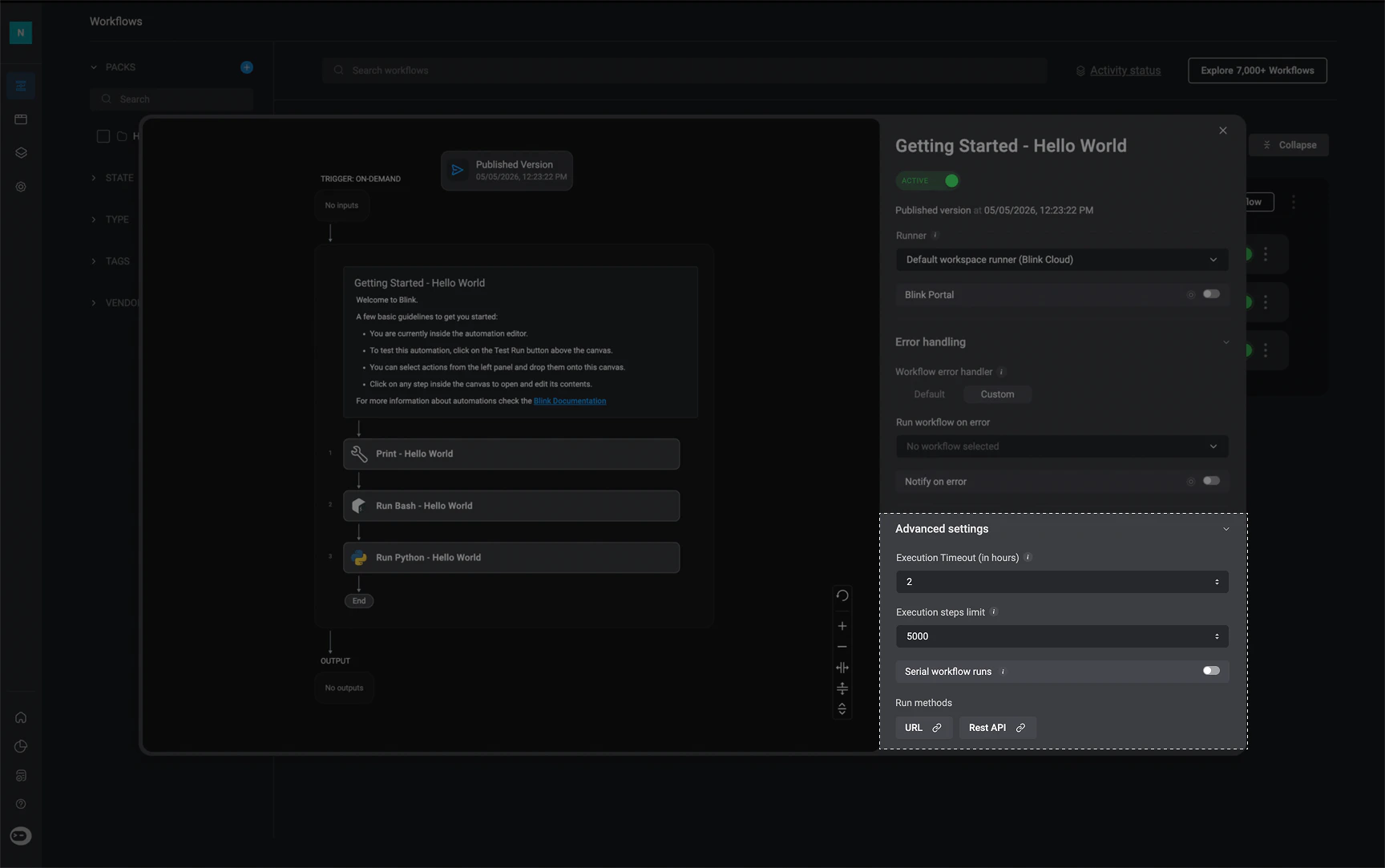
  <Tab title="Advanced Settings">
    <Frame>
      <img src="https://mintcdn.com/blinkops-2/P8GBd81uQrUZZyXR/img/Automations/OverviewAdvancedSettings.png?fit=max&auto=format&n=P8GBd81uQrUZZyXR&q=85&s=685b6bfd0a9d520900837ad73768279c" width="1728" height="1083" data-path="img/Automations/OverviewAdvancedSettings.png" />
    </Frame>

    <div className="integrations-table">
      | Parameter                      | Description                                                                                                                                                                             |
      | ------------------------------ | --------------------------------------------------------------------------------------------------------------------------------------------------------------------------------------- |
      | `Execution Timeout (in Hours)` | The time period, in hours, in which the selected workflow execution should timeout.                                                                                                     |
      | `Execution Step Limit`         | The maximum number of steps that can be executed in a workflow. **Must be 5000 or less**                                                                                                |
      | `Serial Workflow Runs`         | When a workflow is set to run in serial, it executes runs one after another in the order of occurrence. When turned off, the workflow runs in parallel.                                 |
      | `Run methods`                  | Methods to run a Workflow (depending on the trigger type). For more information, navigate to the [Running Workflows Documentation](/docs/workflows/running-workflows/running-workflows) |
    </div>
  </Tab>
</Tabs>

***

## Filtering a Workflow by Tags:

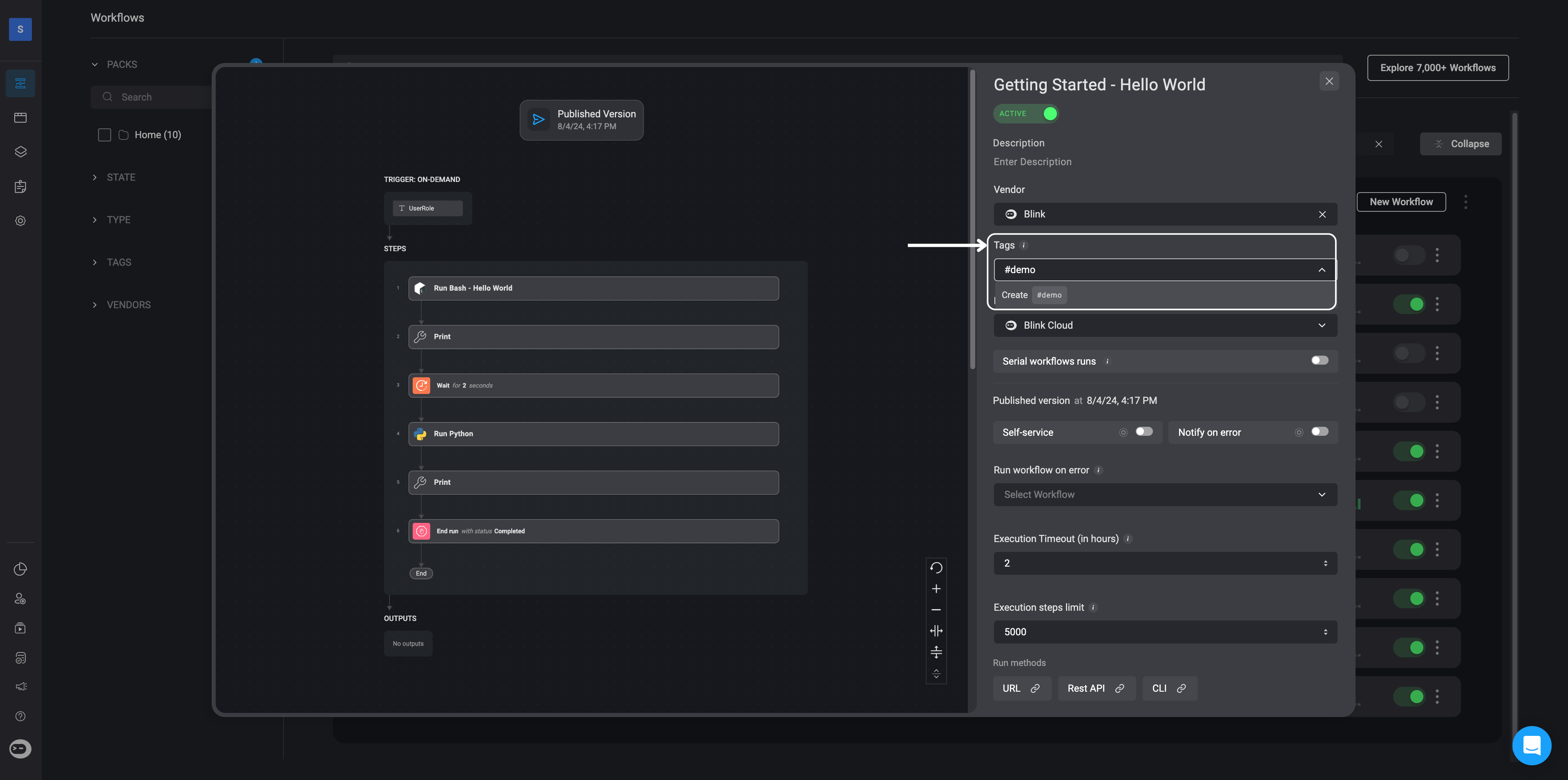
1. In the "*Tags*" section of the Workflow overview, you also have the option to create your own tag(s) for the Automated Workflow by entering a tag name of your choice.

2. After creating a tag, you can simply locate it in the "*Tags*" section on the left-hand sidebar of the workflow page. Use this tag to easily search or filter the desired Workflow in both the workflows list and the self-service portal.

<Frame>
  <img src="https://mintcdn.com/blinkops-2/rnR3ZbI-RrvCvfuN/img/Automations/Tags.png?fit=max&auto=format&n=rnR3ZbI-RrvCvfuN&q=85&s=234dc303b3d5f07e3bc6044c2e12a0f1" width="3838" height="1908" data-path="img/Automations/Tags.png" />
</Frame>