> ## Documentation Index
> Fetch the complete documentation index at: https://docs.blinkops.com/llms.txt
> Use this file to discover all available pages before exploring further.
# Extraction Utilities
> Apply regular expressions to identify and extract defined patterns of data.
## Extract all data Types
Extract specified data types from the given text or JSON, supporting custom regex-based filtering for precise data retrieval.
| Parameter | Description |
| ----------------- | -------------------------------------------------------------------------------------------------------------------------------------------------------------------------------------------------------------------------------------- |
| Text Or JSON | The input text or JSON from which patterns will be extracted. |
| Data Types | Select data types to search for within the input text or JSON, each selected type will be used to identify relevant matches in the text. |
| RegExes | A list of custom regular expression patterns to match within the input text or JSON. Multiple regex patterns can be provided, separated by the OR operator. These patterns allow free-form searching beyond the predefined data types. |
| Remove Duplicates | When checked, repeated values in each array in the final result are removed. |
**Note:**
Use two vertical bar symbols || as the OR operator when writing expressions in the RegExes list.
### Data Types
Each predefined regex will search for specific matching data in the text or JSON inputs:
* **CVEs** - Extracts Common Vulnerabilities and Exposures (CVE) identifiers in the format `CVE-YYYY-NNNN` to `CVE-YYYY-NNNNNNN`, where the year is four digits and the ID ranges from four to seven digits.
* **Email Addresses** - Extracts complete email addresses including the username and domain parts (e.g., `user@example.com`).
* **Email Domains** - Extracts only the domain portion from email addresses (e.g., `example.com` from `user@example.com`).
* **IPV4** - Extracts valid IPv4 addresses (e.g., `192.168.0.1`) within the standard range (`0.0.0.0` to `255.255.255.255`).
* **IPV6** - Extracts full IPv6 addresses in standard colon-separated hexadecimal format (e.g., `2001:0db8:85a3:0000:0000:8a2e:0370:7334`).
* **MD5** - Extracts 32-character hexadecimal MD5 hash strings.
* **SHA1** - Extracts 40-character hexadecimal SHA-1 hash strings.
* **SHA256** - Extracts 64-character hexadecimal SHA-256 hash strings.
* **URL Domains** - Extracts domain names from URLs, including subdomains, but excluding the protocol and path (e.g., `example.com` from `https://example.com/page`).
* **URLs** - Extracts full URLs starting with a protocol (e.g.,`https://`, `ftp://`, `file:///`), followed by a domain and optional path, query, or fragment (e.g., `https://www.google.com/`, `https://example.com/images/avatar`).
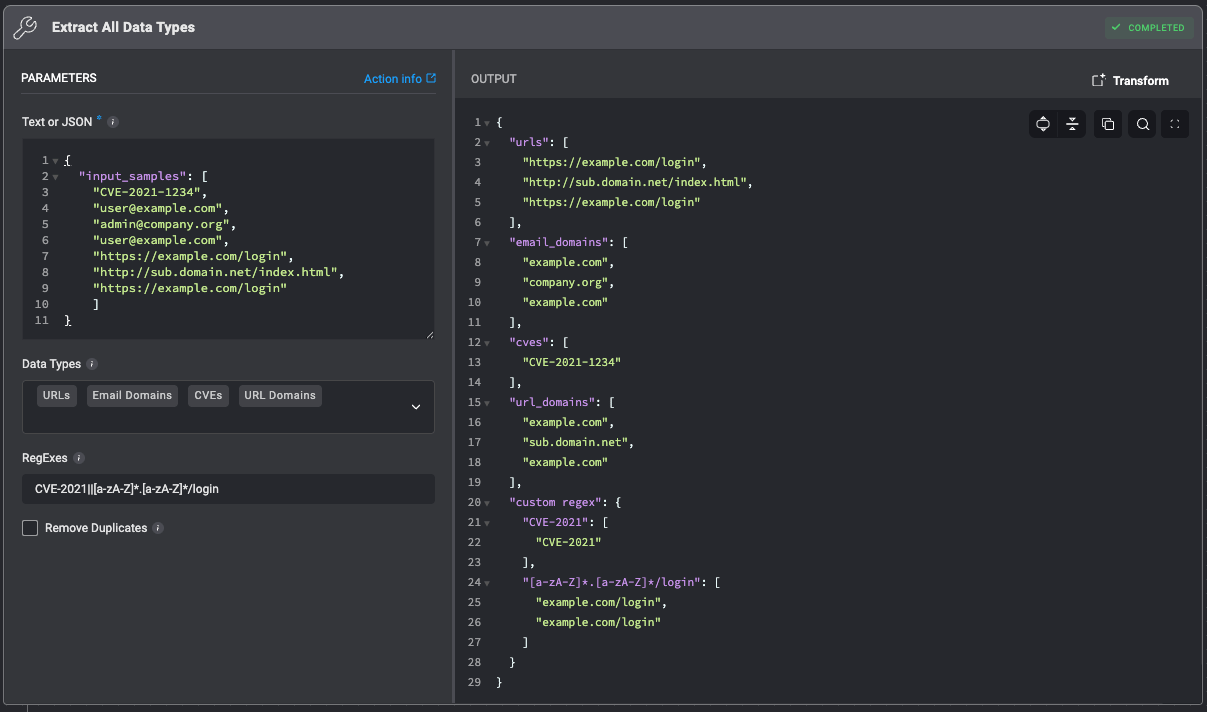
#### Results without removing duplicates
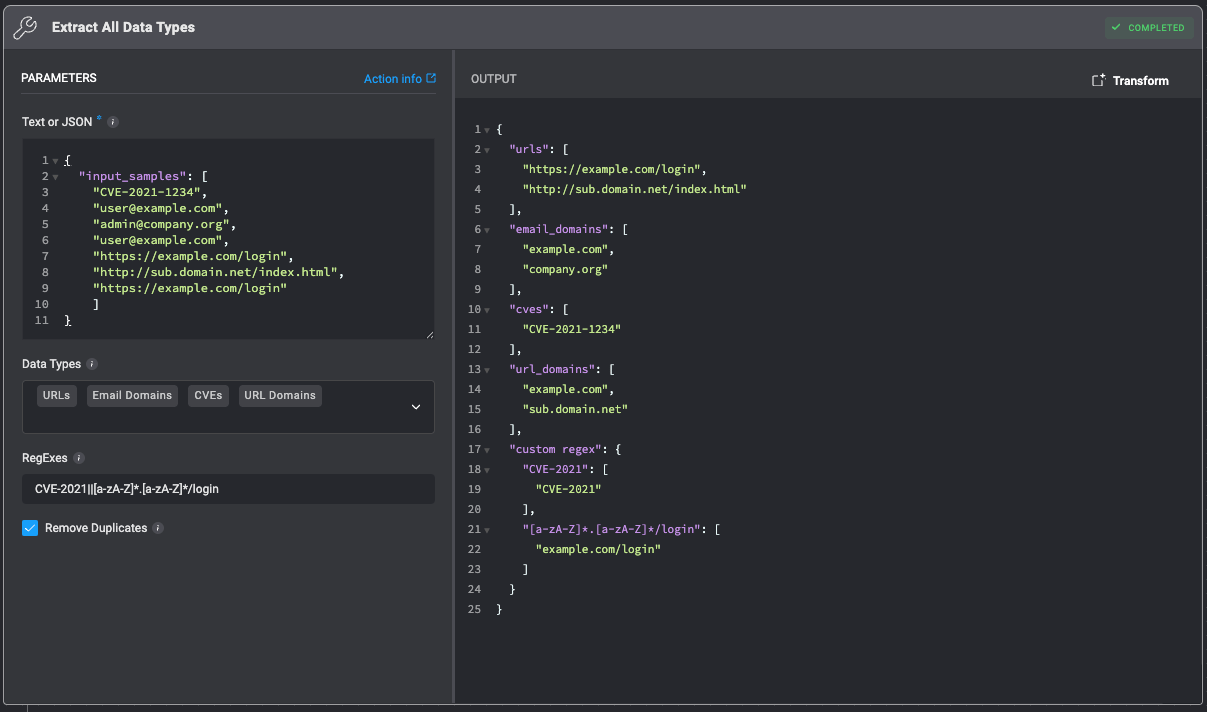
 #### Results after removing duplicates
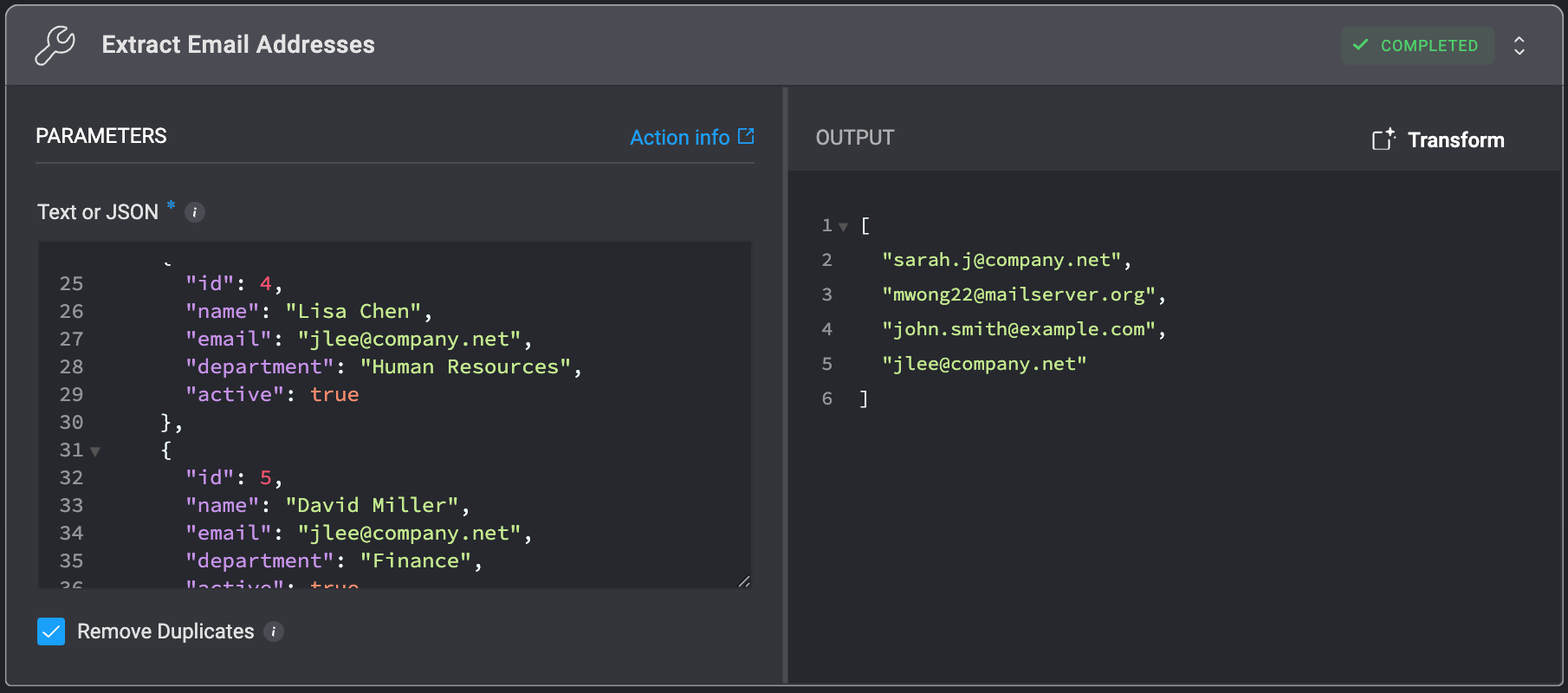
 ## Extract Email Addresses
Get all email addresses extracted from the provided input.
## Extract Email Addresses
Get all email addresses extracted from the provided input.
| Parameter | Description |
| ----------------- | -------------------------------------------------------------- |
| Text or JSON | The input text or JSON object to extract email addresses from. |
| Remove Duplicates | When checked, repeated values in the final result are removed. |
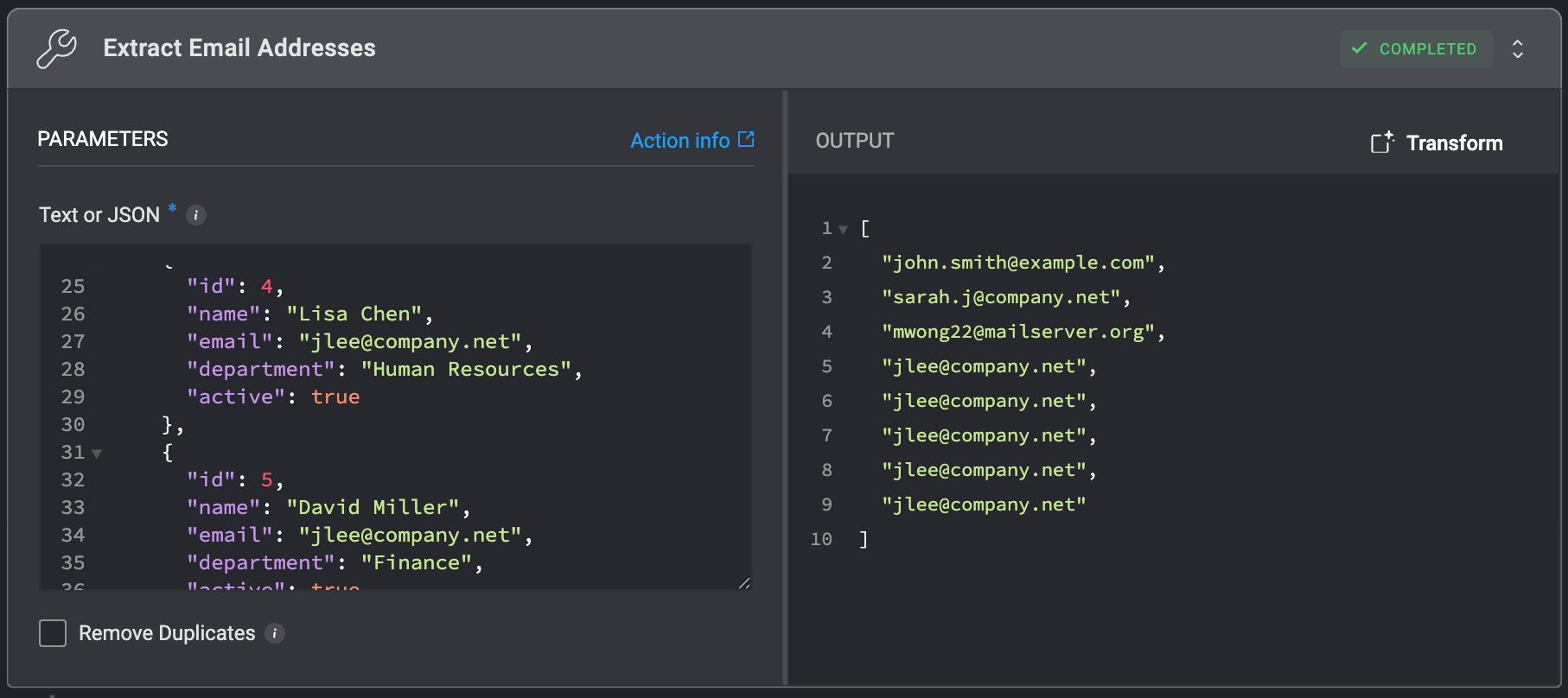
#### Results without removing duplicates
 #### Results after removing duplicates
 ## Extract Email Domains
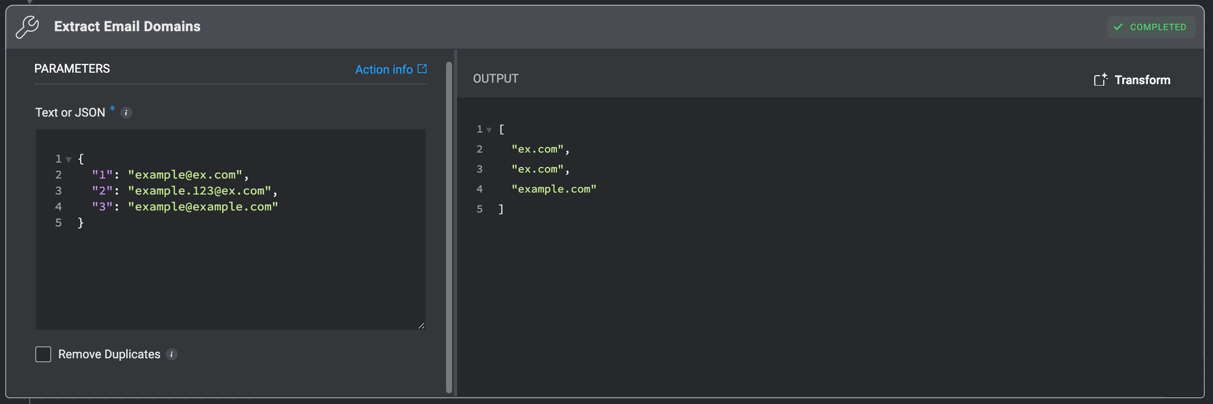
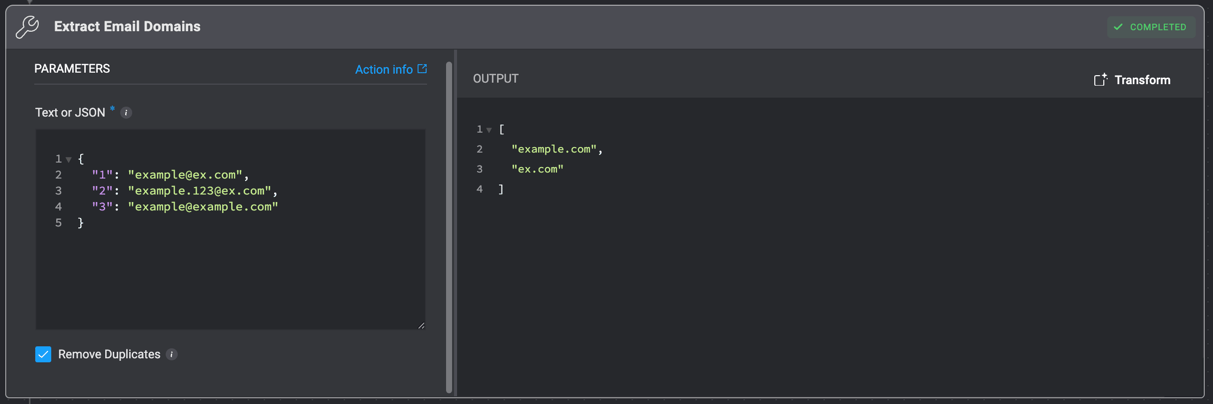
Get all email domains extracted from the provided input.
## Extract Email Domains
Get all email domains extracted from the provided input.
| Parameter | Description |
| ----------------- | -------------------------------------------------------------- |
| Text or JSON | The input text or JSON object to extract email domains from. |
| Remove Duplicates | When checked, repeated values in the final result are removed. |
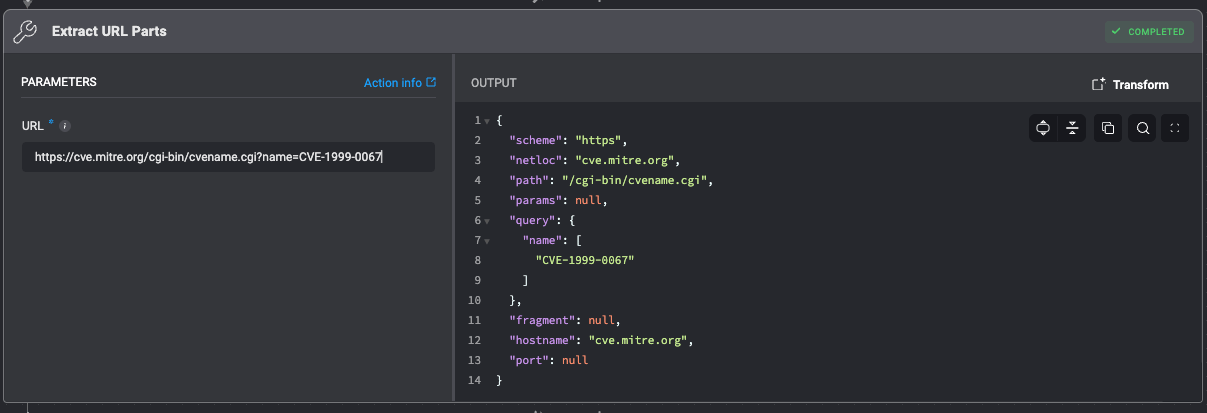
## Extract URL parts
Extract URL parts (scheme, netloc, path, params, query, fragment, hostname, port).
| Parameter | Description |
| --------- | ------------------------------ |
| URL | The URL to extract parts from. |
 #### Results without removing duplicates
 #### Results after removing duplicates
 ## Extract URLs
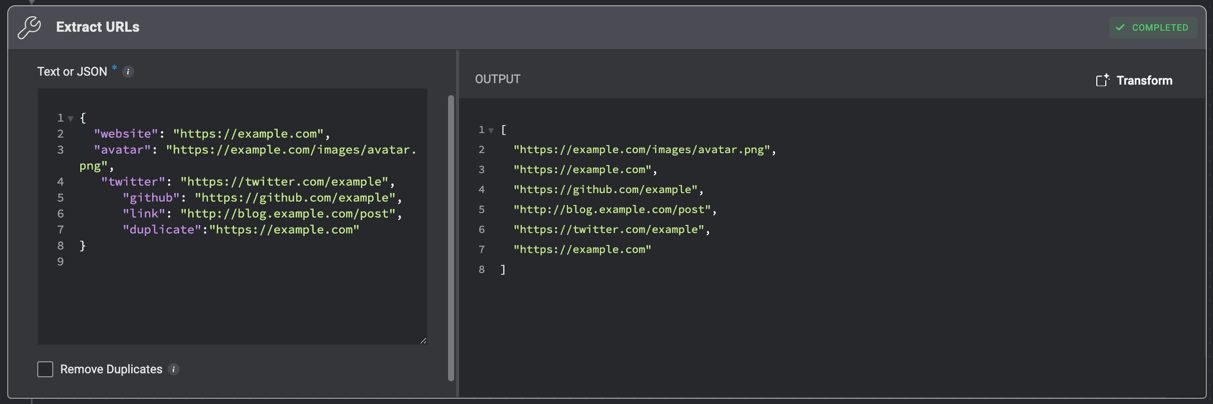
Get a list of URLs in the order they are found in the provided text or JSON object.
## Extract URLs
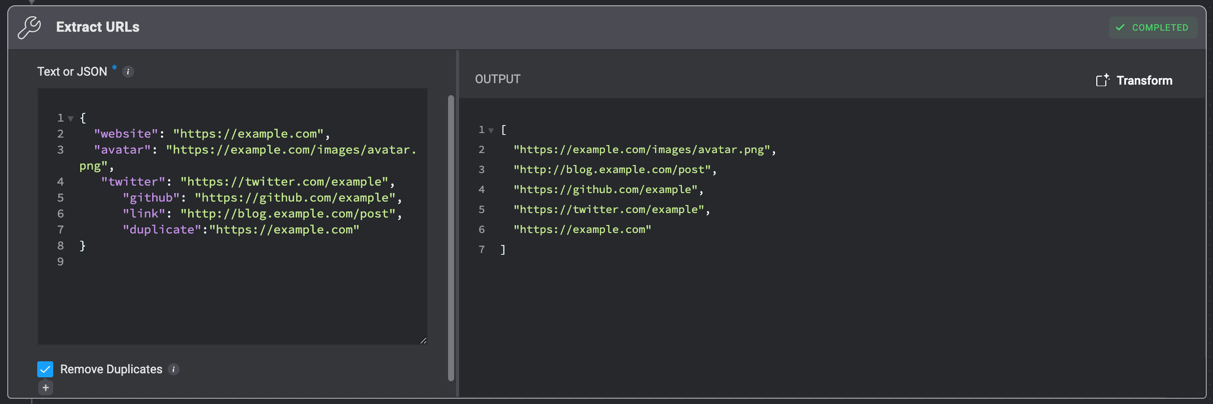
Get a list of URLs in the order they are found in the provided text or JSON object.
| Parameter | Description |
| ----------------- | -------------------------------------------------------------- |
| Text or JSON | The input text or JSON object to extract URLs from. |
| Remove Duplicates | When checked, repeated values in the final result are removed. |
#### Results without removing duplicates
 #### Results after removing duplicates
 ## RegEx Match
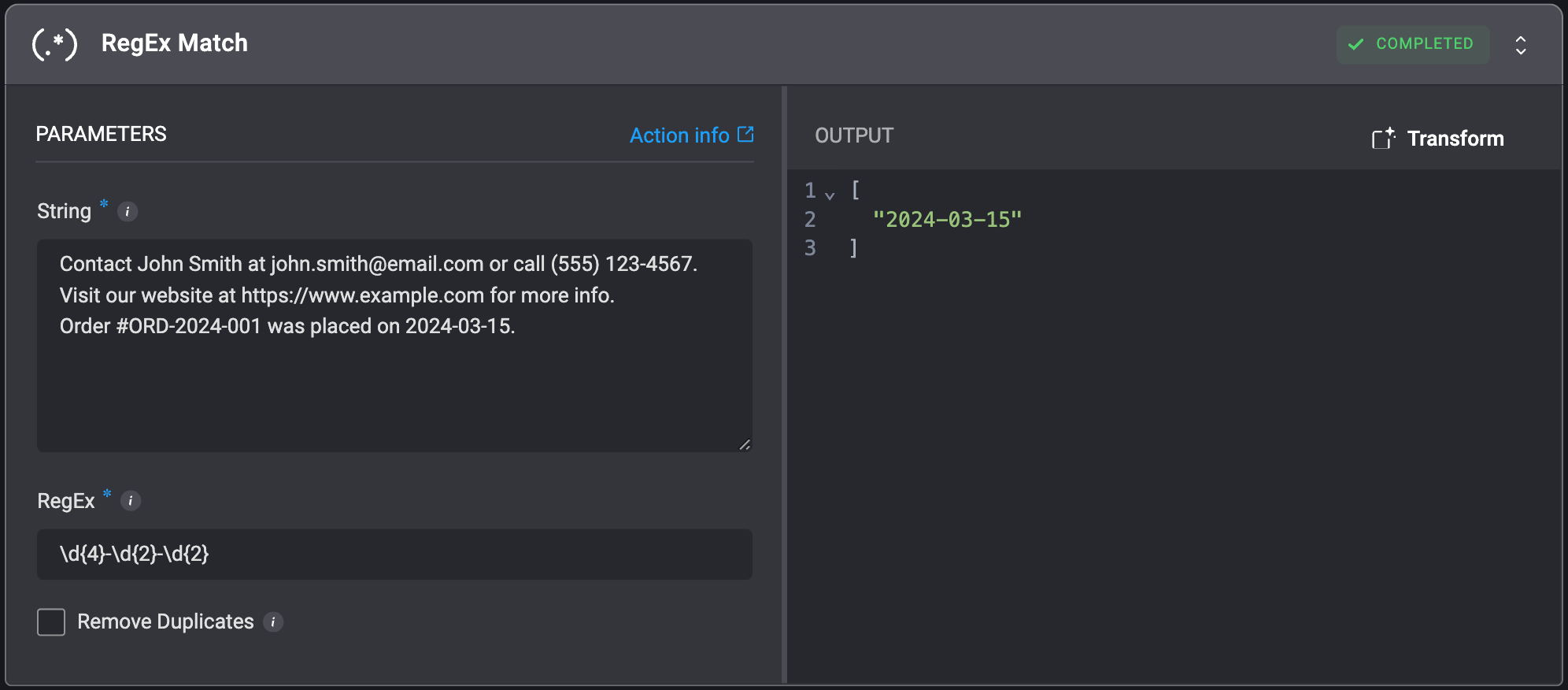
Returns a list of RegEx matches in the order they are found when applied to a provided string. This action specifically utilizes Python's RegEx flavor.
## RegEx Match
Returns a list of RegEx matches in the order they are found when applied to a provided string. This action specifically utilizes Python's RegEx flavor.
| Parameter | Description |
| --------- | ---------------------------------------------------------------------------------------------------------------------------------------------------------------------------------------------------------------------------------------------------------------------------------------------------------------------------------------------------------------------------------------------------------------------------------------------------- |
| String | The string for which regex matches are to be returned. |
| RegEx | The regular expression pattern used to search the string. Provide only the pattern you wish to match. If you are including group matching, please enclose the group within (?:) rather than ().
For example: For the string - `test1, test2, test3` and the RegEx - `test1`, the returned list looks like the following: \["test1"] For the string - `aabbaa` and the RegEx - `(?:aabb)`, the returned list looks like the following: \["aabb"] |