> ## Documentation Index
> Fetch the complete documentation index at: https://docs.blinkops.com/llms.txt
> Use this file to discover all available pages before exploring further.
# YesWeHack
> YesWeHack provides a crowdsourced platform for bug bounty programs where ethical hackers can report security exploits and vulnerabilities. The YesWeHack platform offers various services, including bug bounty programs, vulnerability disclosure programs, and penetration testing. Through its platform, businesses can engage with a community of over 25,000 ethical hackers, known as "hunters," who are vetted and verified by YesWeHack to ensure they have the necessary skills and expertise to identify potential security risks.
## Creating a YesWeHack connection[](#creating-a-yeswehack-connection "Direct link to Creating a YesWeHack connection")
To create the connection you need:
* An API key
### Obtaining the credentials[](#obtaining-the-credentials "Direct link to Obtaining the credentials")
1. [Login](https://yeswehack.com/auth/login) to your YesWeHack account
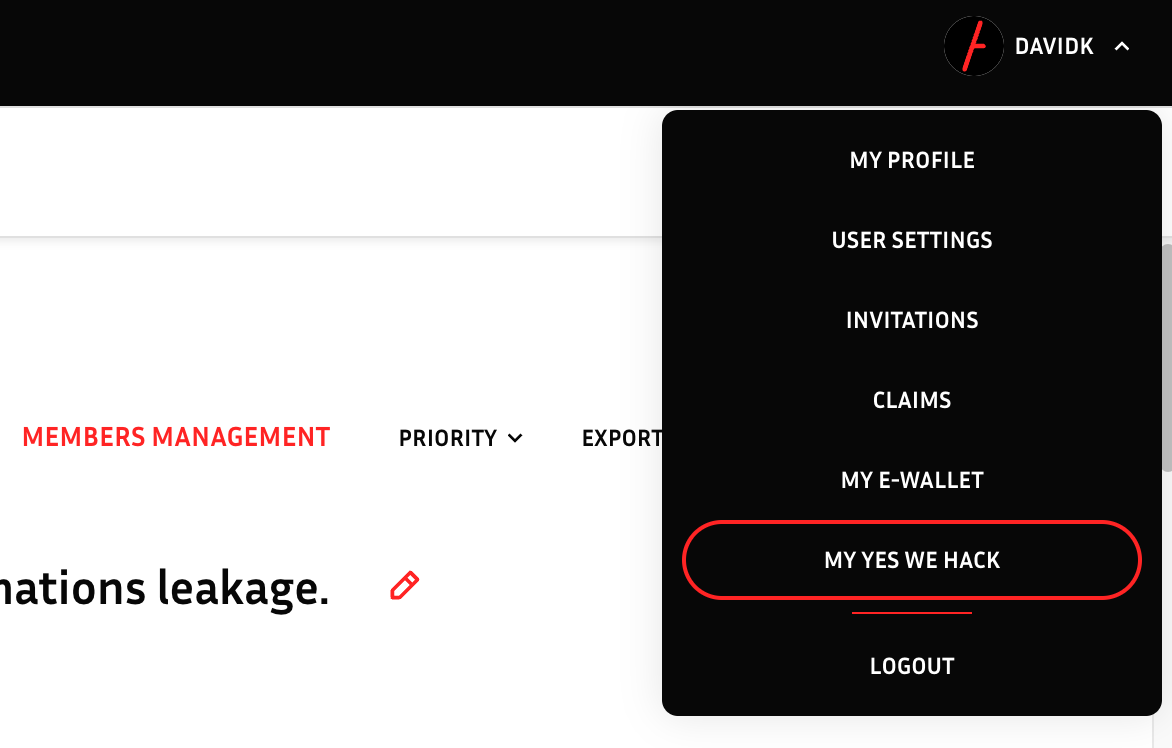
2. On the right side of your screen, click **My Yes We Hack**.
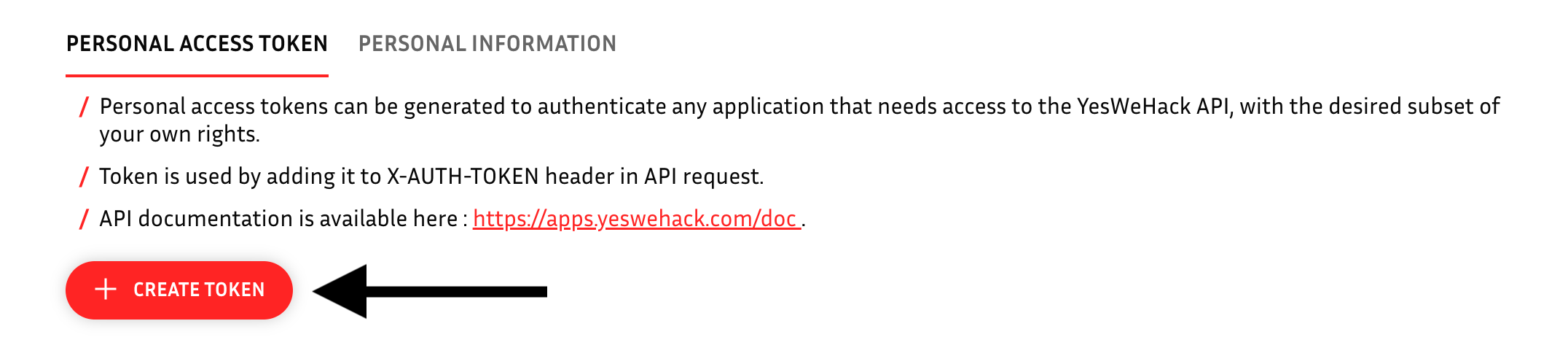
 3. Click **Create Token**.
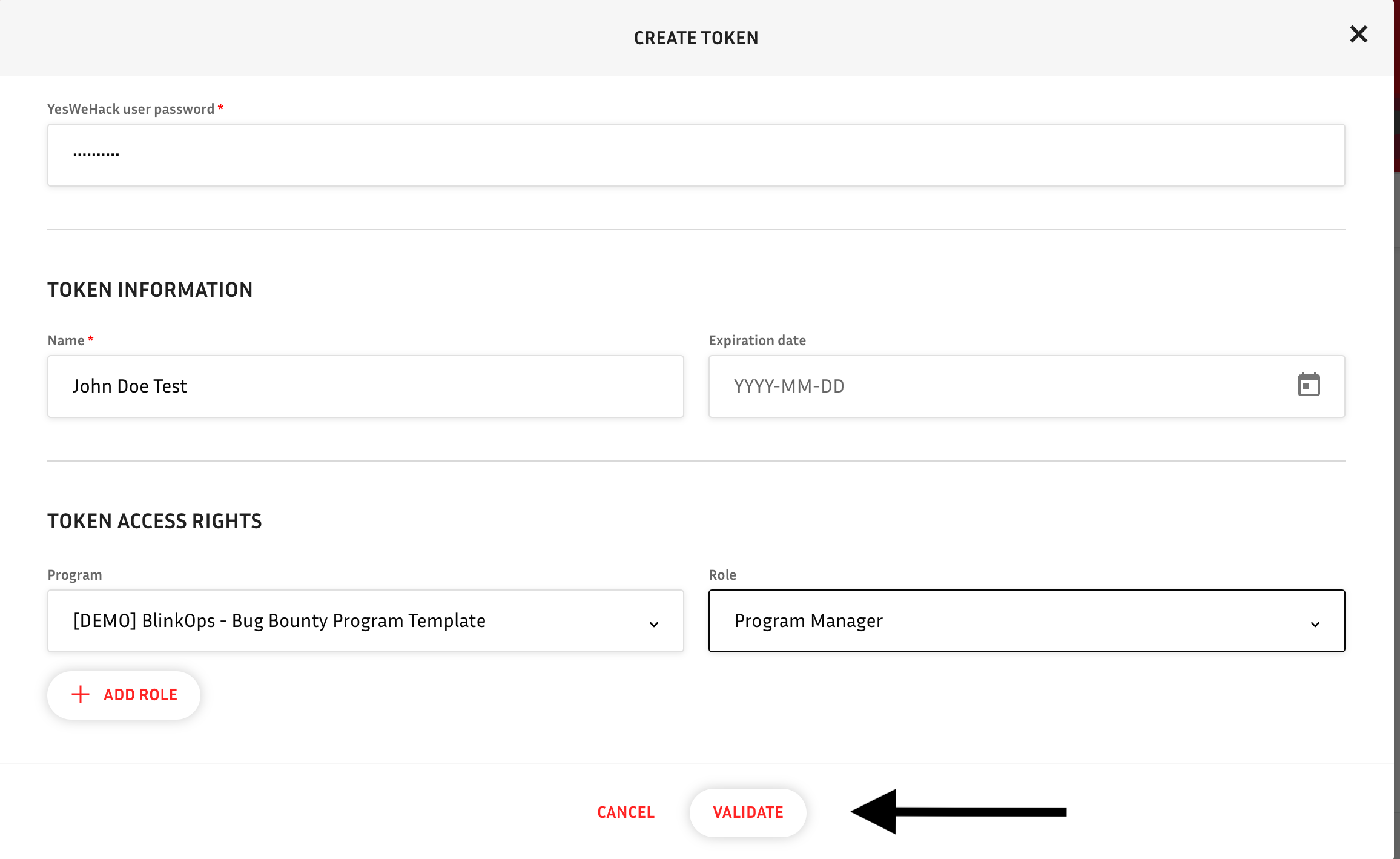
 4. Fill in your YesWeHack user password, token name, expiration date (optional) and access rights. In the end click **Validate**.
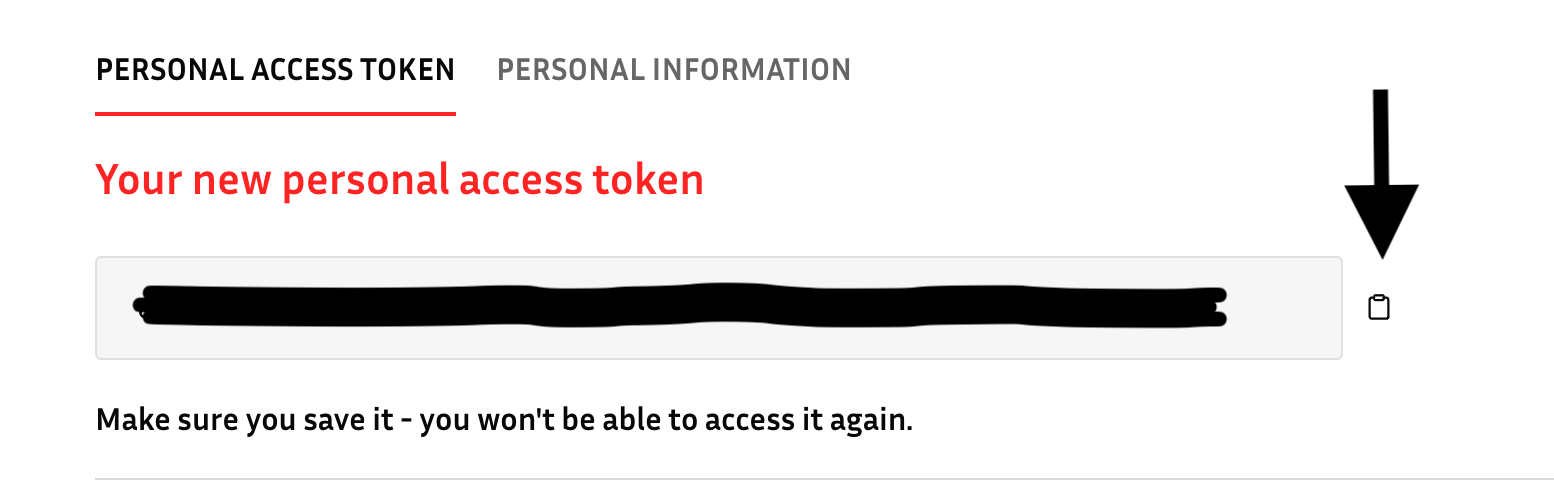
 5. Copy your newly generated API key.
 ### Creating your connection[](#creating-your-connection "Direct link to Creating your connection")
1. In the Blink platform, navigate to the **Connections** page > **Add connection**. A New Connection dialog box opens displaying icons of external service providers available.
2. Select the **YesWeHack** icon. A dialog box with name of the connection and connection methods appears.
3. (Optional) Edit the name of the connection. At a later stage you cannot edit the name.
4. Select **API Key** as the method to create the connection.
5. Fill in the parameters:
* The API key
6. (Optional) Click **Test Connection** to test it.
7. Click **Create connection**. The new connection appears on the **Connections** page.
### Creating your connection[](#creating-your-connection "Direct link to Creating your connection")
1. In the Blink platform, navigate to the **Connections** page > **Add connection**. A New Connection dialog box opens displaying icons of external service providers available.
2. Select the **YesWeHack** icon. A dialog box with name of the connection and connection methods appears.
3. (Optional) Edit the name of the connection. At a later stage you cannot edit the name.
4. Select **API Key** as the method to create the connection.
5. Fill in the parameters:
* The API key
6. (Optional) Click **Test Connection** to test it.
7. Click **Create connection**. The new connection appears on the **Connections** page.