> ## Documentation Index
> Fetch the complete documentation index at: https://docs.blinkops.com/llms.txt
> Use this file to discover all available pages before exploring further.
# Trello
> Trello is a web-based list making application, developed by Trello Enterprise, a subsidiary of Atlassian. Users can create their task boards with different columns and move the tasks between them. Typically, columns include task statuses such as To Do, In Progress, Done. The tool can be used for personal and business purposes including real estate management, software project management, school bulletin boards, lesson planning, accounting, web design, gaming, and law office case management.
## Creating a Trello connection[](#creating-a-trello-connection "Direct link to Creating a Trello connection")
To create the connection you need:
* An API key
* An API token
### Obtaining the credentials[](#obtaining-the-credentials "Direct link to Obtaining the credentials")
#### Getting the API Key[](#getting-the-api-key "Direct link to Getting the API Key")
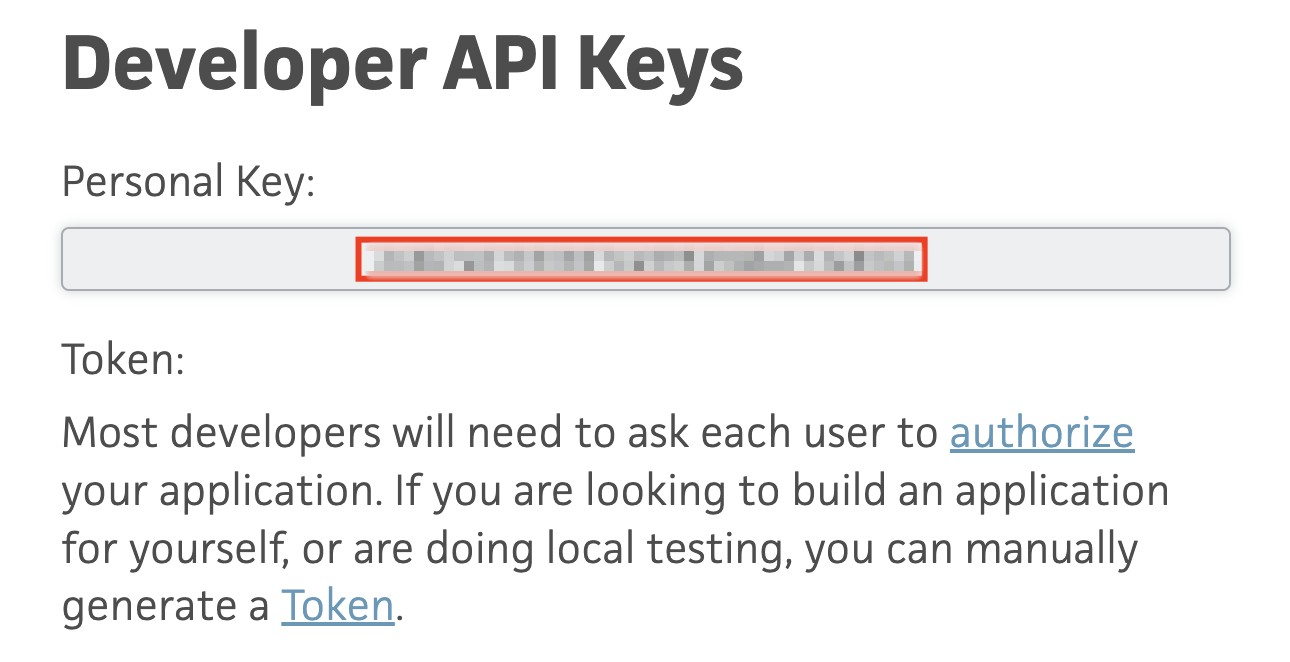
1. Go to Trello's Developer API Keys Website - `https://trello.com/app-key`
2. Copy the **Personal Key**.
 #### Creating an API Token[](#creating-an-api-token "Direct link to Creating an API Token")
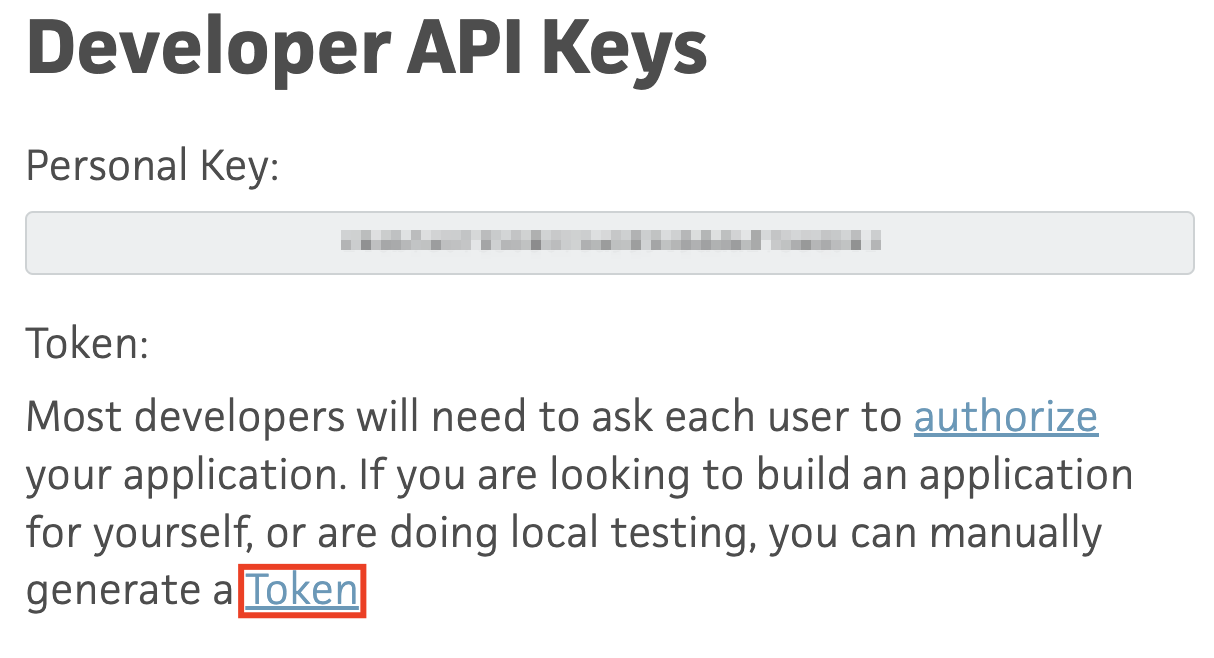
1. Click the underlined **Token**, redirecting you to the API Token creation screen.
#### Creating an API Token[](#creating-an-api-token "Direct link to Creating an API Token")
1. Click the underlined **Token**, redirecting you to the API Token creation screen.
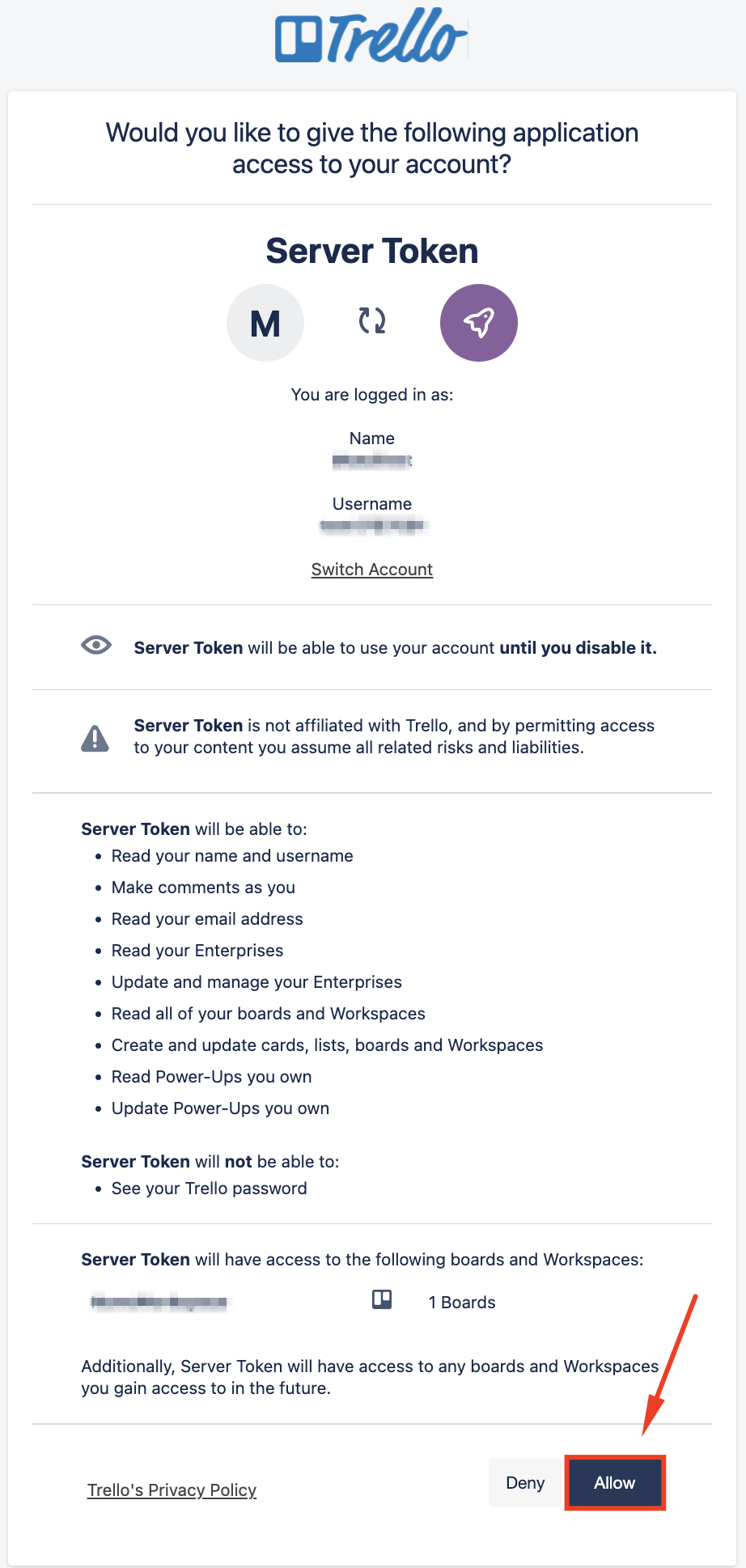
 2. On the API Token creation page, click **Allow**.
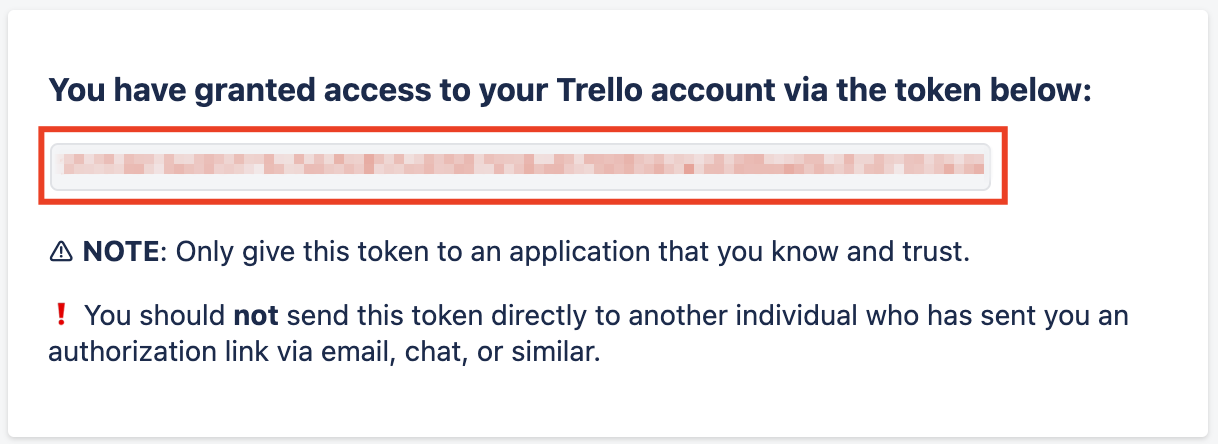
 3. Copy the generated API Token.
 ### Creating your connection[](#creating-your-connection "Direct link to Creating your connection")
1. In the Blink platform, navigate to the **Connections** page > **Add connection**. A New Connection dialog box opens displaying icons of external service providers available.
2. Select the **Trello** icon. A dialog box with name of the connection and connection methods appears.
3. (Optional) Edit the name of the connection. At a later stage you cannot edit the name.
4. Select **API Key & Token** as the method to create the connection.
5. Fill in the parameters:
* The API key
* The API token
6. (Optional) Click **Test Connection** to test it.
7. Click **Create connection**. The new connection appears on the **Connections** page.
### Creating your connection[](#creating-your-connection "Direct link to Creating your connection")
1. In the Blink platform, navigate to the **Connections** page > **Add connection**. A New Connection dialog box opens displaying icons of external service providers available.
2. Select the **Trello** icon. A dialog box with name of the connection and connection methods appears.
3. (Optional) Edit the name of the connection. At a later stage you cannot edit the name.
4. Select **API Key & Token** as the method to create the connection.
5. Fill in the parameters:
* The API key
* The API token
6. (Optional) Click **Test Connection** to test it.
7. Click **Create connection**. The new connection appears on the **Connections** page.