> ## Documentation Index
> Fetch the complete documentation index at: https://docs.blinkops.com/llms.txt
> Use this file to discover all available pages before exploring further.
# Trellix Email Security
> Trellix Email Security is a comprehensive email protection solution that helps organizations safeguard their inboxes from a wide range of threats, including phishing, malware, and spam. It utilizes advanced detection techniques and artificial intelligence to identify and block malicious emails before they reach users.
## Creating a Trellix Email Security connection[](#creating-a-trellix-email-security-connection "Direct link to Creating a Trellix Email Security connection")
## Using API Key[](#using-api-key "Direct link to Using API Key")
To create the connection you need:
* An API Address
* An API Key
### Obtaining the credentials[](#obtaining-the-credentials "Direct link to Obtaining the credentials")
1. Log in to your Trellix Email Security account.
2. Click on **My Settings** in the top navigation bar
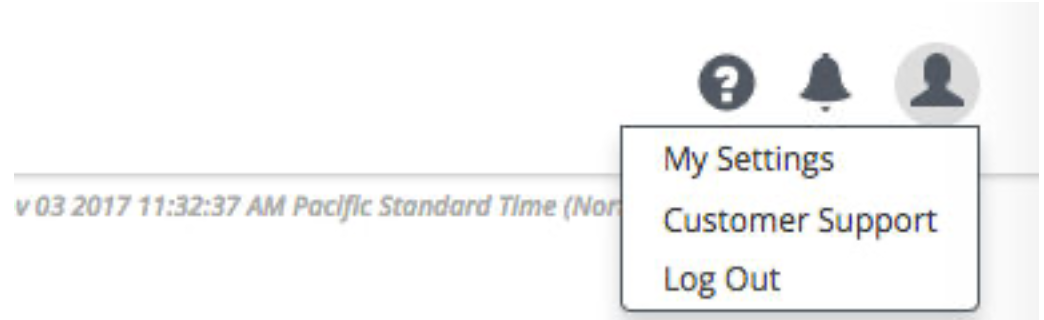 3. Click the **API Keys** tab in the IAM console.
4. Click **Create API Key**.
3. Click the **API Keys** tab in the IAM console.
4. Click **Create API Key**.
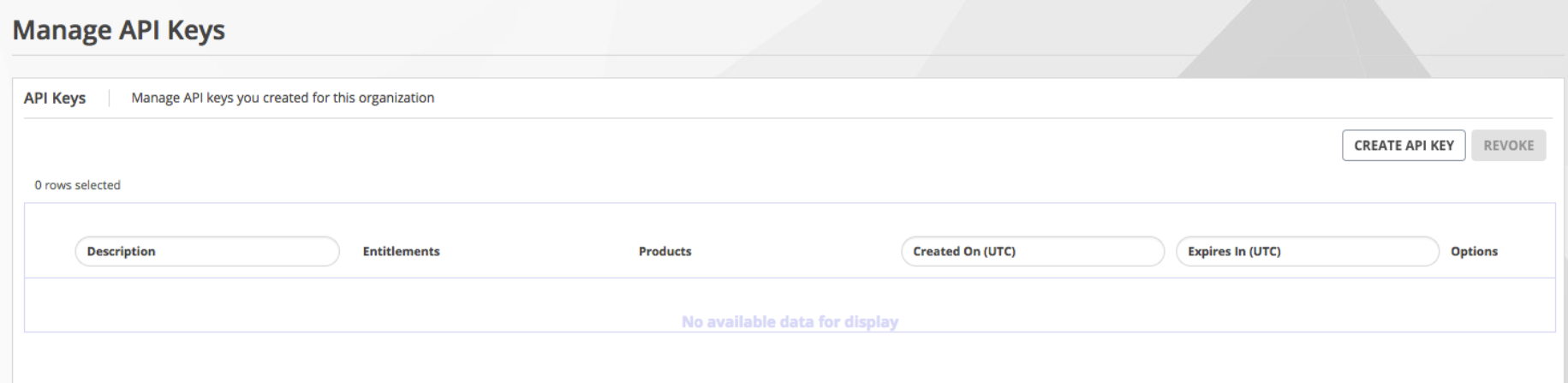 5. Under **Products**, select both `Email Threat Prevention` and `Identity Access Management`.
6. Add the required entitlements and copy your api key.
### Creating your connection[](#creating-your-connection "Direct link to Creating your connection")
1. In the Blink platform, navigate to the **Connections** page > **Add connection**. A New Connection dialog box opens displaying icons of external service providers available.
2. Select the **Trellix Email Security** icon. A dialog box with name of the connection and connection methods appear.
3. (Optional) Edit the name of the connection. At a later stage you cannot edit the name.
4. Select **API Key** as the method to create the connection.
5. Fill in the parameters:
* The API Address
* The API Key
6. (Optional) Click **Test Connection** to test it.
7. Click **Create connection**. The new connection appears on the **Connections** page.
5. Under **Products**, select both `Email Threat Prevention` and `Identity Access Management`.
6. Add the required entitlements and copy your api key.
### Creating your connection[](#creating-your-connection "Direct link to Creating your connection")
1. In the Blink platform, navigate to the **Connections** page > **Add connection**. A New Connection dialog box opens displaying icons of external service providers available.
2. Select the **Trellix Email Security** icon. A dialog box with name of the connection and connection methods appear.
3. (Optional) Edit the name of the connection. At a later stage you cannot edit the name.
4. Select **API Key** as the method to create the connection.
5. Fill in the parameters:
* The API Address
* The API Key
6. (Optional) Click **Test Connection** to test it.
7. Click **Create connection**. The new connection appears on the **Connections** page.