> ## Documentation Index
> Fetch the complete documentation index at: https://docs.blinkops.com/llms.txt
> Use this file to discover all available pages before exploring further.
# Using a Terraform Cloud Run Task Webhook trigger in Blink
> You can trigger Blink with events from Terraform using Terraform Run Tasks.
You cannot create a Run Task unless the Automation is published and active, and has at least one step.
## Creating a Terraform Cloud Run Task Webhook trigger in Blink[](#creating-a-terraform-cloud-run-task-webhook-trigger-in-blink "Direct link to Creating a Terraform Cloud Run Task Webhook trigger in Blink")
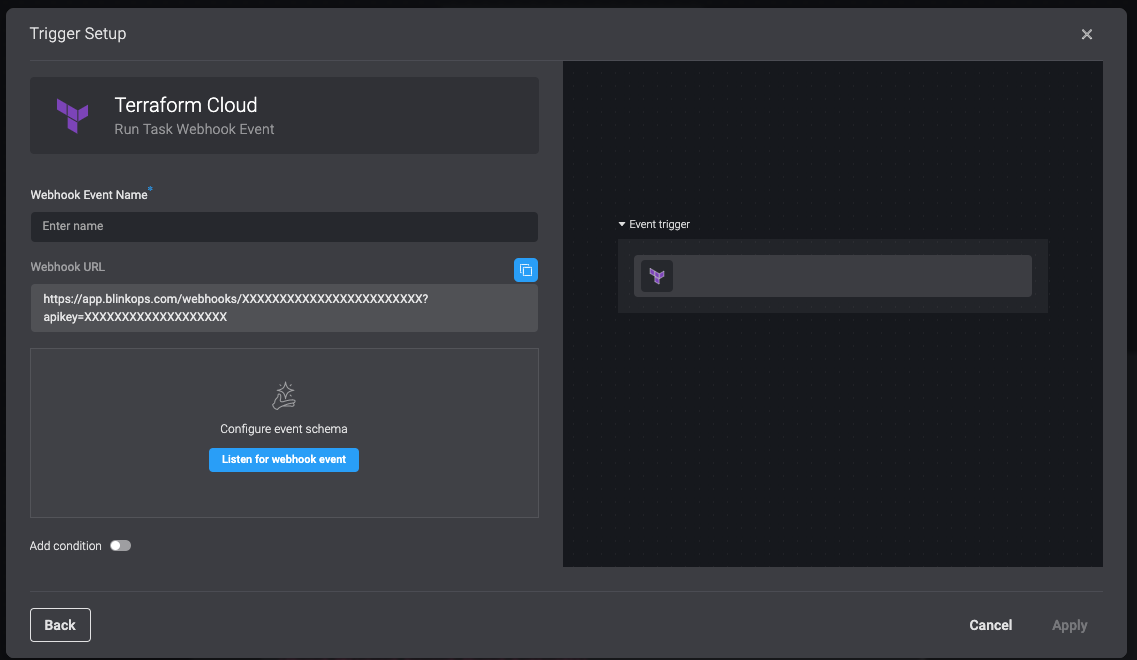
The integration generates a unique endpoint URL in Blink. You will use this URL as the Webhook URL when you create a Run Task in Terraform Cloud.
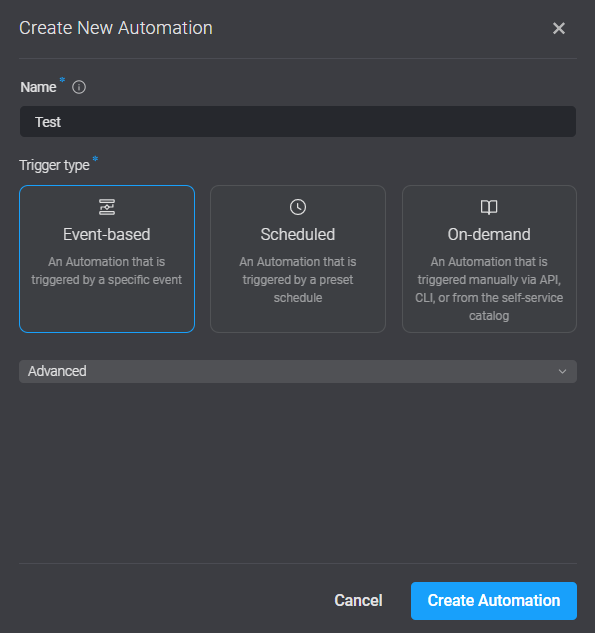
1. From your Blink workspace, click **Add Automation**.
2. Enter **Automation name** and select in which Pack to place the new Automation.
3. In **Type of trigger**, select **Event-based Automation**.
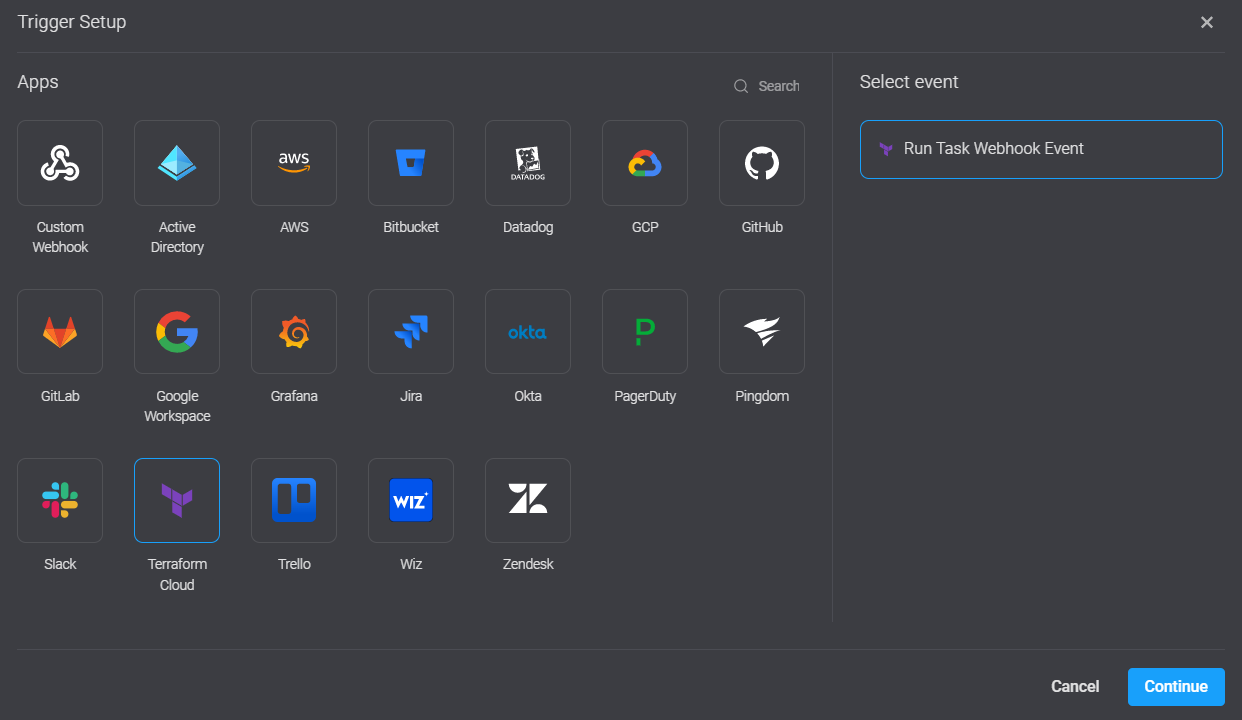
 4. Select **Terraform Cloud**, **Run Task Webhook Event** > **Continue**. The **Trigger setup** dialog box opens.
 5. Copy the **Webhook URL**. You need this to create a Run task in Terraform Cloud.
 ## Creating a Run Task in Terraform Cloud[](#creating-a-run-task-in-terraform-cloud "Direct link to Creating a Run Task in Terraform Cloud")
1. In Terraform cloud, go to **Workspaces** > **Select a workspace** > **Settings** > **Run tasks**.
## Creating a Run Task in Terraform Cloud[](#creating-a-run-task-in-terraform-cloud "Direct link to Creating a Run Task in Terraform Cloud")
1. In Terraform cloud, go to **Workspaces** > **Select a workspace** > **Settings** > **Run tasks**.
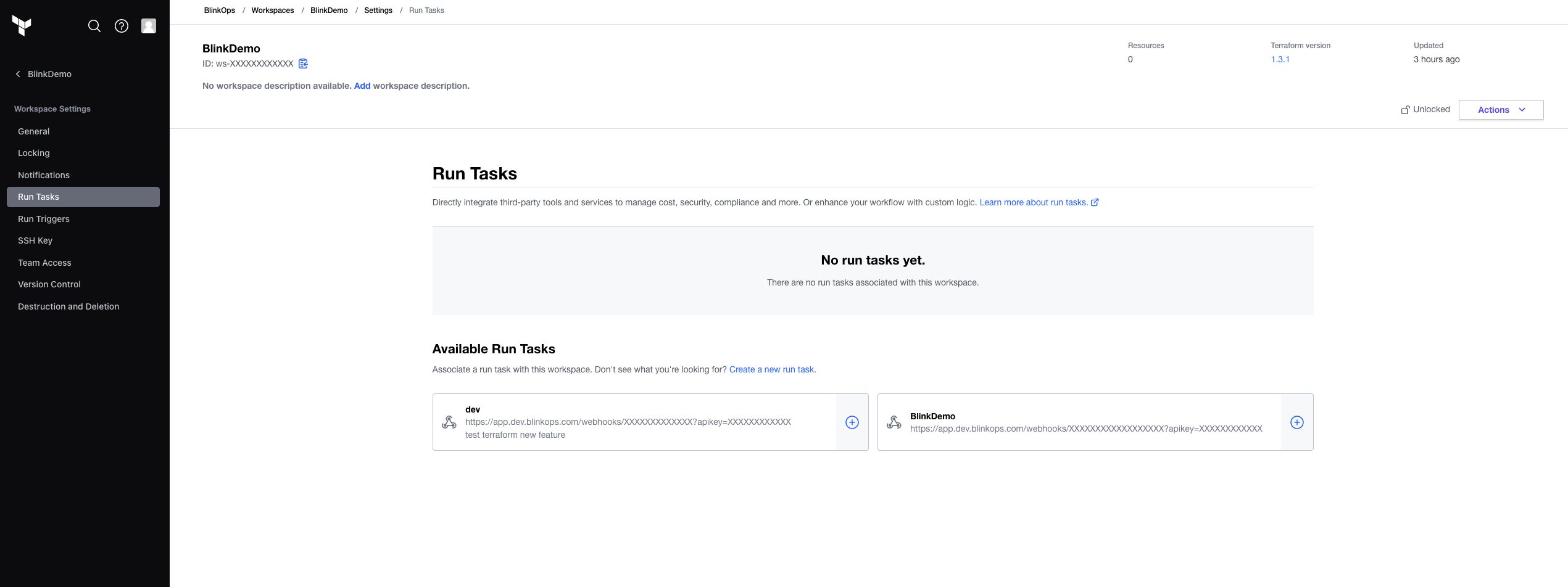 2. Click **Create a new Run Task**. **Create a Run Task** page opens.
3. Enter all values on the **Create a Run Task** page.
* Select enable *Run task will run across all workspaces*.
* Name: Select a meaningful name.
* Endpoint URL: Paste the copied Blink Webhook URL.
* Description: Describe what the Run Task is (optional).
2. Click **Create a new Run Task**. **Create a Run Task** page opens.
3. Enter all values on the **Create a Run Task** page.
* Select enable *Run task will run across all workspaces*.
* Name: Select a meaningful name.
* Endpoint URL: Paste the copied Blink Webhook URL.
* Description: Describe what the Run Task is (optional).
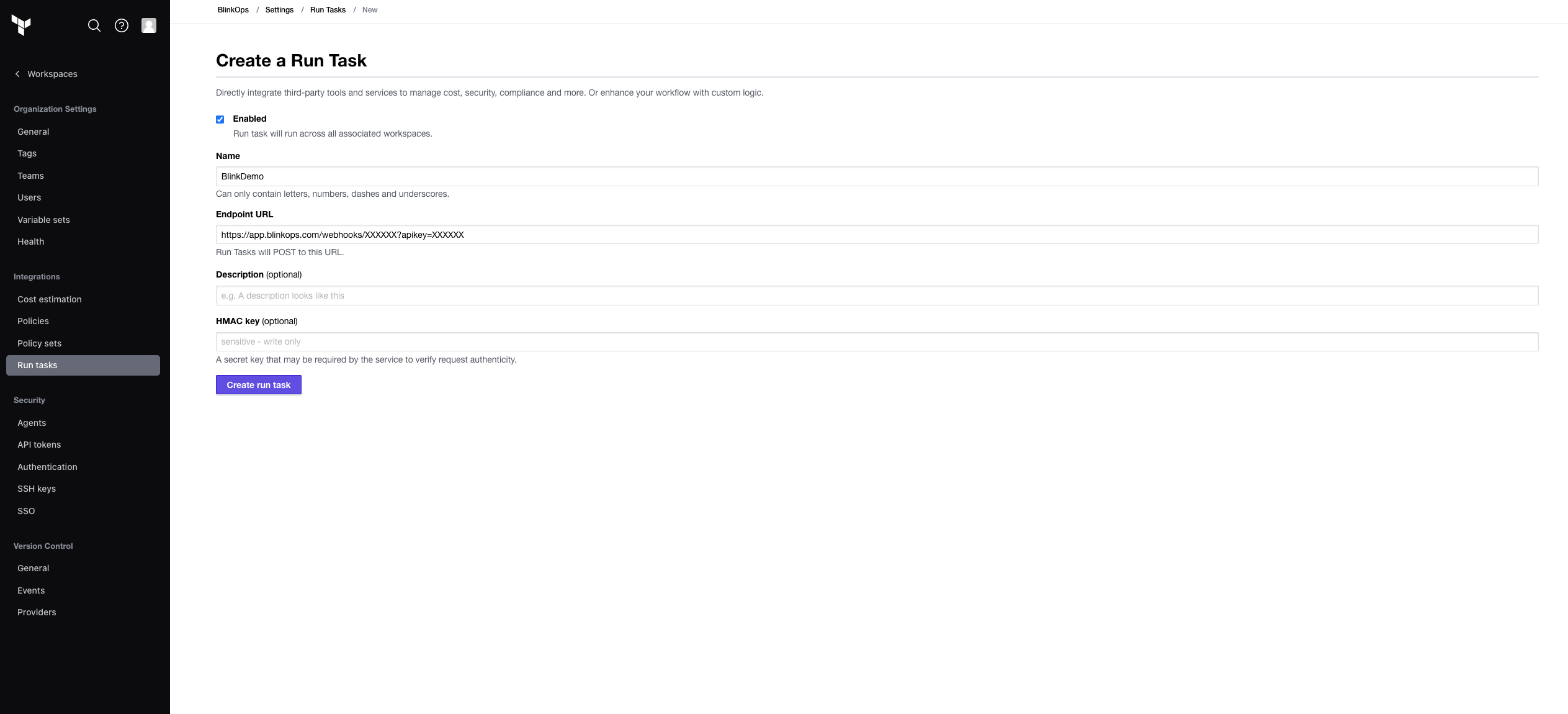 4. Click **Create run task**. **Run Tasks** opens.
5. Under \*Available Run Tasks**, next to relevant Run Task, click** +**.** Associated Run Task\*\* page opens.
6. Under **Run stage**, select your desired run stage. The Blink integration works with all run stages. Under **Enforcement level**, select **Advisory** or **Mandatory** according to your preference.
4. Click **Create run task**. **Run Tasks** opens.
5. Under \*Available Run Tasks**, next to relevant Run Task, click** +**.** Associated Run Task\*\* page opens.
6. Under **Run stage**, select your desired run stage. The Blink integration works with all run stages. Under **Enforcement level**, select **Advisory** or **Mandatory** according to your preference.
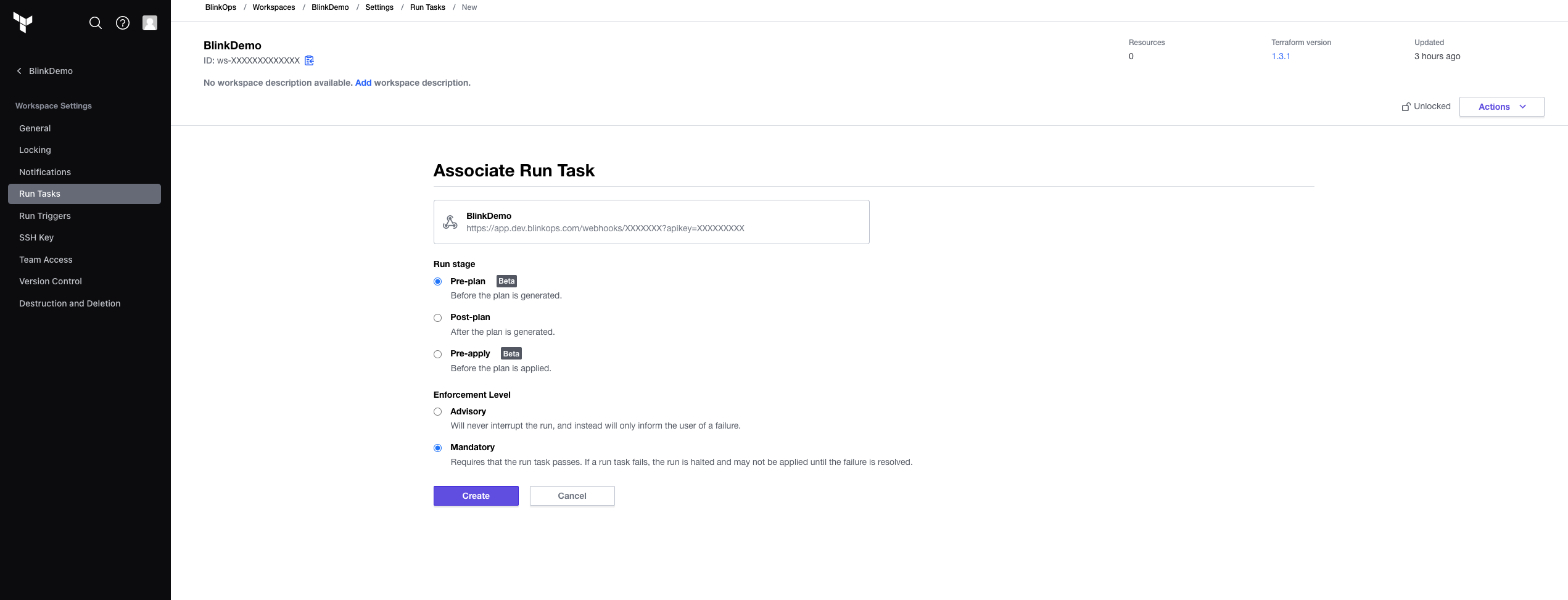 7. Click **Create**.
## Adding a Run Task Callback in a Blink automation[](#adding-a-run-task-callback-in-a-blink-automation "Direct link to Adding a Run Task Callback in a Blink automation")
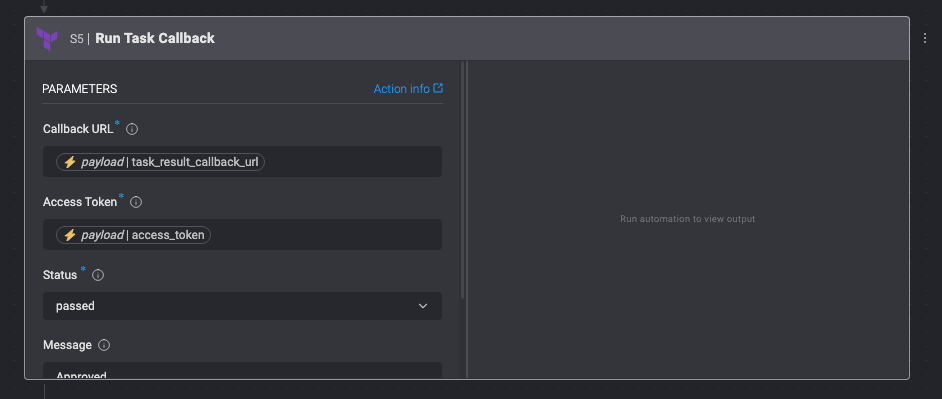
In order for the Run Task to finish successfully, the Blink automation must return a callback request to Terraform Cloud. This can be done using the **Terraform Cloud Run Task Callback** action.
1. In the Blink platform, in the **Edit** page of your Automation, click the empty space under **Steps** > **Action** > **Run Task Callback**.
2. In the **Run Task Callback\*\*\*\*Callback URL** and **Access Token**: It is recommended to leave the default values pre-defined in this action. Enter the rest of the parameters by your preference.
3. In the top-right corner of the canvas, **Publish** the Automation.
7. Click **Create**.
## Adding a Run Task Callback in a Blink automation[](#adding-a-run-task-callback-in-a-blink-automation "Direct link to Adding a Run Task Callback in a Blink automation")
In order for the Run Task to finish successfully, the Blink automation must return a callback request to Terraform Cloud. This can be done using the **Terraform Cloud Run Task Callback** action.
1. In the Blink platform, in the **Edit** page of your Automation, click the empty space under **Steps** > **Action** > **Run Task Callback**.
2. In the **Run Task Callback\*\*\*\*Callback URL** and **Access Token**: It is recommended to leave the default values pre-defined in this action. Enter the rest of the parameters by your preference.
3. In the top-right corner of the canvas, **Publish** the Automation.