> ## Documentation Index
> Fetch the complete documentation index at: https://docs.blinkops.com/llms.txt
> Use this file to discover all available pages before exploring further.
# SolarWinds Service Desk
> SolarWinds Service Desk is a cloud-based IT service management (ITSM) platform that streamlines and automates IT operations for businesses of all sizes. With features such as incident management, problem management, change management, and asset management, SolarWinds Service Desk provides a centralized solution for managing IT tickets, assets, and workflows.
## Creating a SolarWinds Service Desk connection[](#creating-a-solarwinds-service-desk-connection "Direct link to Creating a SolarWinds Service Desk connection")
## Using API token[](#using-api-token "Direct link to Using API token")
To create the connection you need:
* An API address
* An API token
### Obtaining the credentials[](#obtaining-the-credentials "Direct link to Obtaining the credentials")
1. Log in to *SolarWinds Service Desk*.
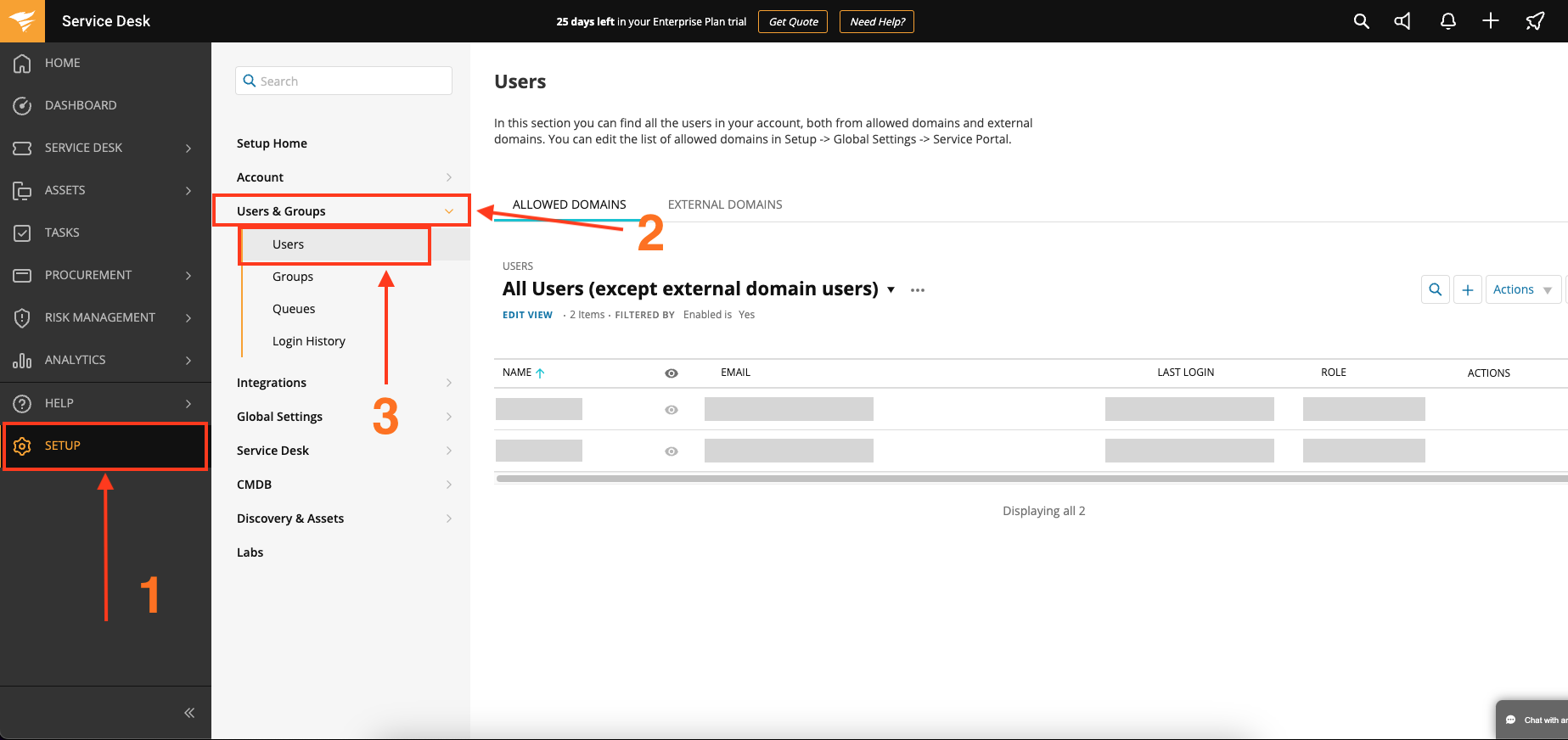
2. Navigate to **Setup** > **Users & Groups** > **Users** and locate the user detail page.
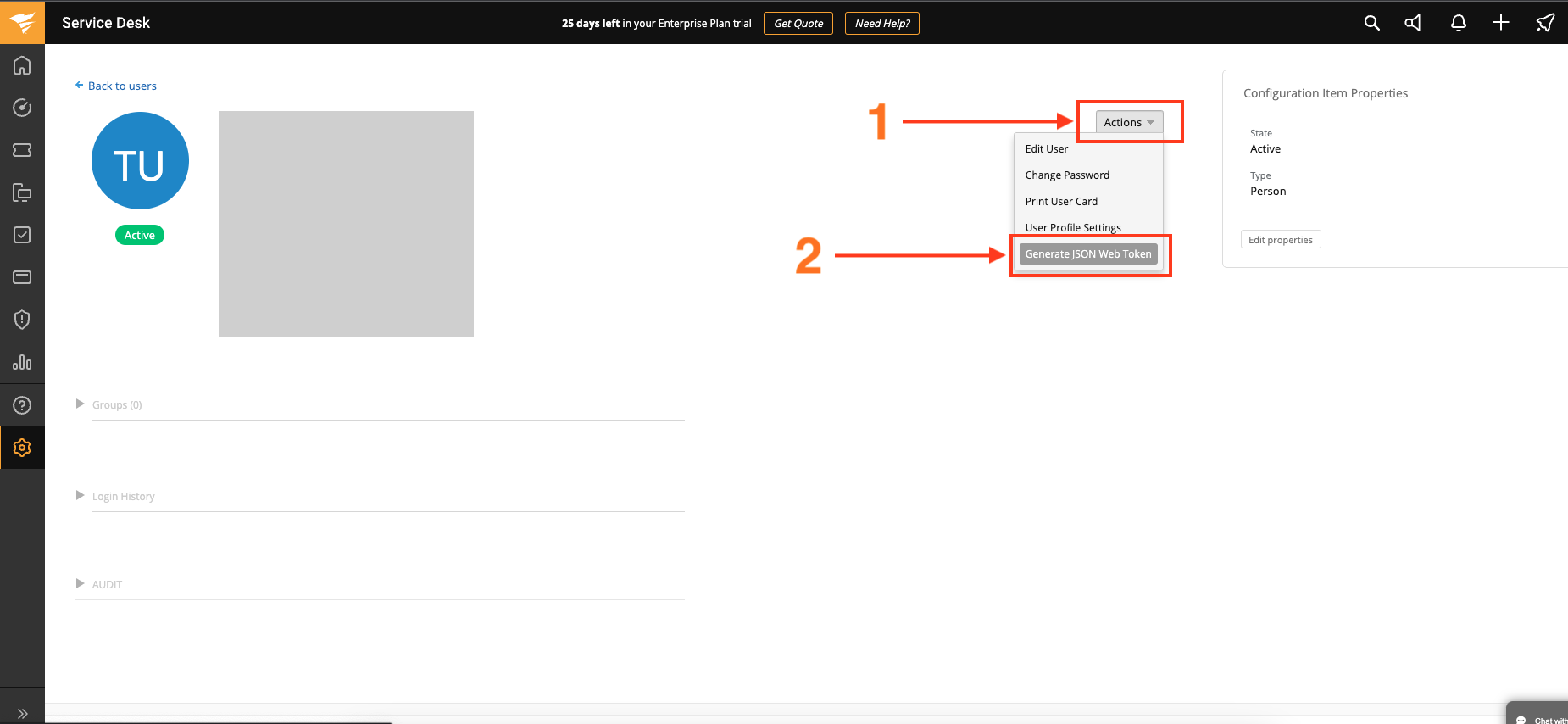
 3. From the user detail page, click **Actions** and select **Generate JSON Web Token** from the dropdown menu.
SWSD administrator rights required.
3. From the user detail page, click **Actions** and select **Generate JSON Web Token** from the dropdown menu.
SWSD administrator rights required.
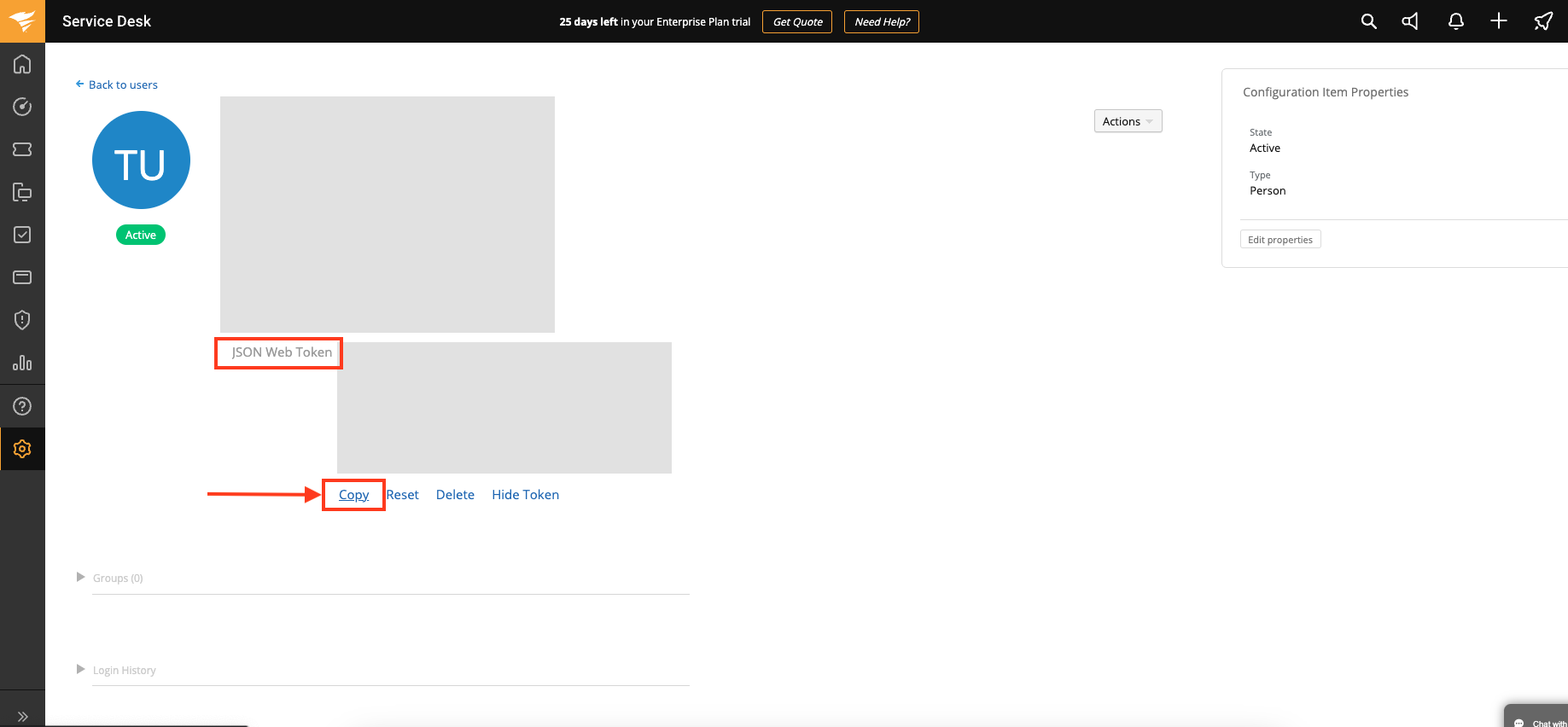
 4. In the user detail page under *JSON Web Token*, click **Copy**.
 ### Creating your connection[](#creating-your-connection "Direct link to Creating your connection")
1. In the Blink platform, navigate to the **Connections** page > **Add connection**. A New Connection dialog box opens displaying icons of external service providers available.
2. Select the **SolarWinds Service Desk** icon. A dialog box with name of the connection and connection methods appear.
3. (Optional) Edit the name of the connection. At a later stage you cannot edit the name.
4. Select **API Token** as the method to create the connection.
5. Fill in the parameters:
* The API address
* The API token
6. (Optional) Click **Test Connection** to test it.
7. Click **Create connection**. The new connection appears on the **Connections** page.
### Creating your connection[](#creating-your-connection "Direct link to Creating your connection")
1. In the Blink platform, navigate to the **Connections** page > **Add connection**. A New Connection dialog box opens displaying icons of external service providers available.
2. Select the **SolarWinds Service Desk** icon. A dialog box with name of the connection and connection methods appear.
3. (Optional) Edit the name of the connection. At a later stage you cannot edit the name.
4. Select **API Token** as the method to create the connection.
5. Fill in the parameters:
* The API address
* The API token
6. (Optional) Click **Test Connection** to test it.
7. Click **Create connection**. The new connection appears on the **Connections** page.