> ## Documentation Index
> Fetch the complete documentation index at: https://docs.blinkops.com/llms.txt
> Use this file to discover all available pages before exploring further.
# Monday
> Monday.com is a cloud-based Work OS, where teams create workflow apps in minutes to run their processes, projects, and everyday work. Teams shape their workflows and projects, code-free, with a platform that adapts to shifting needs quickly, liberates teams from manual grunt work, and connects teams in a collaborative work space.
## Creating a Monday connection[](#creating-a-monday-connection "Direct link to Creating a Monday connection")
To create the connection you need:
* An API token
#### Obtaining the API token[](#obtaining-the-api-token "Direct link to Obtaining the API token")
1. Log into your *monday.com* account.
2. Click on your avatar (picture icon) in the bottom left corner of your screen.
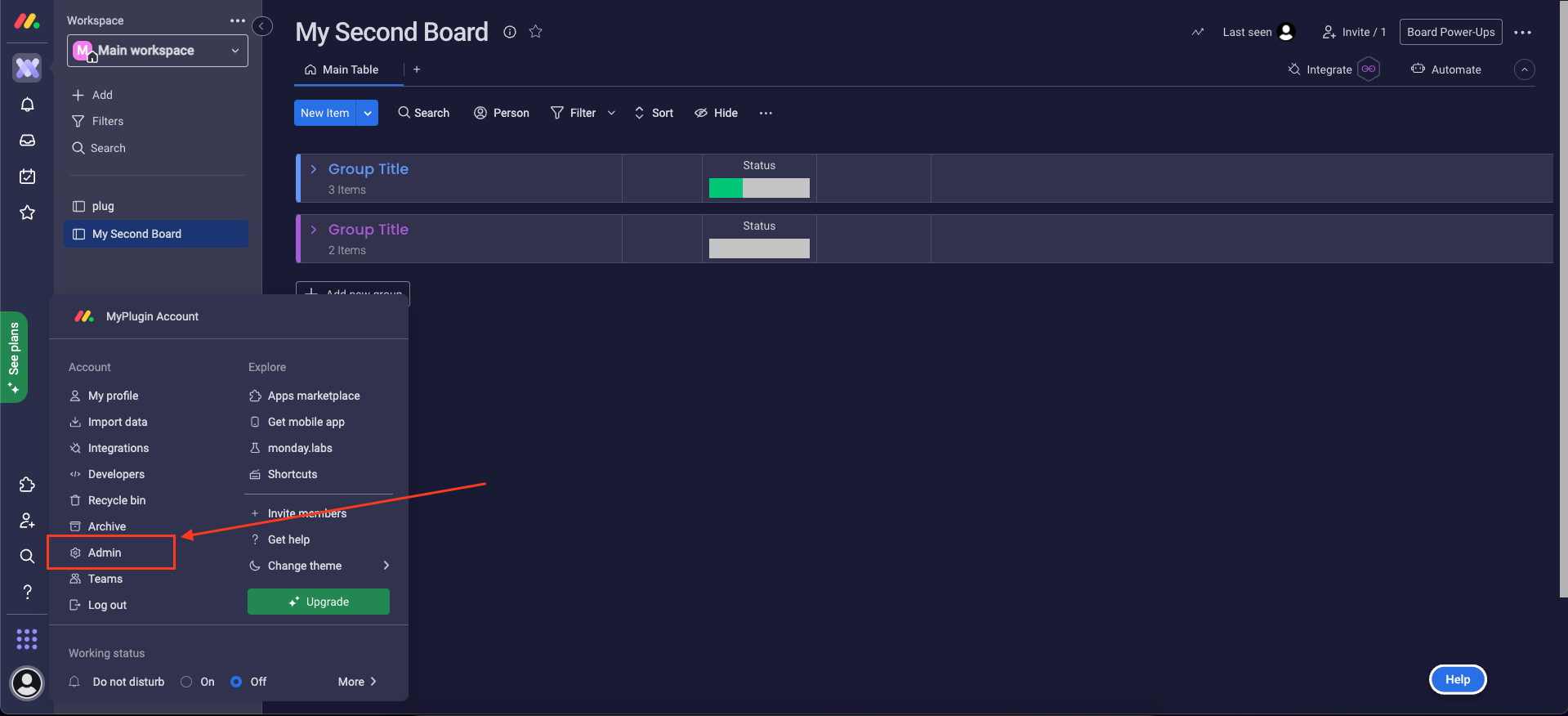
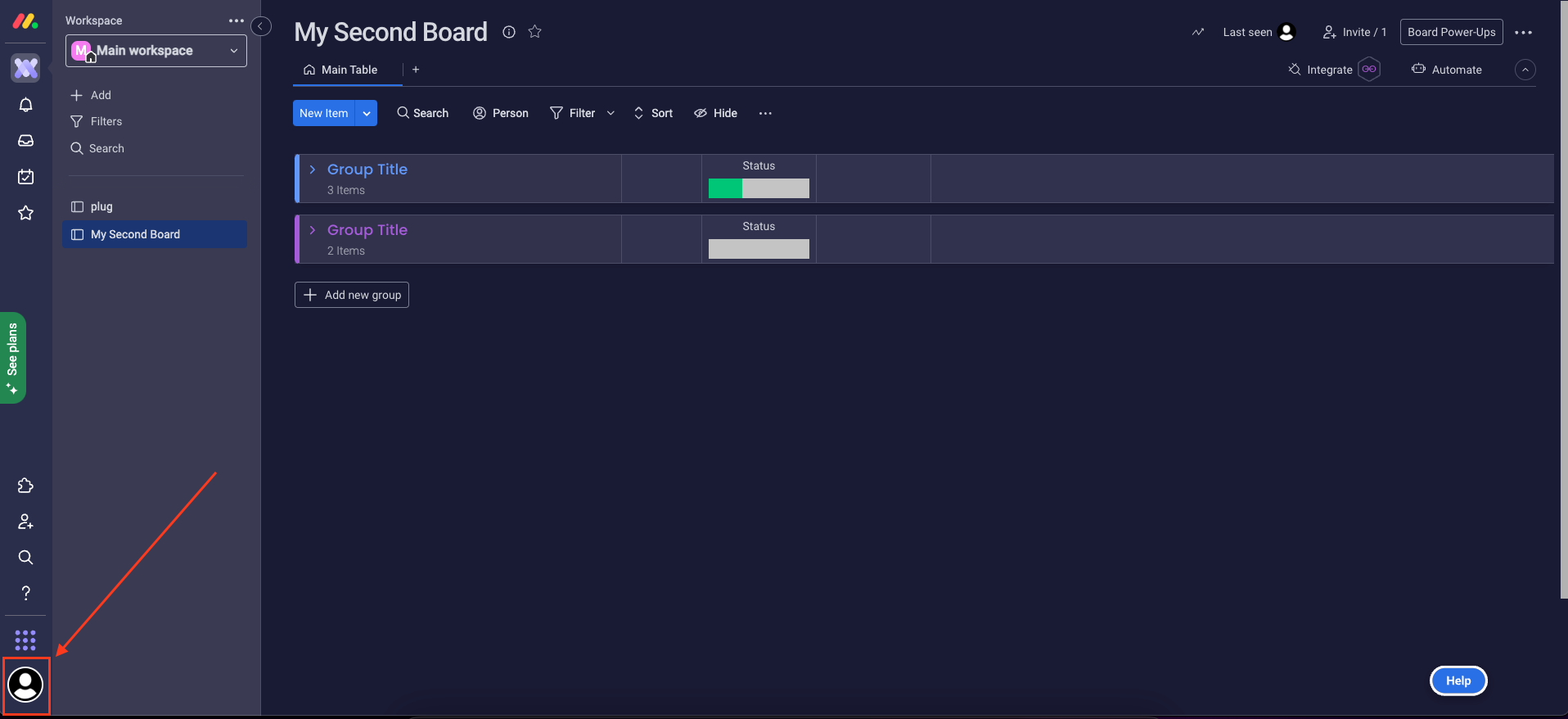 3. Select **Admin** from the resulting menu (this requires you to have admin permissions).
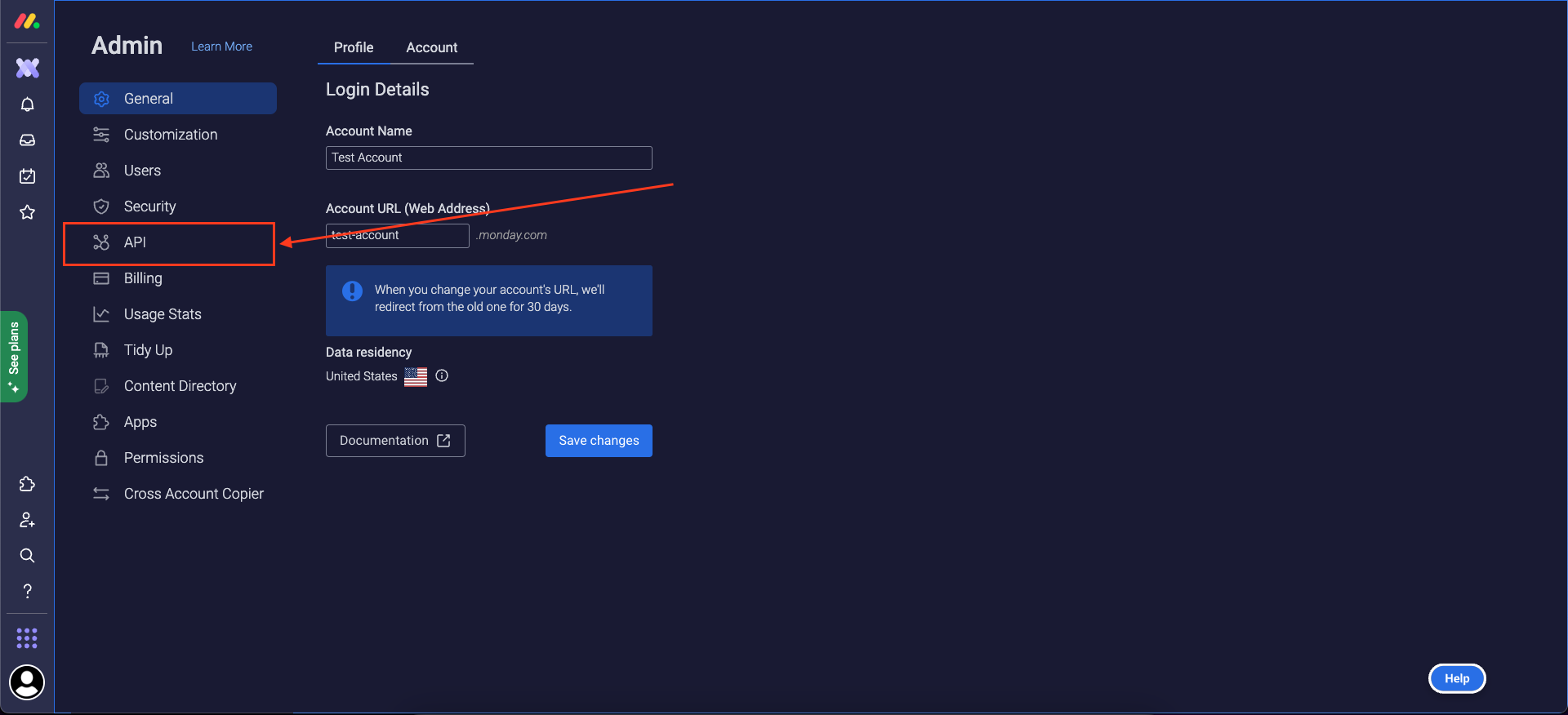
 4. Go to the **API** section.
 5. Generate a *API v2 Token*.
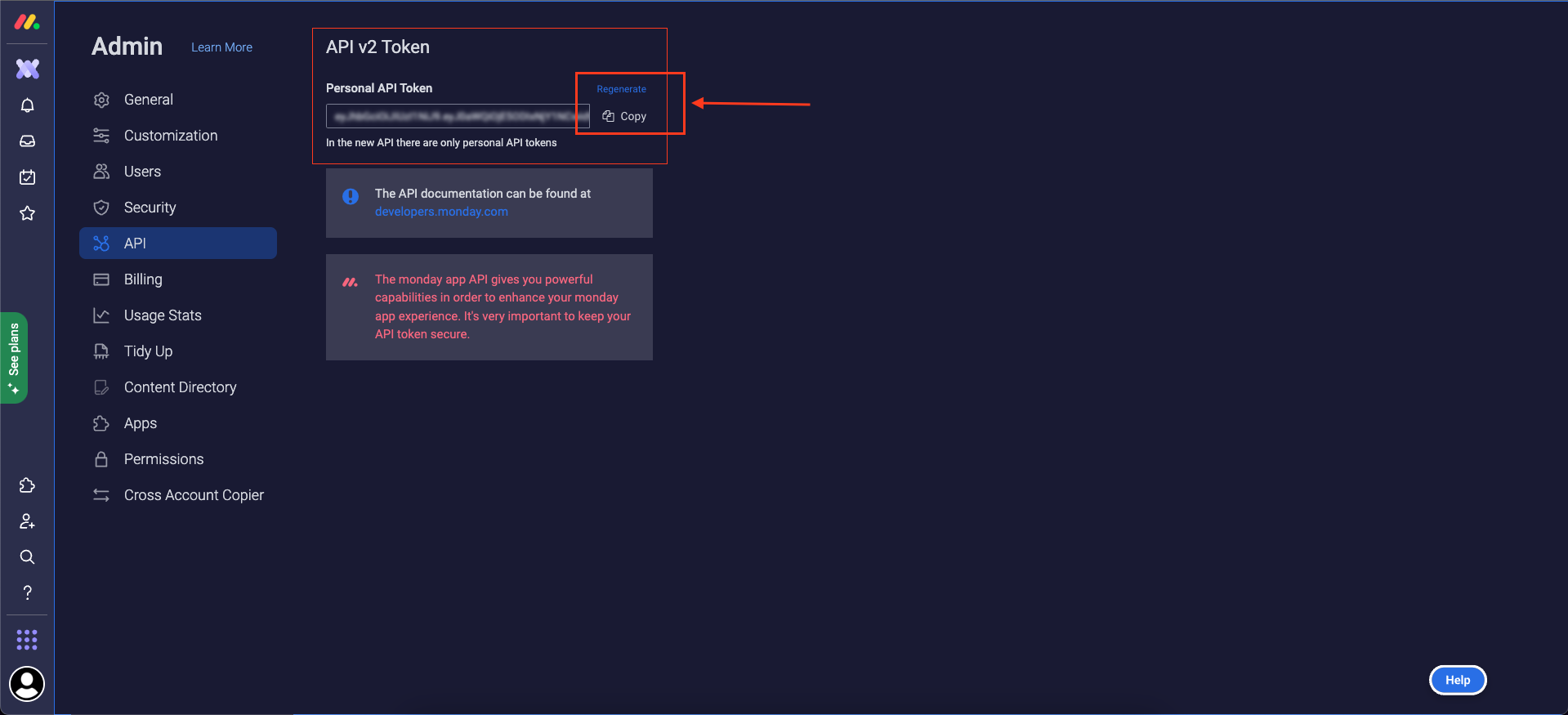 6. Copy your token.
#### Creating your connection[](#creating-your-connection "Direct link to Creating your connection")
1. In the Blink platform, navigate to the **Connections** page > **Add connection**. A New Connection dialog box opens displaying icons of external service providers available.
2. Select the **Monday** icon. A dialog box with name of the connection and connection methods appears.
3. (Optional) Edit the name of the connection. At a later stage you cannot edit the name.
4. Select **API Token** as the method to make the connection.
5. Fill in the parameters:
* The API token
6. (Optional) Click **Test Connection** to test it.
7. Click **Create connection**. The new connection appears on the **Connections** page.
### Interactive Tutorial Guides[](#interactive-tutorial-guides "Direct link to Interactive Tutorial Guides")
You can also refer to the following tutorial guides for a more in-depth understanding of how to create a Monday connection.
[Creating a Monday.com Connection](https://demo.arcade.software/UczkCNmovXohaR75yNTD?embed\&show_copy_link=true)
[Creating a Monday.com Connection in Blink Ops](https://demo.arcade.software/BJAULKhwSQ29S898fflz?embed\&show_copy_link=true)
6. Copy your token.
#### Creating your connection[](#creating-your-connection "Direct link to Creating your connection")
1. In the Blink platform, navigate to the **Connections** page > **Add connection**. A New Connection dialog box opens displaying icons of external service providers available.
2. Select the **Monday** icon. A dialog box with name of the connection and connection methods appears.
3. (Optional) Edit the name of the connection. At a later stage you cannot edit the name.
4. Select **API Token** as the method to make the connection.
5. Fill in the parameters:
* The API token
6. (Optional) Click **Test Connection** to test it.
7. Click **Create connection**. The new connection appears on the **Connections** page.
### Interactive Tutorial Guides[](#interactive-tutorial-guides "Direct link to Interactive Tutorial Guides")
You can also refer to the following tutorial guides for a more in-depth understanding of how to create a Monday connection.
[Creating a Monday.com Connection](https://demo.arcade.software/UczkCNmovXohaR75yNTD?embed\&show_copy_link=true)
[Creating a Monday.com Connection in Blink Ops](https://demo.arcade.software/BJAULKhwSQ29S898fflz?embed\&show_copy_link=true)