> ## Documentation Index
> Fetch the complete documentation index at: https://docs.blinkops.com/llms.txt
> Use this file to discover all available pages before exploring further.
# Magnet One
> Magnet One provides a centralized hub that enables seamless collaboration between forensic examiners, investigators, and external stakeholders throughout an investigation.
## Creating a Magnet One connection
### Using API Key
To create the connection you need:
* An API Address
* An API Key
#### Obtaining the credentials
1. Go to `Settings`.
 2. Press on `Integrations` tab.
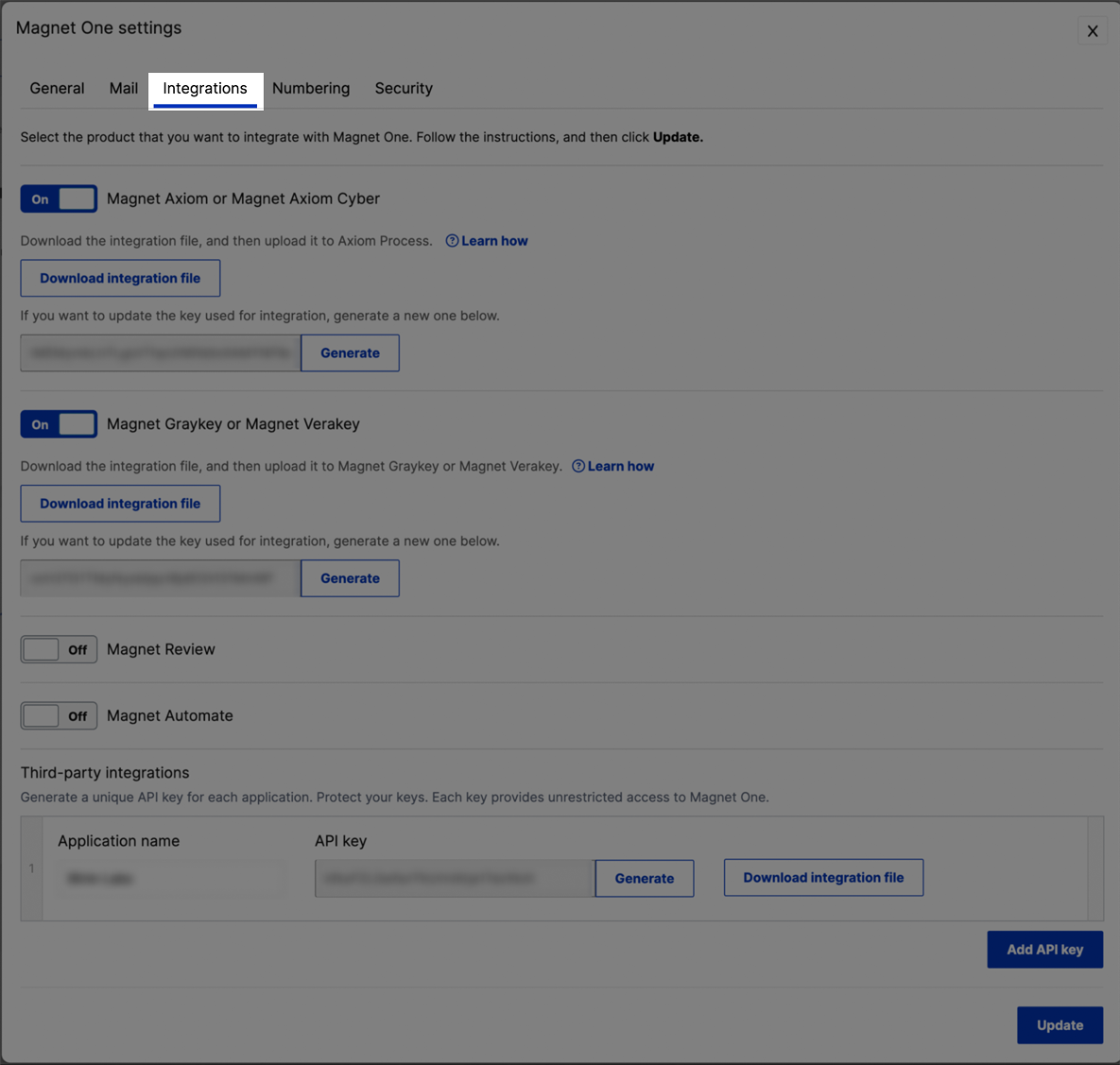 3. Under `Third-party integrations` add new API Key and enter a name.
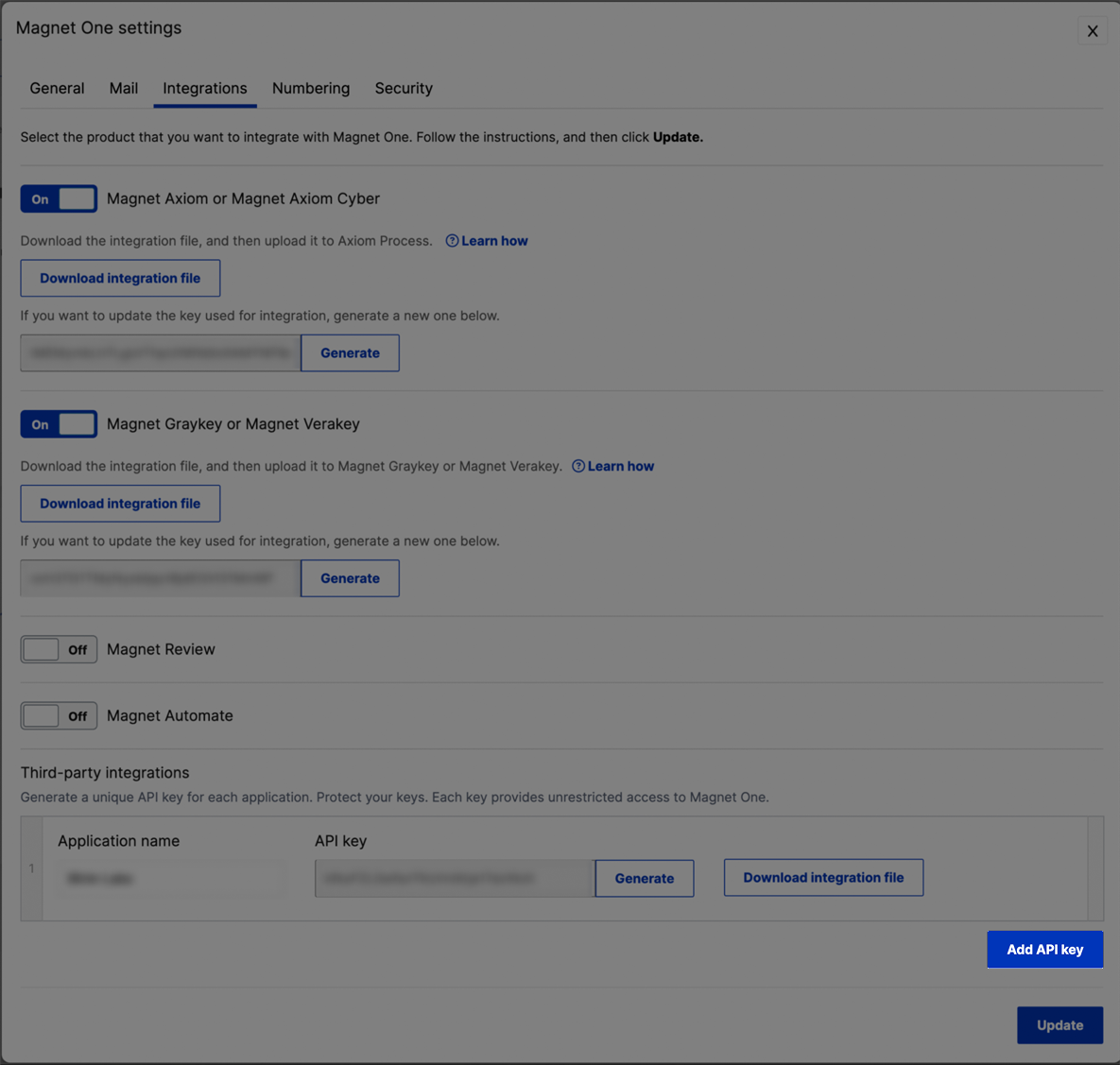 4. Insert an API Key or generate one and download the integration file.
5. Press on `Update` to save your changes.
6. Copy the credentials from the downloaded file.
#### Creating your connection
1. In the Blink platform, navigate to the **Connections** page > **Add connection**. A New Connection dialog box opens displaying icons of external service providers available.
2. Select the **Magnet One** icon. A dialog box with name of the connection and connection methods appear.
3. (Optional) Edit the name of the connection. At a later stage you cannot edit the name.
4. Select **API Key** as the method to create the connection.
5. Fill in the parameters:
* The API Address
* The API Key
6. (Optional) Click **Test Connection** to test it.
7. Click **Create connection**. The new connection appears on the **Connections** page.
4. Insert an API Key or generate one and download the integration file.
5. Press on `Update` to save your changes.
6. Copy the credentials from the downloaded file.
#### Creating your connection
1. In the Blink platform, navigate to the **Connections** page > **Add connection**. A New Connection dialog box opens displaying icons of external service providers available.
2. Select the **Magnet One** icon. A dialog box with name of the connection and connection methods appear.
3. (Optional) Edit the name of the connection. At a later stage you cannot edit the name.
4. Select **API Key** as the method to create the connection.
5. Fill in the parameters:
* The API Address
* The API Key
6. (Optional) Click **Test Connection** to test it.
7. Click **Create connection**. The new connection appears on the **Connections** page.