> ## Documentation Index
> Fetch the complete documentation index at: https://docs.blinkops.com/llms.txt
> Use this file to discover all available pages before exploring further.
# Joe Sandbox
> Joe Sandbox is a malware analysis platform that provides a range of tools and capabilities for researchers, analysts, and security professionals to analyze and understand malware behavior. The platform is designed to help identify and detect threats by analyzing and visualizing malware behavior in a safe, isolated environment.
## Creating a Joe Sandbox connection[](#creating-a-joe-sandbox-connection "Direct link to Creating a Joe Sandbox connection")
To create the connection you need:
* An API Address
* An API key
### Obtaining the credentials[](#obtaining-the-credentials "Direct link to Obtaining the credentials")
1. Go to [Joe Sandbox](https://www.joesandbox.com/login) and sign in.
2. At the top right of the page, click **User Settings**.
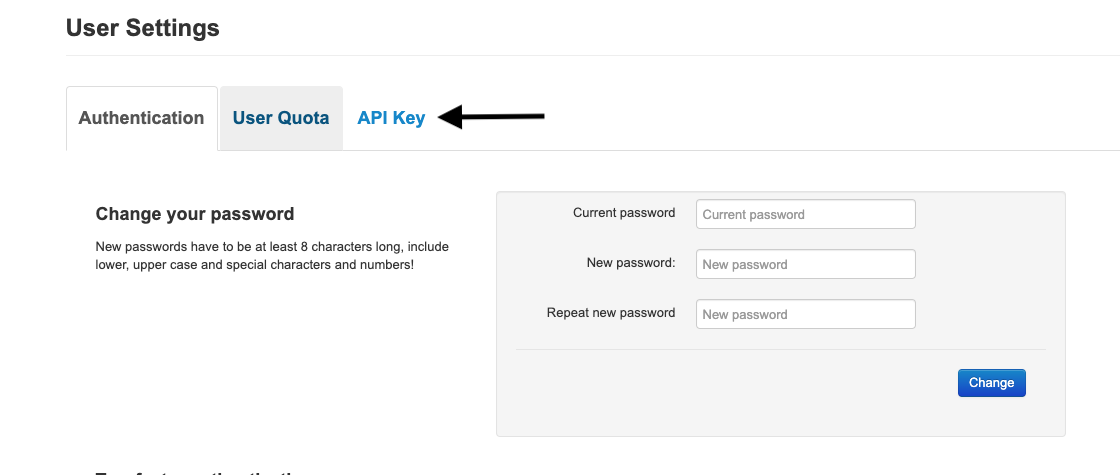
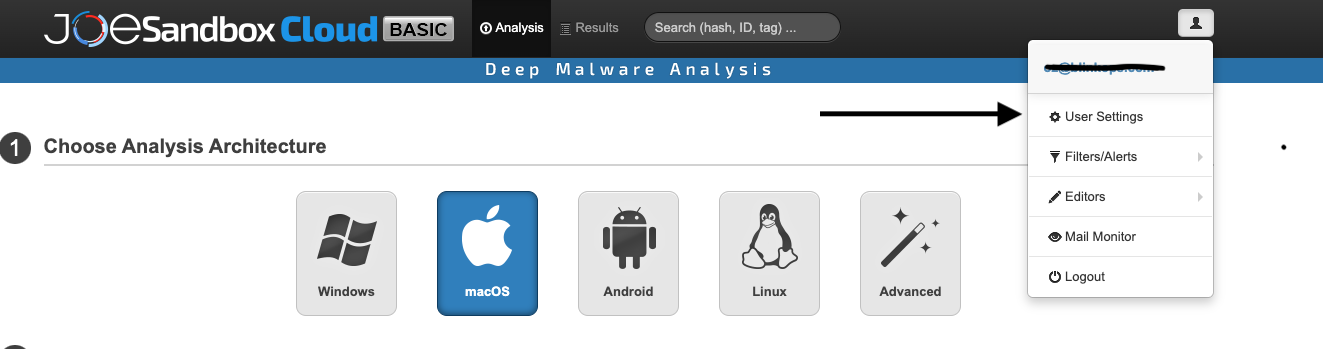 3. Click **API Key**.
 4. Click **Generate API Key**
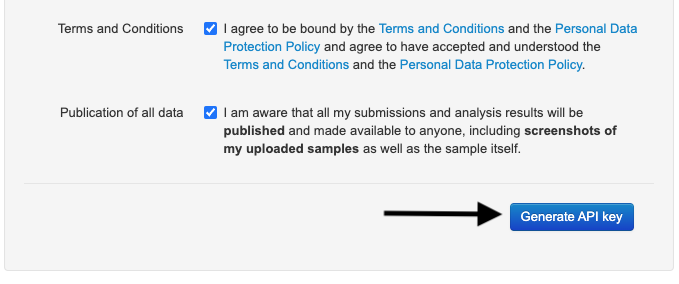 5. Copy the newly generated **API Key**
 ### Creating your connection[](#creating-your-connection "Direct link to Creating your connection")
1. In the Blink platform, navigate to the **Connections** page > **Add connection**. A New Connection dialog box opens displaying icons of external service providers available.
2. Select the **Joe Sandbox** icon. A dialog box with name of the connection and connection methods appear.
3. (Optional) Edit the name of the connection. At a later stage you cannot edit the name.
4. Select **API Key** as the method to create the connection.
5. Fill in the parameters:
* The API Address
* The API Key
6. (Optional) Click **Test Connection** to test it.
7. Click **Create connection**. The new connection appears on the **Connections** page.
### Creating your connection[](#creating-your-connection "Direct link to Creating your connection")
1. In the Blink platform, navigate to the **Connections** page > **Add connection**. A New Connection dialog box opens displaying icons of external service providers available.
2. Select the **Joe Sandbox** icon. A dialog box with name of the connection and connection methods appear.
3. (Optional) Edit the name of the connection. At a later stage you cannot edit the name.
4. Select **API Key** as the method to create the connection.
5. Fill in the parameters:
* The API Address
* The API Key
6. (Optional) Click **Test Connection** to test it.
7. Click **Create connection**. The new connection appears on the **Connections** page.