> ## Documentation Index
> Fetch the complete documentation index at: https://docs.blinkops.com/llms.txt
> Use this file to discover all available pages before exploring further.
# IBM Cloud
> IBM Cloud is a suite of cloud computing services offered by IBM. It provides a range of services for building, deploying, and managing applications, including compute, storage, and networking services.
## Creating an IBM Cloud connection[](#creating-an-ibm-cloud-connection "Direct link to Creating an IBM Cloud connection")
To create the connection you need:
* An API key
### Obtaining the credentials[](#obtaining-the-credentials "Direct link to Obtaining the credentials")
1. Log in to your IBM Cloud account.
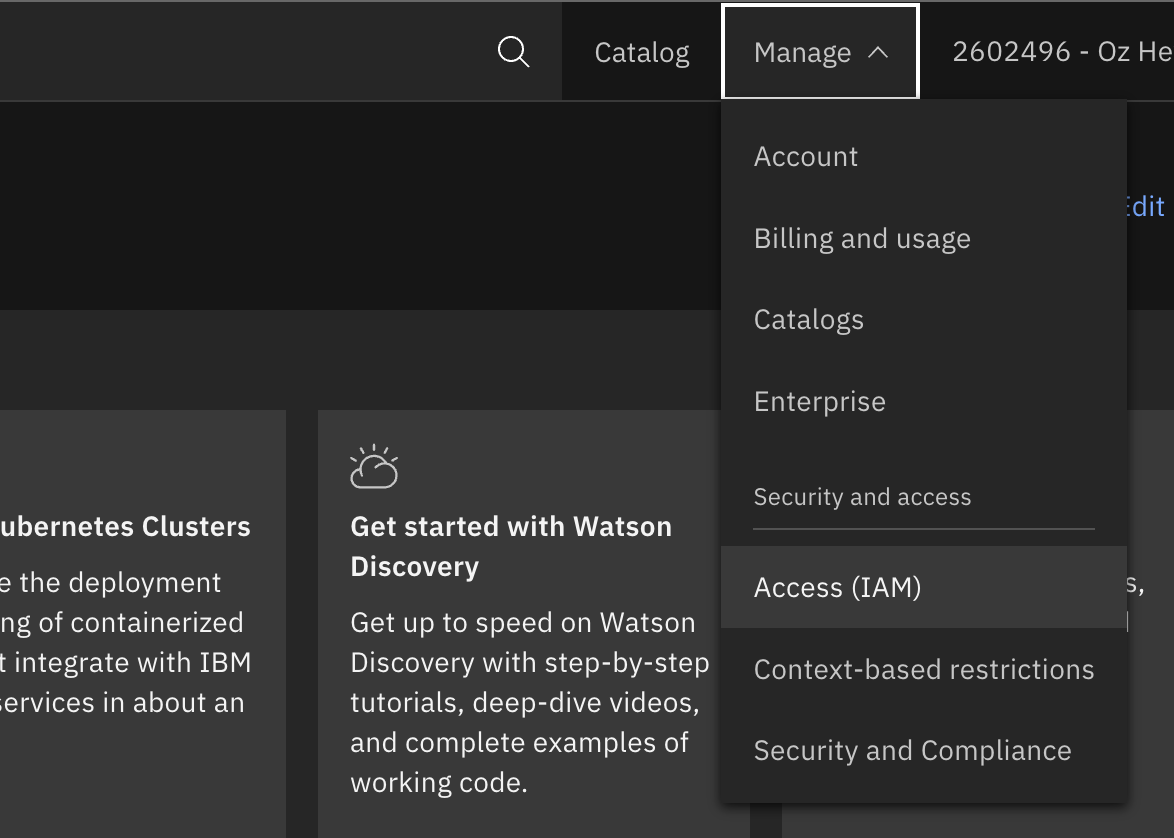
2. Click **Manage** > **Access (IAM)** > **API keys** to open the **API keys** [page](https://cloud.ibm.com/iam/apikeys).
 3. Ensure that *My IBM Cloud API keys* is selected in the **View** list.
4. Click **Create** > Specify a name and description.
3. Ensure that *My IBM Cloud API keys* is selected in the **View** list.
4. Click **Create** > Specify a name and description.
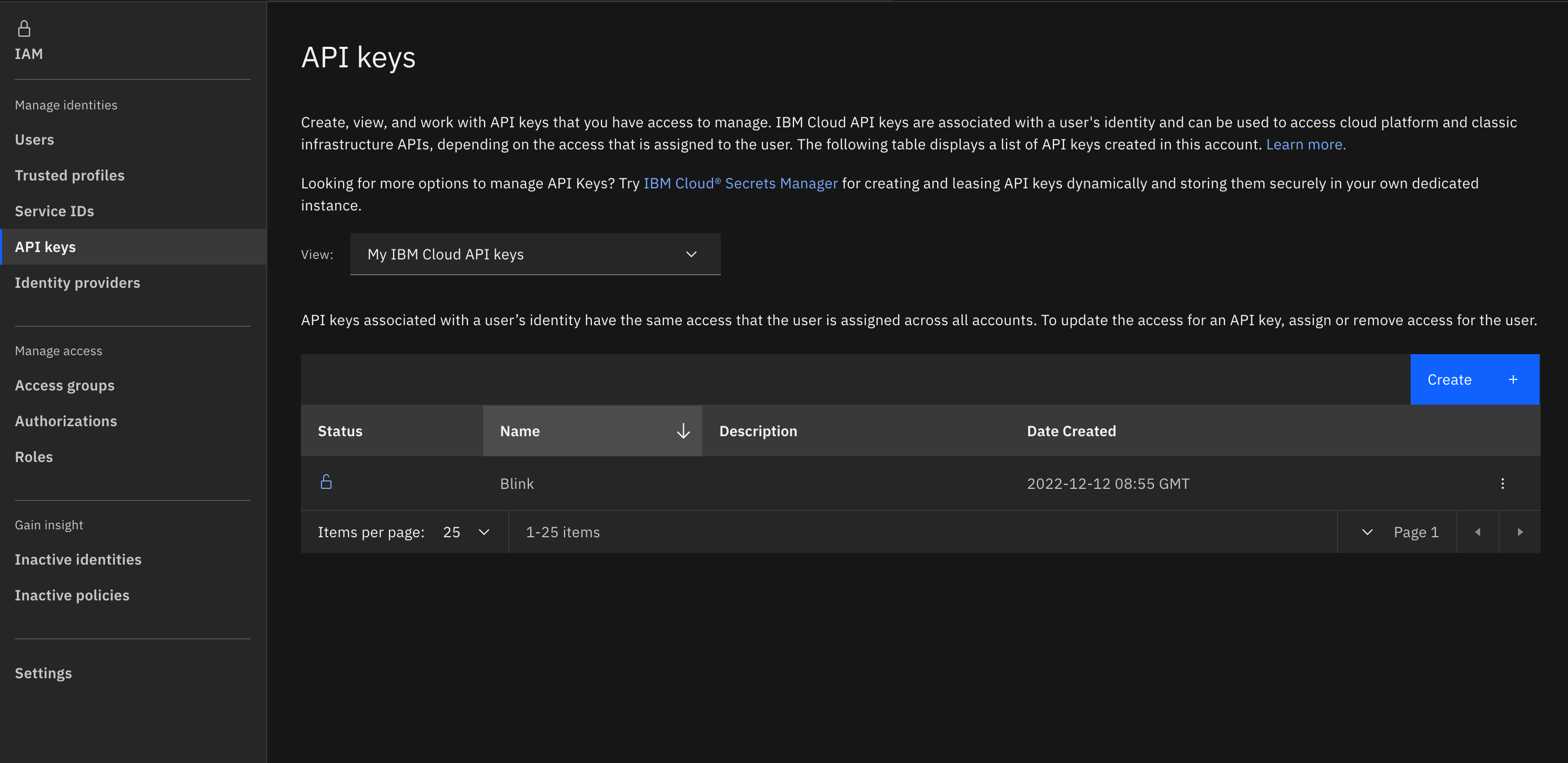 5. Click **Create** and copy the generated API key.
### Creating your connection[](#creating-your-connection "Direct link to Creating your connection")
1. In the Blink platform, navigate to the **Connections** page > **Add connection**. A New Connection dialog box opens displaying icons of external service providers available.
2. Select the **IBM Cloud** icon. A dialog box with name of the connection and connection methods appear.
3. (Optional) Edit the name of the connection. At a later stage you cannot edit the name.
4. Select **API Key** as the method to make the connection.
5. Fill in the parameters:
* The API address
* The API key
6. (Optional) Click **Test Connection** to test it.
7. Click **Create connection**. The new connection appears on the **Connections** page.
5. Click **Create** and copy the generated API key.
### Creating your connection[](#creating-your-connection "Direct link to Creating your connection")
1. In the Blink platform, navigate to the **Connections** page > **Add connection**. A New Connection dialog box opens displaying icons of external service providers available.
2. Select the **IBM Cloud** icon. A dialog box with name of the connection and connection methods appear.
3. (Optional) Edit the name of the connection. At a later stage you cannot edit the name.
4. Select **API Key** as the method to make the connection.
5. Fill in the parameters:
* The API address
* The API key
6. (Optional) Click **Test Connection** to test it.
7. Click **Create connection**. The new connection appears on the **Connections** page.