> ## Documentation Index
> Fetch the complete documentation index at: https://docs.blinkops.com/llms.txt
> Use this file to discover all available pages before exploring further.
# Hybrid Analysis
> Hybrid Analysis is a file analysis approach that combines runtime data with memory dump analysis to extract all possible execution pathways even for the most evasive malware. All data extracted from the Hybrid Analysis engine is processed automatically and integrated into the malware analysis reports.
## Creating a Hybrid Analysis connection[](#creating-a-hybrid-analysis-connection "Direct link to Creating a Hybrid Analysis connection")
To create the connection you need:
* An API key
### Obtaining the credentials[](#obtaining-the-credentials "Direct link to Obtaining the credentials")
1. Go to [Hybrid Analysis](https://www.hybrid-analysis.com/login) and sign in.
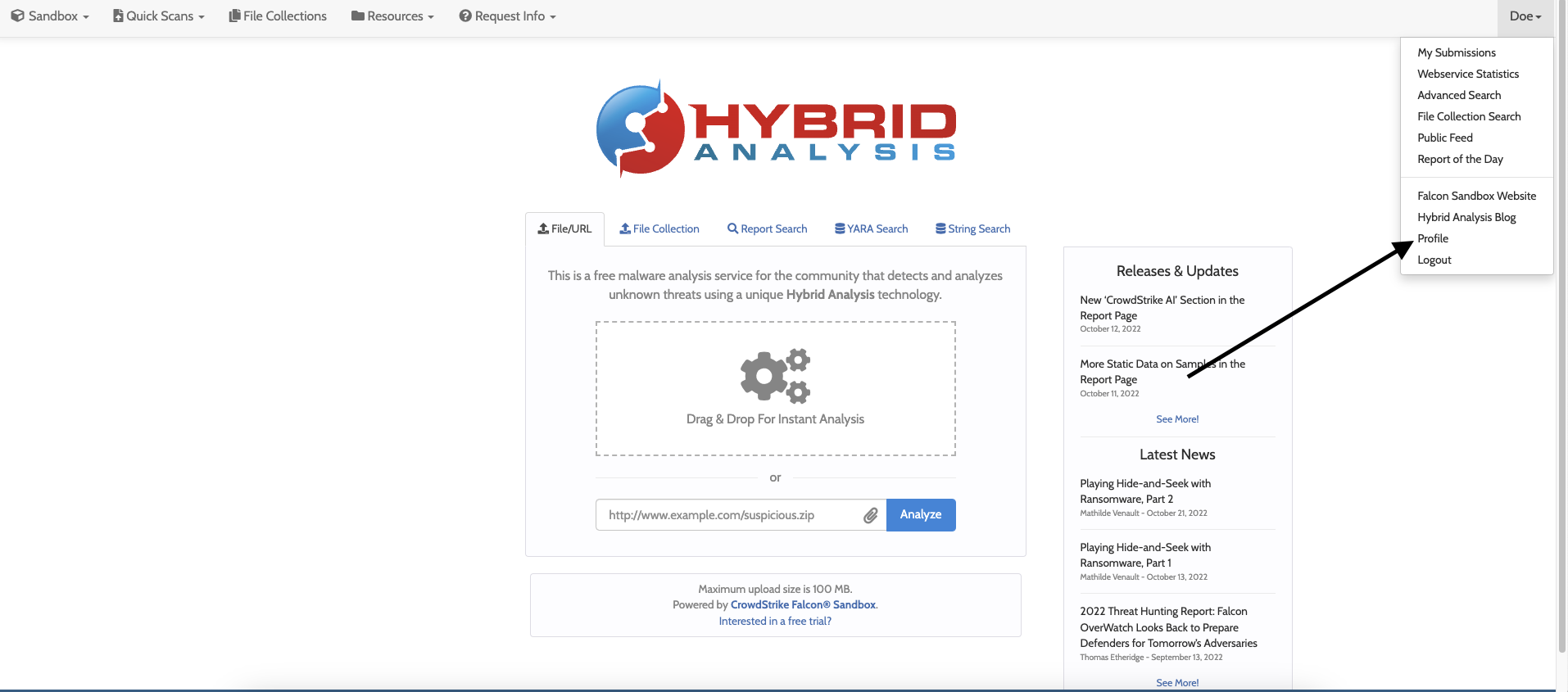
2. At the top right of the page, click **Profile**.
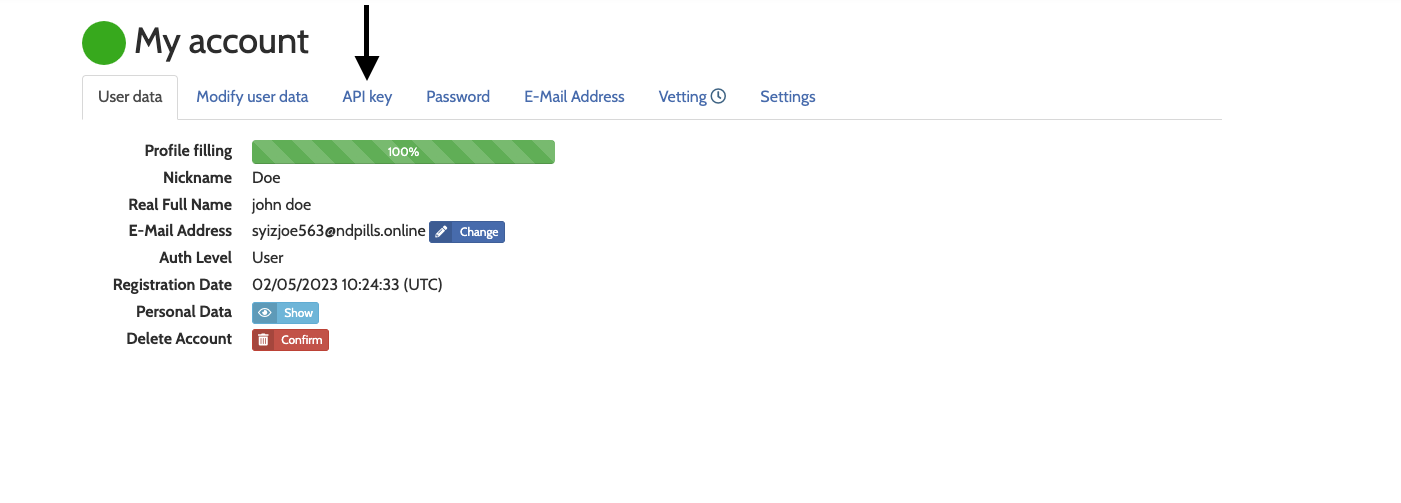
 3. Click **API Key**.
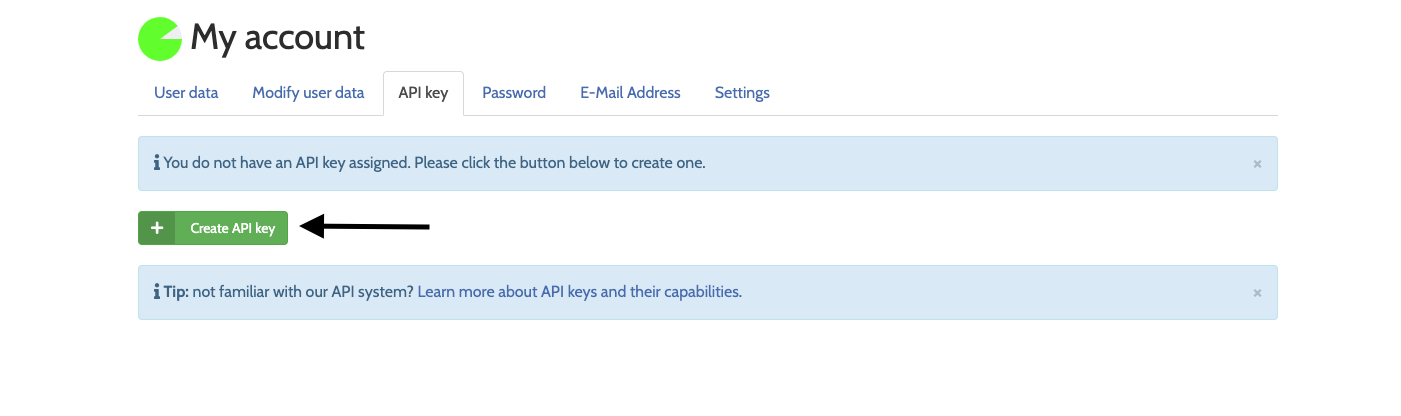
 4. Click **Create API Key**
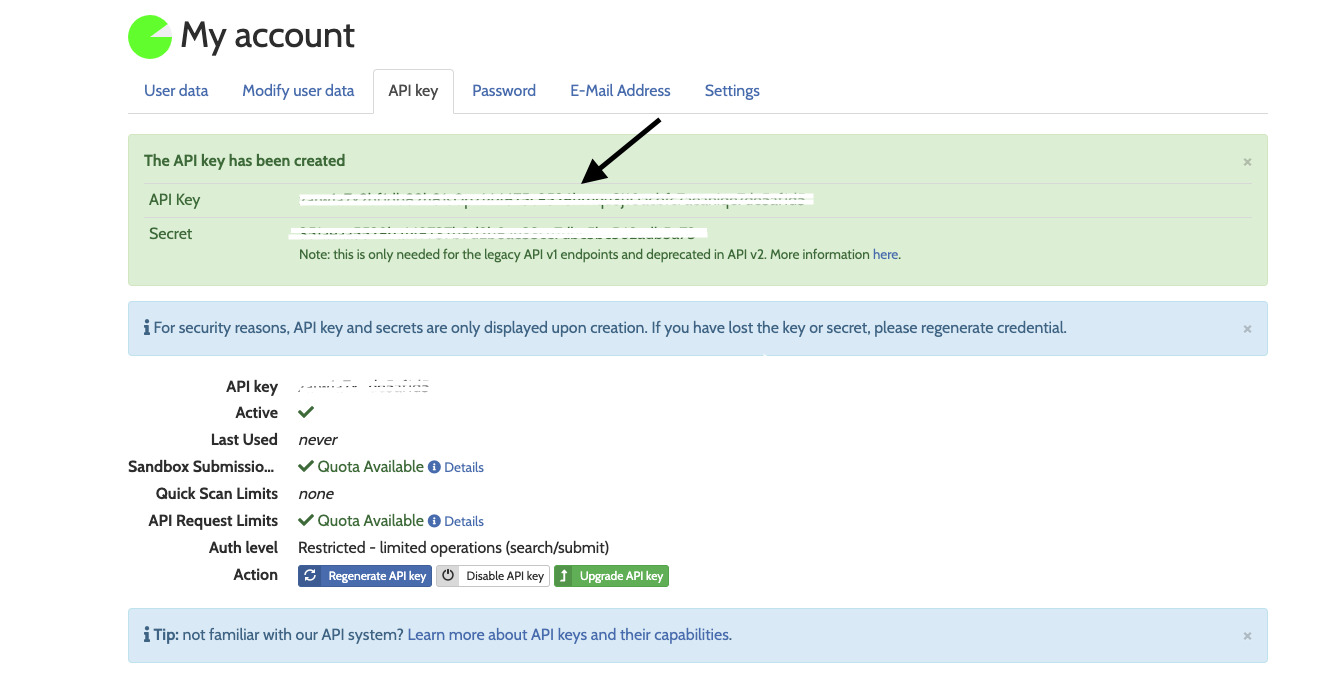
 5. Copy the newly generated **API Key**
 ### Creating your connection[](#creating-your-connection "Direct link to Creating your connection")
1. In the Blink platform, navigate to the **Connections** page > **Add connection**. A New Connection dialog box opens displaying icons of external service providers available.
2. Select the **Hybrid Analysis** icon. A dialog box with name of the connection and connection methods appears.
3. (Optional) Edit the name of the connection. At a later stage you cannot edit the name.
4. Select **API Key** as the method to create the connection.
5. Fill in the parameters:
* The API key
6. (Optional) Click **Test Connection** to test it.
7. Click **Create connection**. The new connection appears on the **Connections** page.
### Creating your connection[](#creating-your-connection "Direct link to Creating your connection")
1. In the Blink platform, navigate to the **Connections** page > **Add connection**. A New Connection dialog box opens displaying icons of external service providers available.
2. Select the **Hybrid Analysis** icon. A dialog box with name of the connection and connection methods appears.
3. (Optional) Edit the name of the connection. At a later stage you cannot edit the name.
4. Select **API Key** as the method to create the connection.
5. Fill in the parameters:
* The API key
6. (Optional) Click **Test Connection** to test it.
7. Click **Create connection**. The new connection appears on the **Connections** page.