> ## Documentation Index
> Fetch the complete documentation index at: https://docs.blinkops.com/llms.txt
> Use this file to discover all available pages before exploring further.
# Discord
> Discord is a VoIP and instant messaging social platform. Users have the ability to communicate with voice calls, video calls, text messaging, media and files in private chats, or as part servers.
## Creating a Discord connection[](#creating-a-discord-connection "Direct link to Creating a Discord connection")
To create the connection you need:
* A new Discord Application
* An Bot token
### Obtaining the credentials[](#obtaining-the-credentials "Direct link to Obtaining the credentials")
#### Creating a Discord Application[](#creating-a-discord-application "Direct link to Creating a Discord Application")
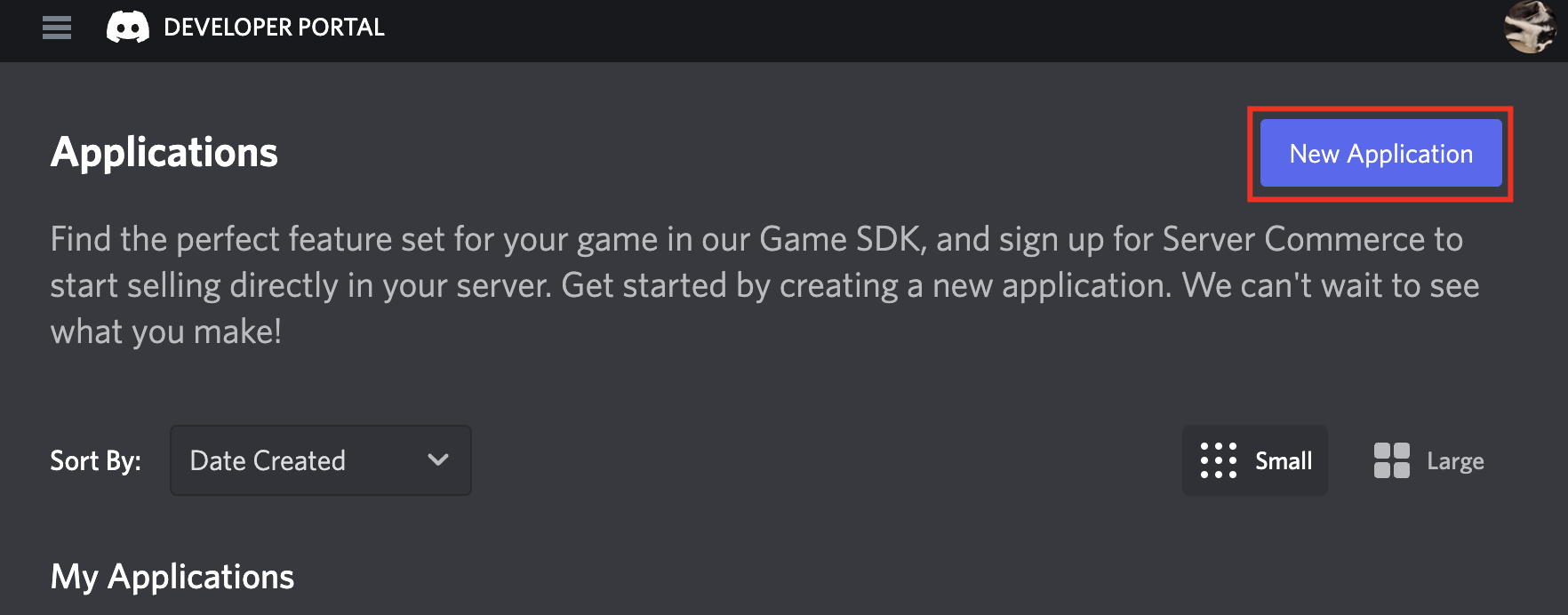
1. Log in to the [Discord Developer Portal](https://discord.com/developers/applications).
2. Click **New Application**. (If you want to use an existing key you can find it in the list, click on it, and copy it from the dialog box.)
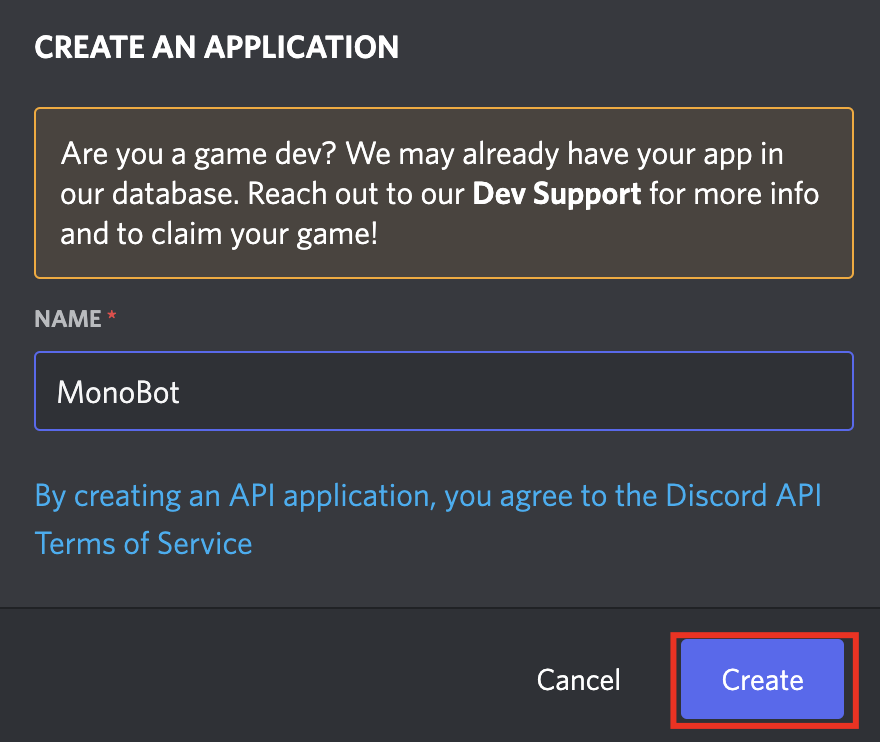
 3. Name your new Application and click **Create**.
 #### Creating a Discord Bot[](#creating-a-discord-bot "Direct link to Creating a Discord Bot")
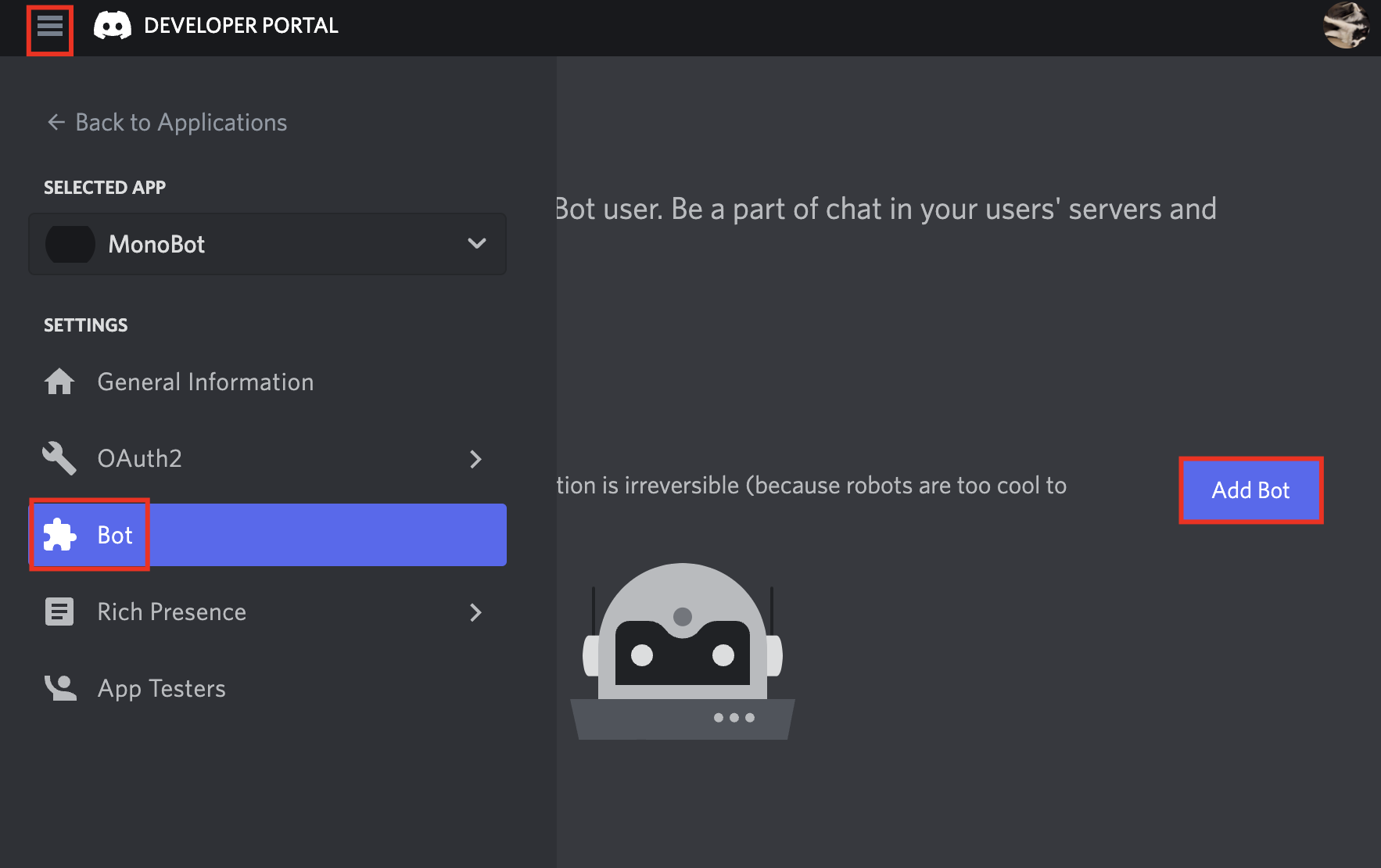
1. Click the **Menu** button, go to the **Bot** page and click **Add Bot**.
#### Creating a Discord Bot[](#creating-a-discord-bot "Direct link to Creating a Discord Bot")
1. Click the **Menu** button, go to the **Bot** page and click **Add Bot**.
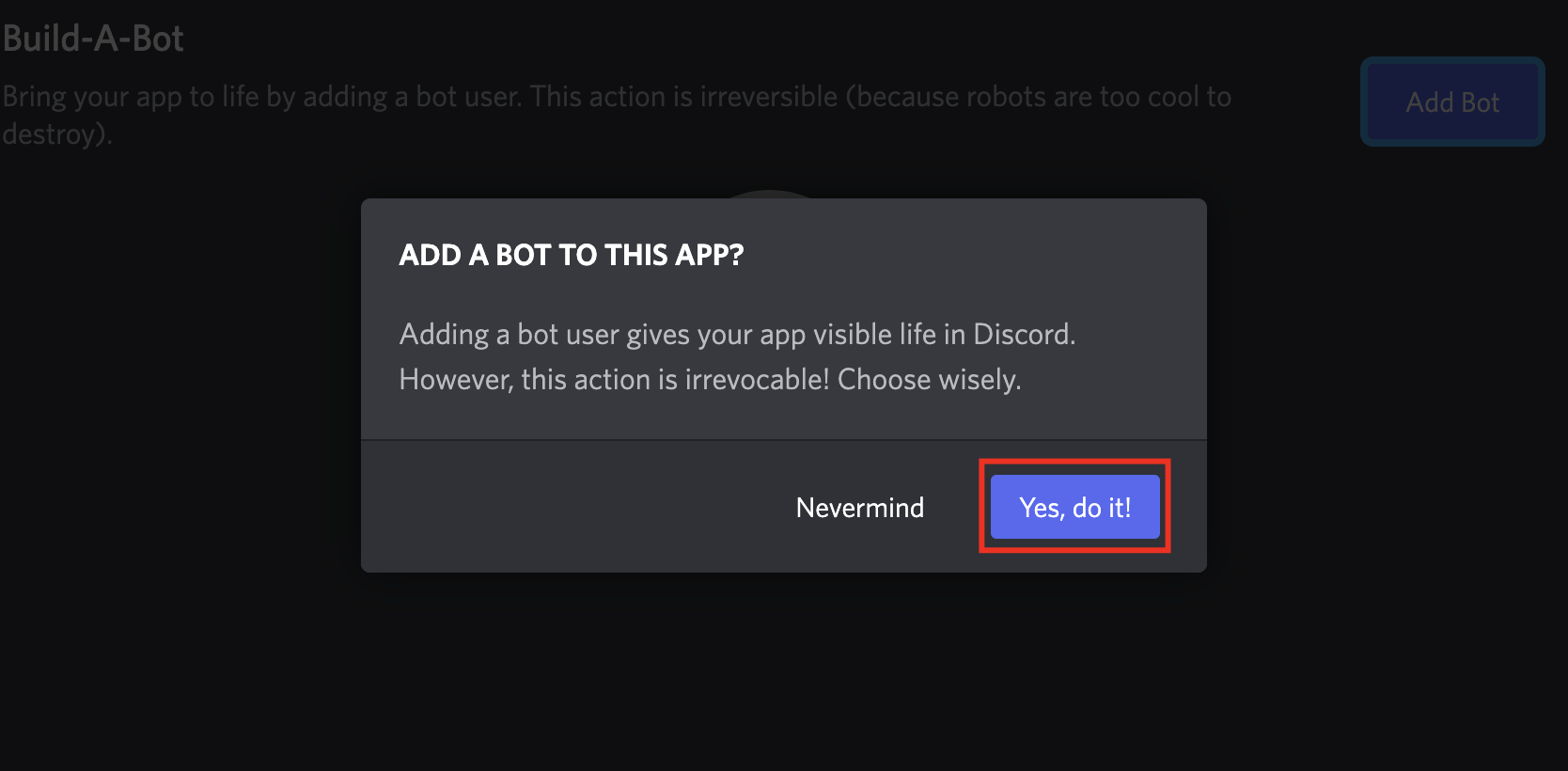
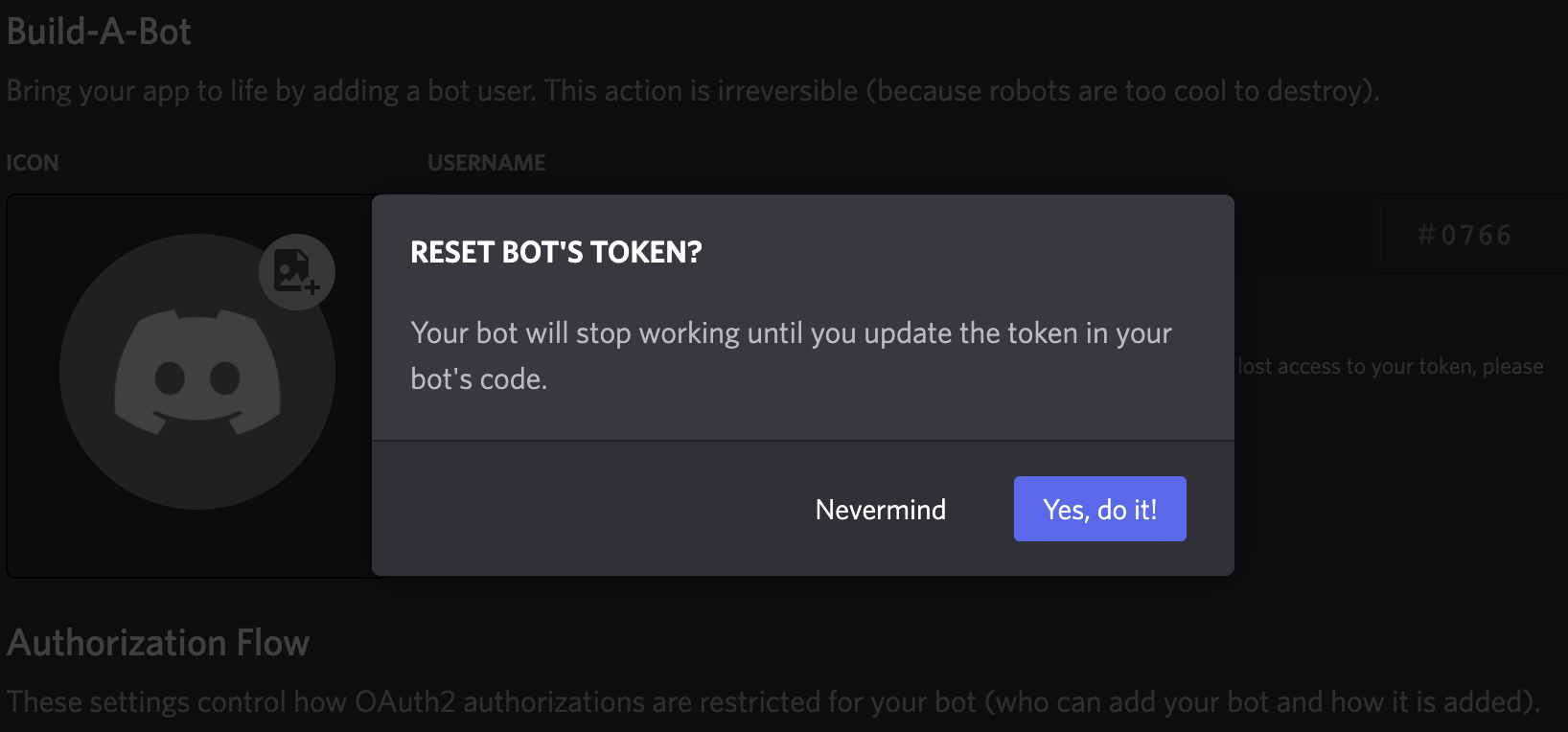
 2. Click **Yes, do it!**.
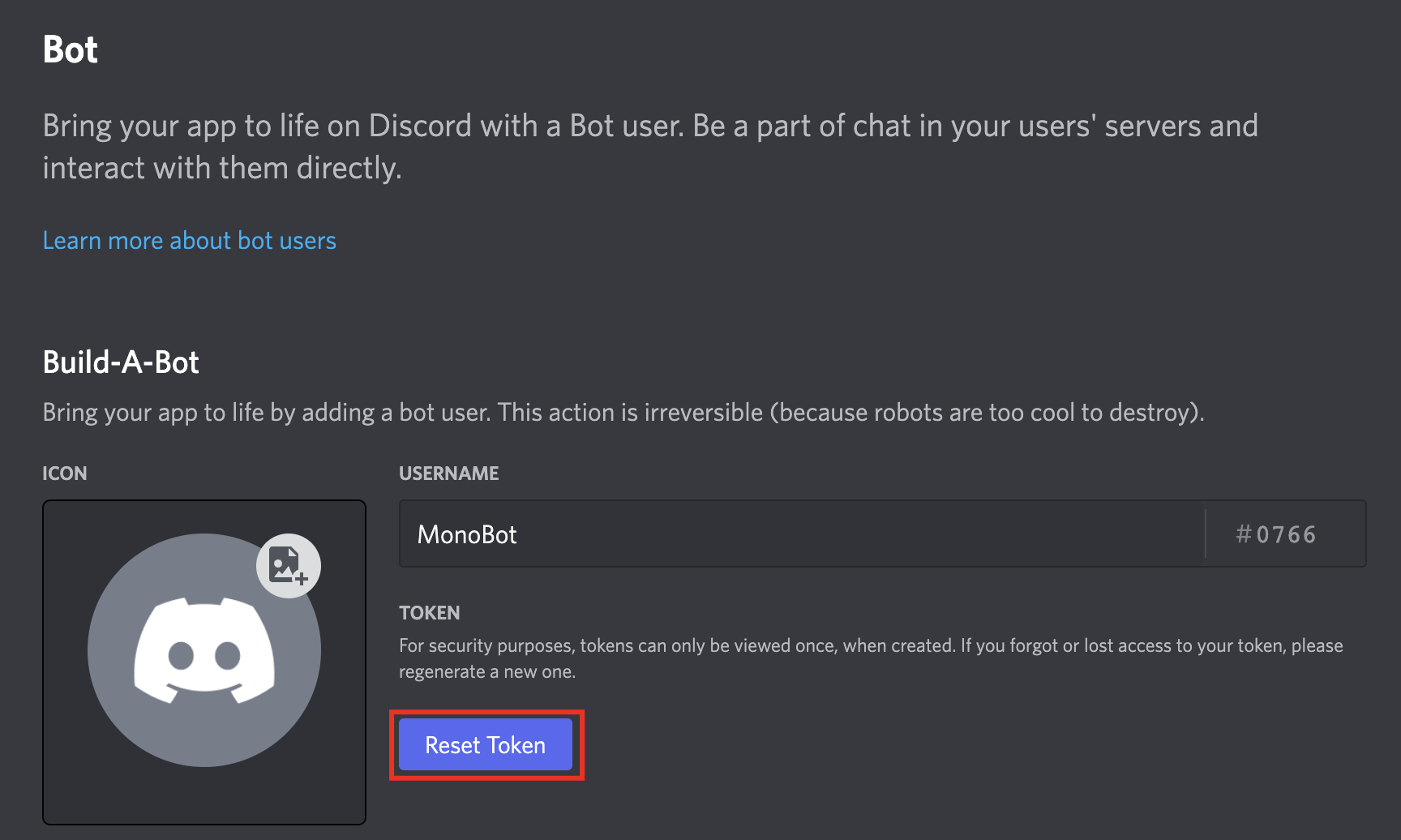
 #### Getting the Bot Token[](#getting-the-bot-token "Direct link to Getting the Bot Token")
1. Click **Reset Token**.
#### Getting the Bot Token[](#getting-the-bot-token "Direct link to Getting the Bot Token")
1. Click **Reset Token**.
 2. Click **Yes, do it!**.
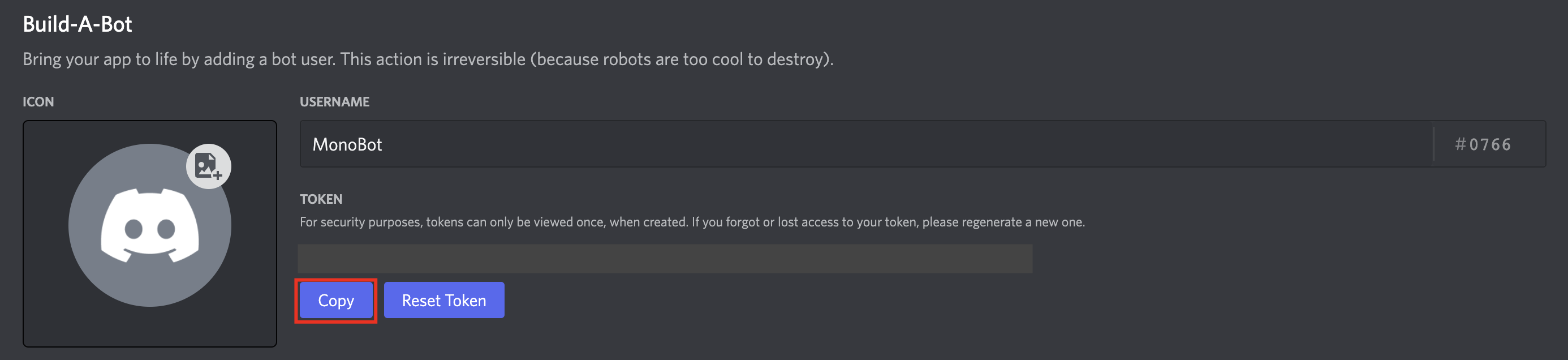
 3. Click **Copy**.
 ### Creating your connection[](#creating-your-connection "Direct link to Creating your connection")
1. In the Blink platform, navigate to the **Connections** page > **Add connection**. A New Connection dialog box opens displaying icons of external service providers available.
2. Select the **Discord** icon. A dialog box with name of the connection and connection methods appear.
3. (Optional) Edit the name of the connection. At a later stage you cannot edit the name.
4. Select **Bot Token** as the method to create the connection.
5. Fill in the parameters:
* The Bot token
6. (Optional) Click **Test Connection** to test it.
7. Click **Create connection**. The new connection appears on the **Connections** page.
### Creating your connection[](#creating-your-connection "Direct link to Creating your connection")
1. In the Blink platform, navigate to the **Connections** page > **Add connection**. A New Connection dialog box opens displaying icons of external service providers available.
2. Select the **Discord** icon. A dialog box with name of the connection and connection methods appear.
3. (Optional) Edit the name of the connection. At a later stage you cannot edit the name.
4. Select **Bot Token** as the method to create the connection.
5. Fill in the parameters:
* The Bot token
6. (Optional) Click **Test Connection** to test it.
7. Click **Create connection**. The new connection appears on the **Connections** page.