> ## Documentation Index
> Fetch the complete documentation index at: https://docs.blinkops.com/llms.txt
> Use this file to discover all available pages before exploring further.
# Delinea
> Delinea is a provider of privileged access management (PAM), it secures critical data, devices, code, and cloud infrastructure to help reduce risk, ensure compliance, and simplify security. Delinea removes complexity and defines the
boundaries of access for thousands of customers worldwide, including over half of the Fortune 100. Our customers range from small businesses to the world's largest financial institutions, intelligence agencies, and critical infrastructure companies.
## Creating a Delinea connection[](#creating-a-delinea-connection "Direct link to Creating a Delinea connection")
## Using Username & Password[](#using-username--password "Direct link to Using Username & Password")
To create the connection you need:
* A Username
* A Password
* A Delinea Secret Server URL
### Enabling An Application Account[](#enabling-an-application-account "Direct link to Enabling An Application Account")
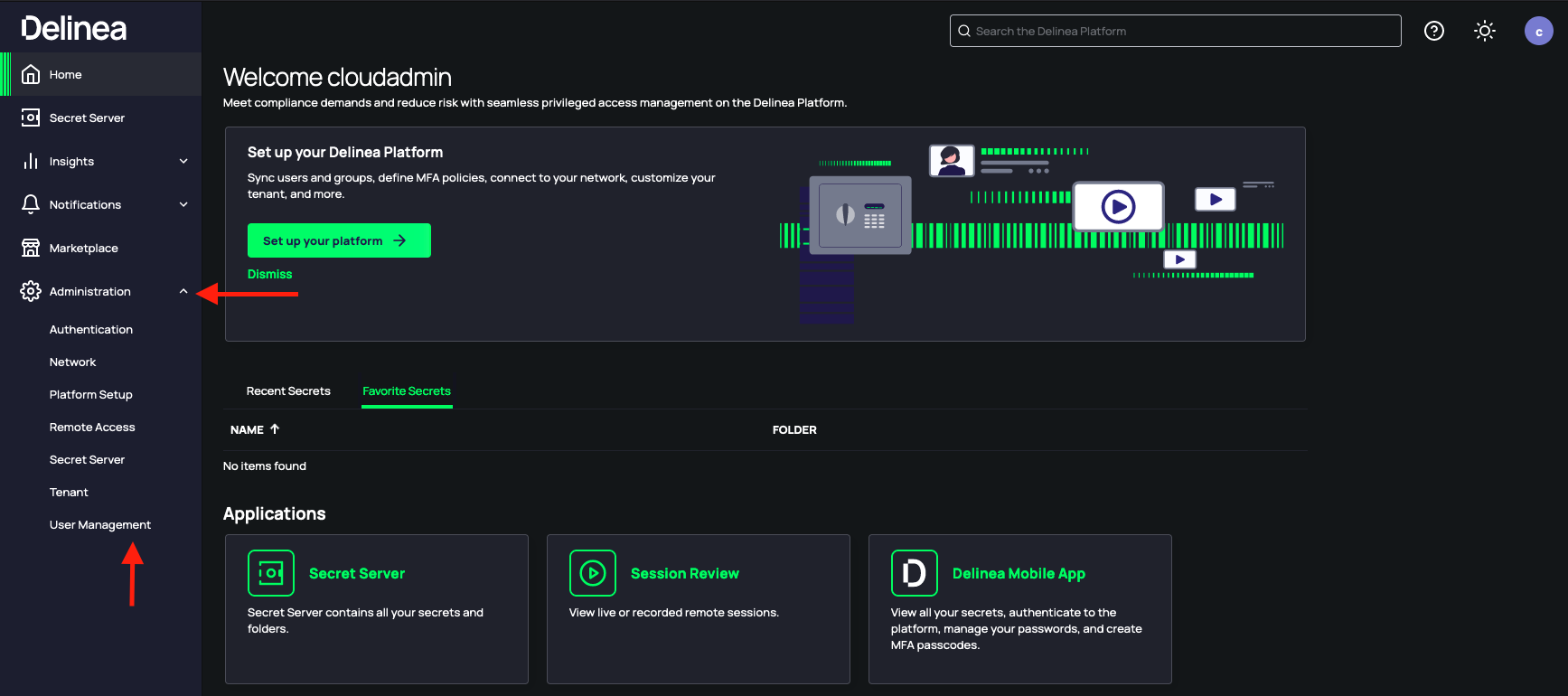
1. In your **Delinea Secret Server homepage**, In the left sidebar, press **Administration**, and then select **User Management**.
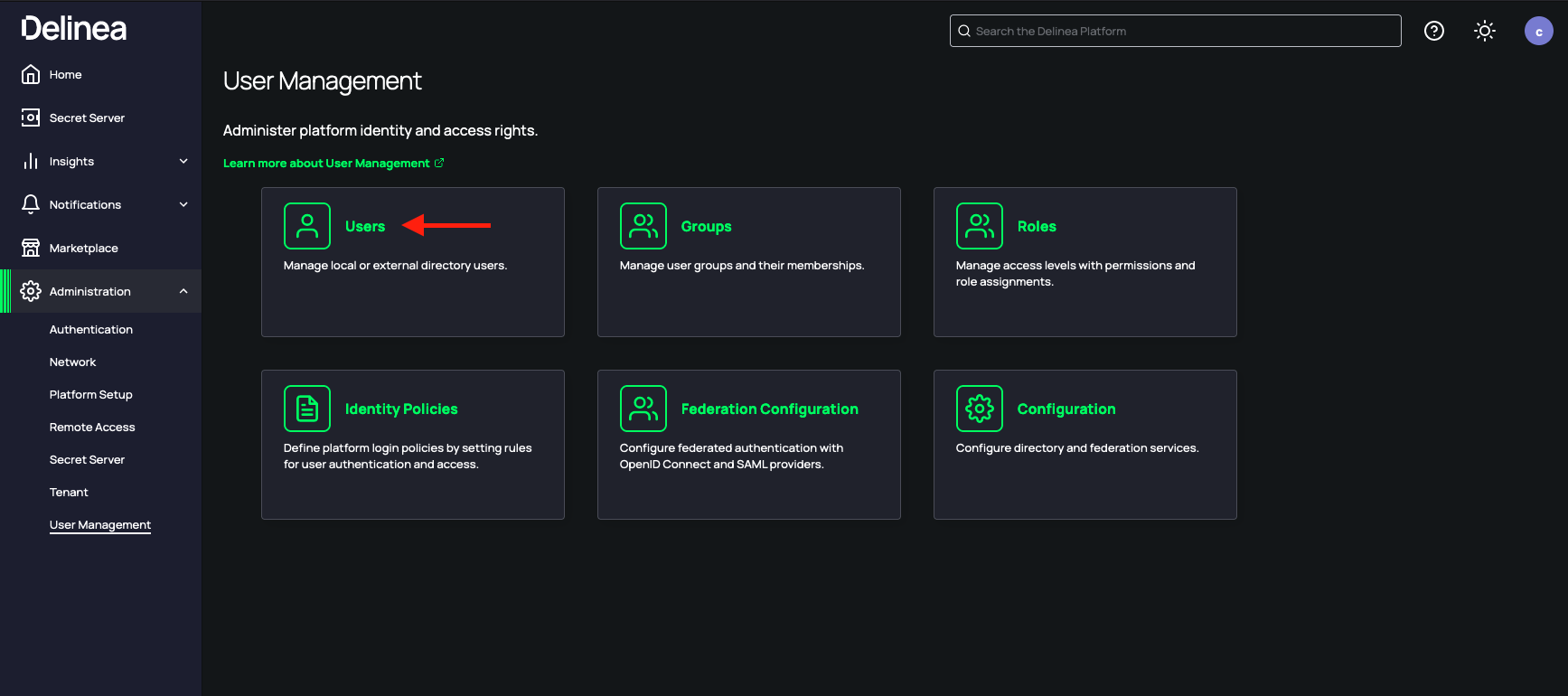
 2. Under **User Management**, select **Users**.
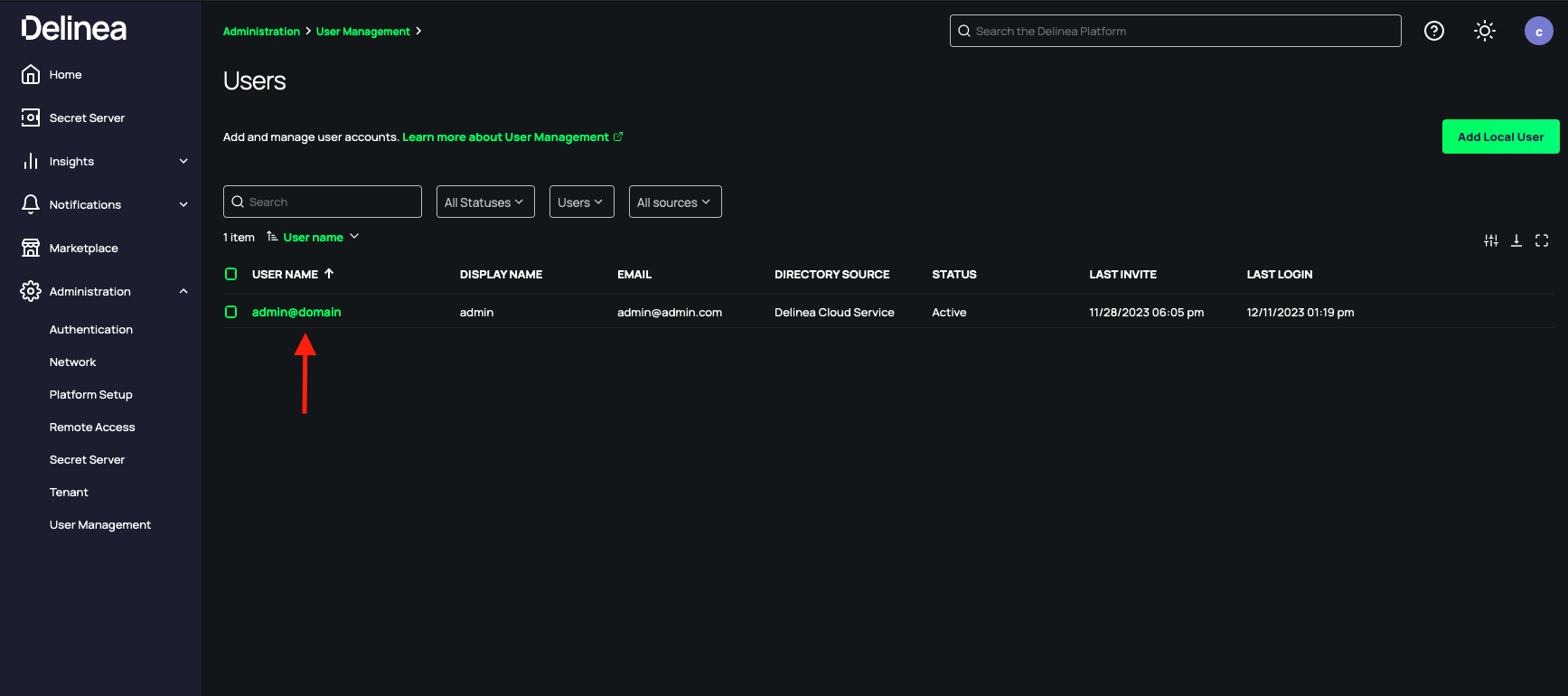
 3. Select your admin account.
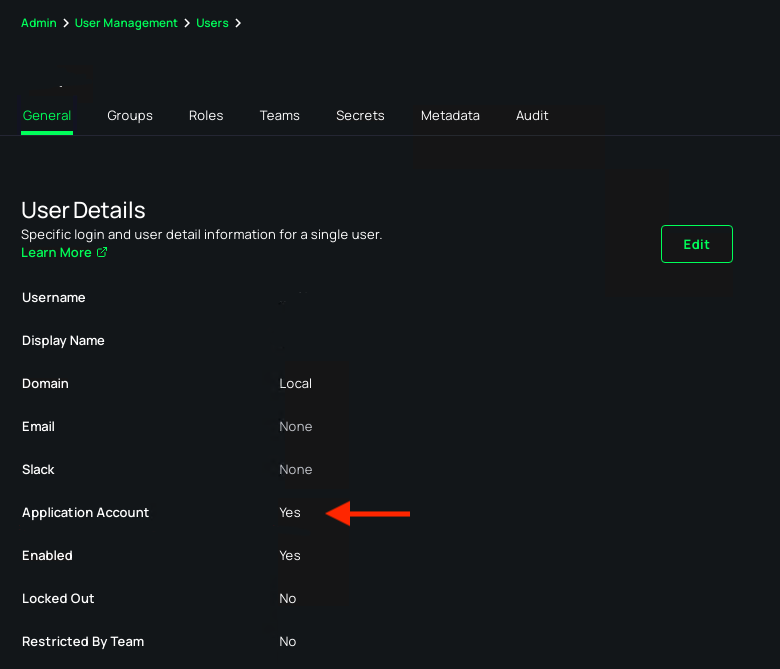
 4. Make sure that the **Application Account** field is enabled.
 ### Creating your connection[](#creating-your-connection "Direct link to Creating your connection")
1. In the Blink platform, navigate to the **Connections** page > **Add connection**. A New Connection dialog box opens displaying icons of external service providers available.
2. Select the **Delinea** icon. A dialog box with name of the connection and connection methods appear.
3. (Optional) Edit the name of the connection. At a later stage you cannot edit the name.
4. Select **Username & Password** as the method to create the connection.
5. Fill in the parameters:
* The Username
* The Password
* The Delinea Secret Server URL
6. (Optional) Click **Test Connection** to test it.
7. Click **Create connection**. The new connection appears on the **Connections** page.
### Creating your connection[](#creating-your-connection "Direct link to Creating your connection")
1. In the Blink platform, navigate to the **Connections** page > **Add connection**. A New Connection dialog box opens displaying icons of external service providers available.
2. Select the **Delinea** icon. A dialog box with name of the connection and connection methods appear.
3. (Optional) Edit the name of the connection. At a later stage you cannot edit the name.
4. Select **Username & Password** as the method to create the connection.
5. Fill in the parameters:
* The Username
* The Password
* The Delinea Secret Server URL
6. (Optional) Click **Test Connection** to test it.
7. Click **Create connection**. The new connection appears on the **Connections** page.