> ## Documentation Index
> Fetch the complete documentation index at: https://docs.blinkops.com/llms.txt
> Use this file to discover all available pages before exploring further.
# Generate Azure Steampipe Report
Steampipe Report Actions are only available on private runners.
## Background[](#background "Direct link to Background")
The *Generate Azure Steampipe Report* Action performs [Steampipe checks](https://steampipe.io/docs/check/overview) on Azure resources and generates a report. The checks are performed using Azure benchmarks/controls for supported mods.
A full description of all supported mods is provided here:
* [Azure Compliance](https://hub.steampipe.io/mods/turbot/azure_compliance/controls) - version 0.29
* [Azure Tags](https://hub.steampipe.io/mods/turbot/azure_tags/controls) - version 0.6
* [Azure Thrifty](https://hub.steampipe.io/mods/turbot/azure_thrifty/controls) - version 0.9
* [Azure Insights](https://hub.steampipe.io/mods/turbot/azure_insights/controls) - version 0.10
## Action Parameters[](#action-parameters "Direct link to Action Parameters")
| Parameter | Description |
| --------------- | ---------------------------------------------------------------------------------------------- |
| Steampipe Mod | The steampipe mod to run. |
| Benchmark | The name of the selected mod benchmark (or control) to run. |
| File Identifier | The identifier of the report file to create. Leave empty to get the report as the step output. |
| Output Format | Representation of the output result. |
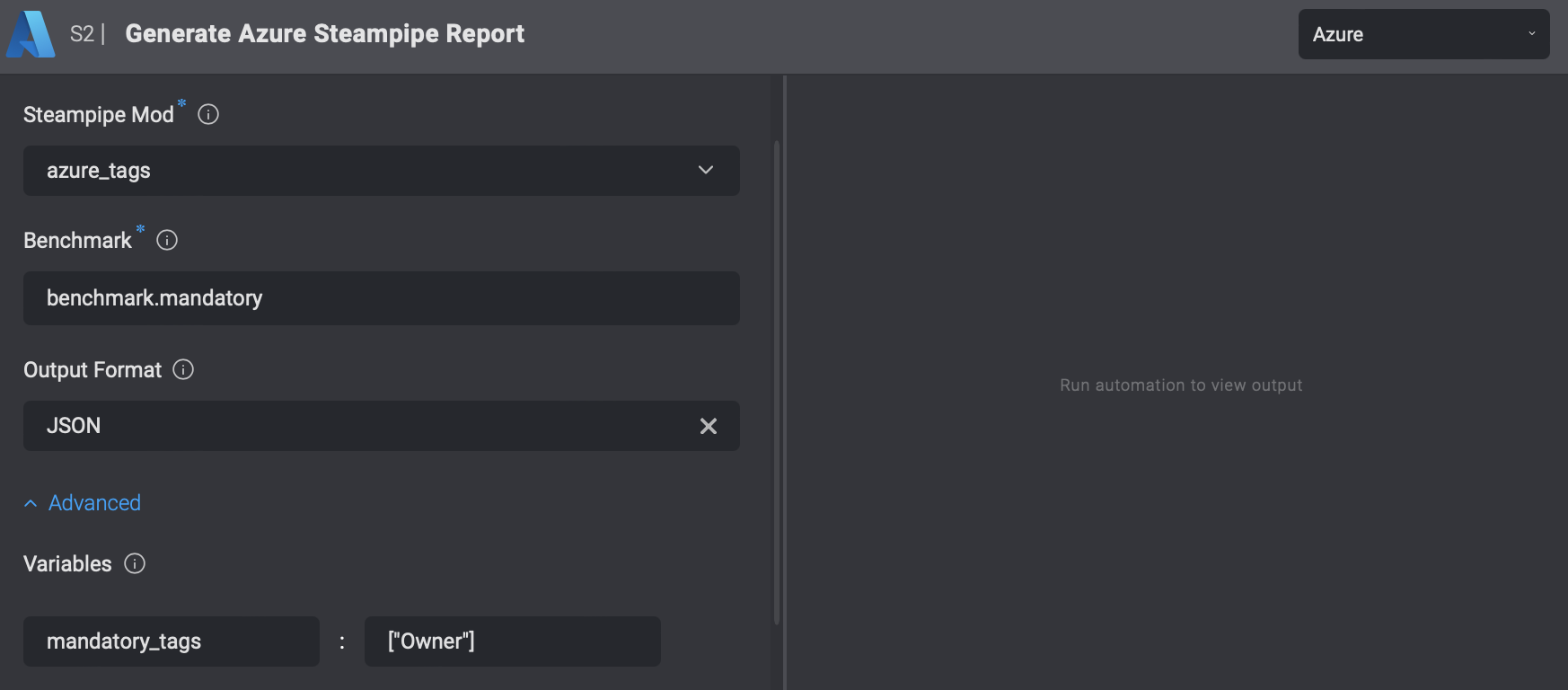
| Variables | Specify parameters for running the benchmark by adding a new variable with a name and value. |
### Using Variables[](#using-variables "Direct link to Using Variables")
To understand how to add variables, consider the following example from the Steampipe CLI:
`steampipe check azure_tags.benchmark.mandatory --var 'mandatory_tags=["Owner"]'`
From this example, you can see that the variable `mandatory_tags` has a value of `["Owner"]`. To add this variable in the form, enter `mandatory_tags` in the "Name" column and `["Owner"]` in the "Value" column.