> ## Documentation Index
> Fetch the complete documentation index at: https://docs.blinkops.com/llms.txt
> Use this file to discover all available pages before exploring further.
# Generate AWS Steampipe Report
> Steampipe Report Actions are only available on private runners.
# Background
The Generate AWS Steampipe Report Action performs Steampipe checks on AWS resources and generates a report. The checks are performed using AWS benchmarks/controls for supported mods.
A full description of all supported mods is provided here:
- AWS Compliance - version 0.66
- AWS Perimeter - version 0.2
- AWS Tags - version 0.7
- AWS Thrifty - version 0.18
- AWS Well-Architected - version 0.8
# Action Parameters
| Parameter | Description |
| --------------- | ---------------------------------------------------------------------------------------------- |
| Steampipe Mod | The steampipe mod to run. |
| Benchmark | The name of the selected mod benchmark (or control) to run. |
| File Identifier | The identifier of the report file to create. Leave empty to get the report as the step output. |
| Output Format | Representation of the output result. |
| Variables | Specify parameters for running the benchmark by adding a new variable with a name and value. |
# Using Variables
To understand how to add variables, consider the following example from the Steampipe CLI:
steampipe check aws\_tags.benchmark.mandatory --var 'mandatory\_tags=\["Owner"]'
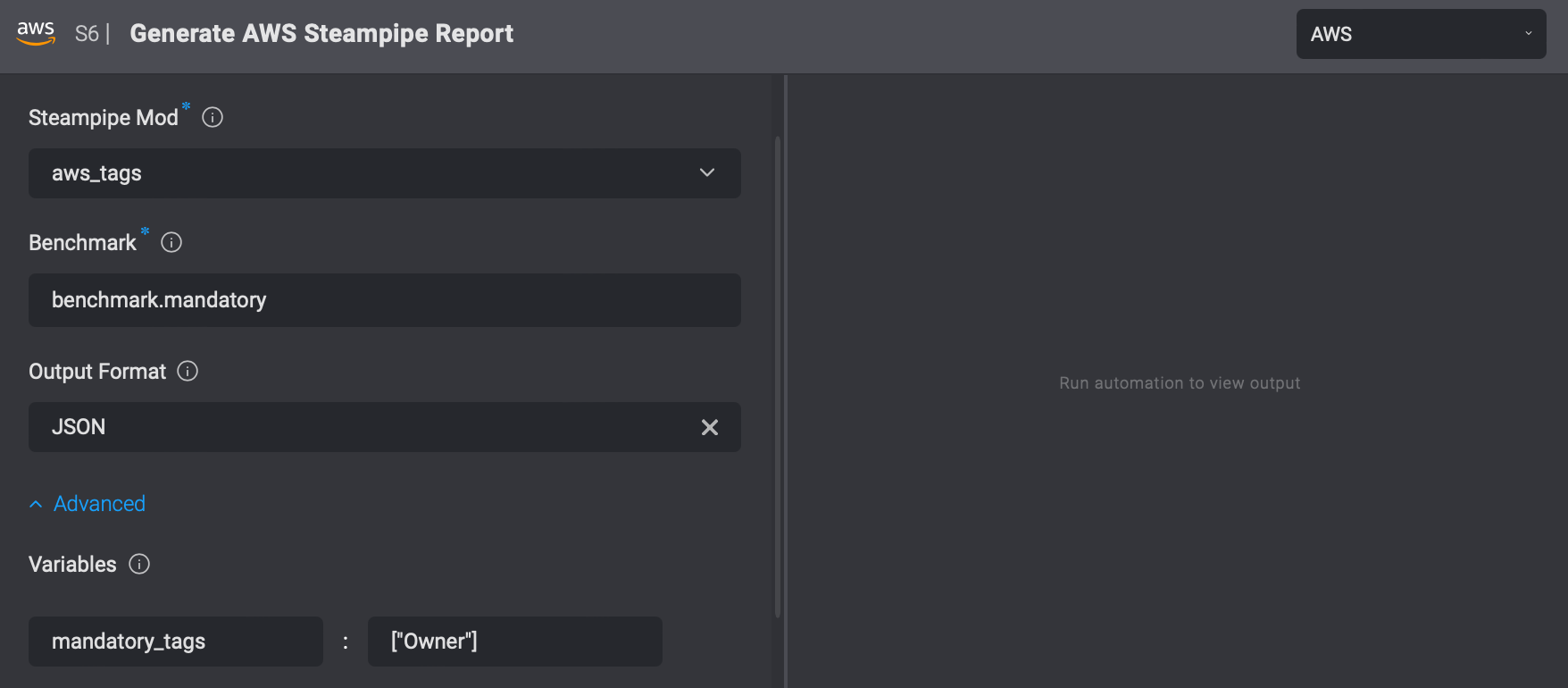
From this example, you can see that the variable mandatory\_tags has a value of \["Owner"]. To add this variable in the form, enter mandatory\_tags in the “Name” column and \["Owner"] in the “Value” column.
\=======
sidebarLabel: Generate AWS Steampipe Report
keywords:
* AWS
***
Steampipe Report Actions are only available on private runners.
## Background
The *Generate AWS Steampipe Report* Action performs [Steampipe checks](https://steampipe.io/docs/check/overview) on AWS resources and generates a report.
The checks are performed using AWS benchmarks/controls for supported mods.
A full description of all supported mods is provided here:
* [AWS Compliance](https://hub.steampipe.io/mods/turbot/aws_compliance/controls) - version 0.66
* [AWS Perimeter](https://hub.steampipe.io/mods/turbot/aws_perimeter/controls) -version 0.2
* [AWS Tags](https://hub.steampipe.io/mods/turbot/aws_tags/controls) - version 0.7
* [AWS Thrifty](https://hub.steampipe.io/mods/turbot/aws_thrifty/controls) - version 0.18
* [AWS Well-Architected](https://hub.steampipe.io/mods/turbot/aws_well_architected/controls) - version 0.8
## Action Parameters
| Parameter | Description |
| --------------- | ---------------------------------------------------------------------------------------------- |
| Steampipe Mod | The steampipe mod to run. |
| Benchmark | The name of the selected mod benchmark (or control) to run. |
| File Identifier | The identifier of the report file to create. Leave empty to get the report as the step output. |
| Output Format | Representation of the output result. |
| Variables | Specify parameters for running the benchmark by adding a new variable with a name and value. |
### Using Variables
To understand how to add variables, consider the following example from the Steampipe CLI:
`steampipe check aws_tags.benchmark.mandatory --var 'mandatory_tags=["Owner"]'`
From this example, you can see that the variable `mandatory_tags` has a value of `["Owner"]`.
To add this variable in the form, enter `mandatory_tags` in the "Name" column and `["Owner"]` in the "Value" column.