> ## Documentation Index
> Fetch the complete documentation index at: https://docs.blinkops.com/llms.txt
> Use this file to discover all available pages before exploring further.
# auth0
> auth0 is a cloud-based identity and access management platform that provides a set of tools and services to help developers build and deploy secure and scalable applications. It offers features such as authentication, authorization, and user management for applications, as well as integration with social identity providers such as Google, Facebook, and Twitter. It also provides tools for handling multifactor authentication, single sign-on, and compliance with various security standards and regulations. In short, Auth0 helps developers and organizations ensure that only authorized users have access to their applications and data.
## Creating an auth0 connection[](#creating-an-auth0-connection "Direct link to Creating an auth0 connection")
To create the connection you need:
* A domain
* A management API audience
* A client ID
* A client secret
### Obtaining the credentials[](#obtaining-the-credentials "Direct link to Obtaining the credentials")
1. Login to [auth0](https://auth0.com/api/auth/login?redirectTo=dashboard).
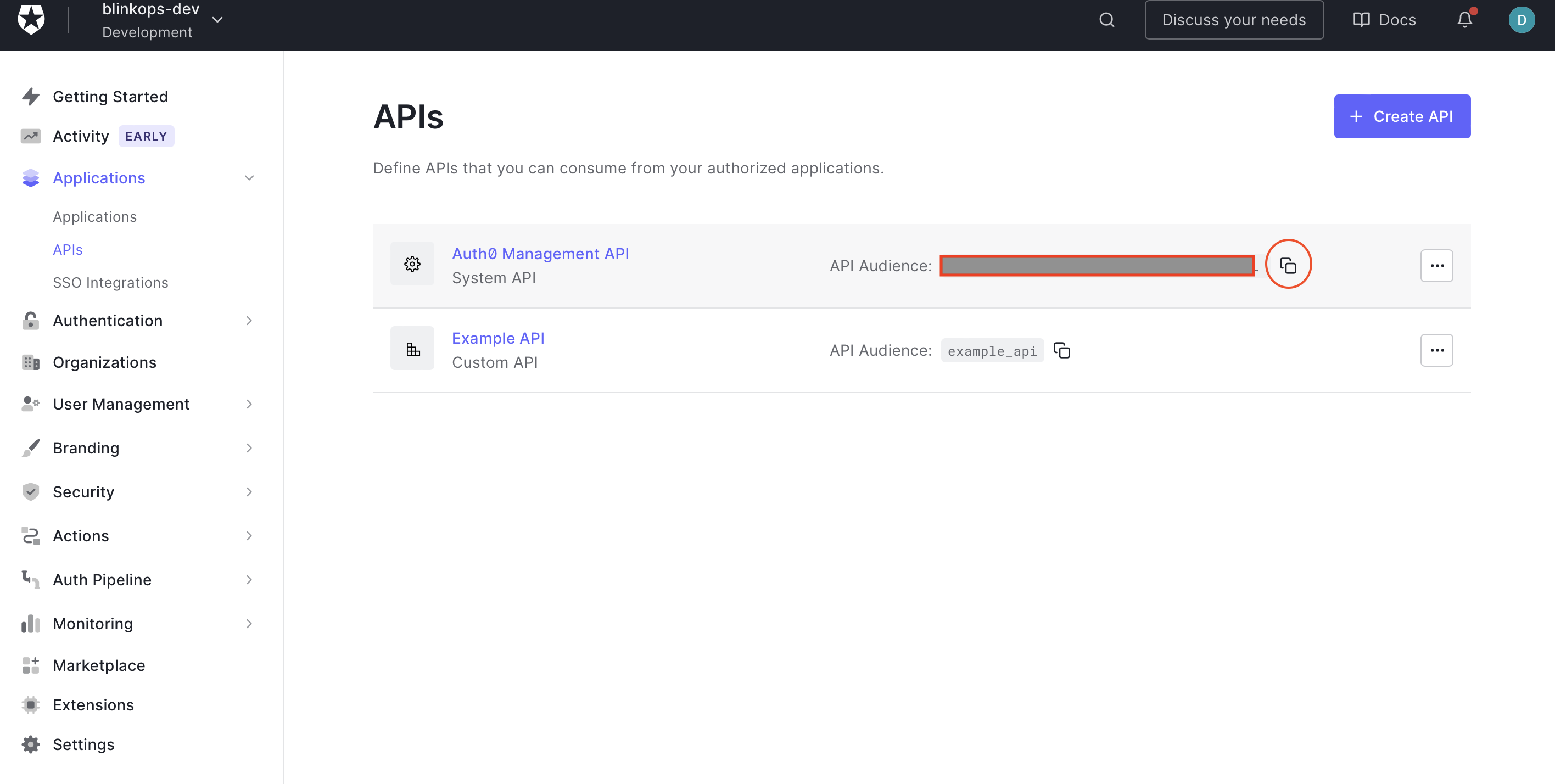
2. In the navigation bar, select the **Applications** dropdown menu.
3. Select the **APIs** section.
4. Copy the Management API Audience.
 5. Select the **Applications** section.
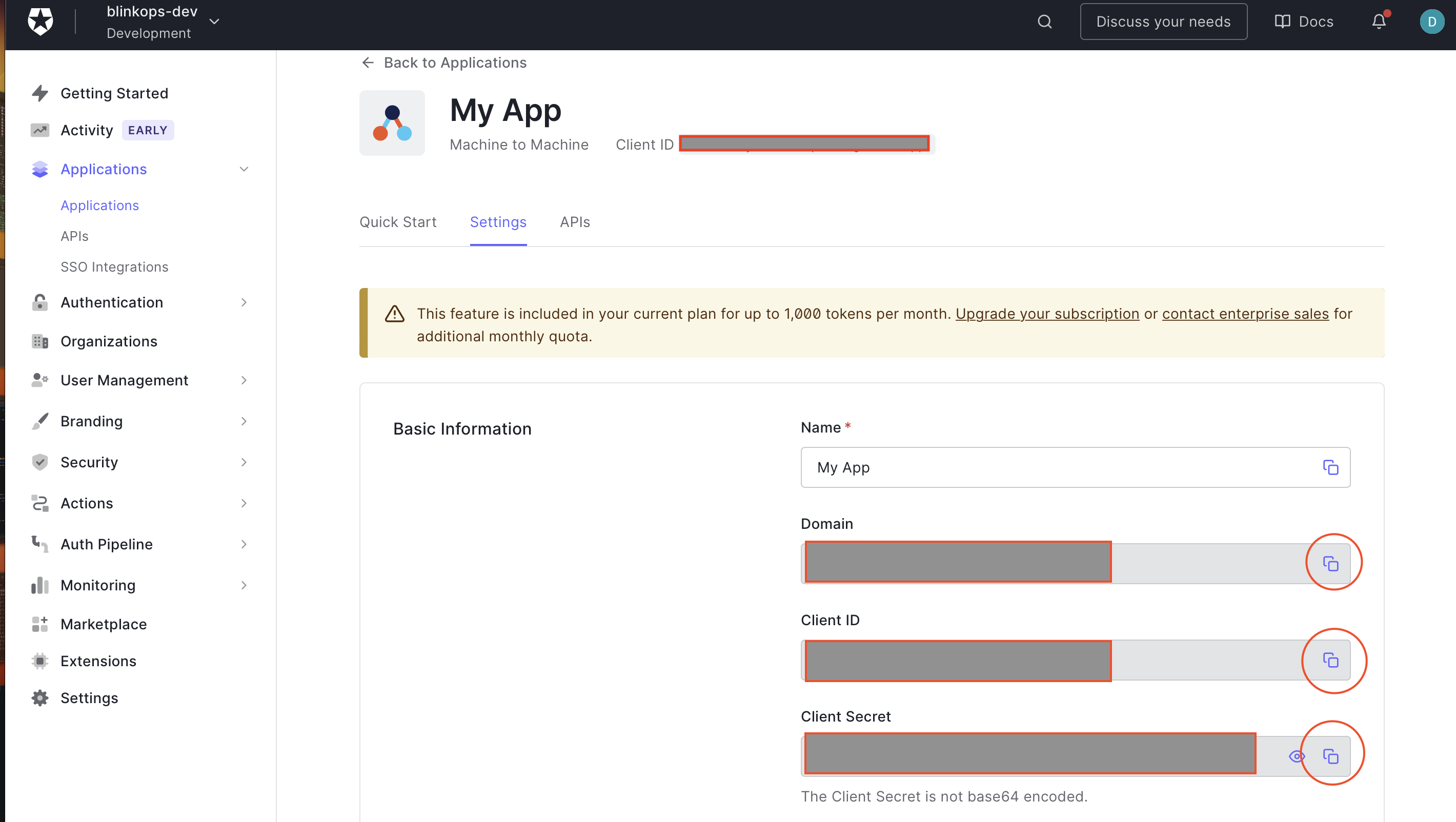
6. Copy the *Domain*, *Client ID*, and *Client Secret* of your machine-to-machine application.
5. Select the **Applications** section.
6. Copy the *Domain*, *Client ID*, and *Client Secret* of your machine-to-machine application.
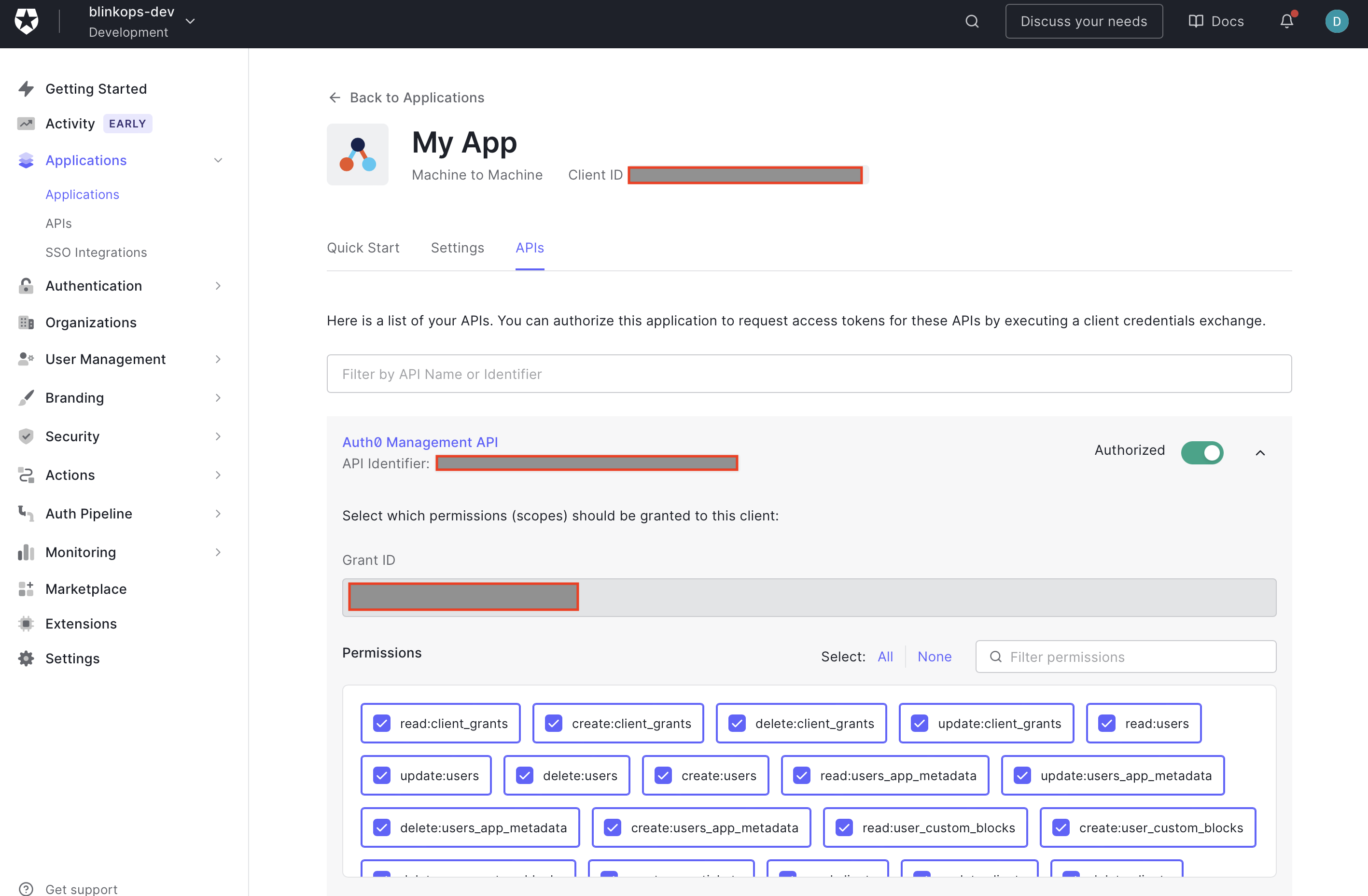
 7. Make sure your application is authorized to request access tokens for the Management API.
 ### Creating your connection[](#creating-your-connection "Direct link to Creating your connection")
1. In the Blink platform, navigate to the **Connections** page > **Add connection**. A New Connection dialog box opens displaying icons of external service providers available.
2. Select the **auth0** icon. A dialog box with name of the connection and connection methods appear.
3. (Optional) Edit the name of the connection. At a later stage you cannot edit the name.
4. Select **auth0** as the method to make the connection.
5. Fill in the parameters:
* The application domain
* The application client ID
* The application client secret
* The management API audience
6. (Optional) Click **Test Connection** to test it.
7. Click **Create connection**. The new connection appears on the **Connections** page.
### Creating your connection[](#creating-your-connection "Direct link to Creating your connection")
1. In the Blink platform, navigate to the **Connections** page > **Add connection**. A New Connection dialog box opens displaying icons of external service providers available.
2. Select the **auth0** icon. A dialog box with name of the connection and connection methods appear.
3. (Optional) Edit the name of the connection. At a later stage you cannot edit the name.
4. Select **auth0** as the method to make the connection.
5. Fill in the parameters:
* The application domain
* The application client ID
* The application client secret
* The management API audience
6. (Optional) Click **Test Connection** to test it.
7. Click **Create connection**. The new connection appears on the **Connections** page.