> ## Documentation Index
> Fetch the complete documentation index at: https://docs.blinkops.com/llms.txt
> Use this file to discover all available pages before exploring further.
# Record Actions
> Workflow actions for managing records in Blink case management custom tables.
## Add Record
Add a record to a table. Two ways:
### Entering the Values Manually
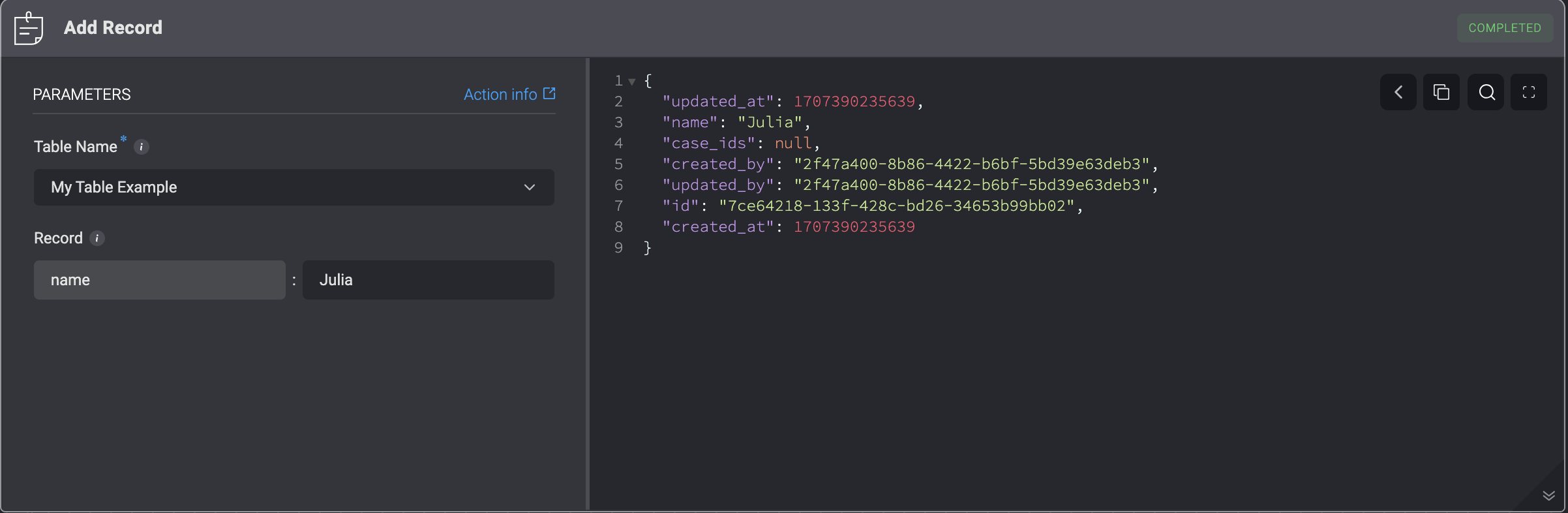
This action **Adds a Record** to a Case Management custom table by manually entering the table field name and the table field value.
| Parameter | Description |
| ---------- | ---------------------- |
| Table Name | The Name of the table. |
| Record | Data of the Record. |
 ## JSON Format
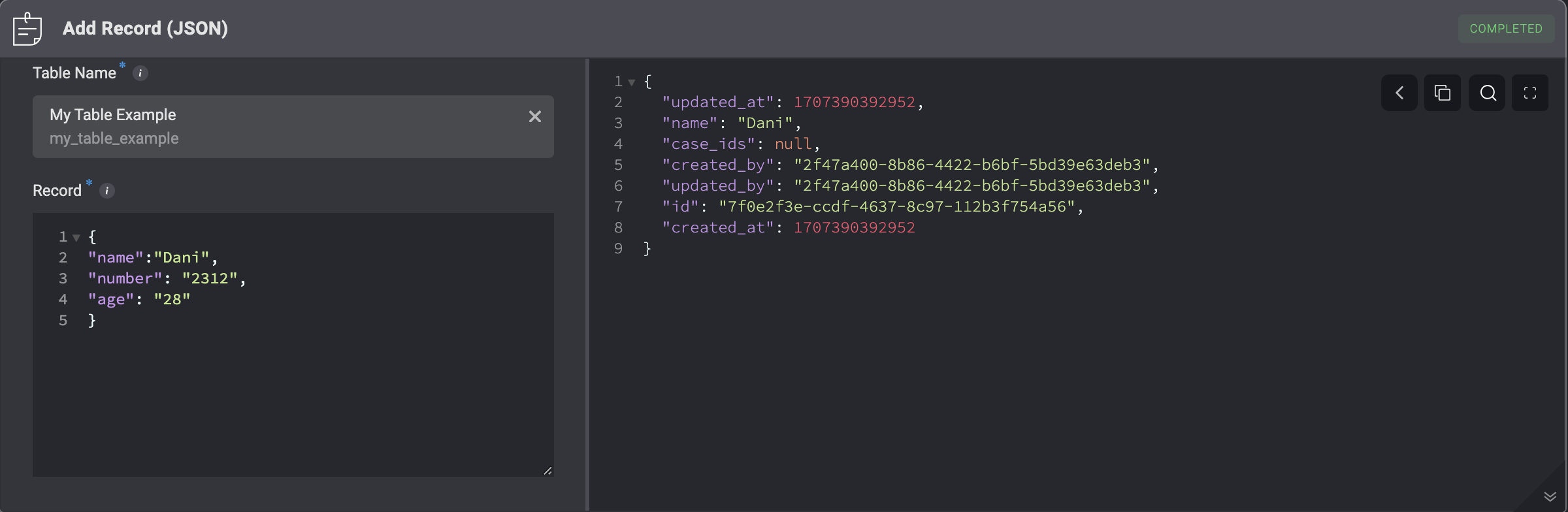
This action **Adds a Record** to a Case Management custom table according to the JSON format.
## JSON Format
This action **Adds a Record** to a Case Management custom table according to the JSON format.
| Parameter | Description |
| ---------- | ------------------------------------------------------------------------------------------------------------------------------------------------------------------------------------------------------------------------------------------------------------------------ |
| Table Name | The Name of the table. |
| Record | Data of single or multiple records.
To create multiple records, enter a JSON list representing the records.
For example:
\[
  \{
    "name": "record 1"
  },
  \{
    "name": "record 2"
  }
]
|
 ***
### Update Records (In Bulk)
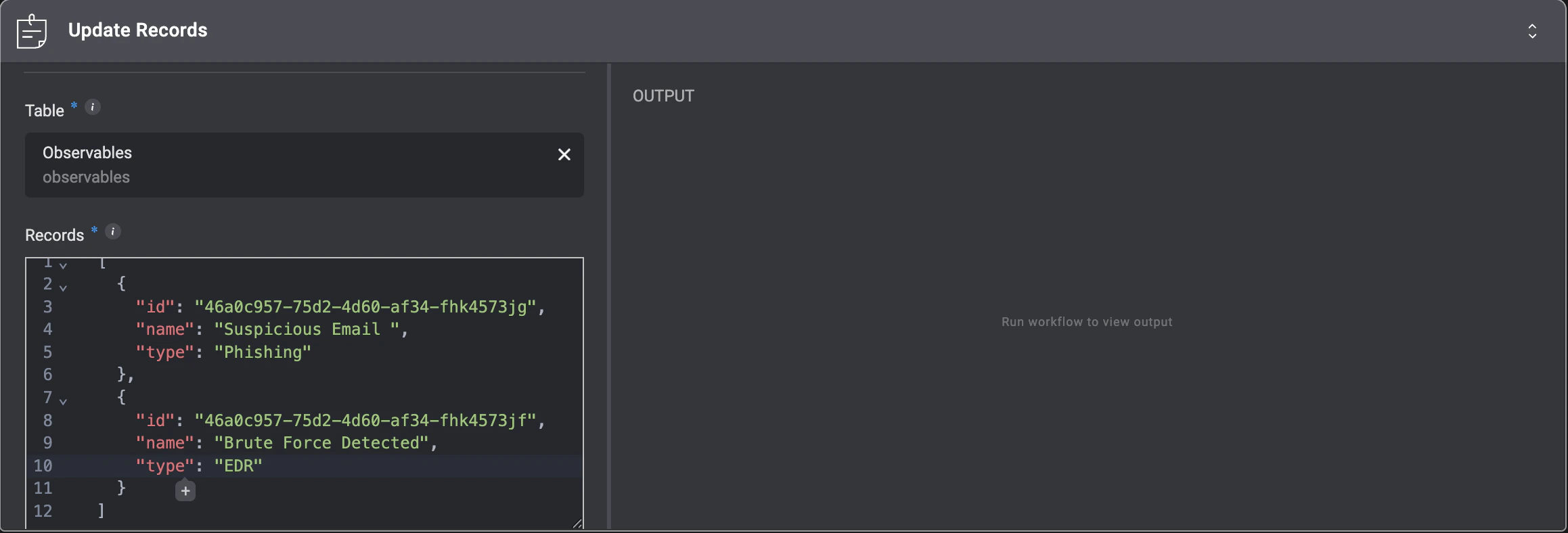
This action enables you to update multiple records at once in either a **Case Management Observable Table** or a **Case Management Custom Table**.
***
### Update Records (In Bulk)
This action enables you to update multiple records at once in either a **Case Management Observable Table** or a **Case Management Custom Table**.
| Parameter | Description |
| ----------- | ----------------------------------------------------------------------------------------------------------------------------------------------------------------------------------------------------------------------- |
| **Table** | The Case Management Observable Table or Case Management Custom Table where you want to update multiple records. |
| **Records** | A `JSON` array of the records to update. Each object **must** include the record `id` and the fields you want to update. All records in the array should follow the same structure and include the same set of columns. |
 **Please Note:**
* All records in the array must follow the same structure and include the same set of columns.
* Only `Observables` and Case Management custom tables can be updated.
* `Reference` and `Files` field types are **not allowed** for updates.
* The `Records` input is limited to **1,000 items** per operation.
***
## Delete Records
This action **Deletes a Record(s)** from a Case Management table that match a specified condition.
**Please Note:**
* All records in the array must follow the same structure and include the same set of columns.
* Only `Observables` and Case Management custom tables can be updated.
* `Reference` and `Files` field types are **not allowed** for updates.
* The `Records` input is limited to **1,000 items** per operation.
***
## Delete Records
This action **Deletes a Record(s)** from a Case Management table that match a specified condition.
| Parameter | Description |
| ------------------- | ---------------------------------------------------------------------- |
| Delete Record(s) By | The date type to delete the records by: **By ID** or **By Condition**. |
| Table Name | The Name of the table. |
| Record ID(s) | A comma separated list of the record ID(s) to delete. |
| Condition | The condition criteria for deleting records that meet the conditions. |
***
## Link Reference To Record
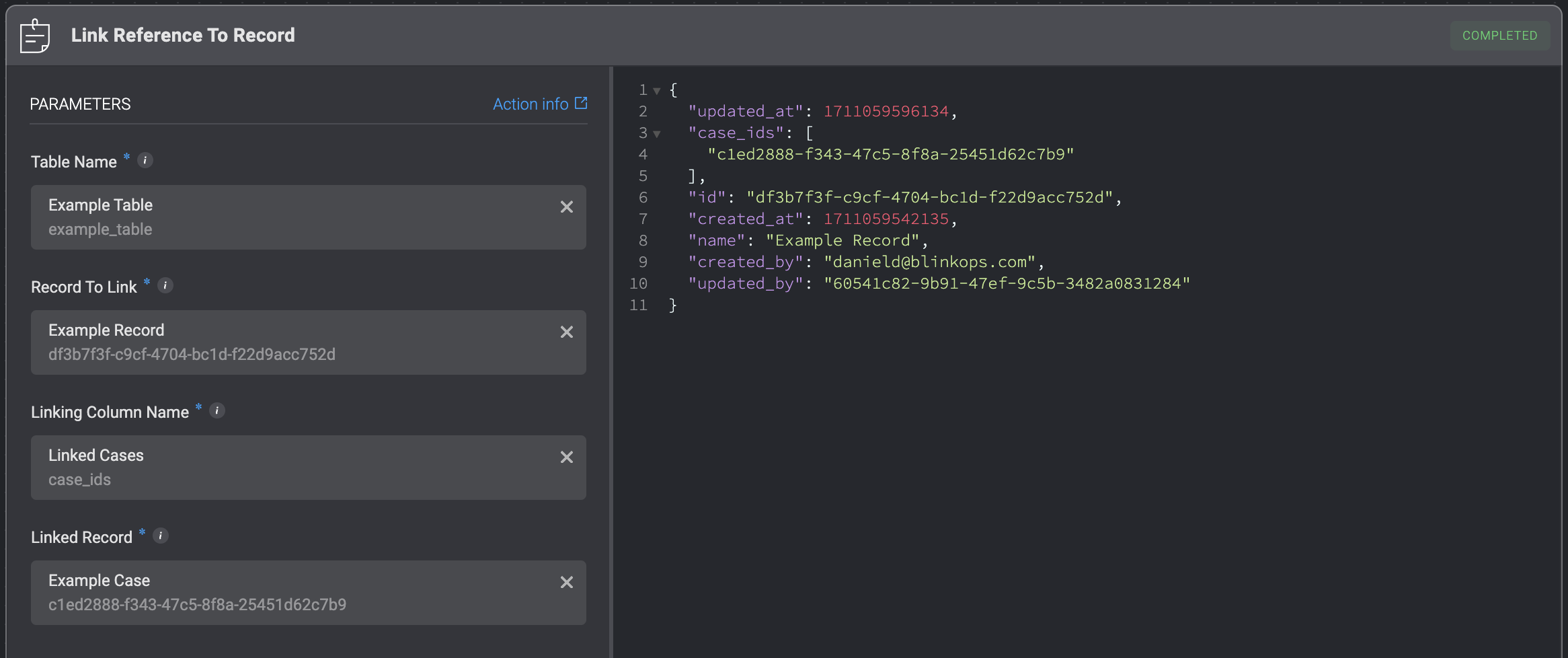
Links a table record with reference column to a record.
| Parameter | Description |
| ------------------- | ------------------------------------------------------------------------------------------ |
| Table Name | The name of the table from which the record will be linked to another record. |
| Record To Link | The ID of the record to be linked to another record. |
| Linking Column Name | The column within the table that serves as the linking mechanism between the two tables. |
| Linked Record | The record in the target table that will be linked to the specified record from the table. |
 ***
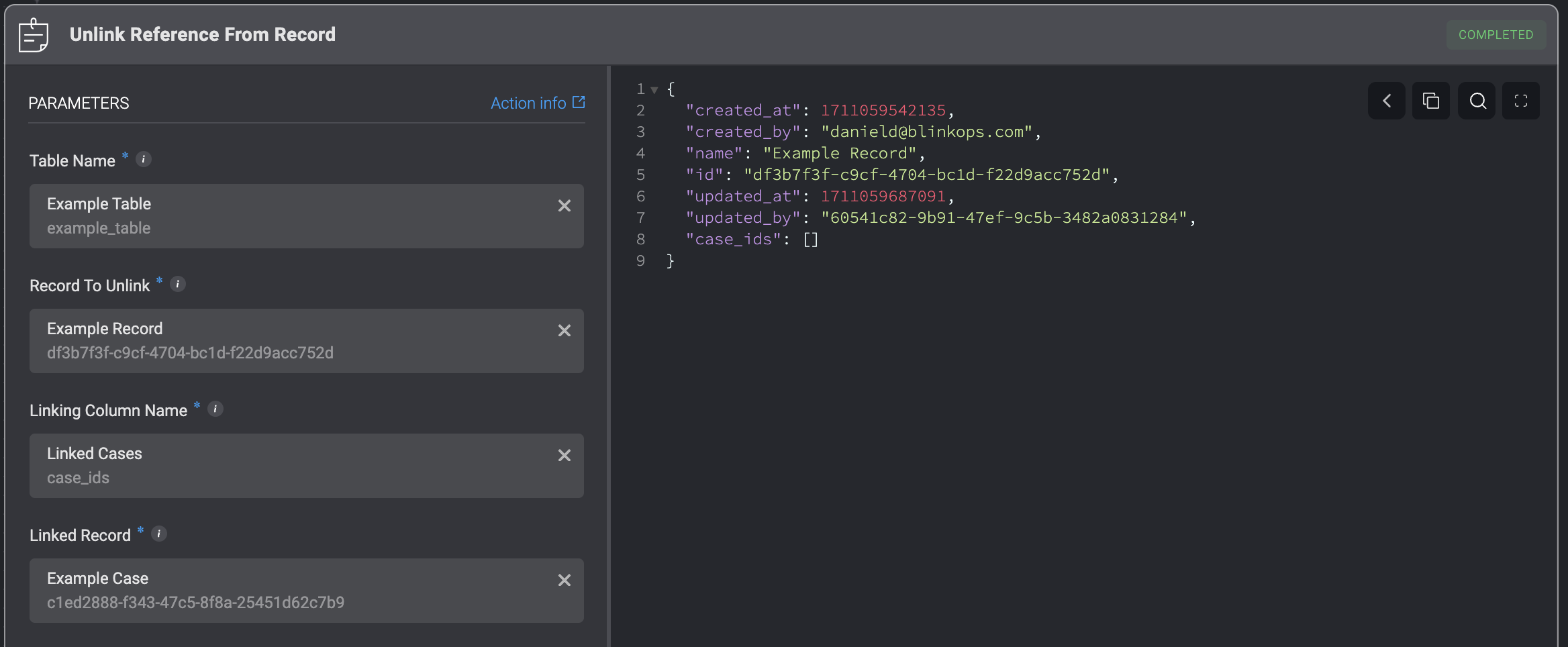
## Unlink Reference From Record
Unlinks a table record with reference column from a record.
***
## Unlink Reference From Record
Unlinks a table record with reference column from a record.
| Parameter | Description |
| ------------------- | ---------------------------------------------------------------------------------------------- |
| Table Name | The name of the table from which the record will be unlinked from another record. |
| Record To Unlink | The ID of the record to be unlinked from another record. |
| Linking Column Name | The column within the table that serves as the linking mechanism between the two tables. |
| Linked Record | The record in the target table that will be unlinked from the specified record from the table. |
 ***
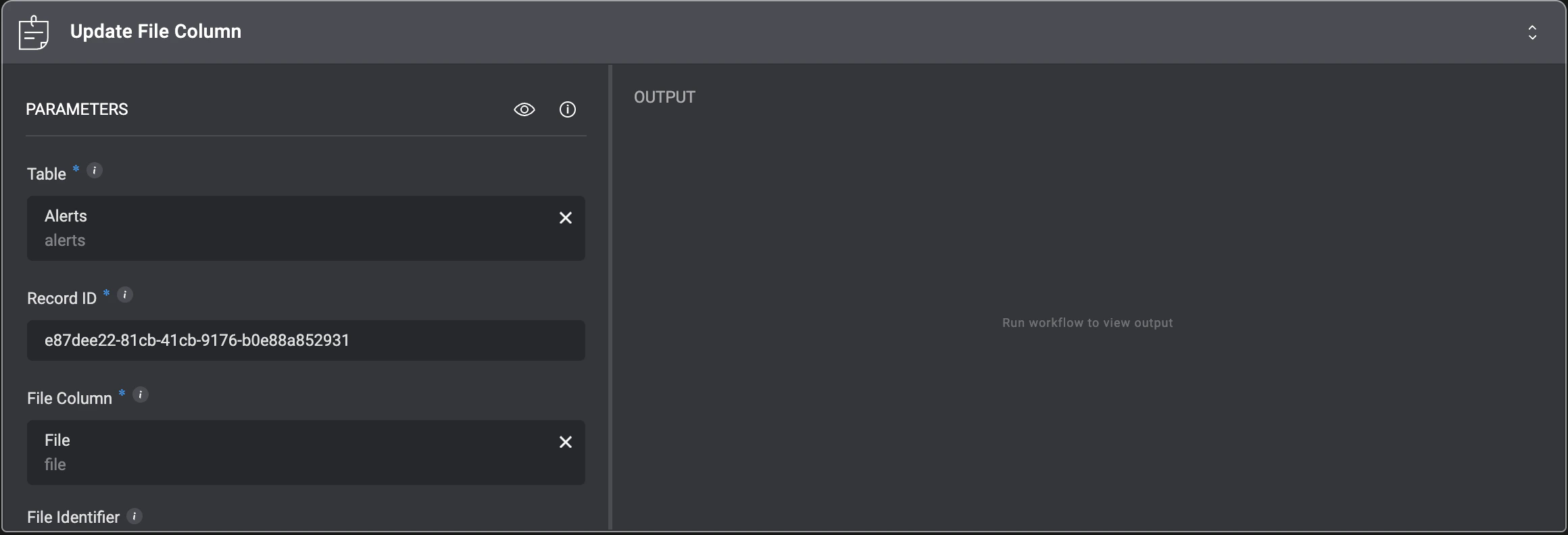
## Update File Column
The **‘Update File Column’** action allows you to update or replace the file stored in a case management table’s file column.
***
## Update File Column
The **‘Update File Column’** action allows you to update or replace the file stored in a case management table’s file column.
| Parameter | Description |
| ----------------------------------------------------------------------------------------------------------- | -------------------------------------------------------------------------- |
| Table Name | The name of the table containing the record you want to update. |
| Record ID | The ID of the record to update. |
| File Column | The name of the file column to update. |
| [File Identifier](/docs/workflows/building-workflows/files#expression-language-and-variable-picker-support) | The identifier of the file to store. Leave empty to clear the file column. |
 ***
***