> ## Documentation Index
> Fetch the complete documentation index at: https://docs.blinkops.com/llms.txt
> Use this file to discover all available pages before exploring further.
# Observables Actions
> Workflow actions for creating, enriching, and managing observables in Blink case management.
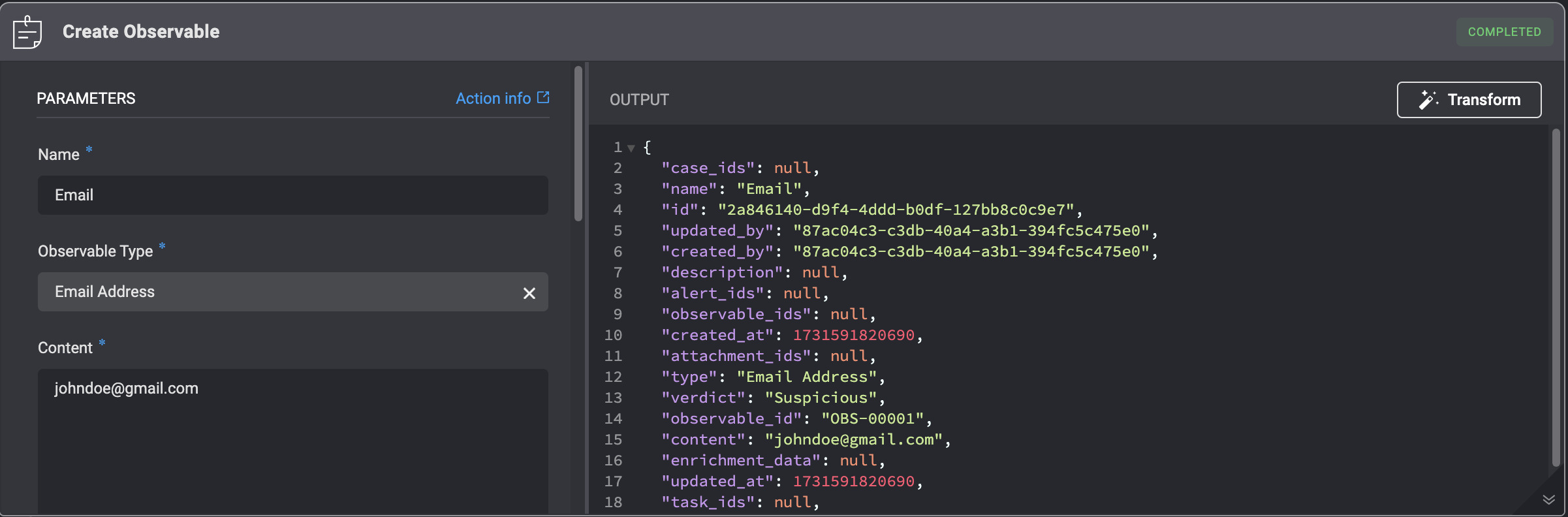
## Create Observable
Adding an Observable to a Case by filling in parameters in the step.
| Parameter | Description |
| -------------------------------- | --------------------------------------------------------------------------------------------------------------------------------------------------------------------------------------------------------- |
| Observable | The Observable ID |
| Name | The updated name of the Observable |
| Observable Type | The type of Observable |
| Content | The content value of the Observable |
| Verdict | The verdict type: **Unknown**, **Benign**, **Suspicious**, **Malicious** |
| Description | A brief explanation explaining the Observable |
| Enrichment Data | The enrichment data that provides additional information and context on the observable. |
| Custom Fields(JSON Format) | Add a Custom Field in JSON format. Please note that this applies only if you have manually added a [custom record column](/docs/case-management/manage-tables#adding-custom-column) to the subject table. |
| **Advanced**- Dedup Table | The selected table to evaluate the duplicated condition (Dedup Condition) against. |
| **Advanced**- Dedup Condition | The duplicate condition to check whether to insert the record or not. When the condition is met, the record will not be inserted. |
| **Advanced**- Linked Observables | The Name and ID of the Observable you want to link to this Observable |
| **Advanced**- Linked Alerts | The Name and ID of the Alert you want to link to this Observable. |
| **Advanced**- Linked Attachments | The Name and ID of the Attachment you want to link to this Observable. |
| **Advanced**- Linked Tasks | The Name and ID of the Tasks you want to link to this Observable. |
| **Advanced**- Linked Cases | The Name and ID of a different Case you want to link to this Observable |
 ***
## Delete Observable
Deleting an Observable from a Case by filling in parameters in the step.
***
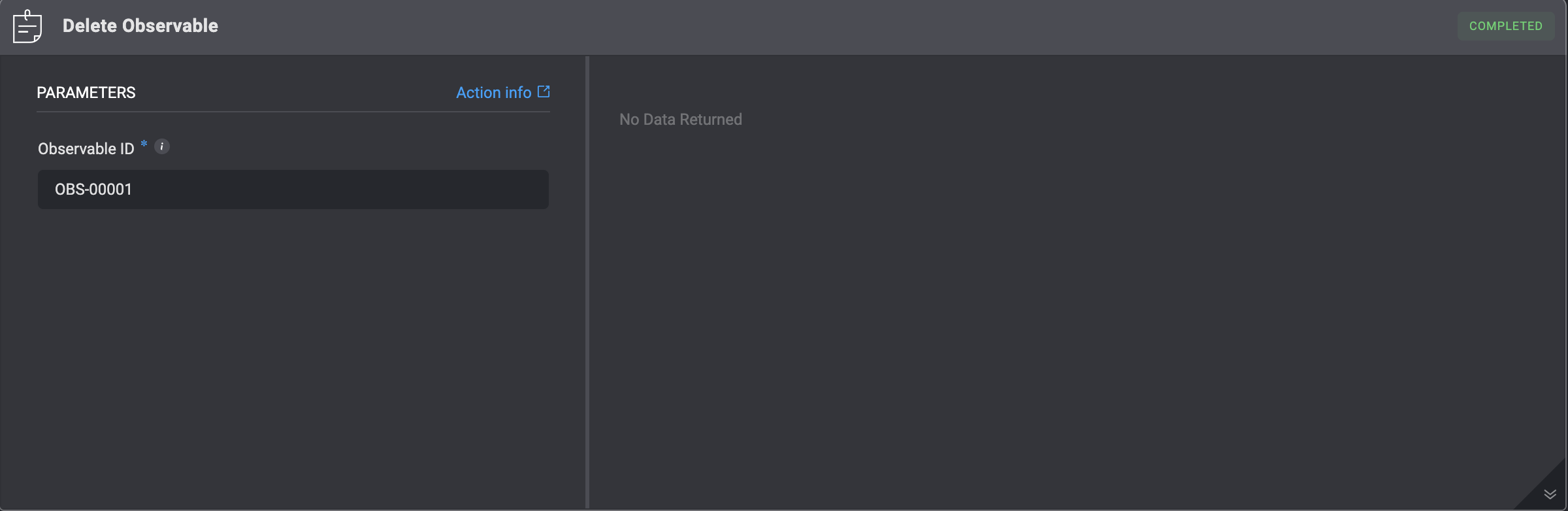
## Delete Observable
Deleting an Observable from a Case by filling in parameters in the step.
| Parameter | Description |
| ------------- | ---------------------------------------------------------------------------------------- |
| Observable ID | The ID of the Observable: can be the `id` or the `observable_id` field of the observable |
 ***
## Update Observable
Updating an existing observable within a Case requires filling in the specified parameters in the step. Be aware that this action will overwrite all existing data for that observable.
***
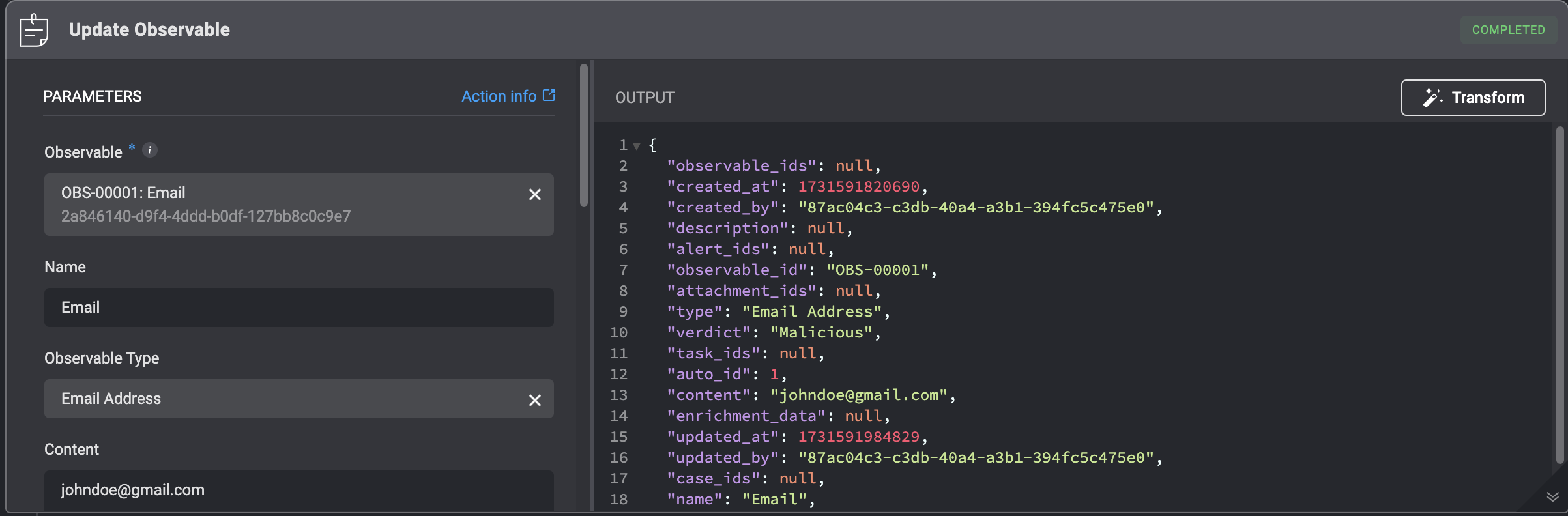
## Update Observable
Updating an existing observable within a Case requires filling in the specified parameters in the step. Be aware that this action will overwrite all existing data for that observable.
| Parameter | Description |
| -------------------------- | --------------------------------------------------------------------------------------------------------------------------------------------------------------------------------------------------------- |
| Observable | The Observable ID |
| Name | The updated name of the Observable |
| Observable Type | The type of Observable |
| Content | The content value of the Observable |
| Reputation | Reputation Tyoes: **Unknown – no information, Very Safe, Safe, Exercise Caution, Suspicious/Risky, Malicious – potentially harmful.** |
| Description | A brief explanation explaining the Observable |
| Enrichment Data | The enrichment data that provides additional information and context on the observable |
| Custom Fields(JSON Format) | Add a Custom Field in JSON format. Please note that this applies only if you have manually added a [custom record column](/docs/case-management/manage-tables#adding-custom-column) to the subject table. |
 ***
## Add or Update Observable Relation
Add or update an observable relation by filling in the following parameters in the step. This action overwrites all of the current observable's data.
**Note**: The **"Add or Update an Observable Relation"** action is the only method to directly add or modify this relation across all records that reference it.
***
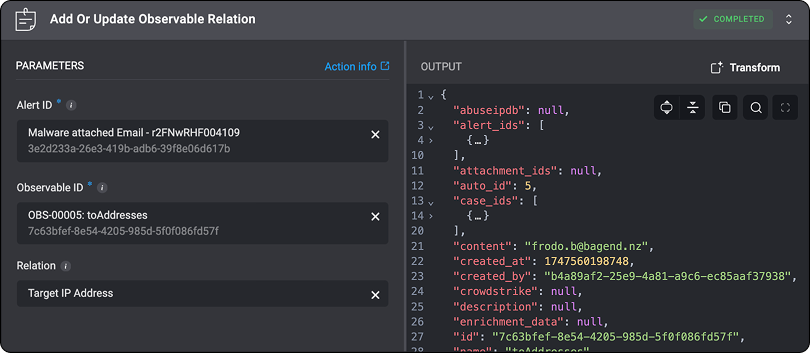
## Add or Update Observable Relation
Add or update an observable relation by filling in the following parameters in the step. This action overwrites all of the current observable's data.
**Note**: The **"Add or Update an Observable Relation"** action is the only method to directly add or modify this relation across all records that reference it.
| Parameter | Description |
| ------------- | ------------------------------------------------------------------------------------------------------------------- |
| Alert ID | The Alert's ID: can be the `id` or the `alert_id` field of the alert |
| Observable ID | The ID of the Observable: can be the `id` or the `observable_id` field of the observable |
| Relation | Defines the relation to update between the alert and the observable. Leave this field blank to remove the relation. |
 ***
## List Observable Relation Types
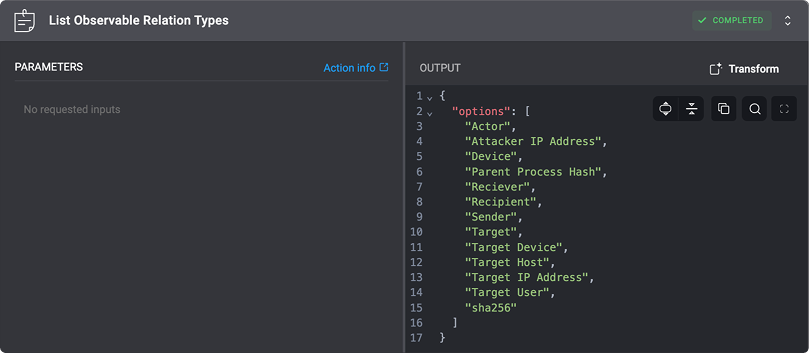
List all the observable relation types by executing the *'List Observable Relation Types'* action.
***
## List Observable Relation Types
List all the observable relation types by executing the *'List Observable Relation Types'* action.
 ***
***