> ## Documentation Index
> Fetch the complete documentation index at: https://docs.blinkops.com/llms.txt
> Use this file to discover all available pages before exploring further.
# Enrich Observables- Main Router
> Enrich observables with threat intelligence and contextual data during alert processing in Blink.
export const VersionBadges = () => {
return
v9.0
;
};
**Note:** This workflow is provided as a basic skeleton template and is designed to be fully customizable to suit your specific needs. Customization of the workflow will be required to align it with your exact requirements, and any adjustments made to the workflow will be the responsibility of the user.
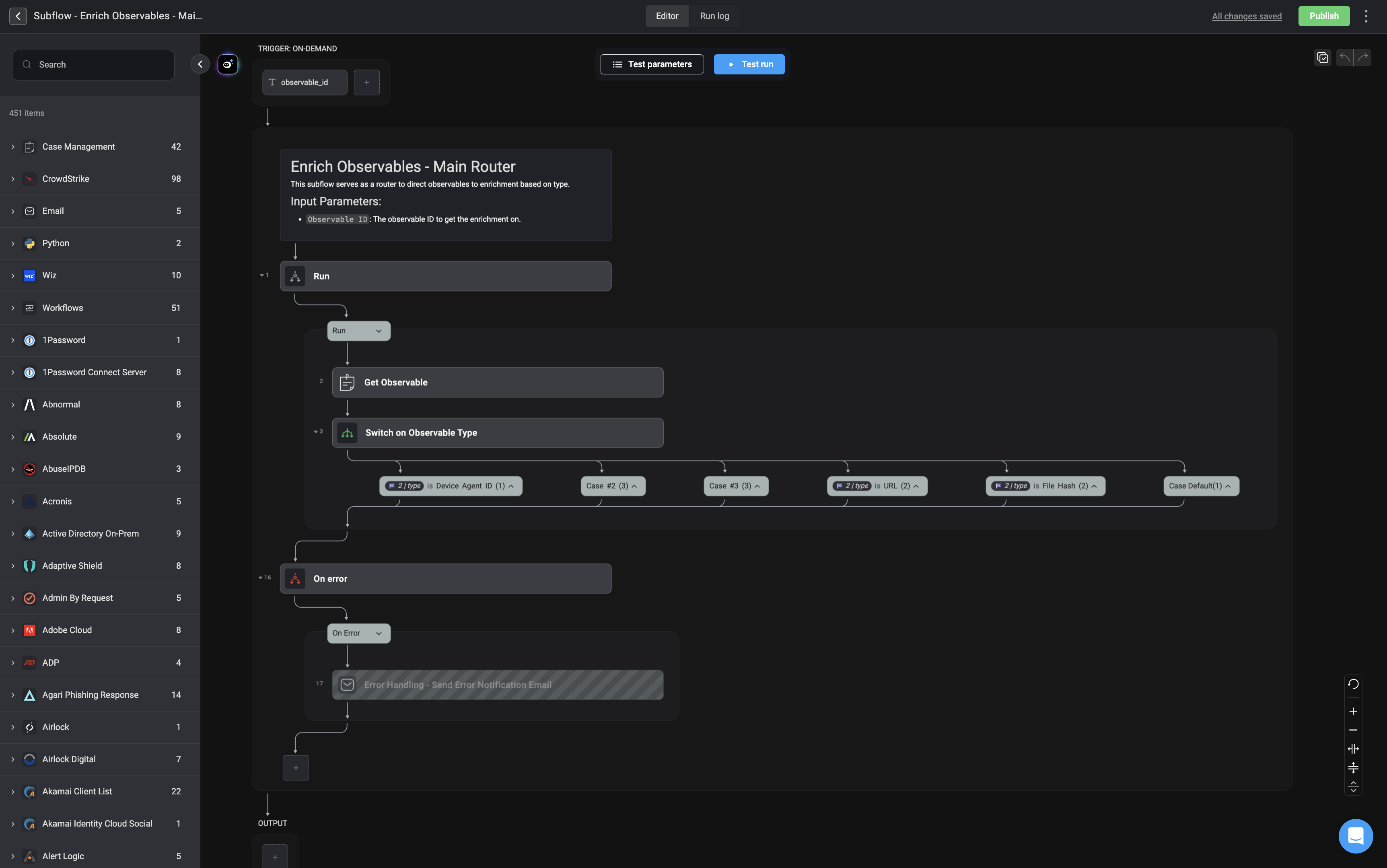
The **Enrich Observables – Main Router** workflow is designed to enhance raw observables, such as device agent ID, username or email addresses, IP addresses, URLs, or file hashes, by automatically gathering contextual intelligence from internal and external sources. This enrichment process helps security teams make faster, more informed decisions during investigations or automated responses.
Depending on how you choose to configure the **Enrich Observables – Main Router** workflow, it will dynamically route each observable, such as IPs, domains, hashes, or email addresses, to the appropriate [enrichment subflow](/docs/case-management/blinks-automated-case-management/enrichments) based on your specific needs. You can enable only the steps you require, enable error handling if no observables are found, connect your own integrations for each observable type in the relevant switch cases, or replace them with custom enrichment workflows tailored to your environment.
 ***
***