> ## Documentation Index
> Fetch the complete documentation index at: https://docs.blinkops.com/llms.txt
> Use this file to discover all available pages before exploring further.
# RBAC and User Roles
> Understand and configure user roles and permissions within your Blink organization.
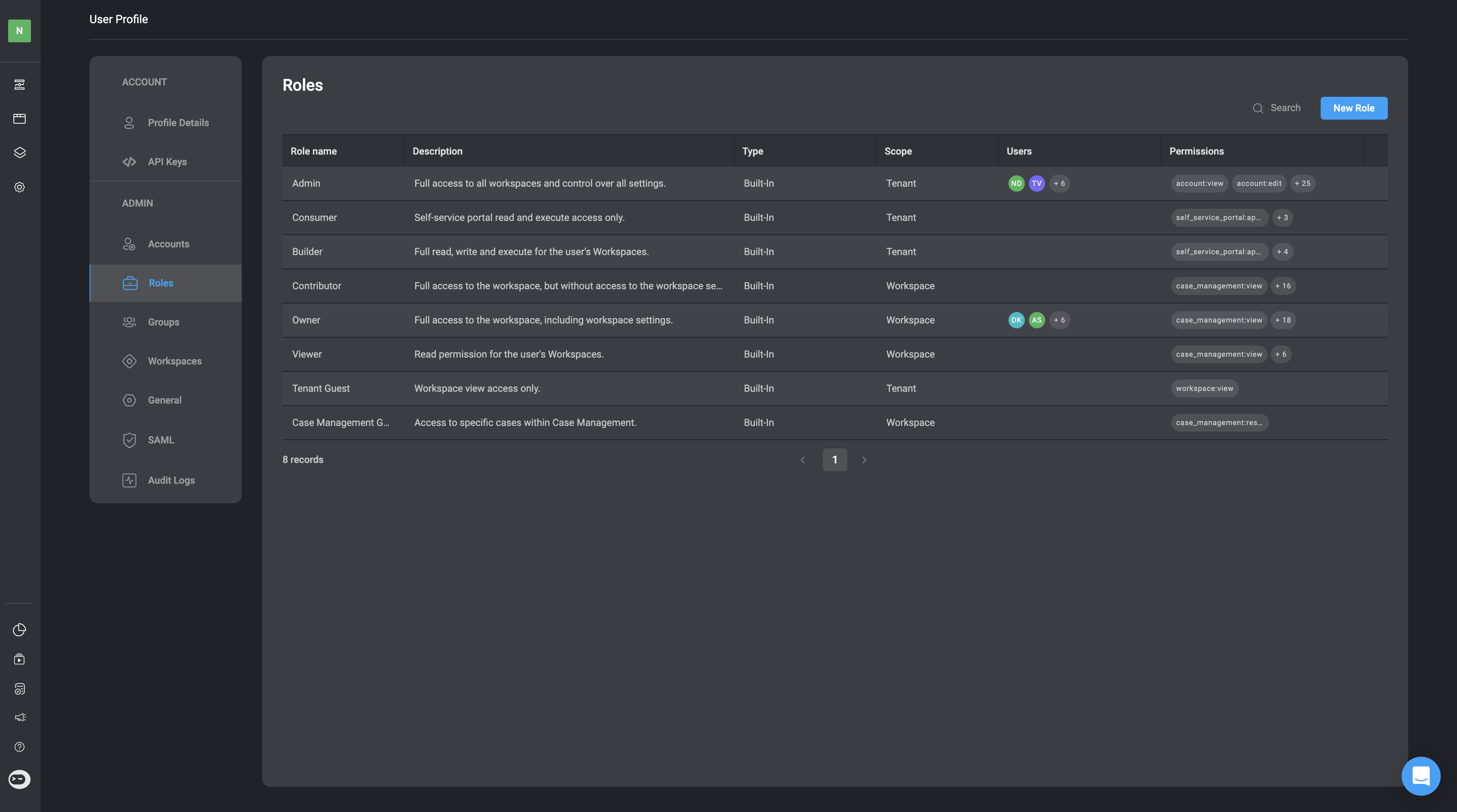
In the Blink Platform, access permissions to Blink resources and their functionality are managed through Role-based Access Control (RBAC) and User Roles. Blink Users are assigned User Roles based on two distinct scopes: the [Tenant scope](#tenant-user-role-scope) and the [Workspace Scope](#workspaces-user-role-scope). The Tenant scope covers permissions across the entire tenant, while the Workspace scope focuses on permissions within individual workspaces. Each role has its own set of predefined roles and permissions. Every Blink user has at least one Tenant Role and a separate Workspace role for each workspace they are part of. User Roles can differ between workspaces; for example, you might be an Owner in one workspace and a Contributor in a different workspace. Additionally, you have the option to [create your own custom user roles](#adding-a-new-role).
 ***
## Important Key Terms to Understand: RBAC, Scopes and User Roles
1. **Role-Based Access Controls (RBAC)** is a system that limits network access based on an individual's role within an organization. It involves assigning permissions and privileges to ensure users have the appropriate level of access according to their roles and responsibilities.
2. **Scopes** - A scope defines where specific tasks a [user](/docs/blink-platform/account-management/accounts#users) or [service account](/docs/blink-platform/account-management/accounts#accounts) in an organization can be performed.
3. **User Roles** are aggregations of scopes that define what tasks a user can perform based on the access permissions assigned to their role within the organization.
***
## Tenant Role Scope
Under the **Tenant Role Scope**, you can be assigned a built-in user role as an [Admin](#admin), [Builder](#builder), [Consumer](#consumer), [Tenant Guest](#tenant-guest) or any custom user role created in your Tenant scope.
### 1. Admin
As an Admin, you have full access to all Workspaces and control over all **tenant** settings.
Please note that users assigned an [Admin Role in the Tenant Scope ](#1-admin) have editing permissions across **all** tenant workspaces.
***
## Important Key Terms to Understand: RBAC, Scopes and User Roles
1. **Role-Based Access Controls (RBAC)** is a system that limits network access based on an individual's role within an organization. It involves assigning permissions and privileges to ensure users have the appropriate level of access according to their roles and responsibilities.
2. **Scopes** - A scope defines where specific tasks a [user](/docs/blink-platform/account-management/accounts#users) or [service account](/docs/blink-platform/account-management/accounts#accounts) in an organization can be performed.
3. **User Roles** are aggregations of scopes that define what tasks a user can perform based on the access permissions assigned to their role within the organization.
***
## Tenant Role Scope
Under the **Tenant Role Scope**, you can be assigned a built-in user role as an [Admin](#admin), [Builder](#builder), [Consumer](#consumer), [Tenant Guest](#tenant-guest) or any custom user role created in your Tenant scope.
### 1. Admin
As an Admin, you have full access to all Workspaces and control over all **tenant** settings.
Please note that users assigned an [Admin Role in the Tenant Scope ](#1-admin) have editing permissions across **all** tenant workspaces.
| Feature | Description | Permissions |
| ---------------- | ----------------------------------- | ----------------------- |
| Account Settings | View entities and settings | account:view |
| Account Settings | Invite users to the account | account:invite |
| Account Settings | Manage own API keys | account:api\_keys:edit |
| Account Settings | Create entities and update settings | account:edit |
| Blink Portal | View Apps | portal:app:view |
| Blink Portal | View Agents | portal:agent:view |
| Blink Portal | View Services | portal:service:view |
| Blink Portal | Execute Apps | portal:app:execute |
| Blink Portal | Execute Agents | portal:agent:execute |
| Blink Portal | Execute Services | portal:service:execute |
| Workspaces | View Workspaces | workspace:view |
| Workspaces | View Personal Workspace | workspace:view:personal |
| Workspaces | Create Workspaces | workspace:create |
***
### 2. Consumer
As a Consumer, you have Blink Portal read and execute access only.
#### Blink Portal
| Feature | Description | Permissions |
| ------------ | ---------------- | ---------------------- |
| Blink Portal | View Apps | portal:app:view |
| Blink Portal | View Agents | portal:agent:view |
| Blink Portal | View Services | portal:service:view |
| Blink Portal | Execute Apps | portal:app:execute |
| Blink Portal | Execute Agents | portal:agent:execute |
| Blink Portal | Execute Services | portal:service:execute |
***
### 3. Builder
As a Builder, you have access to workspaces you are a member of and have full access to the Self Service Portal.
| Permissions | Description | Feature |
| ---------------- | ----------------------- | ----------------------- |
| Account Settings | Manage own API keys | account:api\_keys:edit |
| Blink Portal | View Apps | portal:app:view |
| Blink Portal | View Agents | portal:agent:view |
| Blink Portal | View Services | portal:service:view |
| Blink Portal | Execute Apps | portal:app:execute |
| Blink Portal | Execute Agents | portal:agent:execute |
| Blink Portal | Execute Services | portal:service:execute |
| Workspaces | View Workspaces | workspace:view |
| Workspaces | View Personal Workspace | workspace:view:personal |
| Workspaces | Create Workspaces | workspace:create |
***
### 4. Tenant Guest
As a Tenant Guest, you have only access permissions to view Workspaces.
| Permissions | Description | Scope |
| ----------- | --------------- | -------------- |
| Workspaces | View Workspaces | workspace:view |
***
## Workspaces Role Scope
Under the **Workspace Role Scope**, you can be assigned a built-in role as an [Owner](#owner), [Contributor](#contributor), [Viewer](#viewer) or [Case Management Guest](#case-management-guest) or any custom Workspace user role created in your Tenant.
To assign a user a **Workspace Role**, follow these [instructions](/docs/blink-platform/account-management/workspace-management#manage-members).
### 1. Owner
As an owner, you have full access to the workspace and workspace settings.
| Feature | Description | Permissions |
| -------------------- | --------------------------------------------------------------- | ----------------------------- |
| Agents and Workflows | Read-only access to workflow and agent configurations | agent\_workflow:view |
| Agents and Workflows | Execute workflows or interact with agents | agent\_workflow:execute |
| Agents and Workflows | Create, modify, and configure workflow steps or agent behaviors | agent\_workflow:edit |
| Agents and Workflows | Publish workflows and agents changes | agent\_workflow:publish |
| Agents and Workflows | Review and approve workflow changes | workflow:approve |
| Agents and Workflows | Publish approved workflows | workflow:publish\_approved |
| Agents and Workflows | Share workflows and agents to portal | agent\_workflow:portal\_share |
| Case Management | View existing cases | case\_management:view |
| Case Management | Create and edit cases. | case\_management:edit |
| Case Management | Close cases. | case\_management:close\_case |
| Case Management | Delete Cases. | case\_management:delete\_case |
| Case Management | Manage case management settings. | case\_management:admin |
| Connections | View existing connections | connections:view |
| Connections | Create and edit connections | connections:edit |
| Dashboards | View existing dashboards | dashboard:view |
| Dashboards | Share dashboards to portal | dashboard:portal\_share |
| Dashboards | Create and edit dashboards | dashboard:edit |
| Global Variables | View existing global variables | global\_variables:view |
| Global Variables | Create and edit global variables | global\_variables:edit |
| Runners | View existing runners | runners:view |
| Runners | Create and edit runners | runners:edit |
| Tables | View existing tables | tables:view |
| Tables | Execute actions and responses | tables:execute |
| Tables | Create and edit tables | tables:edit |
| Workflows | View existing workflows | Workflow:view |
| Workflows | Execute workflows | workflow:execute |
| Workflows | Share workflows to portal | workflow:portal\_share |
| Workflows | Create and edit workflows | workflow:edit |
| Workflows | Can Publish Approved Workflows | workflow:publish\_approved |
| Workflows | Approve Workflows | workflow:approve |
| Workflows | Publish Workflows | workflow:publish |
| Workspaces | Share workspaces resources | workspaces:share |
| Workspaces | Update workspace settings | workspaces:edit |
| Workspaces | Delete workspaces | workspaces:delete |
***
### 2. Contributor
As a contributor, you have full access to the workspace, but without access to the workspace settings.
| Feature | Description | Permissions |
| -------------------- | --------------------------------------------------------------- | ----------------------------- |
| Agents and Workflows | Read-only access to workflow and agent configurations | agent\_workflow:view |
| Agents and Workflows | Execute workflows or interact with agents | agent\_workflow:execute |
| Agents and Workflows | Create, modify, and configure workflow steps or agent behaviors | agent\_workflow:edit |
| Agents and Workflows | Publish workflows and agents changes | agent\_workflow:publish |
| Agents and Workflows | Review and approve workflow changes | workflow:approve |
| Agents and Workflows | Publish approved workflows | workflow:publish\_approved |
| Agents and Workflows | Share workflows and agents to portal | agent\_workflow:portal\_share |
| Case Management | View existing cases | case\_management:view |
| Case Management | Create and edit cases. | case\_management:edit |
| Case Management | Close cases. | case\_management:close\_case |
| Case Management | Delete Cases. | case\_management:delete\_case |
| Case Management | Manage case management settings. | case\_management:admin |
| Connections | View existing connections | connections:view |
| Connections | Create and edit connections | connections:edit |
| Dashboards | View existing dashboards | dashboard:view |
| Dashboards | Share dashboards to portal | dashboard:portal\_share |
| Dashboards | Create and edit dashboards | dashboard:edit |
| Global Variables | View existing global variables | global\_variables:view |
| Global Variables | Create and edit global variables | global\_variables:edit |
| Runners | View existing runners | runners:view |
| Runners | Create and edit runners | runners:edit |
| Tables | View existing tables | tables:view |
| Tables | Execute actions and responses | tables:execute |
| Tables | Create and edit tables | tables:edit |
| Workflows | View existing workflows | workflow:view |
| Workflows | Execute workflows | workflow:execute |
| Workflows | Share workflows to portal | workflow:portal\_share |
| Workflows | Create and edit workflows | workflow:edit |
| Workflows | Can Publish Approved Workflows | workflow:publish\_approved |
| Workflows | Approve Workflows | workflow:approve |
| Workflows | Publish Workflows | workflow:publish |
| Workspaces | Share workspace resources | workspaces:share |
***
### 3. Viewer
As a viewer, you can only observe the mentioned features without the ability to edit or create them.
| Feature | Description | Permissions |
| -------------------- | ----------------------------------------------------- | ---------------------- |
| Agents and Workflows | Read-only access to workflow and agent configurations | agent\_workflow:view |
| Case Management | View existing cases | case\_management:view |
| Connections | View existing connections | connections:view |
| Dashboards | View existing dashboards | dashboard:view |
| Global Variables | View existing global variables | global\_variables:view |
| Runners | View existing runners | runners:view |
| Tables | View existing tables | tables:view |
| Workflows | View existing workflows | workflow:view |
***
### 4. Case Management Guest
As a Case Management Guest, you have access permissions to specific cases within Case Management.
| Feature | Description | Scope |
| --------------- | ---------------------------------------------------------------------------------------- | --------------------------- |
| Case Management | Edit only the cases shared with the user and their groups, including any linked entities | case\_management:restricted |
***
## Adding a New Custom Role
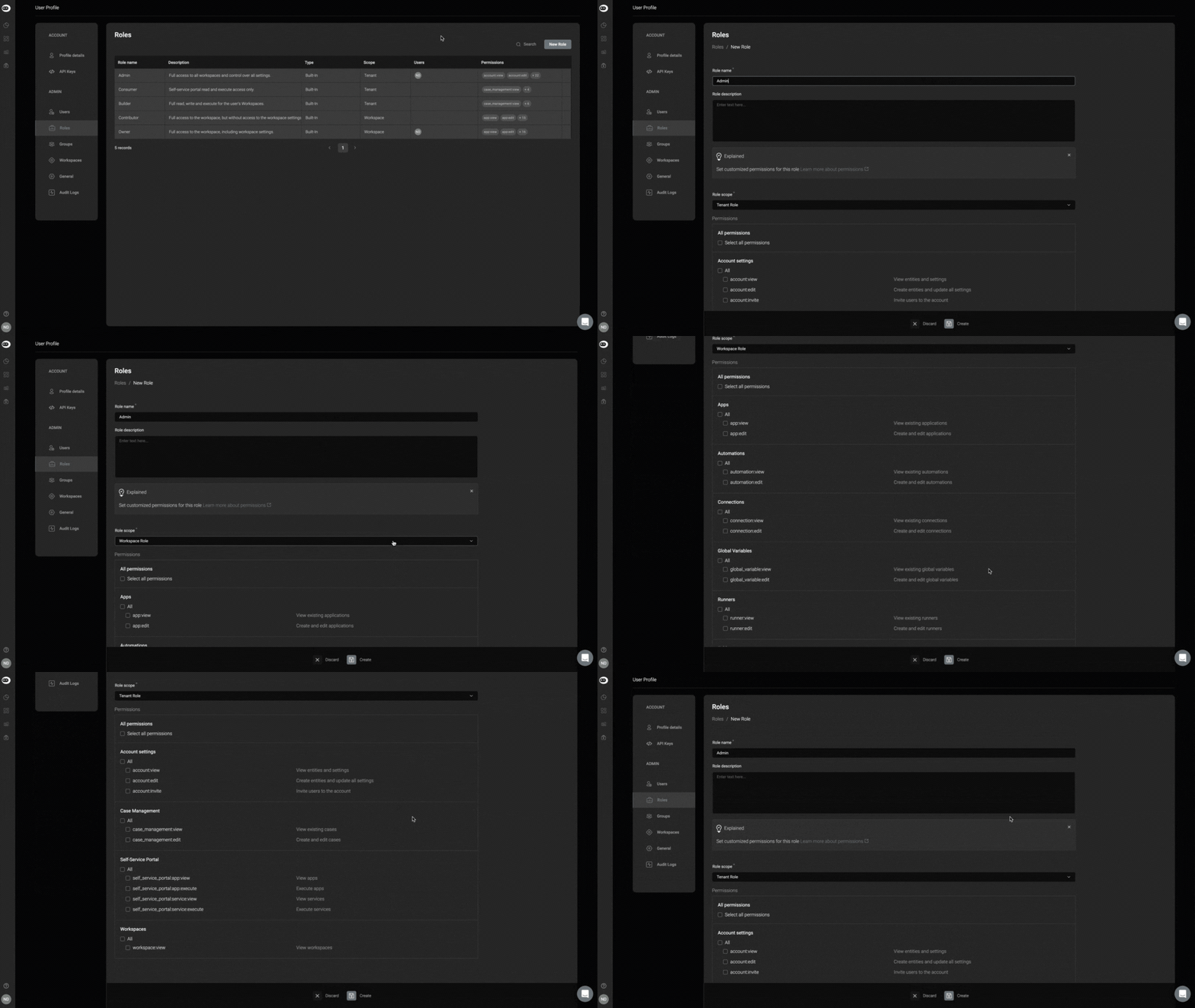
1. In the top-right corner, click the **New Role** button.
2. A dialogue box will open, displaying all **user role permissions**.
3. Add a **Role Name** and a **Role Description**.
4. Select a **Role Scope** by selecting between a **Tenant Role** or a **Workspace Role** from the dynamic dropdown.
Please note that **Tenant Role** or a **Workspace Role** have different access permissions
| **Feature** | **Permission** | **Description** |
| -------------------- | ------------------------- | --------------------------------------- |
| **Account settings** | `account:view` | View entities and settings |
| | `account:invite` | Invite users to the account |
| | `account:edit` | Create entities and update all settings |
| **Blink Portal** | `portal:app:view` | View apps |
| | `portal:service:view` | View services |
| | `portal:app:execute` | Execute apps |
| | `portal:service:execute` | Execute services |
| **Workspaces** | `workspace:view` | View user’s associated workspaces |
| | `workspace:view:personal` | Access user’s personal workspace |
| | `workspace:create` | Create workspaces |
| Feature | Permission | Description |
| -------------------- | ---------------------------- | ------------------------------------------------------------------------------------------------- |
| **Case Management** | `case_management:restricted` | View and edit only the cases shared with the user and their groups, including any linked entities |
| | `case_management:view` | View existing cases |
| | `case_management:edit` | Create and edit cases |
| | `case_management:close_case` | Close cases |
| | `case_management:delete` | Delete case management entities |
| | `case_management:admin` | Manage case management settings, including editing a case, closing a case, and deleting a case |
| **Connections** | `connection:view` | View existing connections |
| | `connection:edit` | Create and edit connections |
| **Dashboards** | `dashboard:view` | View existing dashboards |
| | `dashboard:edit` | Create and edit dashboards |
| **Global Variables** | `global_variable:view` | View existing global variables |
| | `global_variable:edit` | Create and edit global variables |
| **Runners** | `runner:view` | View existing runners |
| | `runner:edit` | Create and edit runners |
| **Tables** | `table:view` | View existing tables |
| | `table:edit` | Create and edit tables |
| **Workflows** | `workflow:view` | View existing workflows |
| | `workflow:execute` | Execute workflows |
| | `workflow:edit` | Create and edit workflows |
| | `workflow:publish` | Publish workflows |
| | `workflow:approve` | Review and approve workflow changes |
| | `workspace:share` | Share workspace resources |
| | `workspace:edit` | Update workspace settings |
| | `workspace:delete` | Delete workspace |
***
5. Then, select the relevant checkboxes to customize user role permissions and then click the **create** icon.