> ## Documentation Index
> Fetch the complete documentation index at: https://docs.blinkops.com/llms.txt
> Use this file to discover all available pages before exploring further.
# Blink REST API
> Reference documentation for the Blink REST API, including authentication, endpoints, and usage examples.
## Authentication
All requests to the Blink API require authentication.
### Generate an API Key
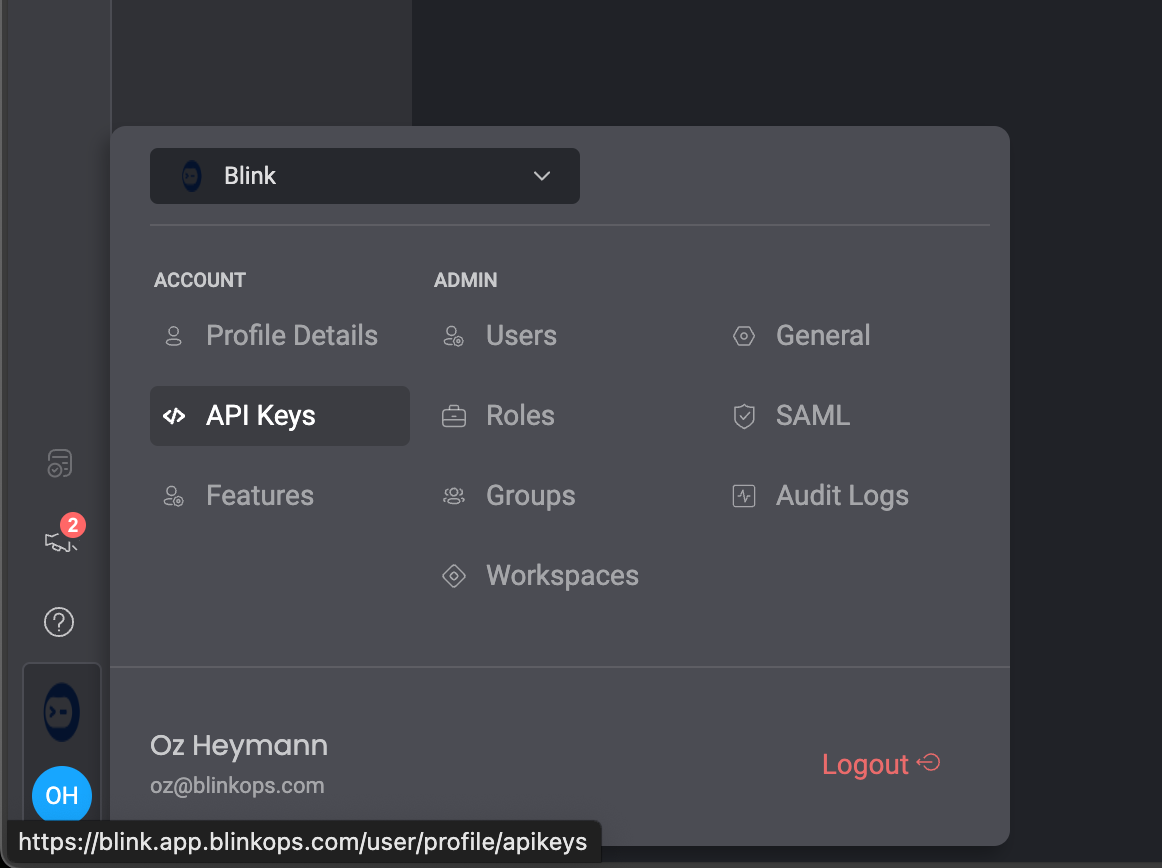
1. Log in to your BlinkOps account and navigate to the API Keys page.
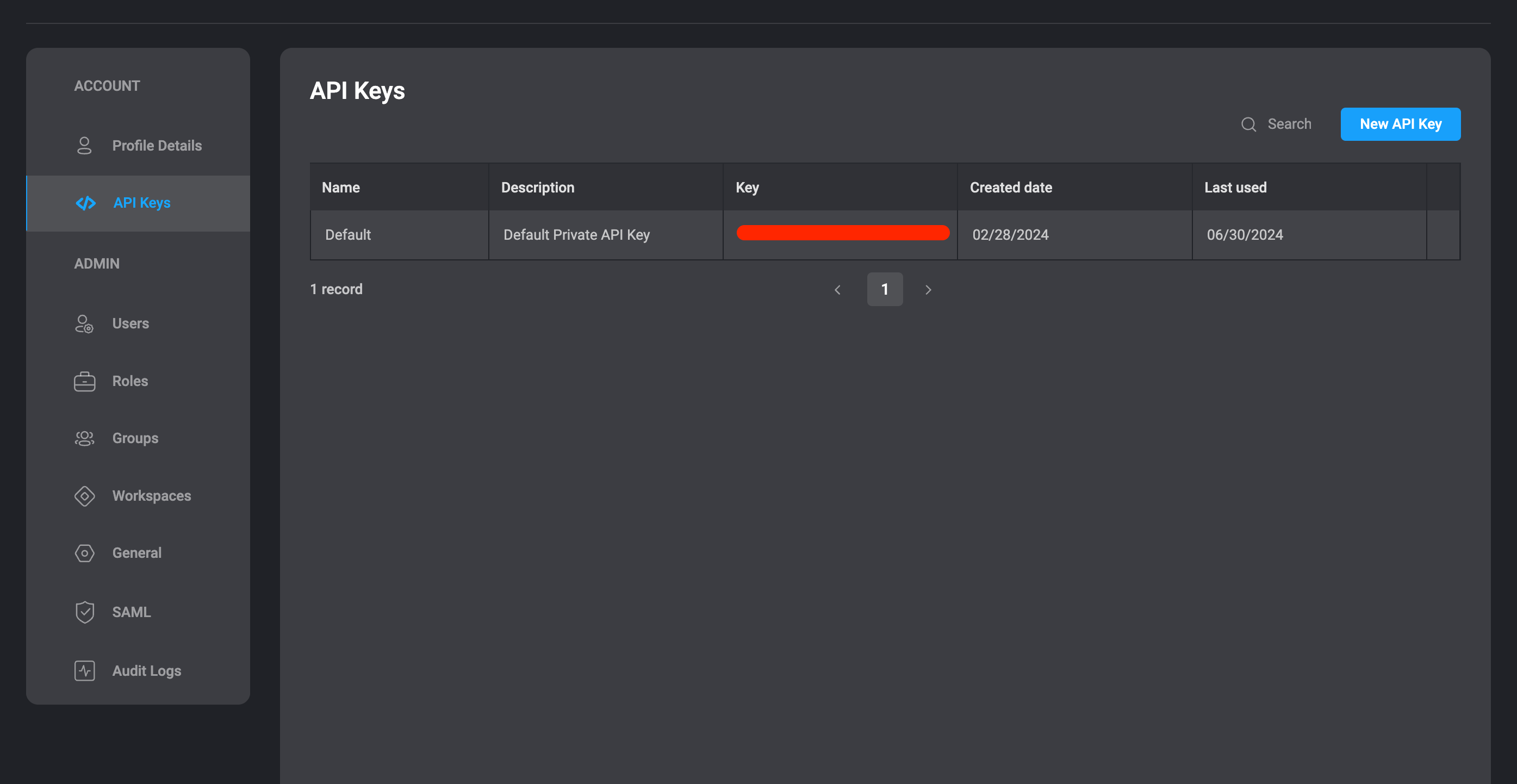
 2. Copy one of the existing API keys or create a new one.
 3. Add the generated key to your request headers as BLINK-API-KEY.
### Using an API Key
Each request sent to the REST API must be authenticated using an API key, included in the BLINK-API-KEY header.
For example:
```shell theme={"dark"}
curl -L -X POST 'http://app.blinkops.com/api/v1/playbooks/33168bb7-a395-47c9-ba7a-d44b649940dc/execute' \
-H 'Content-Type: application/json' \
-H 'Accept: application/json' \
-H 'BLINK-API-KEY: h4536jlkh345l456l35y4543l5ls'
```
## Limits
Blink supports a maximum of 1000 records per page.
3. Add the generated key to your request headers as BLINK-API-KEY.
### Using an API Key
Each request sent to the REST API must be authenticated using an API key, included in the BLINK-API-KEY header.
For example:
```shell theme={"dark"}
curl -L -X POST 'http://app.blinkops.com/api/v1/playbooks/33168bb7-a395-47c9-ba7a-d44b649940dc/execute' \
-H 'Content-Type: application/json' \
-H 'Accept: application/json' \
-H 'BLINK-API-KEY: h4536jlkh345l456l35y4543l5ls'
```
## Limits
Blink supports a maximum of 1000 records per page.