> ## Documentation Index
> Fetch the complete documentation index at: https://docs.blinkops.com/llms.txt
> Use this file to discover all available pages before exploring further.
# The Agent's Run Logs
> How to use agent run logs for testing, debugging, auditing, and validating agent behavior in the Agent Builder.
The **Agent's Run Logs** serve as a critical tool for testing, debugging, auditing and validating the behavior of agents built using the Agent Builder. Whether you are developing a new agent from scratch or testing modifications to an existing one, the run logs provide visibility into how your agent executes each step, what data it processes, and where potential issues may arise.
These logs are especially useful during the development and testing phases, helping you trace the full lifecycle of an agent's execution, from input ingestion to output generation. By reviewing the logs, builders can quickly identify syntax errors, misconfigured connections and unexpected outputs, significantly reducing the time spent troubleshooting.
**Note**: To view an agent’s run logs, you must have `workflow:view` permissions. For more details about agent permissions, see the [agent's permissions guide](/docs/agent-builder/permissions).
***
## Accessing the Agent's Run Logs
The Agent's Run Logs provide full visibility into each execution of an agent. These logs help users troubleshoot, monitor behavior, and validate that the agent is functioning as intended. The run logs can be accessed from two main locations: The 'Run Log' tab within the agent builder or in the output of the Agent step.
1. The Agent's Step
2. The 'Run Log' tab within the Agent Builder
## The Agent Step
When executing an agent step, the output includes two distinct tabs:
### Run Log (Default Tab)
This is the default view that appears as soon as the agent step begins to run. It displays a run log similar to the full run log view in the [Agent Builder](/docs/agent-builder/building-the-agent) page, but optimized for step-level focus.
**This step-level run log helps you:**
1. Observe the progression of the step in real time.
2. Review input ingestion and transformations.
3. Identify issues such as malformed input, invalid expressions, or connection errors.
4. Validate that each ability and decision-making point behaves as expected.
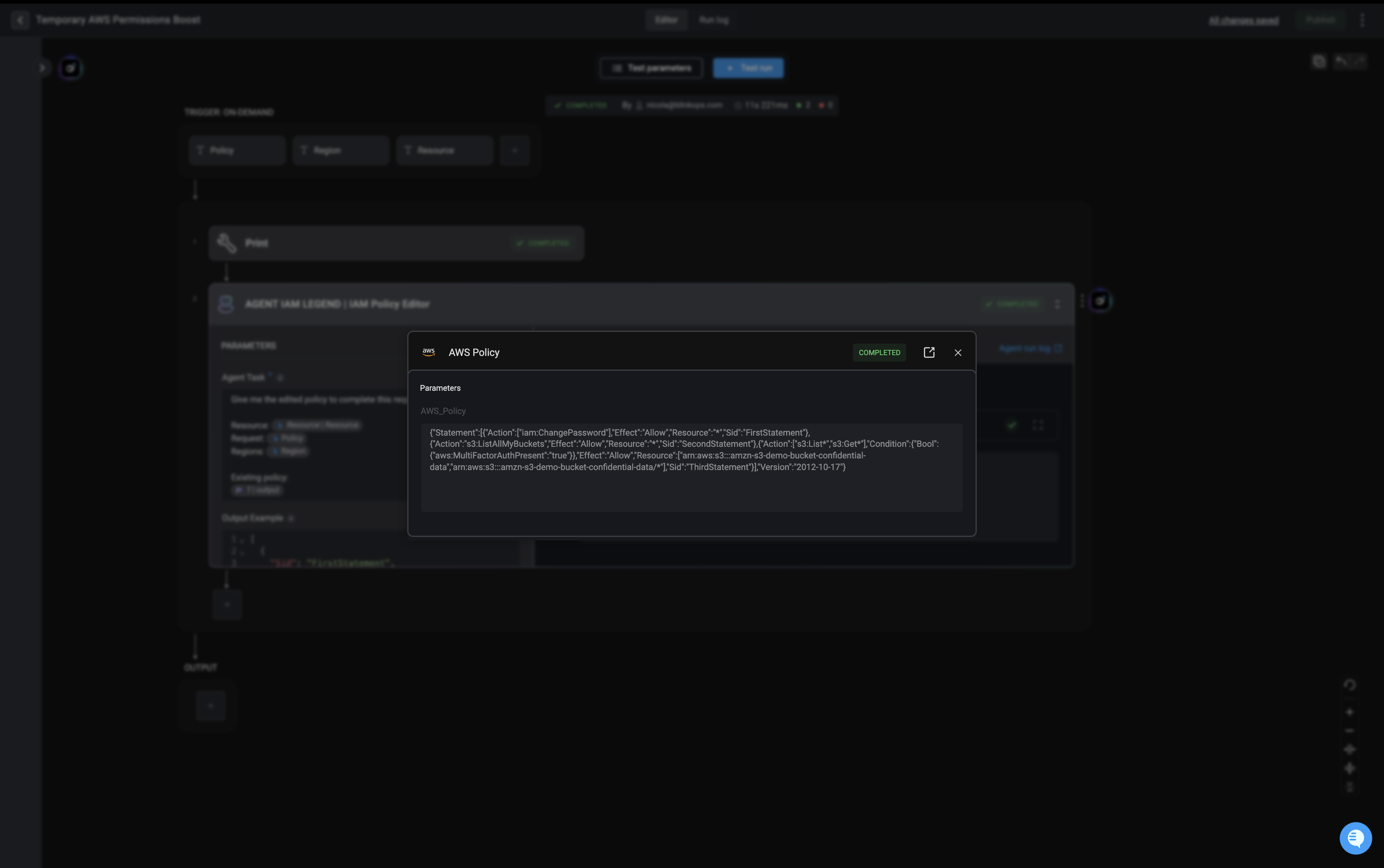
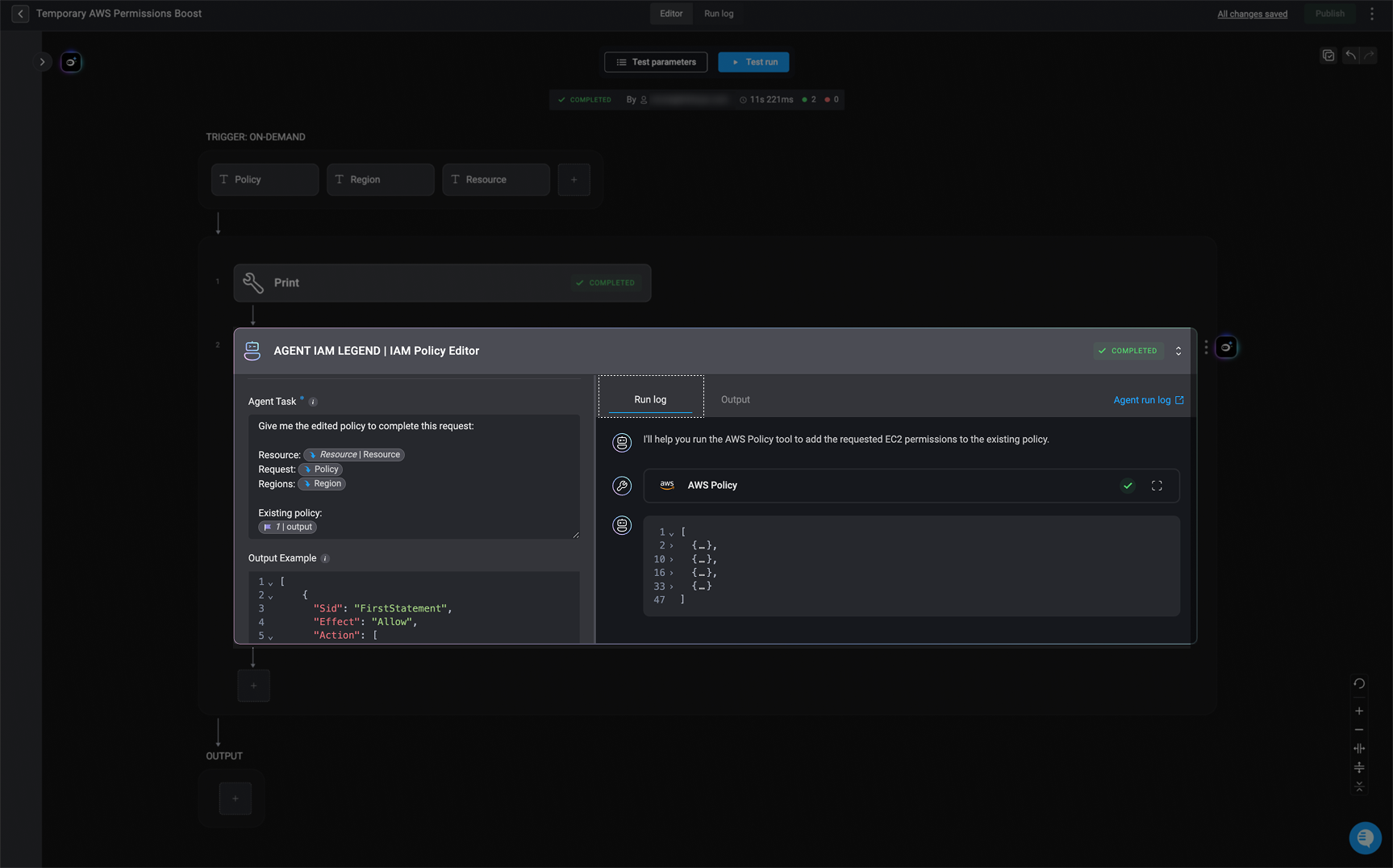 **Note**: If any agent step involves Abilities (workflows), clicking on it will open a pop-up window showing the execution status and an arrow that will direct you to the ability workflow
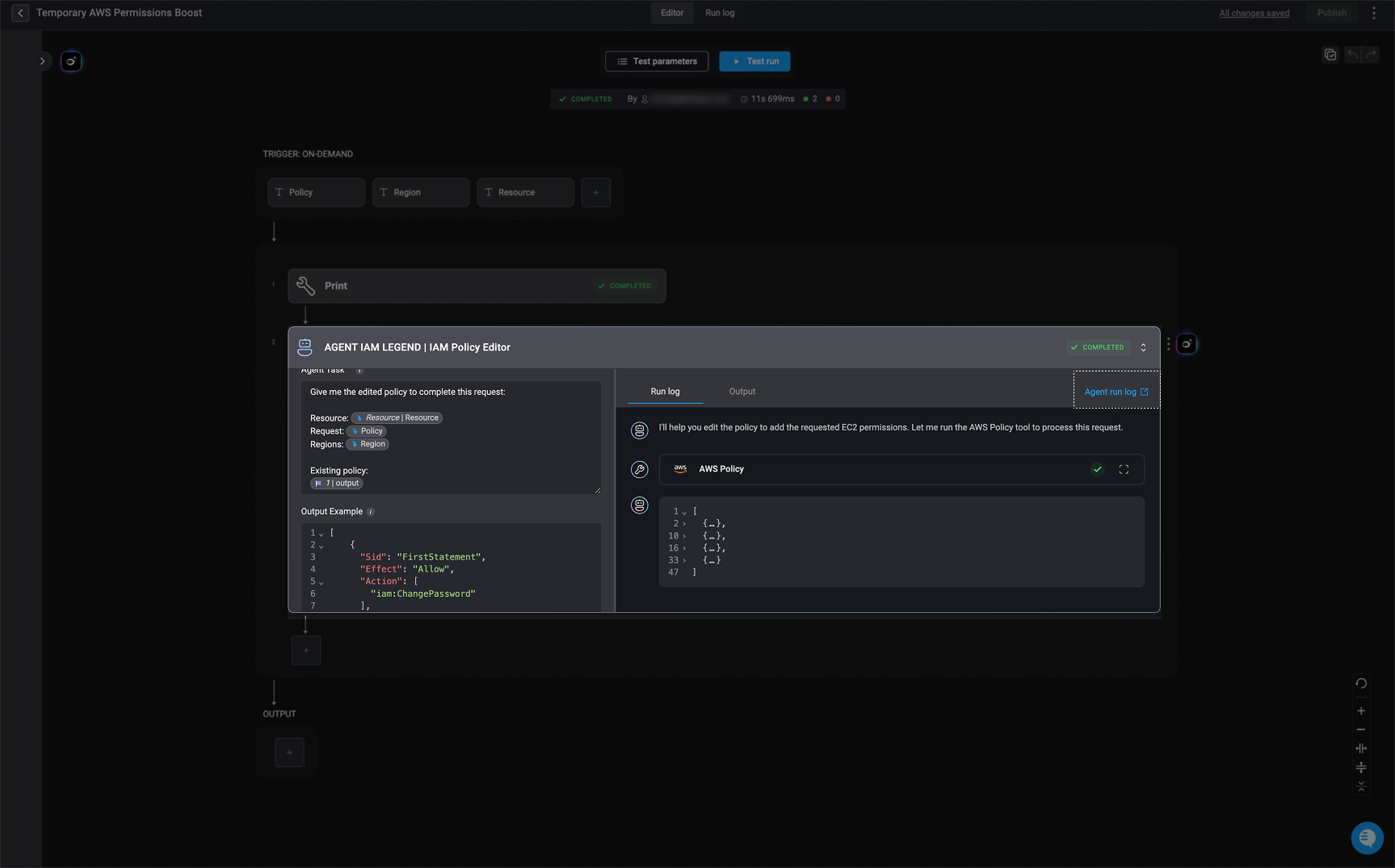
 **Note**: Within a workflow’s run logs, you can click [Agent run log](#the-agent’s-execution-details) link in the top-right corner of the agent step’s output. This opens the detailed [run log](#the-agent’s-execution-details) for that specific agent.
 ***
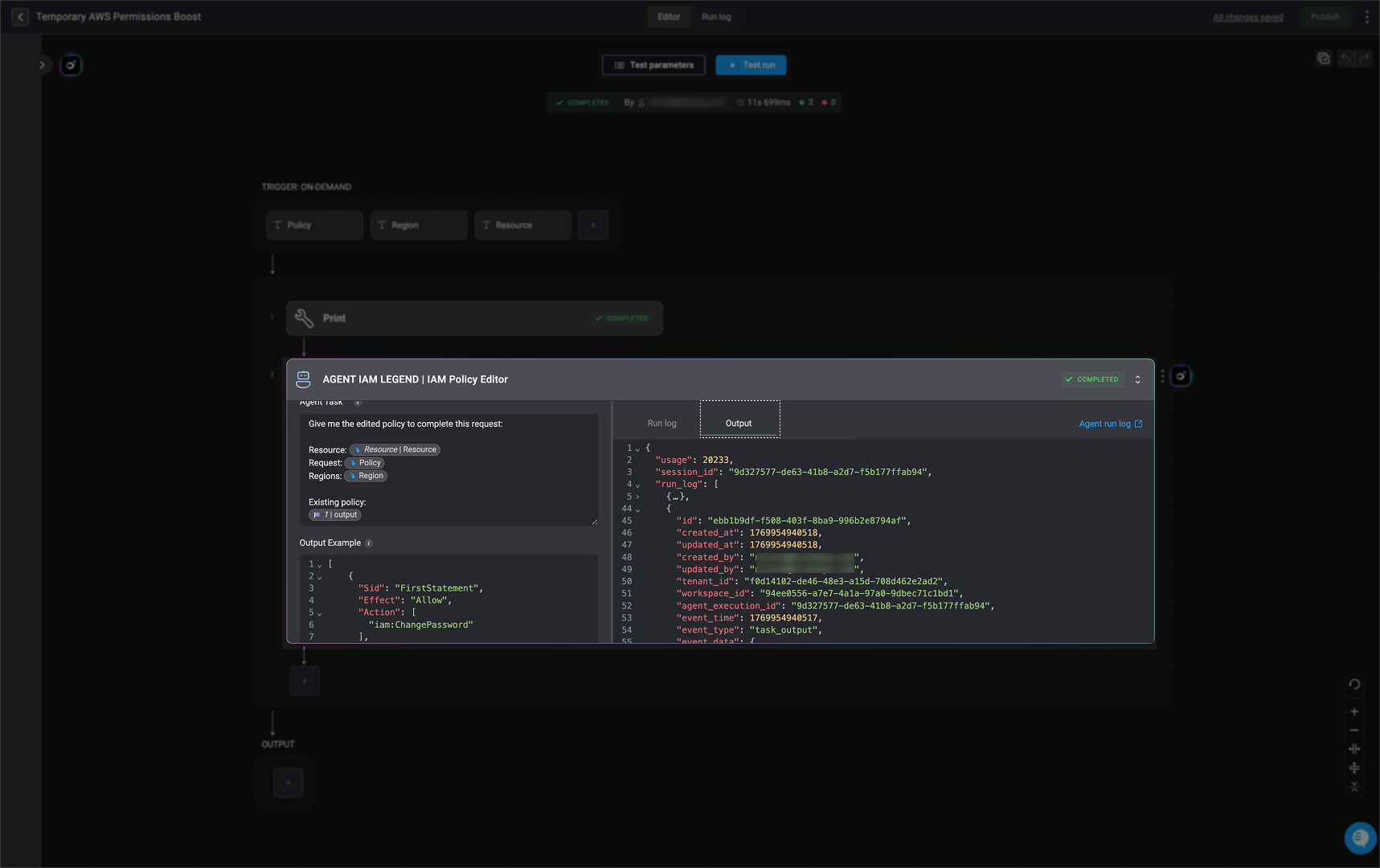
### Output Tab
This tab shows the agent’s final response along with all related information in `JSON` format, including data such as usage details, session IDs, and execution log details.
***
### Output Tab
This tab shows the agent’s final response along with all related information in `JSON` format, including data such as usage details, session IDs, and execution log details.
 ***
## Run Log Tab within the Agent Builder
**Note:** The run logs collected by the agent are identical to those shown in the Agent Step's Run Log, with one key addition: they also include the task inputs sent to the agent. This provides additional visibility into what data was passed into the task at execution time.
### The Agent's Execution Details
An [agent's execution sessions](/docs/agent-builder/agent-run-logs#the-agent’s-execution-sessions) are labeled with when the execution succeeds, or when it fails. In contrast, an [agent's interactive sessions](/docs/agent-builder/agent-run-logs#the-agent’s-interactive-sessions) are marked with an . This visual distinction helps you quickly identify the type and outcome of each session.
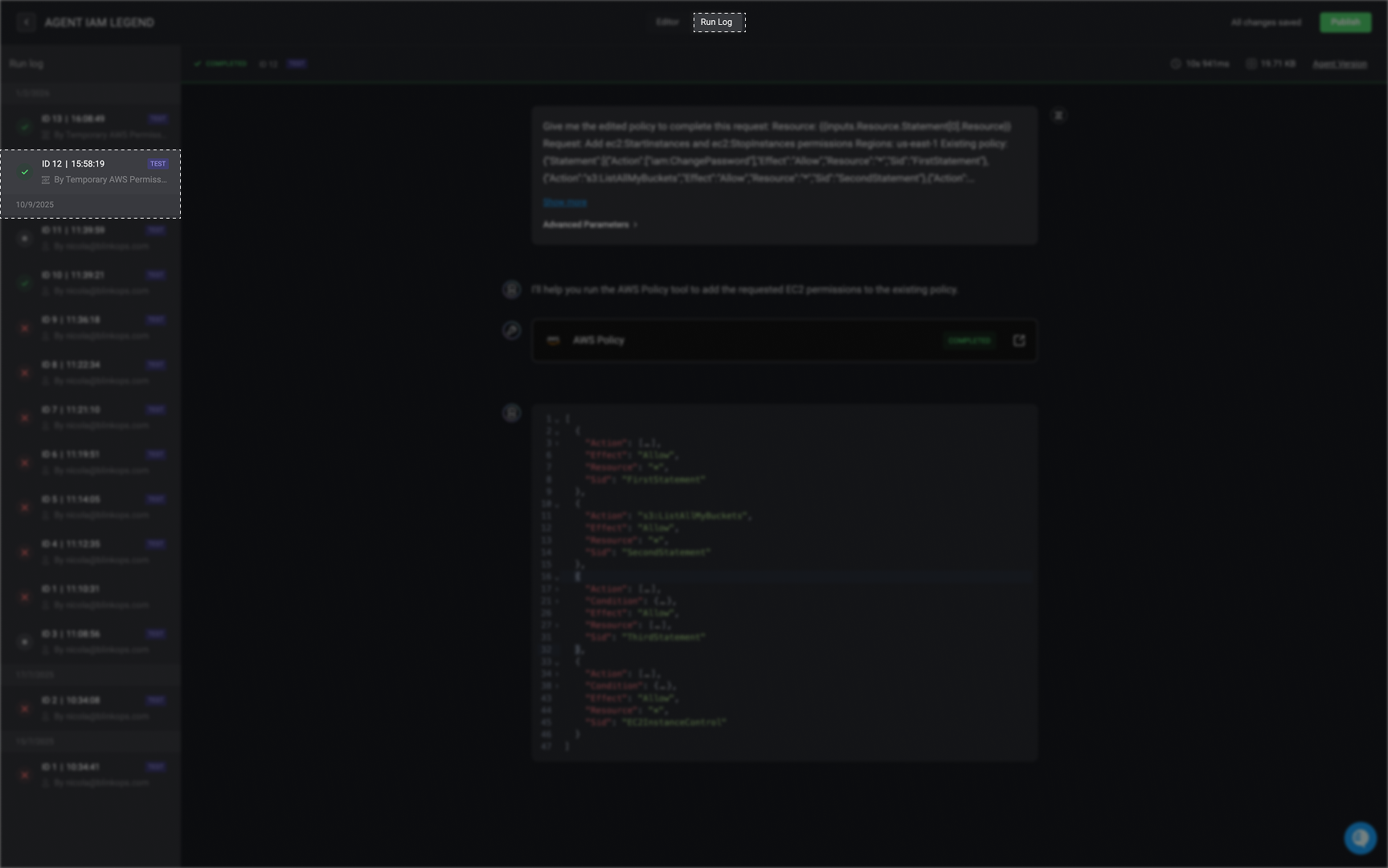
In the Run Log Panel on the left-hand side is a list of all agent execution sessions. Each session entry includes:
* Session ID
* Execution timestamp (`HH:MM:SS am/pm`)
* Execution status
* Triggered by (manual or automated)
* Parent workflow name (if applicable)
* User name (for test runs)
* Test run label (if applicable)
***
## Run Log Tab within the Agent Builder
**Note:** The run logs collected by the agent are identical to those shown in the Agent Step's Run Log, with one key addition: they also include the task inputs sent to the agent. This provides additional visibility into what data was passed into the task at execution time.
### The Agent's Execution Details
An [agent's execution sessions](/docs/agent-builder/agent-run-logs#the-agent’s-execution-sessions) are labeled with when the execution succeeds, or when it fails. In contrast, an [agent's interactive sessions](/docs/agent-builder/agent-run-logs#the-agent’s-interactive-sessions) are marked with an . This visual distinction helps you quickly identify the type and outcome of each session.
In the Run Log Panel on the left-hand side is a list of all agent execution sessions. Each session entry includes:
* Session ID
* Execution timestamp (`HH:MM:SS am/pm`)
* Execution status
* Triggered by (manual or automated)
* Parent workflow name (if applicable)
* User name (for test runs)
* Test run label (if applicable)
 ***
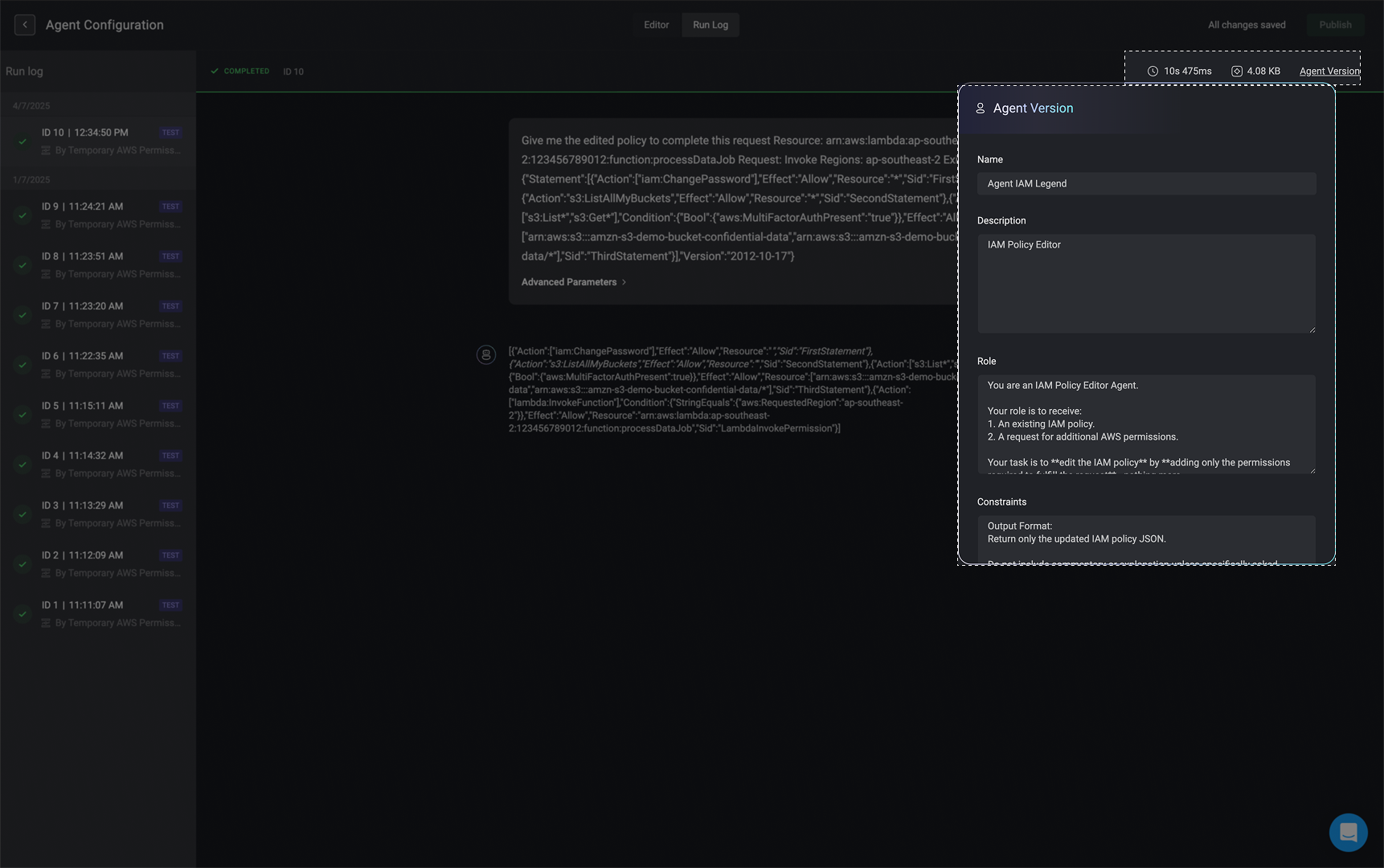
In the top-right corner of the **Run Logs** page, you will find key execution details, including:
* The total duration of the selected run
* The total amount of processed data used during execution
* The agent version used — click the version link to view the corresponding [Agent's configuration details](/docs/agent-builder/building-the-agent#creating-a-new-agent):
***
In the top-right corner of the **Run Logs** page, you will find key execution details, including:
* The total duration of the selected run
* The total amount of processed data used during execution
* The agent version used — click the version link to view the corresponding [Agent's configuration details](/docs/agent-builder/building-the-agent#creating-a-new-agent):
 ***
***