> ## Documentation Index
> Fetch the complete documentation index at: https://docs.blinkops.com/llms.txt
> Use this file to discover all available pages before exploring further.
# Agent Generated Workflow
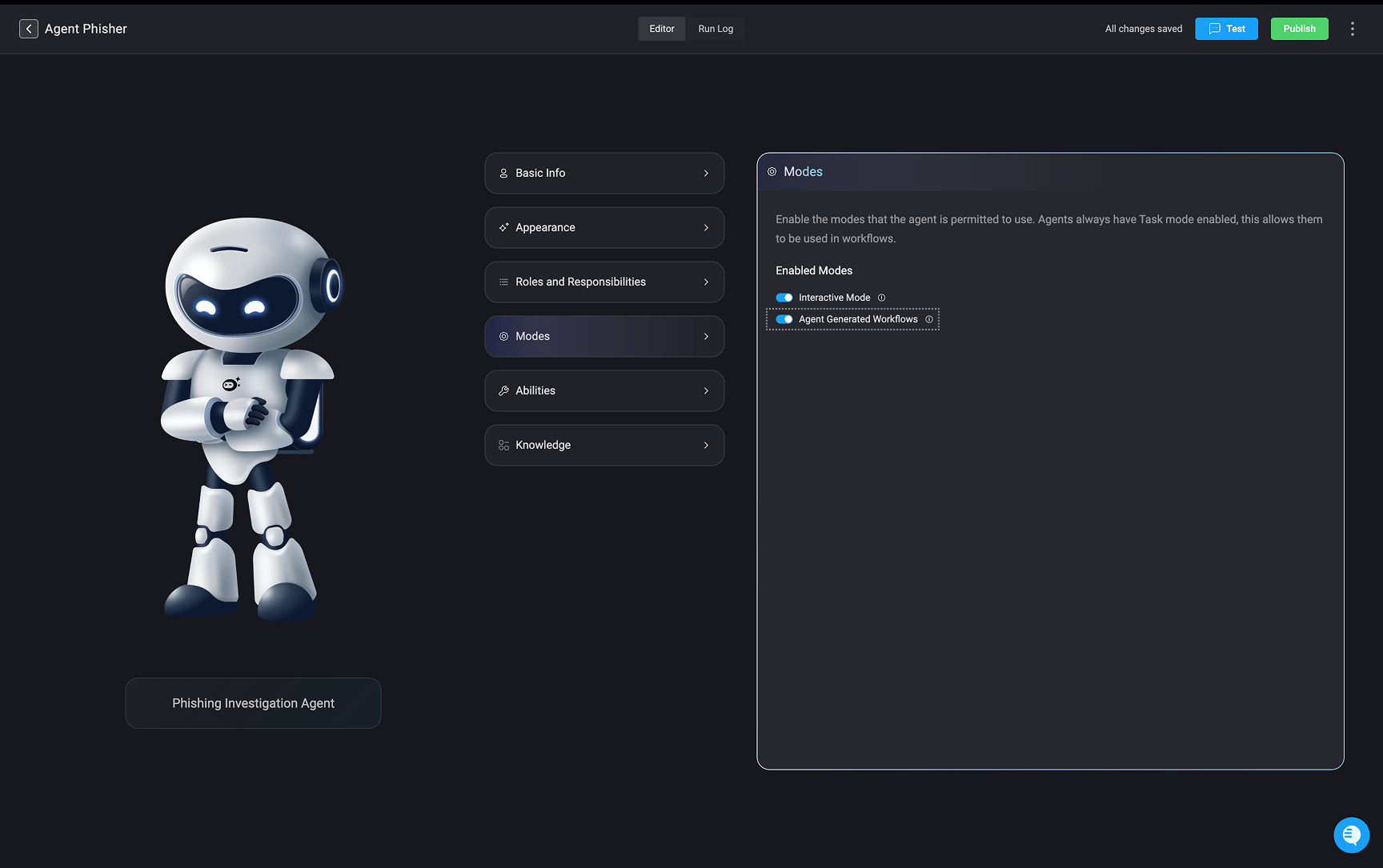
Agent-Generated Workflows enable agents to dynamically create and execute Blink workflows at runtime, extending their capabilities beyond their predefined set of abilities.
During task execution, the agent continuously evaluates the work required to fulfill a request. For straightforward operations, it invokes its existing abilities directly. When the task requires complex data transformation, iterative processing, custom logic, or handling large datasets, the agent can determine that generating a dedicated workflow is a more efficient execution strategy.
The generated workflow is constructed using Blink's workflow engine and may include:
* [Python code](/docs/workflows/building-workflows/actions/basic-actions/code-actions#python) for custom data processing and computation.
* [JQ transformations](/docs/builder-copilot/transform-data-output) for structured JSON manipulation.
* Ability steps that invoke the agent's existing abilities as reusable subflows.
* Standard Blink workflow components such as conditions, loops, and variables to orchestrate execution.
Once generated, the workflow is executed within Blink's secure, isolated execution environment. Intermediate processing occurs entirely within the workflow engine, allowing the agent to receive only the relevant output rather than carrying large amounts of intermediate data in its context window.
This execution model provides several advantages:
* **Reduced context consumption** by offloading computation from the language model.
* **Improved scalability** when processing large datasets or multi-step operations.
* **Lower token usage and execution costs** by minimizing unnecessary reasoning.
* **Greater reliability and accuracy** by delegating deterministic processing to Blink workflows, reducing opportunities for hallucinations.
**Note**: For more information, visit [Best Practices](/docs/agent-builder/best-practices#2-2-handling-large-outputs-&-context-window-mitigation)
 ***
## Use Case Examples
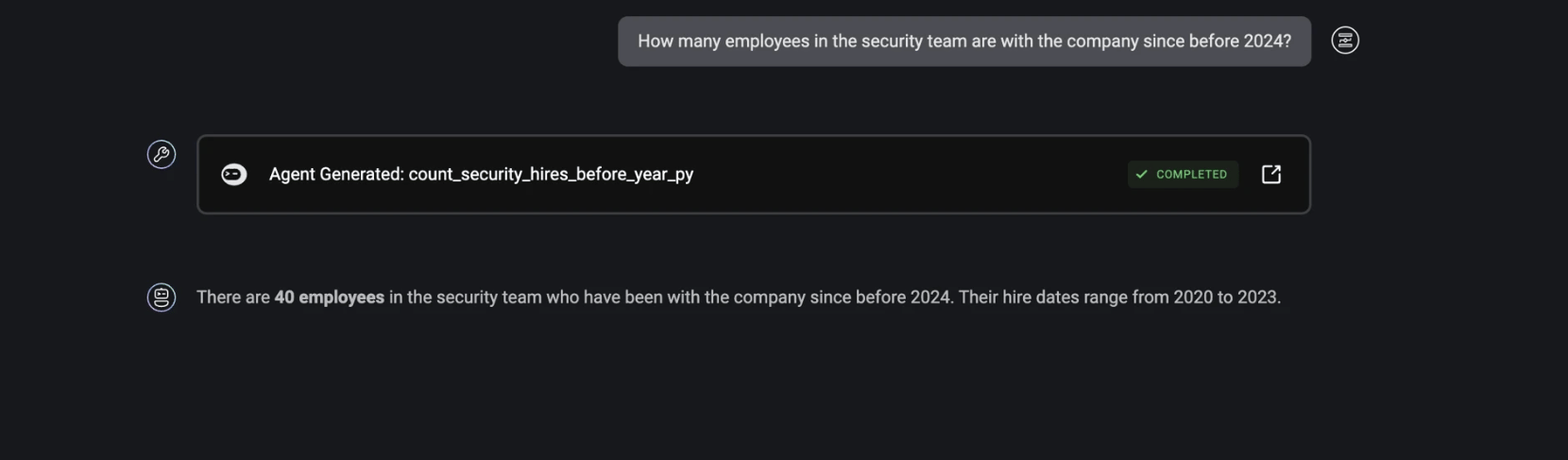
A Blink HR Agent has access to a Fetch Org Chart ability, which returns a large organizational dataset. However, to answer a user's question, the agent only requires a small subset of that information.
Instead of processing the entire response within the language model, the agent generates a workflow that:
* Invokes the Fetch Org Chart ability as a subflow.
* Uses a JQ or Python step to filter, transform, and extract only the relevant data.
* Returns the refined result to the agent for reasoning and response generation.
By preprocessing the data within the workflow engine, the agent significantly reduces context usage, lowers token consumption, and improves response accuracy.
***
## Use Case Examples
A Blink HR Agent has access to a Fetch Org Chart ability, which returns a large organizational dataset. However, to answer a user's question, the agent only requires a small subset of that information.
Instead of processing the entire response within the language model, the agent generates a workflow that:
* Invokes the Fetch Org Chart ability as a subflow.
* Uses a JQ or Python step to filter, transform, and extract only the relevant data.
* Returns the refined result to the agent for reasoning and response generation.
By preprocessing the data within the workflow engine, the agent significantly reduces context usage, lowers token consumption, and improves response accuracy.
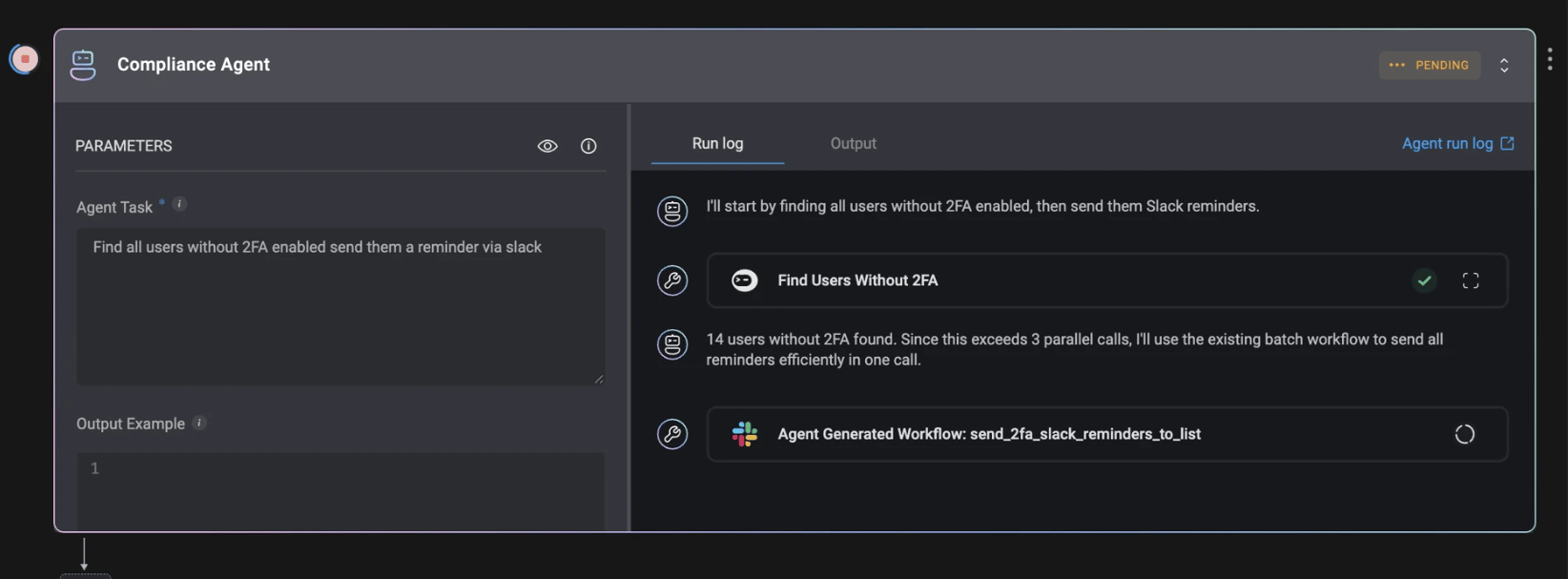
 A Blink Compliance Agent has an ability that sends a Slack message to a single user. The agent is asked to notify every employee who has not enabled two-factor authentication (2FA), reminding them to enable it within the next week.
After identifying 40 users without 2FA, the agent recognizes that sending 40 individual messages would exceed the maximum number of tool invocations allowed for a single agent task.
To complete the request, the agent generates a workflow that:
* Invokes a Send Slack to Multiple Users workflow.
* Uses a Blink Loop to iterate through the list of users.
* Calls the existing Send Slack Message ability as a subflow for each user.
* Completes the notification process within the workflow engine before returning the final status to the agent.
This approach enables the agent to orchestrate large-scale operations while remaining within execution limits and reusing existing abilities rather than duplicating logic.
A Blink Compliance Agent has an ability that sends a Slack message to a single user. The agent is asked to notify every employee who has not enabled two-factor authentication (2FA), reminding them to enable it within the next week.
After identifying 40 users without 2FA, the agent recognizes that sending 40 individual messages would exceed the maximum number of tool invocations allowed for a single agent task.
To complete the request, the agent generates a workflow that:
* Invokes a Send Slack to Multiple Users workflow.
* Uses a Blink Loop to iterate through the list of users.
* Calls the existing Send Slack Message ability as a subflow for each user.
* Completes the notification process within the workflow engine before returning the final status to the agent.
This approach enables the agent to orchestrate large-scale operations while remaining within execution limits and reusing existing abilities rather than duplicating logic.